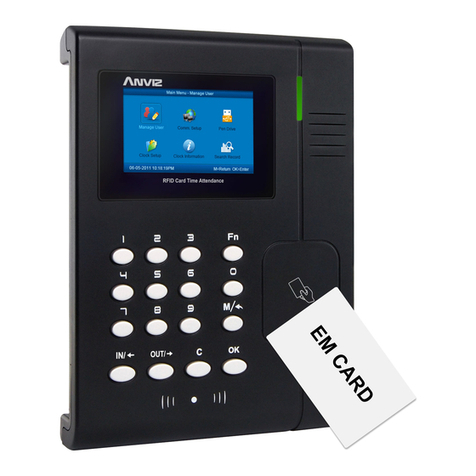
Anviz T5Pro Manuel utilisateur

1
Series user manual
( mark for special model function)
Specific function subject to actual attendance
If there is an update are subject to change without notice

2
Preface
Honorable customers,
Thanks for choosing products of this company. T5Pro/T5/T5S, with world cutting
edge technologies—fingerprint recognition, computer communication, as well as
microelectronics, is considered to be combination of three technologies: electronics,
optics and computer communication. It is no doubt that it has become the first choice
of standalone time & attendance for enterprises with its strong function and veracity.
Please read this user manual carefully to have an initial understanding of functions
and basic knowledge of installation, debugging, maintenance, application and
management to better use this product.
Utilizing the state-of-the-art biometric tech, this product will bring unprecedented
reliability, convenience and benefits to the top management of enterprise in HR.

I
Contents
1 Product Introduction ..........................................................................................2
1.1 Introduction..............................................................................................2
1.2 Modle ......................................................................................................2
1.3 Size.........................................................................................................3
2 Operation Guide................................................................................................5
2.1 Interface Introduction...............................................................................5
2.2 Upper Electricity......................................................................................5
2.3 Register User ..........................................................................................5
2.3.1 Register User’s Fingerprint..........................................................5
2.3.2 Register User’s Card.....................................................................6
2.3.3 Register Card + Fingerprint.............................................................7
2.4 Delete users............................................................................................7
2.4.1 Delete user’s fingerprint..................................................................7
2.4.2 Delete user’s card / card + fingerprint ...........................................8
2.5 Function button........................................................................................8
2.6 Register Management Cards...................................................................9
2.7 Illustration for pressing fingerprint ...........................................................9
2.8 Usage Notice...........................................................................................9
3 System Installation ..........................................................................................12
3.1 Running Environment............................................................................12
3.2 System Installation ................................................................................12
3.3 Uninstall the software............................................................................15
4 Communication ...............................................................................................17
4.1 Login the System...................................................................................17
4.2 T5Pro/T5/T5S Management..................................................................18
4.2.1 Add Unit ..................................................................................18
4.2.2 Modify Unit..................................................................................20
4.2.3 Delete Unit ..................................................................................21
4.2.4 Synchronize Time........................................................................21
4.2.5 Initialize Unit................................................................................21

II
4.2.6 Terminal Parameter Settings ..................................................21
4.2.7 Download New Records..............................................................23
4.2.8 Download All Records.................................................................23
4.2.9 Clear record ................................................................................23
4.2.10 Backup Employees....................................................................23
4.2.11 Resume Employees ..................................................................24
4.2 Record Supervision...............................................................................24
4.2.1 Activate Real-time.......................................................................25
4.2.2 Prohibit real-time.........................................................................25
4.3 Employees Management.......................................................................26
4.3.1 Add Employee.............................................................................26
4.3.2 Modify Employee.........................................................................29
4.3.3 Delete Employee.........................................................................29
4.3.4 Transfer Department ...................................................................29
4.3.5 Set Privilege................................................................................30
4.3.6 Copy Privilege.............................................................................31
4.3.7 Download FP...............................................................................31
4.3.8 Upload Employee & FP...............................................................32
4.3.9 Delete employee from Unit..........................................................32
4.3.10 Check Staff................................................................................33
4.3.11 Department Management..........................................................33
4.3.12 Right-hand Button .....................................................................34
4.4 Record Management.............................................................................34
4.4.1 Search Record............................................................................35
4.4.2 Export record...............................................................................36
4.5 System Settings ....................................................................................36
4.5.1 Basic parameter setting ..........................................................37
4.5.2 T&A Status setting ...........................................................................37
4.5.3 Timing downloading record .........................................................38
4.5.4 Management PW setting.............................................................38
4.5.5 Database linking setting..............................................................39
4.5.6 Exit system..................................................................................40

III
4.6 Software Interface Setting.....................................................................41
4.6.1 Interface Skin Color.....................................................................41
4.6.2 Language....................................................................................41
4.6.3 Setting Quick Access Button.......................................................41
5 Background Management ...............................................................................43
5.1 Login System ..........................................................................................43
5.2 System..................................................................................................44
5.2.1 Parameters Settings....................................................................44
5.2.2 Administrators.............................................................................47
5.2.3 Administrator’s Password Set .....................................................48
5.2.4 Modified Record Log...................................................................48
5.2.5 Managing Log .............................................................................49
5.2.6 Set Database Link.......................................................................50
5.2.7 Exit System.................................................................................51
5.3 HR Management...................................................................................51
5.3.1 Department Management............................................................51
5.3.2 Employees Maintenance.............................................................52
5.4 Attendance Management ......................................................................55
5.4.1 Holiday List..................................................................................55
5.4.2 Timetable and Shift......................................................................56
5.4.3 Employee Scheduling..................................................................62
5.4.4 Attendance Records....................................................................65
5.4.5 Attendance Calculating and Report.............................................67
5.5 Deal with Exceptions.............................................................................76
5.5.1 Away on Business/ Leave...........................................................76
5.5.2 Append Record...........................................................................77
5.5.3 Append Record Collectively........................................................77
5.5.4 Dealing with Collectively Late / Leaving......................................77
5.6 Data Maintenance.................................................................................78
5.6.1 Import Employee List ..................................................................78
5.6.2 Import Attendance Record...........................................................79
5.6.3 Clear Obsolete Data....................................................................80

IV
5.6.4 Compress Database....................................................................80
5.6.5 Backup Database........................................................................80
5.6.6 Initialize System..........................................................................81
5.7 External Program Management.............................................................81
5.7.1 Connect to Communication management software.....................81
6 FAQ.................................................................................................................83
6.1 Fingerprint has been enrolled but gets failure in identification...............83
6.2 The machine can't be connected with PC .............................................83
6.3 No records found though identification have passed.............................83
6.4 The FP scanner is off and Employee can’t identify................................83
6.5 terminal beeps automatically when no one punches in/out ...................84
7 Appendix...........................................................................................................86
7.1 Wiring Instruction ..............................................................................86
7.2 Wiring diagram ..................................................................................88

1
Chapter1 Introduction
The main theme of this chapter is the advantage
of T5Pro/T5/T5S, as well as function introduction.

2
1 Product Introduction
1.1 Introduction
T5Pro/T5/T5S Fingerprint Reader is an innovative fingerprint card access
reader which fully integrates fingerprint technology. The very compact design makes
it suitable for installation on door frame.
T5Pro/T5/T5S adopt TI Stellaris® 32-Bit High Speed CPU to ensure stable
and reliable. They are with compact design integration BioNANO fingerprint
algorithm with infrared auto wakeup sensor optional EM RFID and Mifare card and
support ISO fingerprint template.
1.2 Modle
Modle Function
T5S It is a access control slave reader, just send out fingerprint and RFID/
Mifare code through the RS485 to access control system.
T5
It is an access control and time attendance terminal. Including
BioNANO fingerprint algorithm can be verified fingerprint and
RFID/Mifare card in itself. And support TCP/IP, Min USB
communication with PC software, RS485 and Wiegand output to
integrate into access control system.
T5Pro It is standalone access controller have all T5 functions and have a
relay output can direct lock control.

3
1.3 Size

4
Chapter2 Operation Guide
This chapter is mainly about the hardware
operation, contains how to set the administrator, how
to add/delete users etc.
Ce manuel convient aux modèles suivants
2
Table des matières
Autres manuels Anviz Contrôleurs d'accès IP

Anviz
Anviz VP30 Manuel utilisateur

Anviz
Anviz T5S Manuel utilisateur

Anviz
Anviz C2C Manuel utilisateur

Anviz
Anviz VF30 Manuel utilisateur

Anviz
Anviz W 1 Manuel utilisateur

Anviz
Anviz TC550 Manuel utilisateur

Anviz
Anviz VF30 Manuel utilisateur

Anviz
Anviz CX2 Manuel utilisateur

Anviz
Anviz CX7 Manuel utilisateur

Anviz
Anviz M-Bio Manuel utilisateur