
Procomp BS61M Series Manuel utilisateur

BS61Mseries
~0~
Safety and Regulatory Information
Notice for the USA
FCC Part 15: This equipment has been tested and found to comply with
the limits for a class B digital device, pursuant to Part 15 of the CC Rules.
These limits are designed to provide reasonable protection against harmful
interference in a residential installation. This equipment generates, uses, and
can radiate radio frequency energy and, if not installed and used in
accordance with the instructions, may cause harmful interference to radio
communications. However, this notice is not a guarantee that interference
will not occur in a particular installation.
CAUTION: To comply with the limits for the class B device, pursuant
to Part 15 of the CC Rules, this device must be installed in computer
equipment certified to comply with the Class B limits.
All cables used to connect the computer and peripherals must be shielded and
grounded. Operation with non-certified computers or non-shielded cables
may result in interference to radio or television reception.
Any changes or modifications not expressly approved by the grantee of
this device could void the user’s authority to operate the device.
COPYRIGHT: This publication, including all photographs, illustrations
and software, is protected under international copyright laws, with all rights
reserved. Neither this manual, nor any of the material contained herein, may
be reproduced without the express written consent of the manufacturer.
DISCLAIMER: The information in this document is subject to change
without notice. The manufacture makes no representations or warranties with
respect to the contents hereof and specifically disclaims any implied
warranties of merchantability or fitness for any particular purpose.

BS61Mseries
~1~
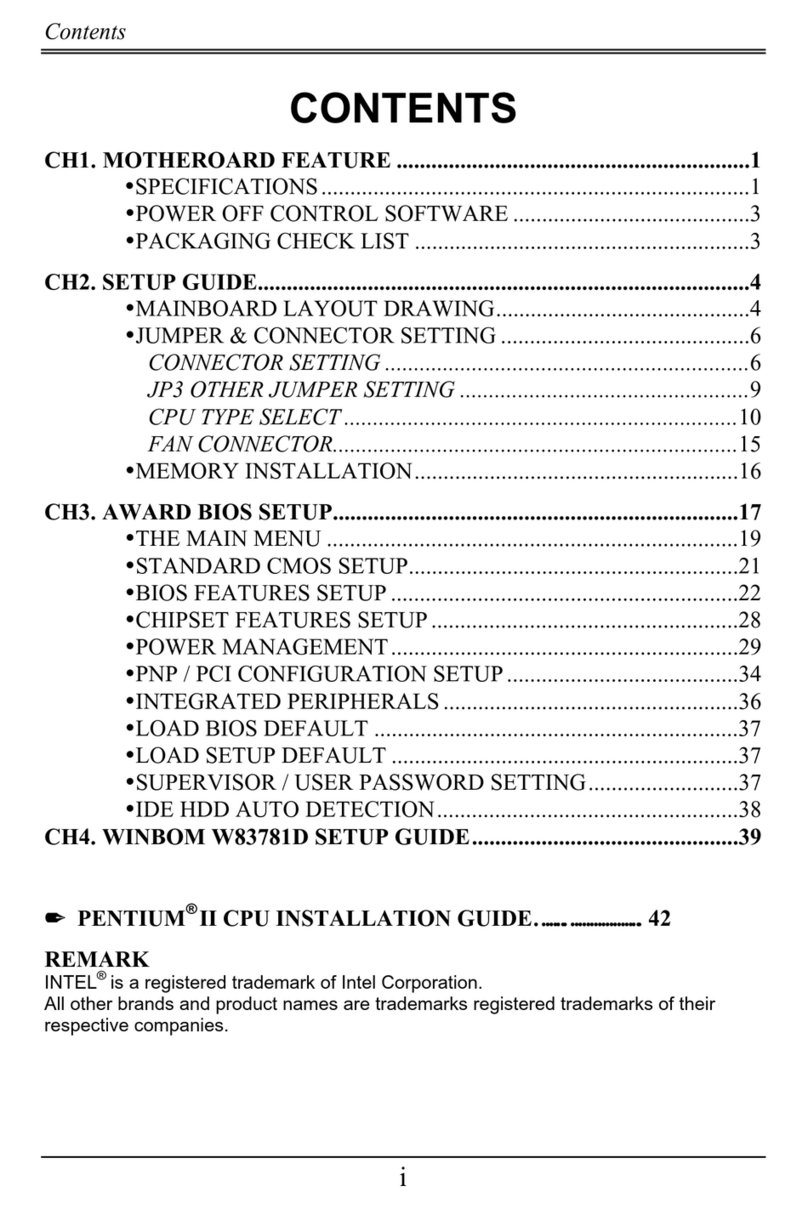
TABLE OF CONTENTS
ch1. MOTHERBOARD FEATURE ..................................................... 2
1.1 ABOUT THE MANUAL...................................................... 3
1.2 DETERMINING YOUR BS61MSERIES MODEL .................. 3
1.3 BS61MSERIES SPECI ICATION ......................................... 4
1.4 COLOR CODING OR PC99 CONNECTORS................. 6
1.5 POWER O CONTROL SO TWARE ............................ 8
1.6 PACKAGING CHECK LIST............................................... 9
ch2. Setup Guide.............................................................................. 10
2.1 MOTHERBOARD LAYOUT............................................. 10
2.2 CONNECTOR & JUMPER RE ERENCE CHART ......... 11
2.3 THE SETUP STEPS........................................................ 12
2.3-1 JUMPER & CONNECTOR SETTING ................... 12
2.3-2 MEMORY INSTALLATION.................................... 23
2.3-3 HOW TO INSTALL THE CPU ............................... 26
2.3-4 INSTALLING THE MOTHERBOARD.................... 28
2.3-5 INSTALLING THE INTER ACE CARD ................ 29
2.3-6 INSTALLING ACCESSORY CABLES .................. 30
ch3. AWARD BIOS SETUP .............................................................. 32
3.1 THE MAIN MENU............................................................ 34
3.2 STANDARD CMOS SETUP............................................ 36
3.3 BIOS EATURES SETUP............................................... 38
3.4 CHIPSET EATURES SETUP........................................ 42
3.5 POWER MANAGEMENT ................................................ 46
3.6 PNP / PCI CON IGURATION SETUP............................ 51
3.7 INTEGRATED PERIPHERALS ....................................... 53
3.8 SUPERVISOR PASSWORD & USER PASSWORD ...... 56
3.9 IDE HDD AUTO DETECTION OPTION.......................... 56
3.10 SAVE AND EXIT SETUP OPTION ............................... 57
3.11 EXIT WITHOUT SAVING OPTION ............................... 57
ch . SOFTWARE SETUP ................................................................. 58
4.1 INSTALLING SIS 620 VGA DRIVER .............................. 58
4.2 INSTALLING THE IDE DRIVER...................................... 60
4.3 INSTALLING THE AUDIO DRIVER & AP ....................... 61

BS61Mseries
~2~
Congratulations on purchasing a BS61Mseries motherboard, which we
are certain will provide you with years of reliable and stable performance.
Motherboards in the BS61Mseries are Micro-ATX boards that measure
244 mm by 210 mm and which use a 4-layer printed circuit board. Your
board features a PPGA370ZI (Zero Insertion orce) processor socket that
can house any of Intel’ s original generation processors and other compatible
CPU. What’ s more, it’ s now undergoing testing at Taiwan’ s National
Software Testing Laboratories to ensure it’ s fully Y2K compliant.
Motherboards in the BS61Mseries support system bus speeds of both
66MHz and 100MHz, which means you may use either inexpensive 66MHz
memory chips or high-performance 100MHz chips. You can also overclock
your system, as your motherboard supports CPU ratios. System instability
won’ t be a problem, since our motherboards have been designed to operate
reliably and safely, even when overclocked.
Your board contains three DIMM modules, which allow system
memory expansions of up to 384MB. And your motherboard is PC99
compliant with color-coded connectors that make connections less confusing
and time consuming. Your motherboard will also allow your system to be
booted remotely via a local area network (LAN). Other advanced features
included with your system are support for Universal Serial Bus (USB)
connections and ultraDMA 33/66 support.
Thanks to its SiS 620 chipset, your motherboard is integrated 2D/3D
graphics capabilities. The graphics controller uses a shared memory
architecture that allows it to use 2MB, 4MB or 8MB of the system’ s main
memory or uses the or board video RAM of BS61Mseries.
It also comes with integrated PCI-bus 3D audio functionality. The
onboard audio chip provides Sound Blaster 16-bit-compatitible audio, plus
support for Microsoft’ s DirectSound 3D and an Aureal 3D interface. Three
PCI slots and two ISA slots are provided for system expansion, while an anti-
virus function is built into the BIOS. This protects the system from boot
viruses and ensures that a clean environment is maintained at all times. This
Chapter 1
Motherboard Feature Introduction

BS61Mseries
~3~
is a powerful platform that leverages the low-cost/high-performance features
of the new-generation SiS620/SiS5595 chipsets, and we’ re sure you’ ll be
able to feel for yourself how convenient this motherboard is when you
assemble your system.
1.1 ABOUT THE MANUAL
This manual contains the following:
CH1. An introduction of the features of your motherboard and a list of
the items that should be included along with it.
CH2 A setup guide that will help you to get your system up and
running.
CH3 Configuring your Award BIOS for optimum performance.
CH4 Installing and configuring software drivers and support programs
that are provided along with your motherboard.
1.2 Determining Your BS61Mseries Model
There are several motherboard models in the BS61Mseries, and all have
been designed to meet the specific needs of our customers. Of course,
different people have different needs. That's why motherboards in the series
come with a variety of advanced functions, some of which are not available
on certain models. To determine what special functions are available on your
motherboard, follow these steps:
1. ind your BS61Mseries motherboard model number.

BS61Mseries
~4~
2. Check to see whether the model number contains a dash followed by
letters.
3. If so, consult the chart below to determine what features your
motherboard possesses.
Codes Definition
Code Description Code Description
A Audio R SDRAM
I ISA Bridge L LAN
Example:
♦ BS61M-A —your motherboard comes with audio functions.
♦ BS61M-AR —your motherboard comes with audio and 8MB SDRAM
functions.
It is easy to differentiate between varieties of BS61Mseries motherboards.
1.3 BS61Mseries S ECIFICATIONS
ollowing are the specifications for all the motherboards in the
BS61Mseries. To determine which features your model has, it is first
necessary to identify the exact model of your motherboard. Please refer to
section 1.2 for additional information on determining your model number.
System Chipset SiS620/SiS5595
Processor Intel Socket 370 CPU (Celeron 300MHz ~ 500MHz or
higher).
Bus Architecture PCI/ISA
Clock Generator Supports CPUCLK 66, 75, 83.3, 90, 95, 100MHz.

BS61Mseries
~5~
DRAM Modules 168 pin DIMMs x 3.
Support 8MB to 384MB 66/100MHz SDRAM.
BIOS
2MB Award flash BIOS with enhanced ACPI feature
ready for PC98
Supports 120MB ATAPI floppy disk
Supports ZIP disk driver
Supports multi-boot from IDE, SCSI, CD-ROM and DD
Supports software Clock Control
Supports Trend ChipAway AntiVirus
Supports HDD S.M.A.R.T.
On Board I/O
One loppy Port ( up to 2.88MB, 3 mode floppy
supported & LS-120 )
Two Serial ports
One Parallel port ( SPP/EPP/ECP )
Two USB
One PS/2 Keyboard
One PS/2 Mouse
One IrDA (Optional – by I/O Chip)
One Game port
Audio port (One Mic. In, One Line In, One Line Out )
On Board IDE
Port Dual Ultra DMA 33/66 IDE ports
Expansion slot 3 x 32-bit PCI slots.
2 x 16-bit ISA slots.
PC99 connectors Ready for PC99 color connectors
I/O Chip SiS6801 or IT8661 Super I/O
On Board
ESS1838
Sound chip
ESS 1938 sound chip on board
One Line in, One Line out, One MIC
One Game port and Connector
Other Feature
Supports various Power up events, Such as
Button Up, Alarm Up, Ring Up, Lan Up, Password
Security Up.
Provides RTC year 2000 solution.

BS61Mseries
~6~
Other Feature
On-Board A.G.P. VGA (UMA or Non-UMA mode), it can
be Disable.
On-Board Maximum 8MB SDRAM used as Display
Memory. (Optional)
Board Size Micro-ATX form factor
Size : 244mm x 210mm (9.6" x 8.3")
1.4 COLOR CODING FOR C99 CONNECTORS
The color scheme used is the result of a careful balancing of several
criteria aimed at making the PC easier for consumers to understand and set
up. The color coding of connectors has proved an efficient way of helping to
ensure devices are connected properly, and it is believed that standard icons
and connector-tip molds can further simplify the connection process.
PC99 C nnect r Guidelines
The following are the primary criteria our design team used when
selecting colors:
1. PCs are often set up under low-light conditions; therefore, use vibrant
colors wherever possible.
2. About 4 percent of people have a type of color blindness that makes it
difficult to distinguish between red and green, so avoid using the two
colors together when other connector characteristics —such as shape, size
or labeling —are similar as well, as this could cause confusion and result
in improper connections.
3. As people age, their corneas often yellow, so similar connectors should
use colors that are different in ways other than their yellow content.
4. In making color selections, the cultural, social and psychological
overtones of colors should be taken into account. Also, some industries
have established standard color-coding systems —for example, the use of

BS61Mseries
~7~
red, white and yellow wires and connectors in consumer electronics —
which should be taken into account as well.
5. Colors should be easy to see even when used on small labels on the
backside of a CPU.
6. Colors should not be duplicated, even if the connectors are markedly
different in other respects, as this will make technical support and service
easier to provide.
7. In selecting a color-coding system, the overall aesthetics of the computer
should be taken into account, and it should be remembered that these
colors will be used on PCs and housings that could range in color from
almost white to black.
PC99 color connector definition
Connector Color Panton
Analog VGA Blue 661C
Audio line in Light blue 284C
Audio line out Lime 577C
Digital monitor White
IEEE 1394 Grey 424C
Microphone Pink 701C
MIDI/Gameport Gold 131C
Parallel Burgundy 235C
PS/2-compatible keyboar
d
Purple 2715C
PS/2-compatible mouse Green 3395C
Serial Teal or Turquoise 322C
Speaker out/subwoofer Orange 157C
Right-to-left speaker Brown 4645C
USB Black 426C
Video out Yellow 123C
SCSI, network, telephone
,
modem, and so on
None

BS61Mseries
~8~
1.5 OWER OFF CONTROL SOFTWARE
Our motherboards are all designed to support software-based shutdowns
through the SMI code in Windows 95/98. As it is an Micro-ATX form factor,
an ATX power supply should be used.
irst, connect the power switch cable (provided by the case supplier) to
the connector [PWBT] on the motherboard (see below). To activate this
feature, enter the BIOS setup program and under POWER MANAGEMENT
SETUP, choose "User Defined" (or the minimum or maximum power saving
settings) in POWER MANAGEMENT and select YES under the option “PM
Control by APM.”
N te: BIOS Setup. Please refer the “Chapter 3 Award BIOS Setup”
When you select “Shutdown” in Windows 95/98, the computer's power
will be switched off automatically, and the computer will enter a suspended
mode, indicated by a blinking power light. To restart the system, simply press
the power button.

BS61Mseries
~9~
1.6 ACKAGING CHECK LIST
Your motherboard should come securely packed in a box and shipping
carton. If any of the items below are missing or damaged, please contact your
supplier immediately.
The motherboard contains:
QUANTITY DESCRIPTION
1 Motherboard : With SiS620/SiS5595 chipset
1 Driver : CD-Title w/Installation label
• PC-Cillin Software
• Motherboard Bus master Driver
• Audio Driver and AP
1 Cable : IDE Cable
1 Cable : loppy Cable
1 Cable : COM2 Cable
1 User’ s guide : PC-Cillin
1 Manual : User’ s manual
Table des matières
Autres manuels Procomp Carte mère

Procomp
Procomp BVD2A Manuel utilisateur

Procomp
Procomp BVK1A Manuel utilisateur

Procomp
Procomp B785 Manuel utilisateur

Procomp
Procomp b598 Manuel utilisateur
Procomp
Procomp B683 Manuel utilisateur

Procomp
Procomp b686 Manuel utilisateur

Procomp
Procomp B687 Manuel utilisateur

Procomp
Procomp BIW1A Series Manuel utilisateur

Procomp
Procomp BIW2A Manuel utilisateur
Manuels Carte mère populaires d'autres marques


Telit Wireless Solutions
Telit Wireless Solutions SL869-3DR Manuel utilisateur

Gigabyte
Gigabyte GA-9IVDT Manuel utilisateur

Texas Instruments
Texas Instruments ADS8372EVM Manuel utilisateur

Commell
Commell MS-C73 Manuel utilisateur

IBT Technologies
IBT Technologies MB860 Manuel utilisateur

Nvidia
Nvidia TEGRA DG-04927-001_V01 Manuel utilisateur


