
Procomp BIW1A Series Manuel utilisateur

BIW1Aseries
~0~
Safety and Regulatory Information
Notice for the USA
FCC Part 15: This equipment has been tested and found to comply with
the limits for a class B digital device, pursuant to Part 15 of the CC Rules.
These limits are designed to provide reasonable protection against harmful
interference in a residential installation. This equipment generates, uses, and
can radiate radio frequency energy and, if not installed and used in
accordance with the instructions, may cause harmful interference to radio
communications. However, this notice is not a guarantee that interference
will not occur in a particular installation.
CAUTION: To comply with the limits for the class B device, pursuant
to Part 15 of the CC Rules, this device must be installed in computer
equipment certified to comply with the Class B limits.
All cables used to connect the computer and peripherals must be shielded and
grounded. Operation with non-certified computers or non-shielded cables
may result in interference to radio or television reception.
Any changes or modifications not expressly approved by the grantee of
this device could void the user’s authority to operate the device.
COPYRIGHT: This publication, including all photographs, illustrations
and software, is protected under international copyright laws, with all rights
reserved. Neither this manual, nor any of the material contained herein, may
be reproduced without the express written consent of the manufacturer.
DISCLAIMER: The information in this document is subject to change
without notice. The manufacture makes no representations or warranties with
respect to the contents hereof and specifically disclaims any implied
warranties of merchantability or fitness for any particular purpose.

BIW1Aseries
~1~
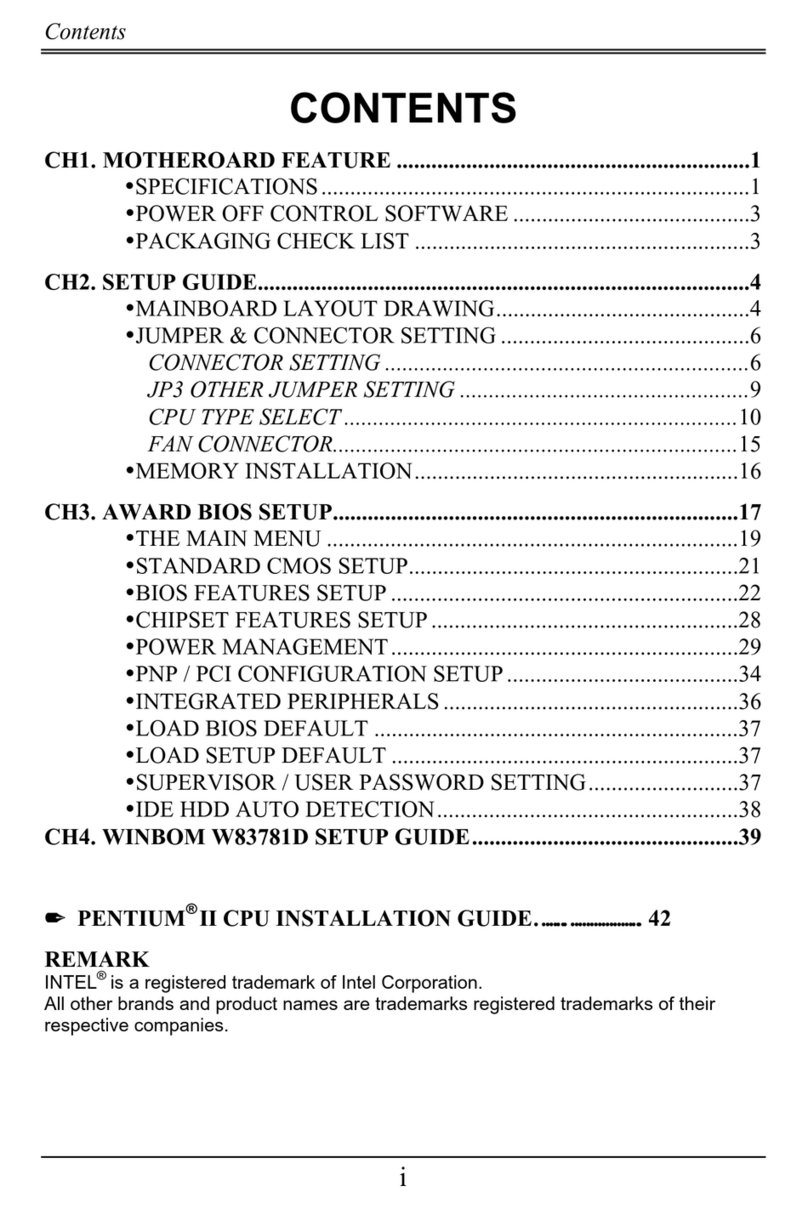
TABLE OF CONTENTS
CH1. MOTHERBOARD FEATURE ..................................................... 2
1.1 ABOUT THE MANUAL ...................................................... 4
1.2 SPECIFICATIONS............................................................. 5
1.3 DIFINITION OF B C1Aseries MODEL ............................... 7
1.4 POWER OFF CONTROL SOFTWARE ............................ 7
1.5 PACKAGING CHECK LIST............................................... 8
CH2. SETUP GUIDE............................................................................ 9
2.1 MOTHERBOARD LAYOUT............................................... 9
2.2 CONNECTOR & JUMPER REFERENCE CHART ......... 10
2.3 THE SETUP STEPS........................................................ 11
2.3-1 JUMPER & CONNECTOR SETTING ................... 11
2.3-2 MEMORY INSTALLATION.................................... 22
2.3-3 HOW TO INSTALL THE CPU ............................... 25
2.3-4 INSTALLING THE MOTHERBOARD.................... 27
2.3-5 INSTALLING THE INTERFACE CARD ................ 28
2.3-6 INSTALLING ACCESSORY CABLES .................. 29
CH3. AWARD BIOS SETUP ............................................................. 31
3.1 THE MAIN MENU............................................................ 33
3.2 STANDARD CMOS SETUP............................................ 35
3.3 AD ANCED BIOS FEATURES SETUP.......................... 37
3.4 AD ANCED CHIPSET FEATURES SETUP .................. 40
3.5 INTEGRATED PERIPHERALS ....................................... 43
3.6 POWER MANAGEMENT SETUP ................................... 46
3.7 PNP / PCI CONFIGURATION SETUP............................ 49
3.8 PC HEALTH STATUS ..................................................... 50
3.9 FREQUENCY / OLTAGE CONTROL ........................... 51
3.10 LOAD FAIL-SAFE DEFAULTS...................................... 52
3.11 LOAD OPTIMIZED DEFAULTS.................................... 52
3.12 SUPER ISOR/USER PASSWORD SETTING ............. 52
3.13 SA E AND EXIT SETUP OPTION ............................... 53
3.14 EXIT WITHOUT SA ING OPTION ............................... 49
CH4. SOFTWARE SETUP ................................................................ 54
4.1 INSTALLING THE IDE BUS MASTER DRI ER ............. 54
4.2 INSTALLING THE INTEL 810 GA DRI ER.................. 56
4.3 INSTALLING THE ADI 1881 AUDIO DRI ER....................57

BIW1Aseries
~2~
Based on Intel’ s 810 GMCHset & ICH (82810-DC100 + 82801)
chipsets, the BIW1A is an advanced motherboard that comes with onboard
audio and video capabilities, an audio modem riser slot, a 4MB BIOS that
includes built-in anti-virus protection and UltraDMA/66 technology for
lightning-fast IDE transfer speeds.
The BIW1A is an ATX-sized motherboard, measuring 305mm by 173
mm, and it uses a four-layer printed circuit board. Designed for a Socket 370
CPU, the BIW1A also includes two DIMM sockets for the addition of up to
512MB of memory. The bus system supports speeds of 66MHz to 100MHz,
which means either inexpensive 66MHz or high-performance 100MHz
memory modules can be added to the system.
In addition to its 32-bit onboard sound functionality, the BIW1A comes
with an integrated VGA adapter with 2D and 3D graphics engines and 4MB
of onboard video memory. An audio modem riser slot is included as well as
hardware monitoring and wake-on LAN capabilities. Built-in anti-virus
protection ensures you will maintain a clean operating environment free of
unwanted viruses. The BIW1A also features UltraDMA/66 technology,
which allows for Master IDE transfer rates of up to 66MB/sec.
The BIW1A is a powerful platform that leverages the benefits of a low-
cost system with high-performance functionality, and we are confident you
will see for yourself how convenient this motherboard is when you assemble
your system.
FEATURES
Full-funct on Process ng -
Intel’ s new-generation chipset—t he Intel 810 GMCHset —supports all Socket
370 and compatible processors. The motherboard comes with many excellent
functions built in, such as an audio modem riser slot, onboard 3D graphics,
UltraDMA/66 support and built-in anti-virus protection. The motherboard
enables users to move up to optimized performance at a low cost. Processor
Chapter 1
Motherbo rd Fe ture Introduction

BIW1Aseries
~3~
speed configurations are automatically set through the board’ s firmware,
which means changing switch or jumper settings on the motherboard is not
necessary.
H gh Performance -
The board has two DIMM sockets for the installation of 168-pin, 3.3V non-
buffered DIMM memory modules. The DIMM memory modules must be
SDRAM memory chips. The board supports a memory bus of 100/66MHz,
and each DIMM socket can accept modules up to 256MB in capacity for up
to 512MB of total system memory.
3D Graph c VGA & Clear 32-b t Aud o Bu lt In -
ull multimedia function is integrated onto the motherboard, which means
you won’ t need to spend extra money on additional adapters, processors and
cards. Either 2D or 3D graphics can be displayed, and the motherboard
comes with a 4MB onboard SDRAM display cache that supports 1024 X 768
X 16-bit 3D graphics and 1600 X 1200 X 8-bit color 2D graphics. AC’ 97
DAC/ADC, which is built into the audio CODEC, reduces noise and results
in improved audio quality and performance for a signal to noise ratio of
+90dB. These features greatly improve voice synthesis and recognition.
Double or Quadruple IDE Transfer Speeds -
IDE transfers using UltraDMA/33 Bus Master IDE technology can handle
rates of up to 33MB/sec., while UltraDMA/66 technology supports IDE
transfer speeds of 66MB/sec. Best of all, this technology is compatible with
existing ATA-2 IDE specifications, so there is no need to upgrade current
IDE devices or cables.
Slot Expans on Opt ons -
The motherboard has a full set of expansion slots, with five usable slots: four
32-bit PCI slots and one 8/16-bit ISA slot. The ISA slot and one PCI slot
share the same physical area, which means you cannot use both at the same
time.(BIW1A-I only)
Integrated I/O -
With its built-in Windbond I/O chip, this motherboard has a comprehensive
set of integrated I/O ports. The I/O port array features PS/2 keyboard and
mouse ports, a parallel port, two USB ports, two serial ports, a monitor port,
a game/MIDI port, and three audio jacks. You may also use the built-in

BIW1Aseries
~4~
motherboard header to add in an infrared port. In addition, the motherboard
has two PCI-IDE channels and a floppy disk drive interface.
ACPI Ready -
APCI (Advanced Configuration and Power Interface) technology provides
for more energy saving functions for future operating systems supporting OS
Director Power Management (OSPM) functionality. With these features
implemented in the operating system, your system can be ready around the
clock while meeting all energy-saving standards.
Programmable F rmware -
The motherboard includes a 4MB Award BIOS that allows CPU
parameters to be set through the BIOS. The firmware BIOS includes a new,
easy-to-use interface that gives users more control over their system’ s
performance. The fully programmable firmware provides enhanced system
features and allows users to set power management, CPU and memory timing
levels, as well as LAN and modem wake-up alarms.
1.1 ABOUT THE MANUAL
The manual consist of the following chapters:
CH1. Motherboard features introduction – Introduce the features of
BIW1Aseries and the checklist of items that are shipped with the
package.
CH2. Setup guide – Let you learn how to install the motherboard and get
your system up and running.
CH3. Award BIOS setup – Configure the BIOS of motherboard for optimum
performance.
CH4. Software setup – Let you learn how to install the software drivers and
support programs that are provided with this motherboard.

BIW1Aseries
~5~
1.2 SPECIFICATIONS
Chipset Intel 810 GMCHset & ICH (82810-DC100 + 82801)
solution.
Processor Socket 370 Support.
Intel Celeron processor 300MHz ~ 500MHz and higher.
Bus
Architecture PCI/ISA.
Clock Gener tor 66.8, 68.3, 70, 75, 100 up to 150 MHz.
DRAM Modules
2 x 168 pin DIMM Sockets
Support Maximum Memory Size to 512 MB SDRAM
PC100 SDRAM.
BIOS
4Mbit irmware Hub (82802AB).
Award PnP BIOS with enhanced ACPI feature for PC98
compliance
Supports 120MB ATAPI floppy disk.
Supports ZIP disk drive.
Supports multi-boot from IDE, SCSI, CD-ROM and
DD.
Supports software clock frequency control.
On Bo rd VGA
Port
Graphics and Memory Controller Hub (82810-DC100
GMCH).
Gamma Corrected Video.
DDC2B Compliant.
Integrated 2D & 3D Graphics Engines.
2D Graphics Up to 1600 x 1200 in 8bit Color at 85Hz
Refresh.
4M Display Cache.
Integrated 24 bit 230MHz DAC.
On Bo rd Sounds
AC97 Codec Compliant.
1 x CD audio in.
1 x Mic in.
1 x Line in.
1 x Speaker out.

BIW1Aseries
~6~
On Bo rd I/O
1 x Digital Video.
1 x loppy port (up to 2.88MB, 3 mode floppy supported
& LS-120).
2 x Serial ports.
1 x Parallel port (SPP/EPP/ECP).
2 x USB.
1 x PS/2 mouse.
1 x PS/2 keyboard.
1 x IrDA.
1 x Joystick.
On Bo rd IDE
Port
Dual Ultra DMA66 IDE ports.
ATAPI IDE CD-ROM & LS-120.
Exp nsion slot
1 x AMR Riser slot
4 x 32-bit PCI slots.
1 x 16-bit ISA slot. (Optional)
ICH
I/O Controller Hub (82801AA I/O).
Supports PCI Rev 2.2 Specification.
Supports PCI 6 Master Devices on PCI.
Supports IDE Ultra DMA66 Mode.
AC 97 2.1 Link Compliant.
Low Pin Count (LPC) I/ .
SMbus Interface.
Power Management Logic.
irmware Hub I/ .
LPC I/F Chip &
H rdw re
Monitoring
Winbond W83627H .
PCI to ISA Bridge
set W83628 & W83629D. (Optional)
Adv nced
Fe tures
1. Supports keyboard & mouse power on feature with
ATX power V2.01
3. Ring Indicate header.
4. ACPI 1.0 Compliant.
5. APM Rev 1.2 Compliant.
Form F ctor ATX Size (173mm x 305mm)

BIW1Aseries
~7~
1.3 DEFINITION OF BIW1Aseries MODEL
BIW1Aseries have different function for meeting customer demand. When you
purchase the motherboard of BIW1Aseries you just follow below description to
know which extra function you have.
1. ind the model of BIW1Aseries you have purchased.
2. Check having any words after the “Dash” mark of model.
3. Review these words show what Extra functions / Optional unctions.
Codes Definition
Code Description
I ISA Slot
Example:
♦ BIW1A-I Ш There is a word “I” after the Dash mark, so the extra function
is with ISA Slot.
It is easily to differentiate between varieties of BIW1Aseries motherboards.
1.4 POWER OFF CONTROL SOFTWARE
The motherboard design supports the software power off Control feature
through the SMI code in the BIOS under WIN98/95 operating system
environment. It is an ATX form factor, so you should use ATX power
supply.
irst, connect the power switch cable (provided by the ATX case
Supplier) to the connector [ PWBT ] on the motherboard (Please refer to the
following illustration). In the BIOS screen of “POWER MANAGEMENT
SETUP”, choose “User Defined”(or min power saving or Max power saving)
in “POWER MANAGEMENT” and choose “Yes” in “PM Control by APM”.

BIW1Aseries
~8~
Note: BIOS Setup. Please refer the “Chapter 3 Award BIOS Setup”
In Windows 98/95, under the “SHUT DOWN” option, the computer’ s
power will switch off automatically and put the PC in a suspend mode. This
will be indicated by a blinking power light. To restart the system, simply
press the Power Button.
1.5 PACKAGING CHECK LIST
The Motherboard comes securely packed in a gift box and shipping carton.
If any of the above items are missing or damaged, please contact your
supplier.
The motherboard contains:
Q’ TY Description
1 Motherboard : With Intel 810 GMCHset & ICH
(82810-DC100 + 82801) chipset
1 Driver : CD-Title w/Installation label
• PC-Cillin Software
• Motherboard Bus master Driver
• Audio Driver
1 Cable : IDE Cable
1 Cable : loppy Cable
1 Cable : COM2 Cable
1 User’ s guide : PC-Cillin
1 Manual : User’ s manual
PS_BT

BIW1Aseries
~9~
2.1 M therb ard lay ut
Chapter 2
Setup Guide
Table des matières
Autres manuels Procomp Carte mère

Procomp
Procomp B785 Manuel utilisateur

Procomp
Procomp B687 Manuel utilisateur

Procomp
Procomp BVD2A Manuel utilisateur

Procomp
Procomp BVK1A Manuel utilisateur

Procomp
Procomp b686 Manuel utilisateur

Procomp
Procomp BIW2A Manuel utilisateur

Procomp
Procomp b598 Manuel utilisateur

Procomp
Procomp BS61M Series Manuel utilisateur
Procomp
Procomp B683 Manuel utilisateur
Manuels Carte mère populaires d'autres marques


Telit Wireless Solutions
Telit Wireless Solutions SL869-3DR Manuel utilisateur

Gigabyte
Gigabyte GA-9IVDT Manuel utilisateur

Texas Instruments
Texas Instruments ADS8372EVM Manuel utilisateur

Commell
Commell MS-C73 Manuel utilisateur

IBT Technologies
IBT Technologies MB860 Manuel utilisateur

Nvidia
Nvidia TEGRA DG-04927-001_V01 Manuel utilisateur


