29
Status Lights
Whether you are setting up for the first time or have connected to your Mr Beam many times
before, the Mr Beam Status Lights will show you how to connect to your Mr Beam right now.
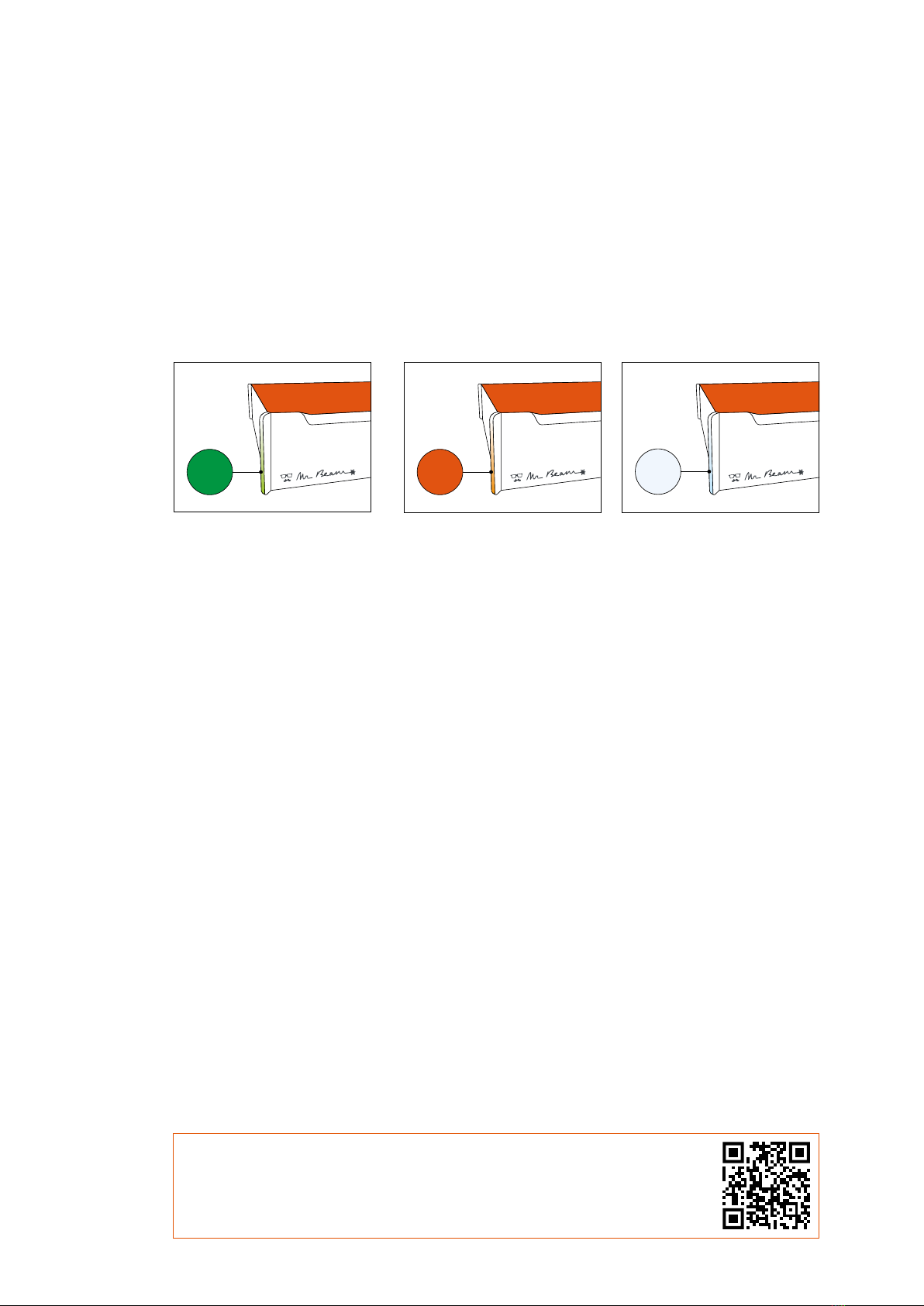
For this purpose, the Status Lights pulsate (blink slowly) in different colors.
Orange pulsation:
Your Mr Beam pulses oran-
ge if it has an active internet
connection.
In this case, you can access
your Mr Beam via find.
mr-beam.org in the Google
Chrome browser.
More details about the active
internet connection (via rou-
ter or network cable) can be
found on page 31 and 32.
Green pulsation:
Your Mr Beam pulses green
if a Wi-Fi direct connection
is possible.
The direct connection via
the Wi-Fi of the Mr Beam is
used during the initial setup
and if you want to operate
the Mr Beam without an
active internet connection.
(e.g. at fairs or in the base-
ment).
For more details of the Wi-Fi
direct connection, please
refer to page 30.
White pulsation:
Your Mr Beam pulses white
if it is connected to your
local network but has no
active internet connection.
Visit our online Knowledge
Base to find possible solu-
tions.
When pulsing green and
white at the same time, a
Wi-Fi direct connection is
possible and it is connected
to your network router, but
still cannot be found on find.
mr-beam.org.
CONNECTION WITH MR BEAM
In all cases, you can find more information in our online knowledge base at www.
mr-beam.org/docs/lights.