76
English Svenska Suomi Norsk
X5668
ADSL2+ Residential Gateway
X5668
ADSL2+ Residential Gateway
Connecting the
Wireless Local Area
Network (WLAN)
1.Searchforavailablewirelessnetworks
usingtheWLANclient.
2.ComparethelistwiththeSSIDwhichis
shownonastickerontheundersideof
theX5668.
3.Connectbydoubleclickingonthe
correctSSIDandthenprovidingthe
encryptioncodewhichisshownonthe
stickerlabelledWPAontheundersideof
theX5668.
Connecting your digital
TV Box for IPTV
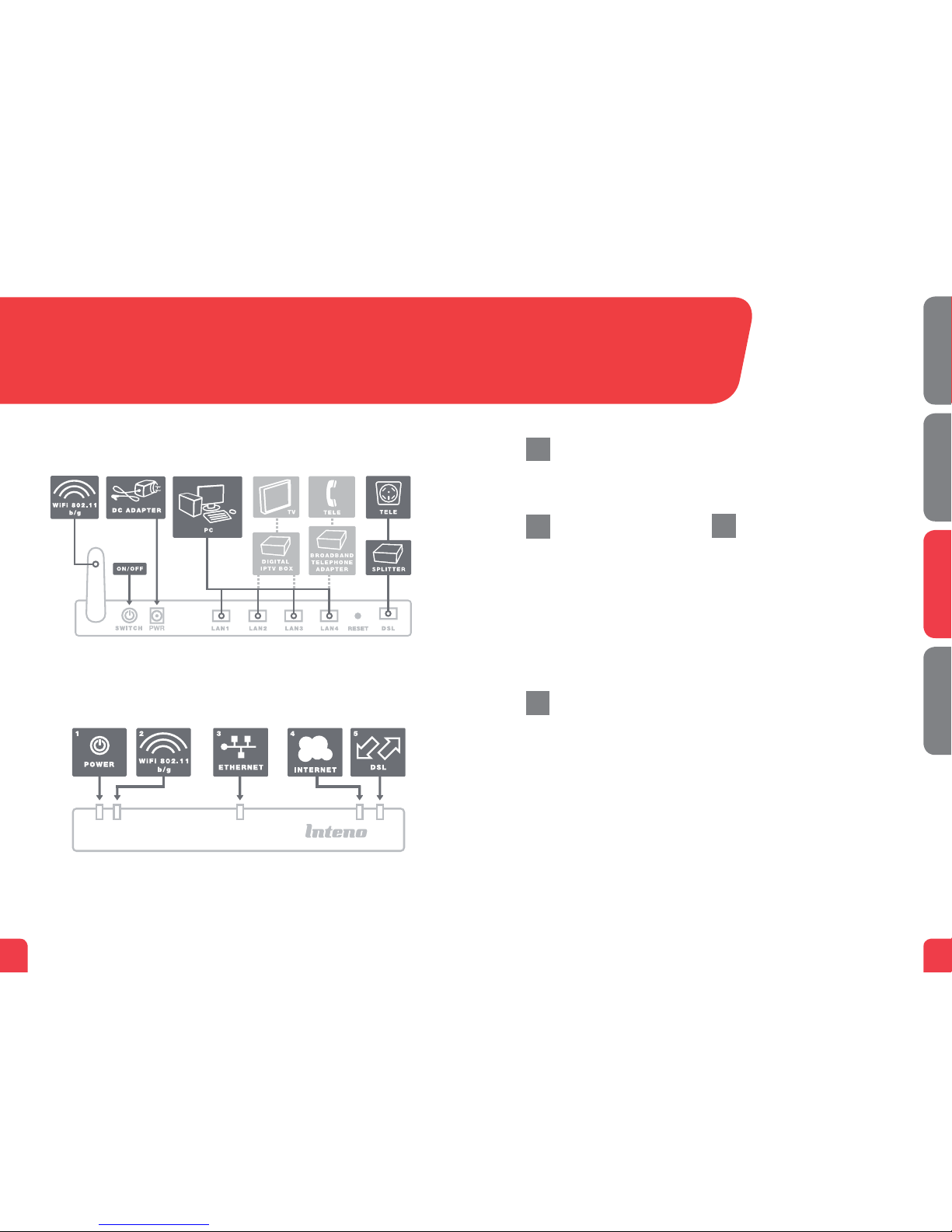
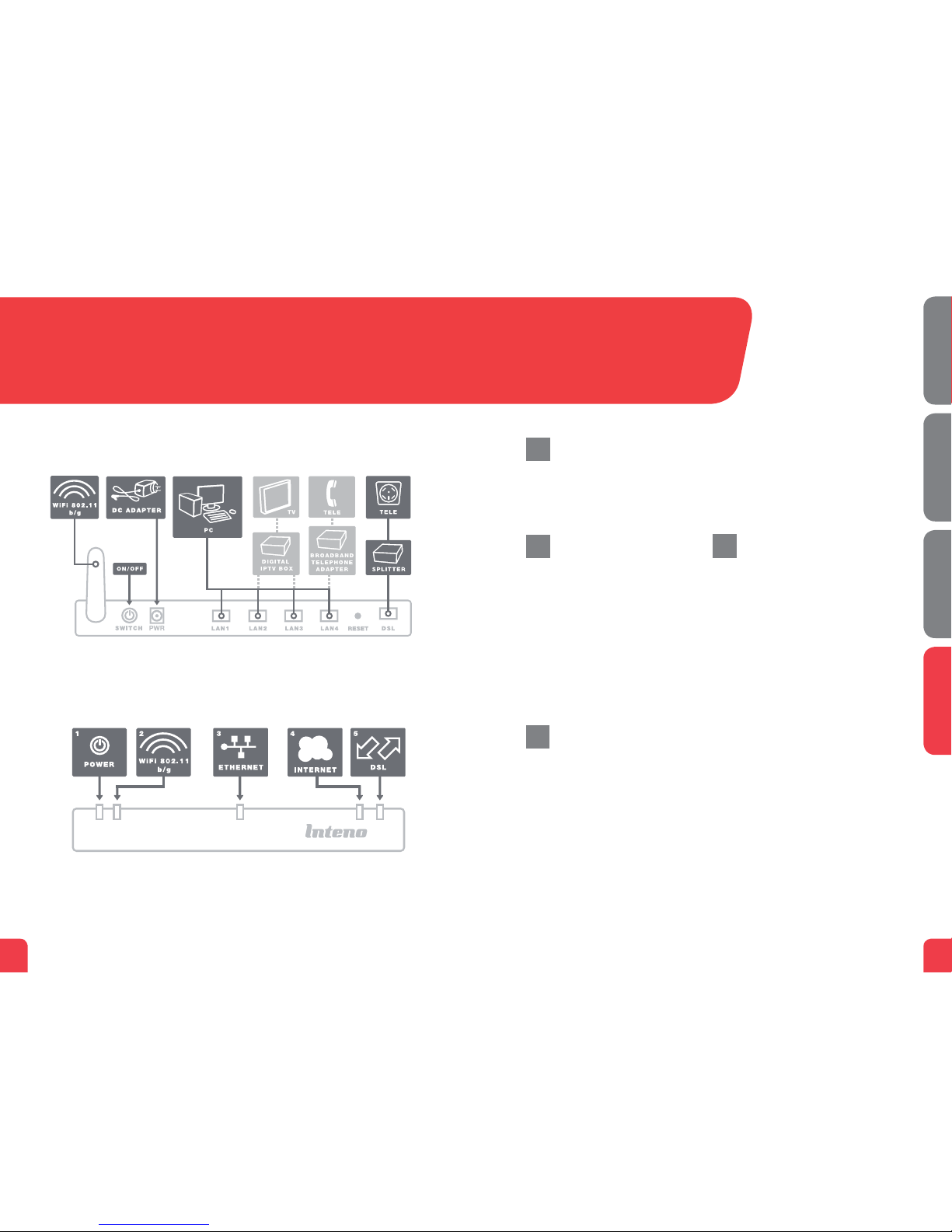
1.Anetworkcablewasprovidedwith
yourdigitalTVBox.Connectittothe
networkport(LAN1-4).NOTE!Insome
cases,yourbroadbandserviceprovider
willinstructyoutoconnecttoaspecic
networkport(LAN1-4).Verifythisinthe
documentsand/ormanualyoureceived
fromyourserviceprovider.
2.Connecttheotherendofthenetwork
cabletoyourdigitalTVBoxforIPTV.
3.StartthedigitalTVBoxforIPTV.
4.Ifaproblemshouldoccurduringthe
connectionprocess,werecommendthat
youcontactyourserviceprovider.
Description of the
front panel
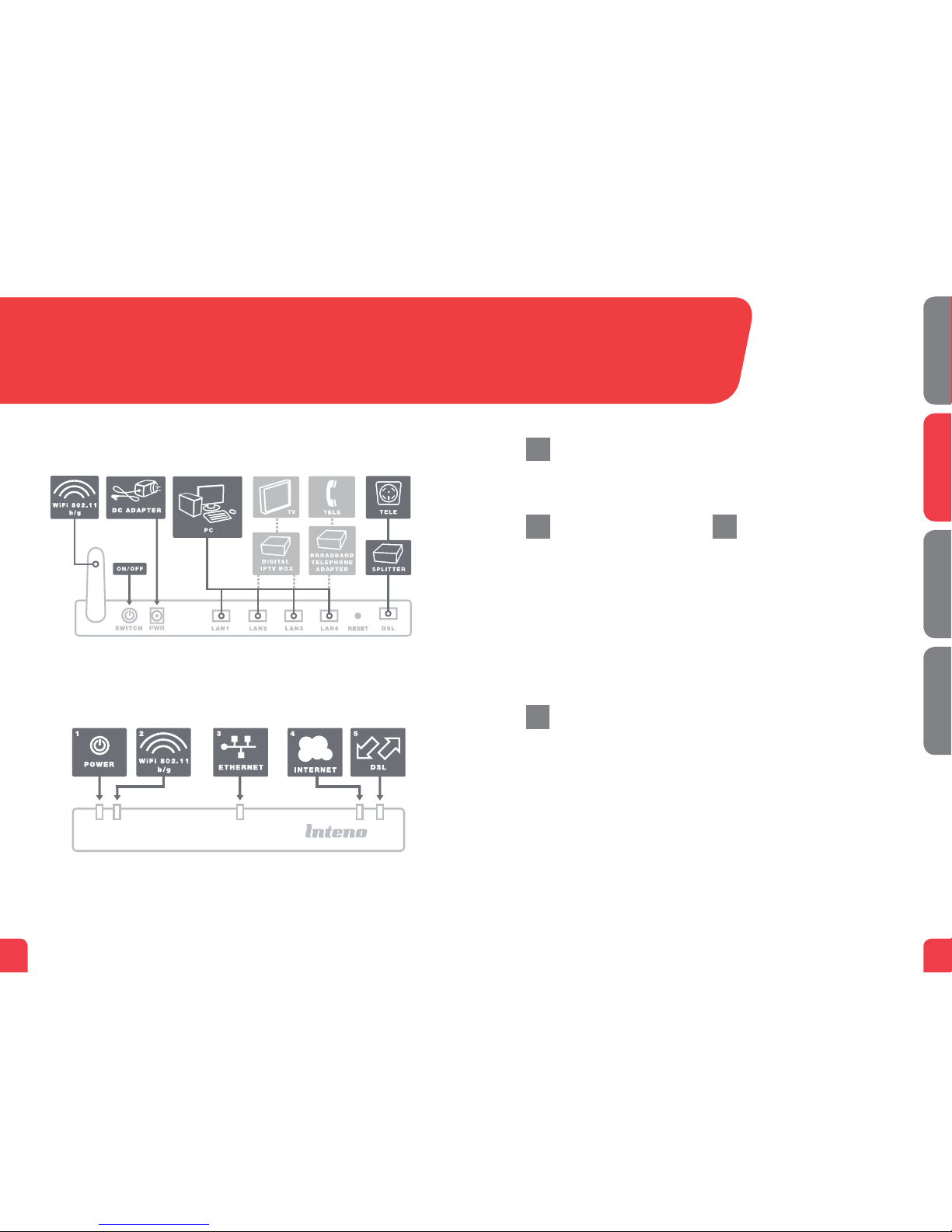
1. Power indicator light
On(green)–TheX5668isconnected
toapowersource.
On(red)–Startuperror(contactyour
serviceprovider)
Off–TheX5668isnotconnectedtoa
powersource
2. DSL indicator light
On–ConnectedtotheDSLnetwork
On–NotconnectedtotheDSLnetwork
Blinking--Active
3. Internet indicator light
On(green)–IPaddressreceived
On(red)–IPaddressnotreceived
5.Ethernet indicator light
On–LANconnected
Off–LANnotconnected
Blinking–Active
6. WLAN indicator light
On–WLANactivated
Off–WLANnotactivated
Blinking–Active
7. WLAN-ON/OFF
On–WLANactivated
Off–WLANnotactivated
gAdvanced network
administration
Checkthatthecomputerwhichis
connectedtoyourmodemhasbeen
issuedanautomaticIPaddressbetween
192.168.1.2and192.168.1.254.Youmay
needtomanuallysettheIPaddress.For
example:192.168.1.23,subnetmask:
255.255.255.0.
1.Inyourbrowser’saddresslinetype
http://192.168.1.1
2.Logininusingadminfortheusername
andadminforthepassword
3.Selectthefunctionyouwantfromthe
modem’smenuontheleft.Notethat
networkadministrationisonlyavailable
inthestandardsoftware.Ifyourservice
providerhastheirownsoftware,this
functionmaybeturnedofforhave
onlylimitedfunction.Contactyour
serviceproviderformoreinformation.
Troubleshooting
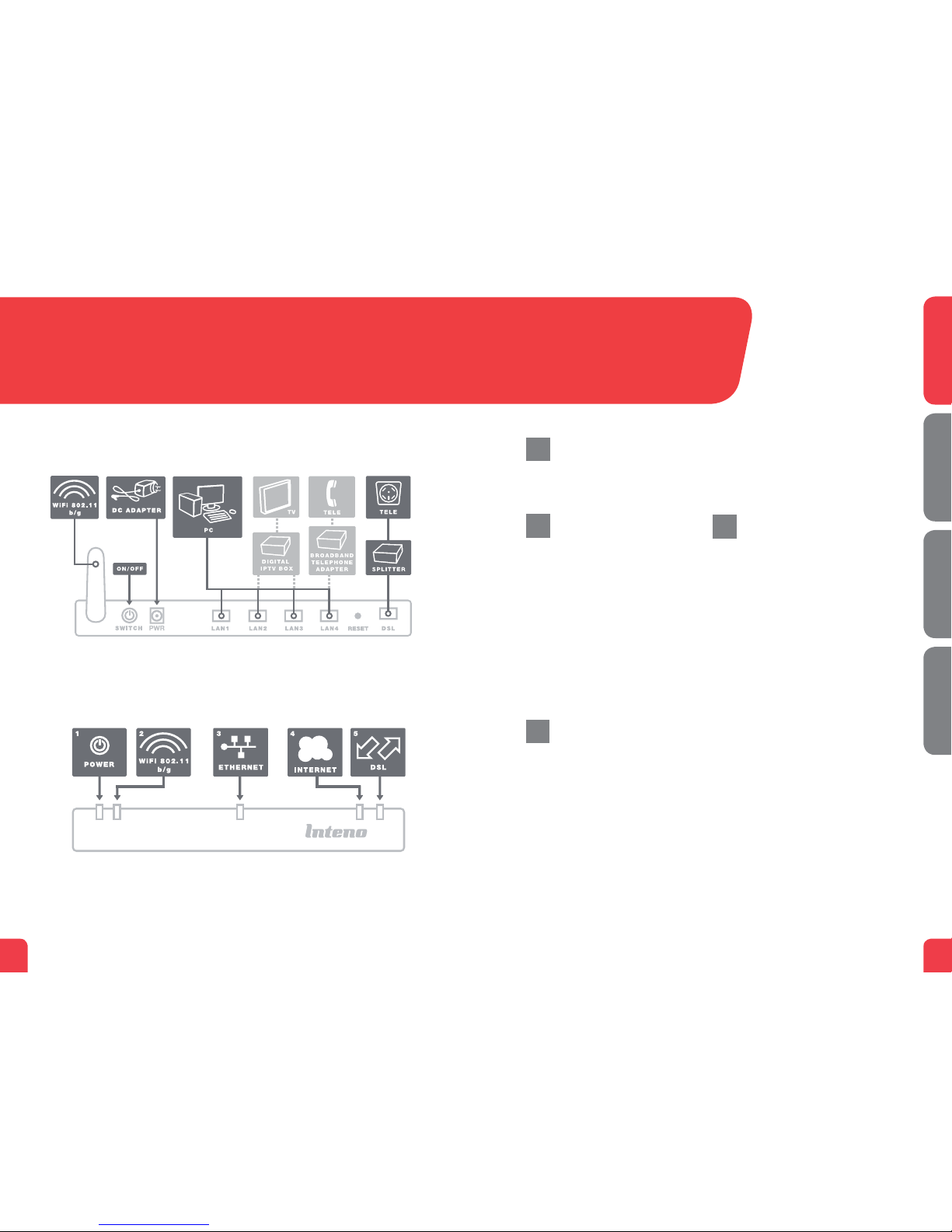
1.Checkthatthepowerison.Thepower
indicatorlightshouldbeon(Power).
Seepicturelabelled“Front”.
2.Isthepowerindicatorlightoff?Check
thatthemodemisproperlyconnected
tothepoweradapter.Checkthat
thepoweradapterisconnectedtoan
electricaloutlet.Ifthemodemis
properlyconnectedtoanelectrical
outlet,apowerindicatorlightthatis
stillnotonmayindicateafaulty
modemorafaultypoweradapter.
Contactyourserviceprovider.
3.ArethePowerandInternetindicator
lightsred?Contactyourservice
provider.
4.IstheDSLindicatorlightoff?Check
theconnectionbetweentheDSLport
onthemodemandyourtelephone
jack.IftheDSLindicatorlightisoff,
despiteproperconnection,contact
yourserviceprovider.
5.Isyourbroadbandconnectionisbroken
whenoneofthetelephonesinthe
houseislifted?Thisprobablymeans
thatthemodemisnotconnectedto
thersttelephonejack.Thisisalsothe
caseifthereisexcessivestaticonthe
line.Movethemodemtotherst
incomingtelephonejack.
6.IstheEthernetindicatorlightoff?
Checktheconnectionbetweenthe
LANportonthemodemandthe
NetworkInterfaceCard(NIC)inyour
computer.CheckthattheNICinyour
computerisfunctioningproperly.
7.Resetbutton.Seepicturelabelled
“Back.”Thisbuttonresetsthemodem
tofactorysettings.Holditinfor
10seconds.
h
e
f
i
English