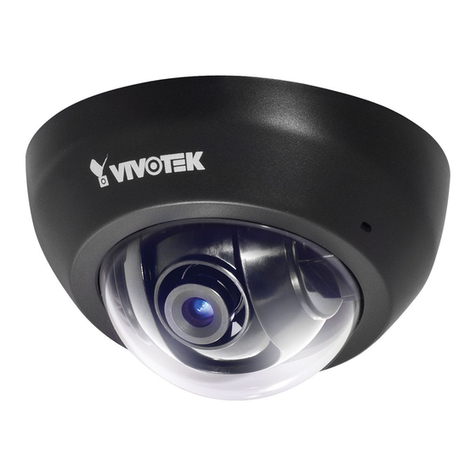
Vivotek VC8101 Manuel utilisateur

User’s Manual
VC8101 Discreet
Network Camera
Split Camera System •Pin hole lens •
Wide angle Lens •WDR Pro
Rev. 1.0

VIVOTEK
2 - User's Manual
Table of Contents
Overview...............................................................................................................................................................4
Revision History .............................................................................................................................................. 4
Read Before Use............................................................................................................................................. 5
Package Contents ........................................................................................................................................... 5
Symbols and Statements in this Document..................................................................................................... 5
Introduction...................................................................................................................................................... 6
Hardware Installation....................................................................................................................................... 7
Network Deployment .......................................................................................................................................... 17
Setting up the Network Camera over the Internet ......................................................................................... 17
Software Installation ...................................................................................................................................... 21
Ready to Use................................................................................................................................................. 22
Accessing the Network Camera ......................................................................................................................... 23
Using Web Browsers..................................................................................................................................... 23
Using RTSP Players...................................................................................................................................... 26
Using 3GPP-compatible Mobile Devices....................................................................................................... 27
Using VIVOTEK Recording Software ............................................................................................................ 29
Main Page ..........................................................................................................................................................30
Client Settings ....................................................................................................................................................36
H.264 Media Options .................................................................................................................................... 36
H.264 Protocol Options ................................................................................................................................ 36
MP4 Saving Options ..................................................................................................................................... 37
Local streaming buffer time .......................................................................................................................... 37
Conguration ......................................................................................................................................................40
System > General settings ............................................................................................................................ 41
System > Homepage layout ......................................................................................................................... 42
System > Logs ..............................................................................................................................................45
System > Parameters ................................................................................................................................... 46
System > Maintenance.................................................................................................................................. 47
Media > Image ............................................................................................................................................51
General settings ...............................................................................................................................................51
Image settings ...................................................................................................................................................53
Exposure .........................................................................................................................................................55
Privacy mask ..................................................................................................................................................58
Media > Video ............................................................................................................................................... 59
Stream settings ..............................................................................................................................................59
Media > Audio................................................................................................................................................ 67
Audio Settings ...................................................................................................................................................67
Network > General settings........................................................................................................................... 68
Network > Streaming protocols ................................................................................................................... 76
Network > QoS (Quality of Service) ........................................................................................................... 84

VIVOTEK
User's Manual - 3
Network > SNMP (Simple Network Management Protocol) .........................................................86
Security > User Account....................................................................................................................................... 87
Security > HTTPS (Hypertext Transfer Protocol over SSL) ....................................................................... 88
Security > Access List ........................................................................................................................................ 95
Security > IEEE 802.1x .................................................................................................................................... 98
PTZ > PTZ settings ........................................................................................................................................... 100
Digital PTZ Operation (E-PTZ Operation) .............................................................................................................. 101
Event > Event settings ....................................................................................................................................... 103
Event ..................................................................................................................................................................... 103
Add server .............................................................................................................................................................. 107
Add media ...............................................................................................................................................................111
Applications > Motion detection.......................................................................................................................... 117
Applications > DI and DO ................................................................................................................................. 120
Applications > Tampering detection ................................................................................................................... 121
Applications > Audio detection ......................................................................................................................... 122
Applications > Package management - a.k.a., VADP (VIVOTEK Application Development Platform) ............. 124
Recording > Recording settings ........................................................................................................................ 127
Local storage > SD card management............................................................................................................... 132
Local storage > Content management ............................................................................................................... 133
Appendix ................................................................................................................................................................. 136
URL Commands for the Network Camera.......................................................................................................... 136
1. Overview ............................................................................................................................................................. 136
2. Style Convention ................................................................................................................................................ 136
Technical Specications ..................................................................................................................................... 211
Technology License Notice................................................................................................................................. 212
AMR-NB Standard .................................................................................................................................................. 212
Electromagnetic Compatibility (EMC)................................................................................................................. 213

VIVOTEK
4 - User's Manual
Overview
VIVOTEK’s VC8101 is a high-performance Full-HD split-type camera system. Its discreet de-
sign, rich functionality and ability to be exibly integrated into even the tightest spaces, make
this camera ideal for indoor or covert surveillance of ATMs, banks, stores and ofces.
The VC8101 features a separate camera unit and video core design, enabling the tiny camera
unit (with 5-meter long cable) to be easily and exibly installed into any decoration or interior
design, thus preserving stylish appearances while dramatically saving on installation time and
cost.
The VC8101 can support one camera unit and is designed to work in perfect harmony with a
choice of two 2-megapixel WDR camera units: the CU8161-H pinhole type, and the CU8163-
H sheye type for 180° panoramic view. Both camera units incorporate a number of advanced
features found in VIVOTEK cameras, including WDR Pro, Smart Stream II technology, 3DNR,
802.3af compliant PoE, on-board storage, and VIVOTEK’s 32-channel recording software. All of
these features and the VC8101’s unique design allow the camera units to capture clear images
in high-contrast scenes, and to make this camera system the best possible solution for indoor
surveillance when discretion is important.
Revision History
Rev. 1.0: Initial release.

VIVOTEK
User's Manual - 5
Read Before Use
The use of surveillance devices may be prohibited by law in your country. The Network Camera is not
only a high-performance web-ready camera but can also be part of a exible surveillance system. It is
the user’s responsibility to ensure that the operation of such devices is legal before installing this unit for
its intended use.
It is important to rst verify that all contents received are complete according to the Package Contents
listed below. Take note of the warnings in the Quick Installation Guide before the Network Camera is
installed; then carefully read and follow the instructions in the Installation chapter to avoid damage due to
faulty assembly and installation. This also ensures the product is used properly as intended.
The Network Camera is a network device and its use should be straightforward for those who have basic
networking knowledge. It is designed for various applications including video sharing, general security/
surveillance, etc. The Configuration chapter suggests ways to best utilize the Network Camera and
ensure proper operations. For creative and professional developers, the URL Commands of the Network
Camera section serves as a helpful reference to customizing existing homepages or integrating with the
current web server.
Package Contents
Symbols and Statements in this Document
i
INFORMATION: provides important messages or advices that might help prevent inconvenient
or problem situations.
NOTE: Notices provide guidance or advices that are related to the functional integrity of the
machine.
Tips: Tips are useful information that helps enhance or facilitae an installation, function, or
process.
WARNING: or IMPORTANT:: These statements indicate situations that can be dangerous or
hazardous to the machine or you.
Electrical Hazard: This statement appears when high voltage electrical hazards might occur
to an operator.
■ VC8101 camera and lens modules
■ Mounting bracket
■ Screws and anchors
■ RJ12 Lens Cables
■ Quick Installation Guide
■ Software CD

VIVOTEK
6 - User's Manual
Introduction
The sensor module can be installed in the same or different rooms/mounting positions. A wide
angle lens can be used to cover a wide open space, while a xed focal lens a specic eld of
view.
CU8163-H
0002D10766AD
XXXXXX
1Jot down the camera’s MAC address for later
reference.
Plan your configuration and check your installation site.
2
CU8161-H

VIVOTEK
User's Manual - 7
5m
3
Hardware Installation
4
- OR -
DC8~36V PoE 802.3af
M
icro
SD
The camera can be installed through a wall. Make sure the lens unit cable can be properly
routed.
Connect other devices, such as detectors, alarm, speaker or microphone. The camera can
be powered by a DC output or a PoE switch. If local storage is preferred, install a Class 6
MicroSD card.

VIVOTEK
8 - User's Manual
Drill a hole on ceiling or wall. Drill a hole of a diameter of 24mm.
Note that this type of installation does not apply to hard surfaces, such as a concrete wall.
24mm
Route the lens unit cable through the ceiling or wall.
5
6

VIVOTEK
User's Manual - 9
7
24mm
8
Put the mount bracket onto the lens unit.
Insert the lens unit into the pre-drilled hole.

VIVOTEK
10 - User's Manual
180º
CU8163-H
CU8163-H
Make sure the view angle is not blocked, and lens unit is appropriately installed.
Table des matières
Autres manuels Vivotek Caméra réseau

Vivotek
Vivotek TB53B6 SERIES Manuel utilisateur

Vivotek
Vivotek FE8173 Manuel utilisateur

Vivotek
Vivotek IP8173H Manuel utilisateur

Vivotek
Vivotek FD9165-HT Manuel utilisateur

Vivotek
Vivotek IP8161 Manuel utilisateur

Vivotek
Vivotek SD9363-EHL Manuel utilisateur

Vivotek
Vivotek PZ8111 Manuel utilisateur

Vivotek
Vivotek IP8161 Manuel utilisateur

Vivotek
Vivotek PZ7111 Manuel utilisateur

Vivotek
Vivotek FE9181-H Manuel utilisateur