sparkfun ZED-F9P Document technique

MicroMod GNSS Carrier Board (ZED-F9P) Hookup Guide
Introduction
The SparkFun MicroMod GNSS Carrier Board (ZED-F9P) combines high-precision GPS and the flexibility of
MicroMod onto one board. Utilizing u-blox's ZED-F9P module, MicroMod GNSS Carrier Board is capable of 10mm
3 dimensional accuracy. Yes, you read that right, these boards can output your X, Y, and Z location that is roughly
the width of your fingernail. With great power comes a few requirements: high precision GPS requires a clear view
of the sky (sorry, no indoor location) and a stream of correction data from an RTCM source. We’ll get into this more
in a later section but as long as you have two ZED-F9P breakout boards, or access to an online correction source,
your ZED-F9P can output lat, long, and altitude with centimeter grade accuracy.
Required Materials
To follow along with this tutorial, you will need the following materials at a minimum to get started. You may not
need everything though depending on what you have. Add it to your cart, read through the guide, and adjust the
cart as necessary. To get the most out of the ZED-F9P, you will need a correction source. Depending on your
setup, you may need a second ZED-F9P or access to an online correction source.
SparkFun MicroMod GNSS Carrier Board (ZED-F9P)
GPS-17722
Y
O
U
R
A
C
C
O
U
N
T
R
E
G
I
S
T
E
R
MicroMod GNSS Carrier Board (ZED-F9P) Wishlist SparkFun Wish List
SparkFun Mini Screwdriver
TOL-09146
This is just your basic reversible screwdriver - pocket sized! Both flat and phillips heads available. Comes with pin c…
GPS Antenna Ground Plate
GPS-17519
(2) USB 3.1 Cable A to C - 3 Foot
CAB-14743
MagmaX2 Active Multiband GNSS Magnetic Mount Antenna - AA.200
GPS-17108
SparkFun MicroMod GNSS Carrier Board (ZED-F9P)
GPS-17722
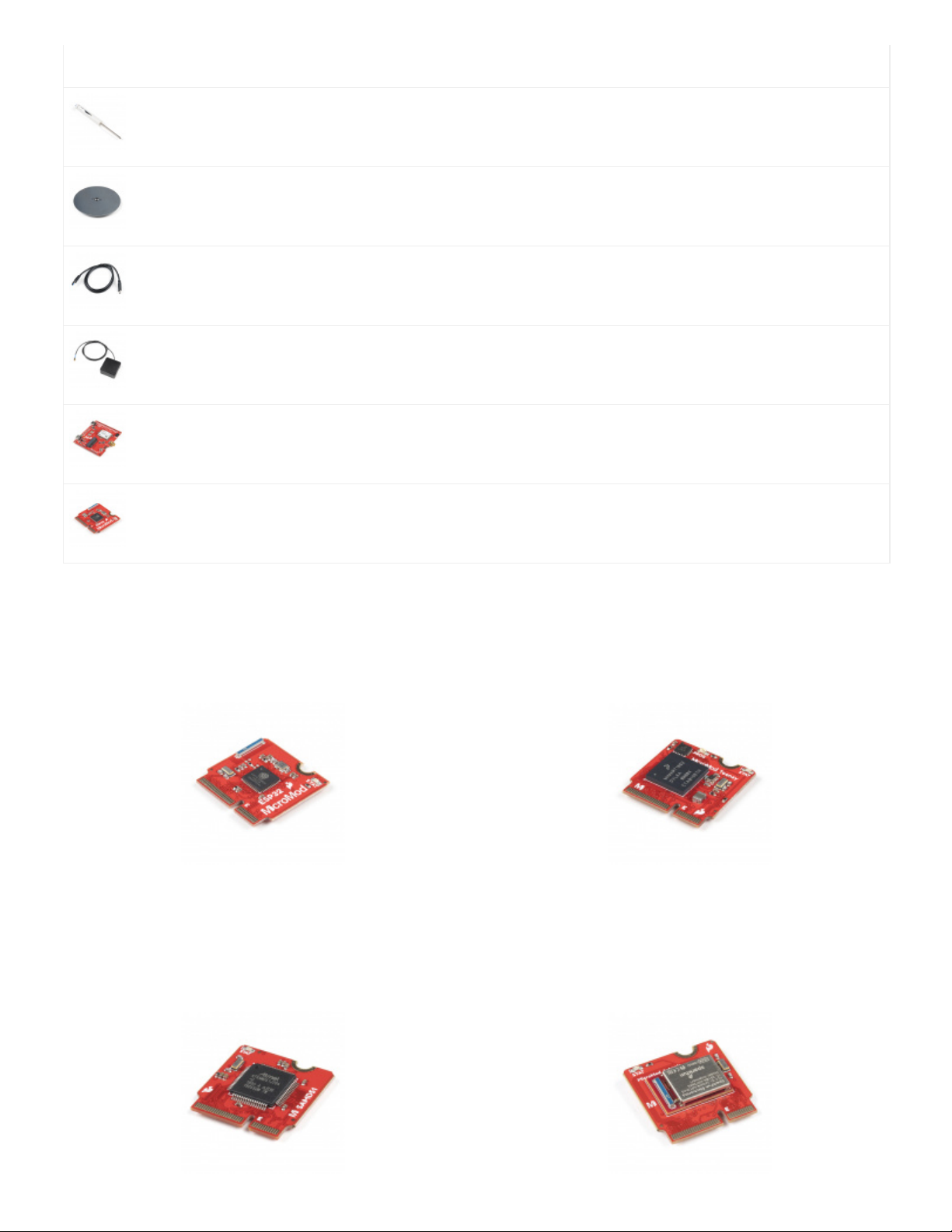
SparkFun MicroMod ESP32 Processor
WRL-16781
MicroMod Processor Board
You'll need a Processor Board with the MicroMod GNSS Carrier Board. We recommend using the MicroMod
ESP32 Processor to connect to the cloud. Depending on your setup, you may need a transceiver to pass the
correction data.
SparkFun MicroMod ESP32 Processor
WRL-16781
SparkFun MicroMod Teensy Processor
DEV-16402

Antenna
We recommend using a GNSS multi-band magnetic mount antenna for the full RF reception. The length of the
antenna cable was also useful in mounting it.
Note: If you want to try different chip antennas, these antennas will not provide the full RF reception for the
ZED-F9P.
SparkFun MicroMod SAMD51 Processor
DEV-16791
SparkFun MicroMod Artemis Processor
DEV-16401
GNSS Multi-Band Magnetic Mount Antenna -
5m (SMA)
GPS-15192
GNSS Multi-Band L1/L2 Surveying Antenna
(TNC) - TOP106
GPS-17751
GNSS Multi-Band L1/L2 Helical Antenna (SMA)
BT-560
GPS-17383
MagmaX2 Active Multiband GNSS Magnetic
Mount Antenna - AA.200
GPS-17108

GPS Antenna Accessories
You can use the GPS antenna ground plate to improve your GPS antenna's performance. If you are using the
GNSS Multi-Band L1/L2 Surveying Antenna (TNC) - TOP106, you'll need to grab the interface cable.
Accessories
At a minimum, you will need a USB C cable to power and program the boards. Depending on your application, you
may want to grab a Qwiic cable to connect a Qwiic-enabled device.
Tools
You will need a screw driver to tighten the screw between the processor board and carrier board.
GPS/GNSS Magnetic Mount Antenna - 3m
(SMA)
GPS-14986
GPS/GNSS Embedded Antenna - 1m (SMA)
GPS-14987
Interface Cable - SMA Male to TNC Male
(300mm)
CAB-17833
GPS Antenna Ground Plate
GPS-17519
SparkFun Qwiic Cable Kit
KIT-15081
USB 3.1 Cable A to C - 3 Foot
CAB-14743

Suggested Reading
If you aren't familiar with the MicroMod ecosystem, we recommend reading here for an overview. We recommend
reading here for an overview if you decide to take advantage of the Qwiic connector.
MicroMod Ecosystem Qwiic Connect System
If you aren’t familiar with the following concepts, we recommend checking out these tutorials before continuing.
SparkFun Mini Screwdriver
TOL-09146
I2C
An introduction to I2C, one of the main embedded
communications protocols in use today.
Getting Started with U-Center for u-blox
Learn the tips and tricks to use the u-blox software tool
to configure your GPS receiver.

This tutorial is based on the GPS-RTK2's ZED-F9P. Make sure to check out the breakout boards for more
information on GPS-RTK. Be sure to checkout our What is GPS RTK? tutorial.
Getting Started with MicroMod
Dive into the world of MicroMod - a compact interface
to connect a microcontroller to various peripherals via
the M.2 Connector!
MicroMod ESP32 Processor Board Hookup
Guide
A short hookup guide to get started with the SparkFun
MicroMod ESP32 Processor Board.
What is GPS RTK?
SEPTEMBER 14, 2018
Learn about the latest generation of GPS and GNSS receivers to get 14mm
positional accuracy!
GPS-RTK Hookup Guide
SEPTEMBER 13, 2018
Find out where you are! Use this easy hook-up guide to get up and running with
the SparkFun high precision GPS-RTK NEO-M8P-2 breakout board.

Hardware Overview
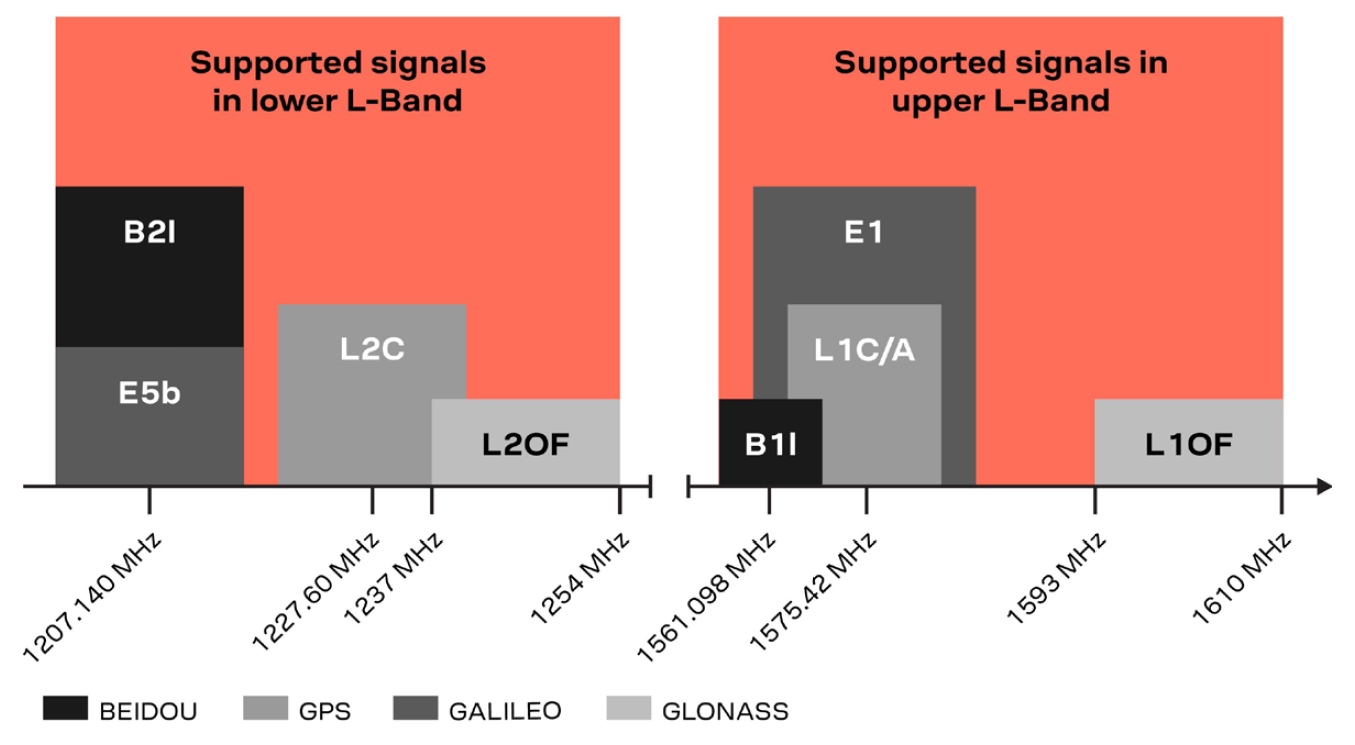
One of the key differentiators between the ZED-F9P and almost all other low-cost RTK solutions is the ZED-F9P is
capable of receiving both L1 and L2 bands.
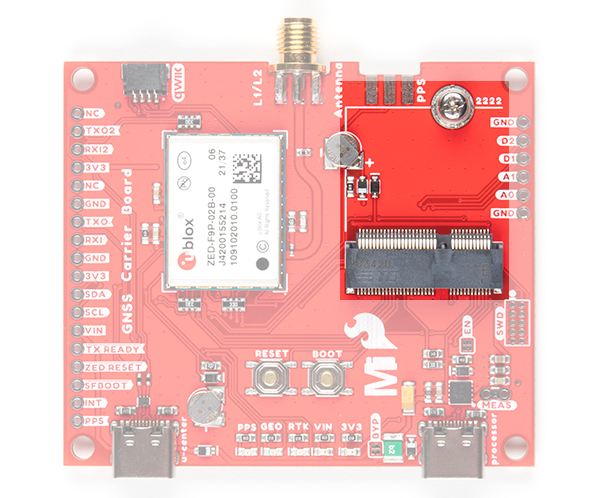
MicroMod Processor Board Socket
The MicroMod GNSS Carrier Board (ZED-F9P) includes a location for a MicroMod Processor Board. Here is
where your chosen Processor Board will reside.
GPS-RTK2 Hookup Guide
JANUARY 14, 2019
Get precision down to the diameter of a dime with the new ZED-F9P from u-
blox.

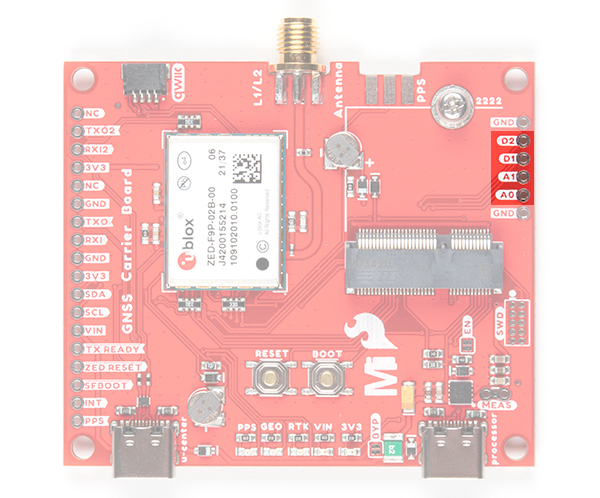
MicroMod Processor General Pins
Next to the MicroMod Processor Board are extra pins if you need to use a digital or analog pin.
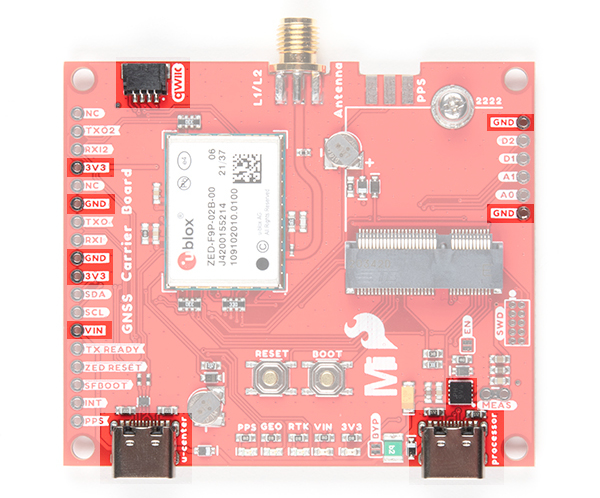
Power
There are a few ways to power the board. Voltage is regulated down to 3.3V with the AP7361 voltage regulator.
The square IC next to the USB C labeled as processor is where you will find the AP7361.
USB C Connector - You can connect a USB Type C cable from your computer's USB port to the board
through either of the USB Type C connectors labeled as u-center and processor. There are protection
diodes connected to the voltage lines so you can connect two USB cables at the same time to power the
board. The AP7361 voltage regulator will regulate the 5V from the USB port down to 3.3V for the system
voltage.
VIN - If you decide to connect to the VIN pin, we recommend a voltage between 3.3V to 6.0V. The AP7361
voltage regulator will regulate the voltage down to 3.3V for the system voltage.
3V3 - If you decide to power the board through the 3.3V pin, you could connect a regulated 3.3V to this pin.
Otherwise, you could use this to power any peripherals attached to the board.
Qwiic Connector - The Qwiic connector connects to 3.3V and GND to power any Qwiic-enabled devices.
Depending on your application, you could connect a regulated 3.3V through this port as well.
GND - Of course, you'll need to connect the ground plane to your power source. This pin is available should
you decide to power the board through the any of the PTH pins.

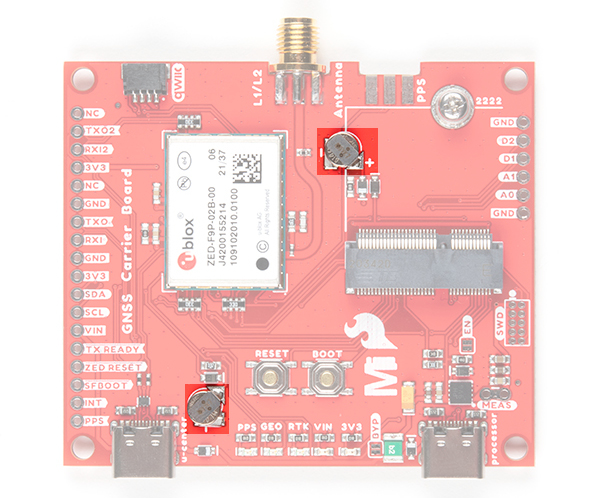
Backup Batteries
There are two built-in backup batteries (ML414H) on the board. The backup battery has a 1mAh capacity and
requires 20 minute to charge. The battery near the SMA connector is for the Processor Board's RTC and helps
keep the RTC running when the external power is removed. Depending on the processor, it may not be connected.
The other one that is closest to the USB C connector labeled as u-center is for the ZED-F9P module. The
rechargeable battery maintains the battery backed RAM (BBR) on the GNSS module. This allows for much faster
position locks (a.k.a. hot start). The BBR is also used for module configuration retention. The battery is
automatically trickle charged when power is applied and should maintain settings and GNSS orbit data for up to
two weeks without power.
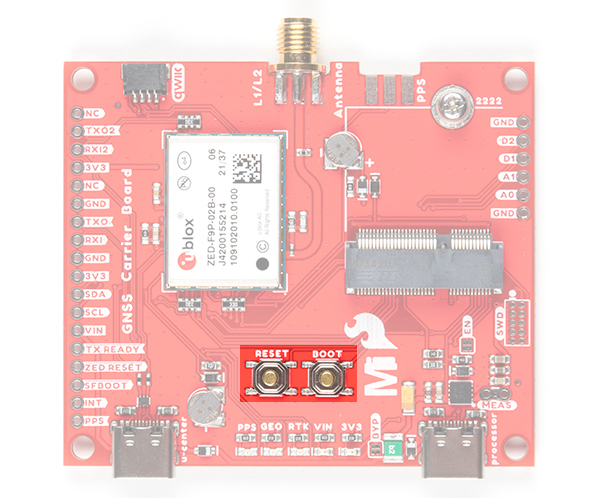
Reset and Boot Buttons
The reset button will reset the processor. The boot button will put the processor into a special boot mode.
Depending on the processor board, this boot pin may not be connected.

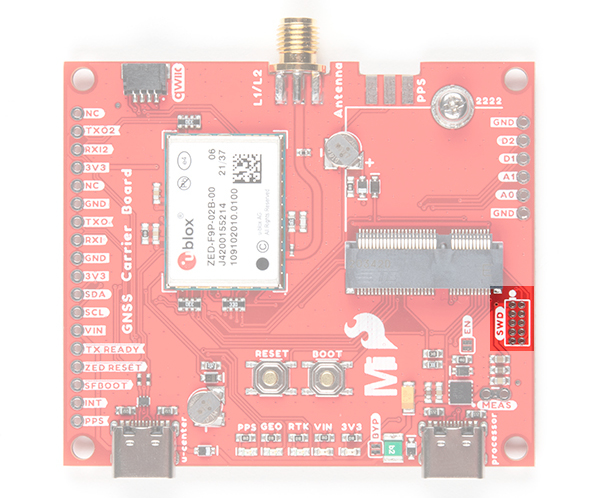
SWD Programming Pins
For advanced users, we broke out the SWD programming pins to connect to a MicroMod Processor Board. Note
that this is not populated so you will need a compatible header and compatible JTAG programmer to connect.
Communication Ports
The ZED-F9P is unique in that it has five communication ports which are all active simultaneously. You can read
NMEA data over I C while you send configuration commands over the UART and vice/versa. The only limit is that
the SPI pins are mapped onto the I C and UART pins so it’s either SPI or I C+UART. The USB port is available at
all times.
2
2 2
Table des matières
Autres manuels sparkfun Conseil des transporteurs


Manuels Conseil des transporteurs populaires d'autres marques

CTJ
CTJ TX2 Manuel utilisateur

Amfeltec
Amfeltec AngelShark Series Manuel utilisateur

Advantech
Advantech CPC-2420 Manuel d'installation et d'exploitation

Bob's Space Racers
Bob's Space Racers BSR-3000 Manuel utilisateur

RTimes
RTimes Z509 Manuel utilisateur

mikroElektronika
mikroElektronika Clicker 2 Manuel utilisateur