
Skylab SKW92-EVB Manuel utilisateur
Skylab M&C Technology Co., Ltd.
SKW92-EVB-User Manual
1/15 SKW92-EVB-UM-001,A/1
SKW92 EVB User Manual
Revision History
Revision Description Approved Date
V1.01 Initial Release George 20170321

Skylab M&C Technology Co., Ltd.
SKW92-EVB-User Manual
2/15 SKW92-EVB-UM-001,A/1
Contents
1.Introduction .................................................................................................................................... 3
2.EVB Details .................................................................................................................................... 3
EVB Details ................................................................................................................................... 4
3.Logging in to the module web ........................................................................................................ 5
4.Setup Guide ................................................................................................................................... 7
1).Setup “Gateway Mode” ............................................................................................................. 9
2).Setup “AP Client Mode” ........................................................................................................... 12
5.Contact Information ...................................................................................................................... 15

Skylab M&C Technology Co., Ltd.
SKW92-EVB-User Manual
3/15 SKW92-EVB-UM-001,A/1
1. Introduction
The SKW92 EVB offers a quick and easy way to evaluate the SKW92 module and the SKW92 is a
802.11n/ b/g WiFi router module.
The Evaluation Kit includes the following items:
1.
One SKW92 module.
2.
One SKW92 EVB.
3.
One DC adapter with micro USB connector cable.
4.
Two WiFi antenna.
5.
This Manual.
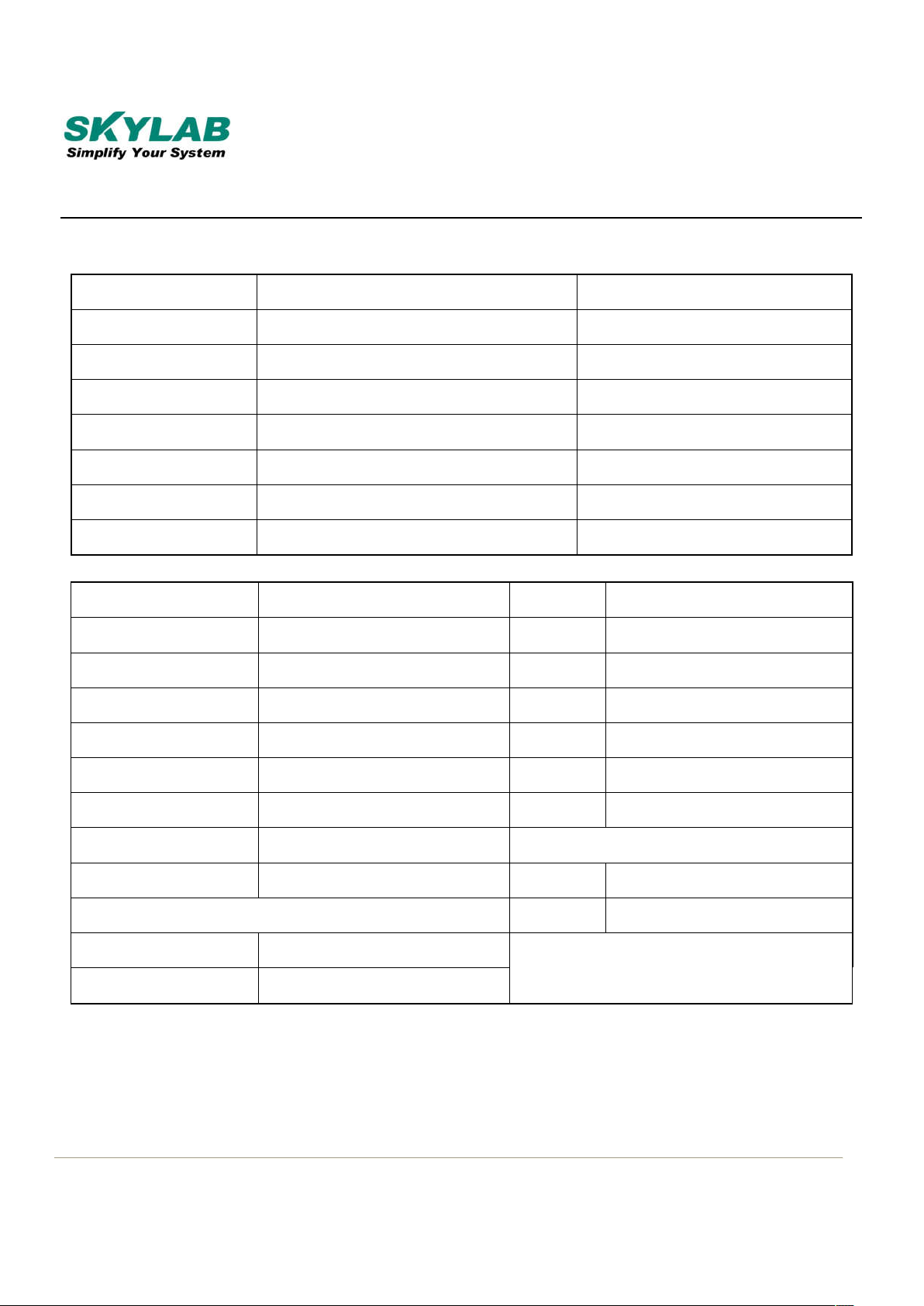
2. EVB Details
This section describes the various interfaces and switch settings for the SKW92-EVB board.
Skylab M&C Technology Co., Ltd.
SKW92-EVB-User Manual
4/15 SKW92-EVB-UM-001,A/1
EVB Details
No. Connector Function Description
1 DC Power Connector DC 6-15V Input
2 Micro USB Power Connector USB DC 5V Input
3 USB Type-B Port UART0:USB TO TTL
4 Micro USB Port UART1:USB TO TTL
5 USB Type-A Port USB Slave Device
6 RJ45 Port LAN Port
7 RJ45 Port WAN Port
No. Function Description No. Function Description
8 5V Power LED 21 WPS Push Button
9--12 LAN LED 22 Reset Push Button
13 WAN LED
14 System LED 23 USB 5V Header
15 WPS LED 24 Module 5V Header
16 USB Device LED 25 Module 3.3V Header
17 Wireless LED
18 3.3V Power LED 26 I2S & I2C Header
27 UART Header
19 5V Power Switch
20 3.3V Power Switch
Skylab M&C Technology Co., Ltd.
SKW92-EVB-User Manual
5/15 SKW92-EVB-UM-001,A/1
EVB Hardware Installation
Step 1: Insert the module to the EVK board.
Step 2: Connect the another LAN port into PC`s RJ45 port.
Step 3: Connect the WiFi antenna.
Step 4: Insert the DC adapter into the power-supply connector.
Note: The DC adapter output: 5V±10% /1A
3. Logging in to the module web
1)Connected SKW92 LAN port and PC`s RJ45 port;
2)Setup IP address;
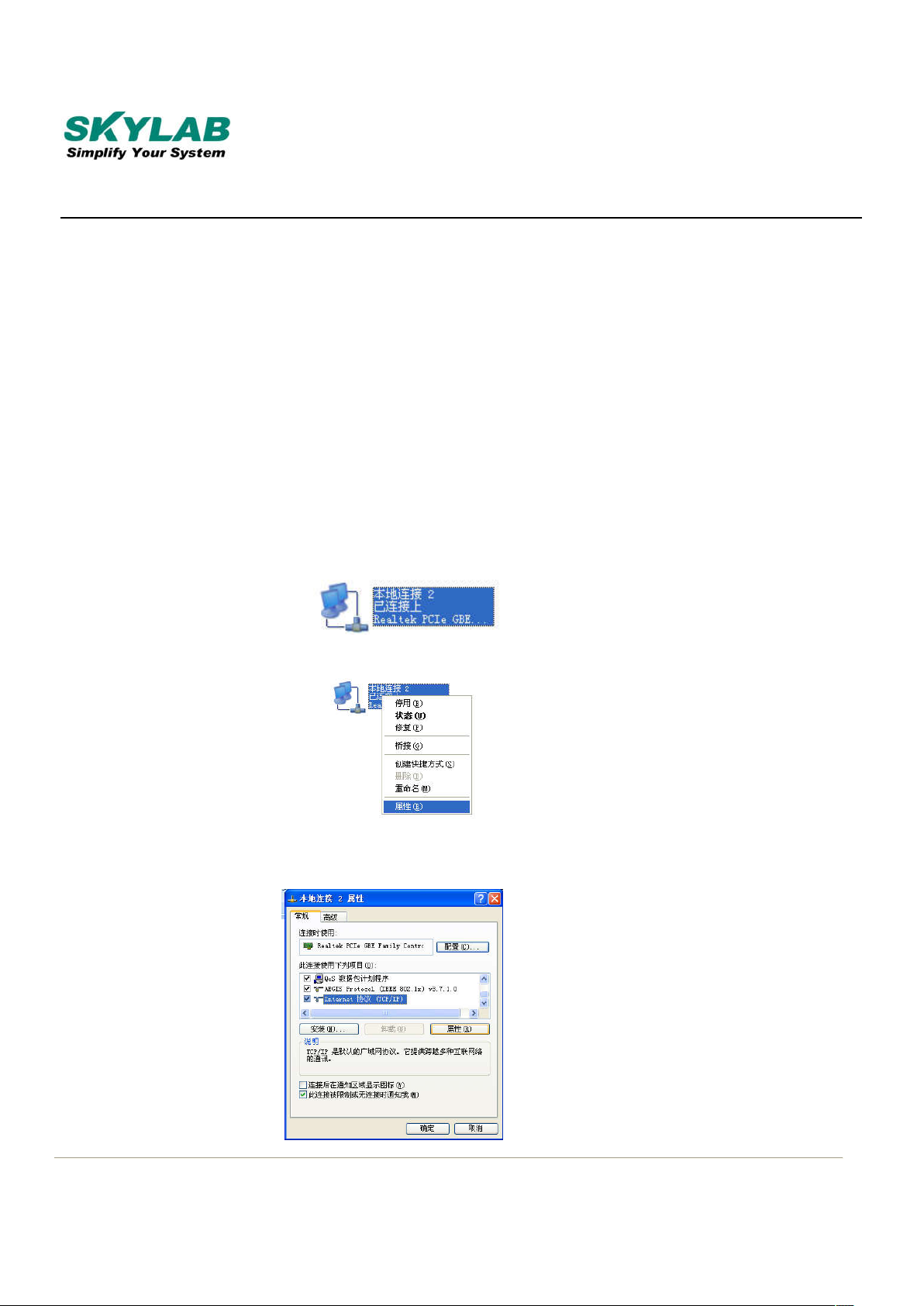
Step 1: Right-click the “local connection. This pic is chinese version;
Step 2: Click “attribute”;
Step 3: Click “internet protocol(TCP/IP)”;
Skylab M&C Technology Co., Ltd.
SKW92-EVB-User Manual
6/15 SKW92-EVB-UM-001,A/1
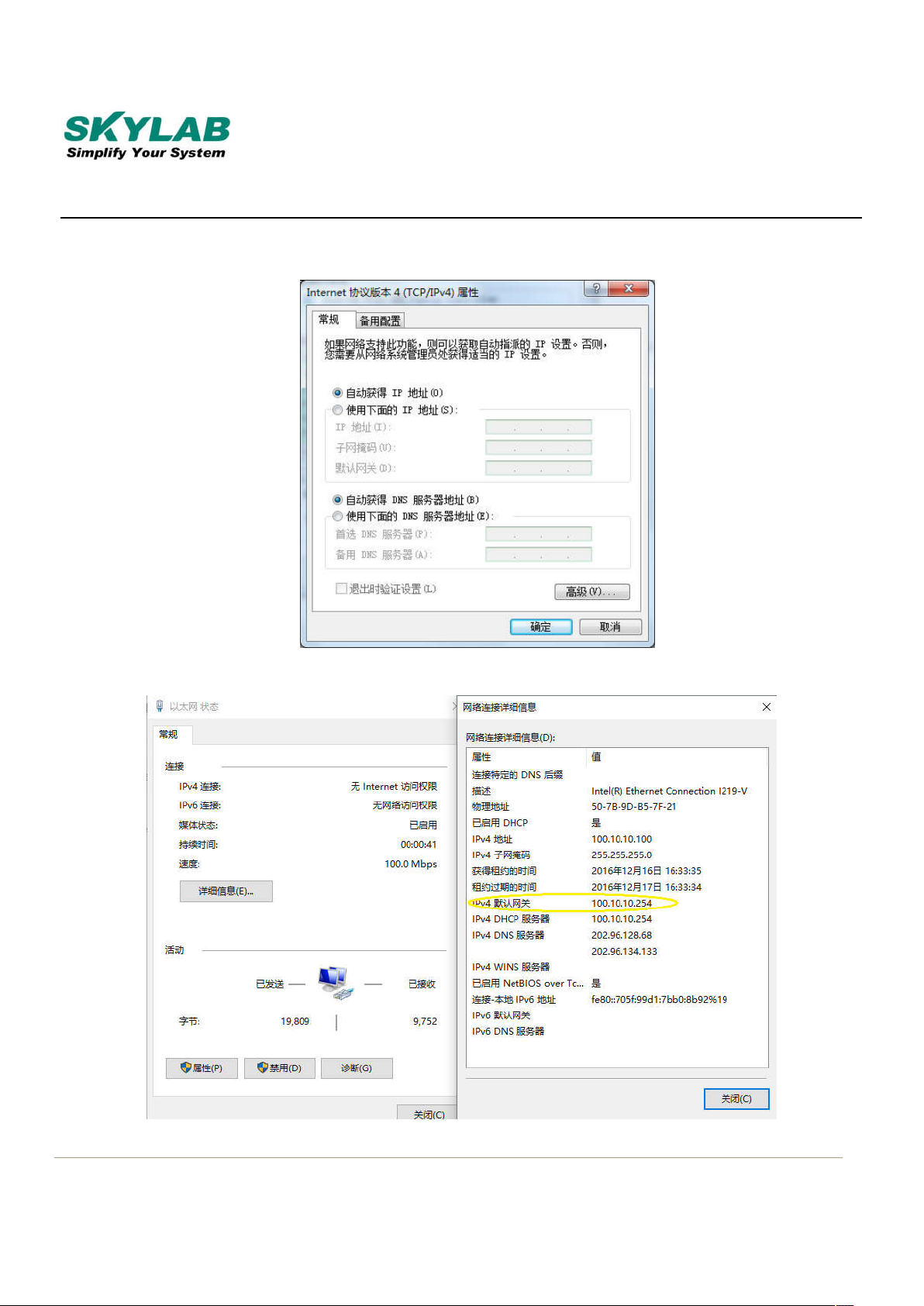
Step 4: IP address set as gain automatically;
3)Check IP address according to the yellow tag in the pic;
Skylab M&C Technology Co., Ltd.
SKW92-EVB-User Manual
7/15 SKW92-EVB-UM-001,A/1
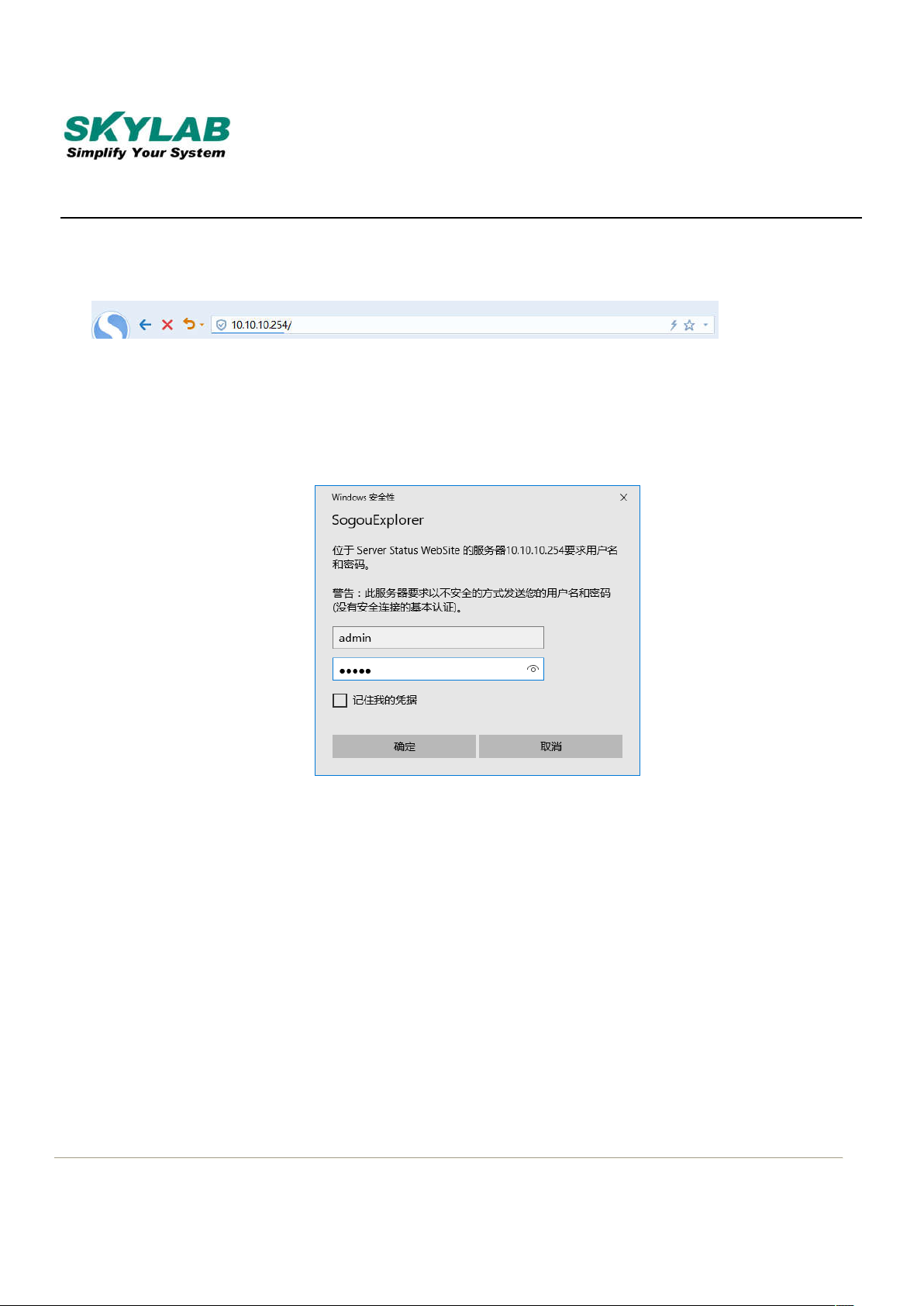
4)Web browser address: “http: //10.10.10.254”;
5)User account: admin;
Password: admin
4. Setup Guide
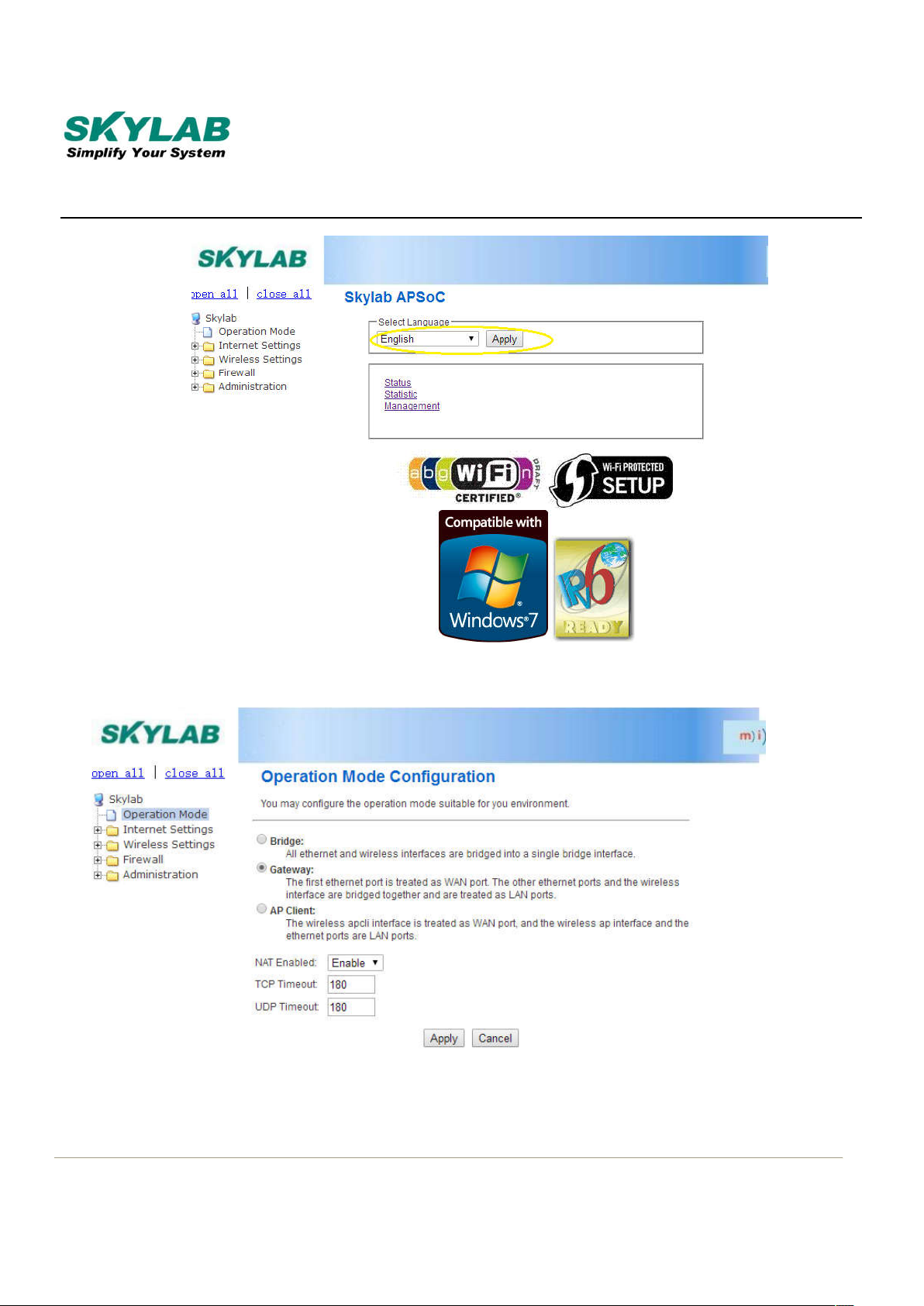
a. Choose the language;
Skylab M&C Technology Co., Ltd.
SKW92-EVB-User Manual
8/15 SKW92-EVB-UM-001,A/1
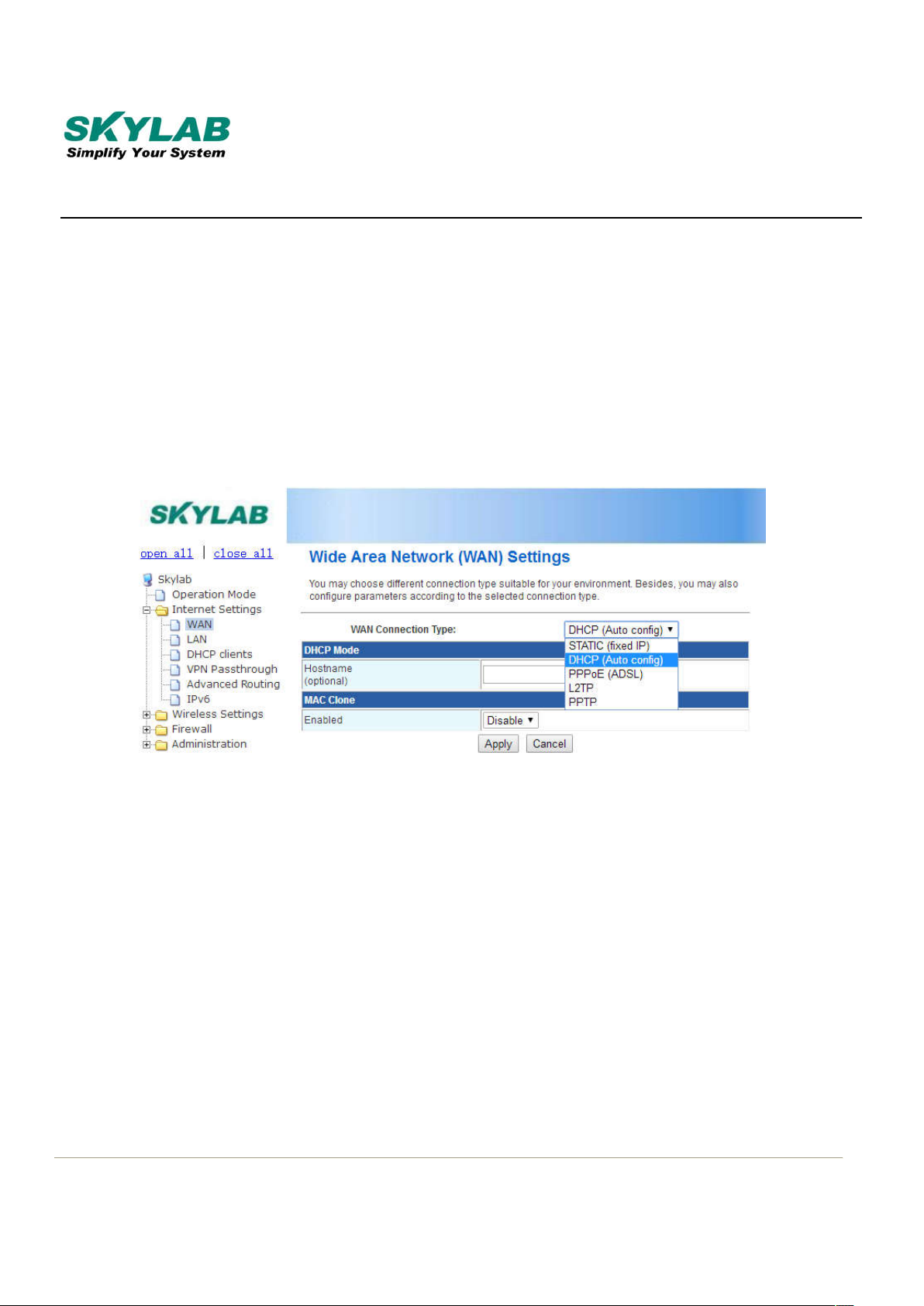
b. Choose Operation Mode;
Skylab M&C Technology Co., Ltd.
SKW92-EVB-User Manual
9/15 SKW92-EVB-UM-001,A/1
Three Operation Mode:
1)Gateway
2)AP Client
3)Bridge
1).Setup “Gateway Mode”
A. Choose Gateway in the mode setting;
B. Network setting as“WAN”;
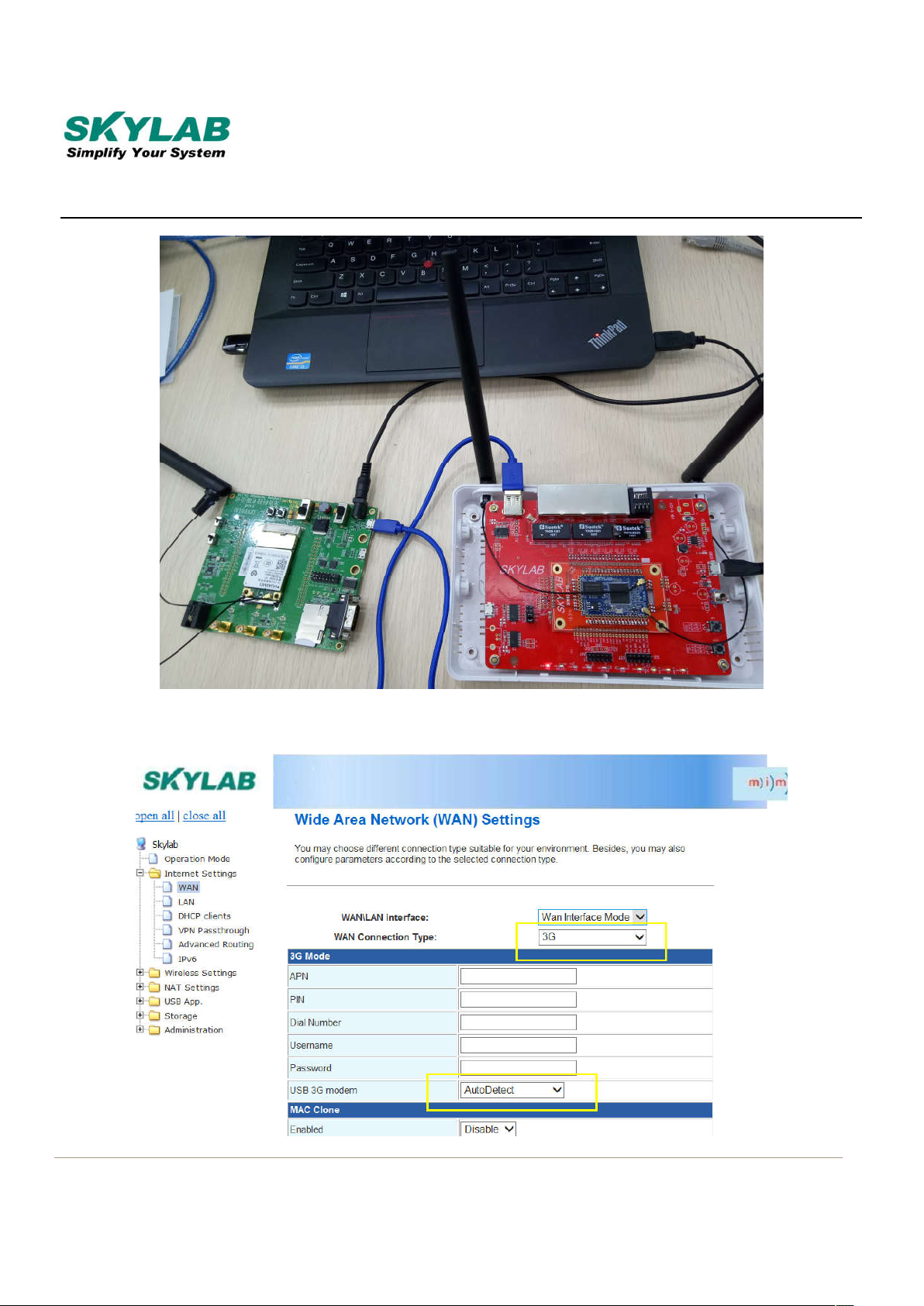
C. There are ADSL、L2TP、PPTP、3G these ways to connect to WAN in“WAN connected
mode”,The following is 3G mode;
①SKW92 module connect to 3G module;
Use USB line to connect SKW92_EVB and 3G_EVB;
Skylab M&C Technology Co., Ltd.
SKW92-EVB-User Manual
10/15 SKW92-EVB-UM-001,A/1
②Set the WAN online mode to 3G,then select the 3G modem (by default);
Table des matières
Autres manuels Skylab Carte mère

Manuels Carte mère populaires d'autres marques


Telit Wireless Solutions
Telit Wireless Solutions SL869-3DR Manuel utilisateur

Gigabyte
Gigabyte GA-9IVDT Manuel utilisateur

Texas Instruments
Texas Instruments ADS8372EVM Manuel utilisateur

Commell
Commell MS-C73 Manuel utilisateur

IBT Technologies
IBT Technologies MB860 Manuel utilisateur

Nvidia
Nvidia TEGRA DG-04927-001_V01 Manuel utilisateur


