
Sharp HP-BC50 Manuel utilisateur
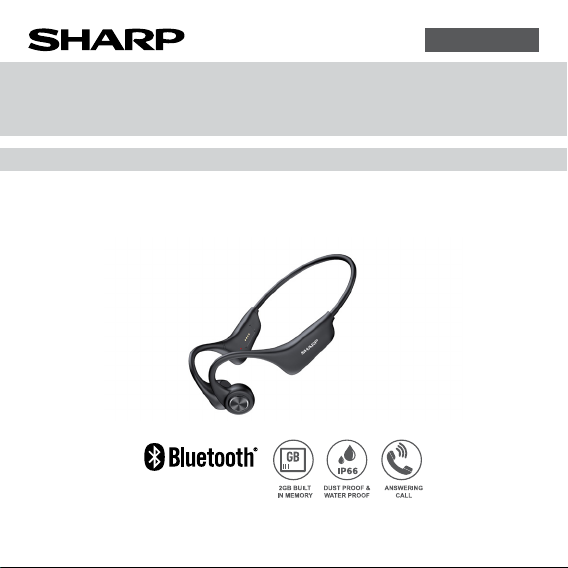
OPERATION MANUAL
MODEL
HP-BC50
WIRELESS BONE CONDUCTION HEADPHONES
ENGLISH
Thank you for purchasing this SHARP product. To obtain the best performance from
this product, please read this manual carefully. It will guide you in operating your
SHARP product.

E-1
Page
Contents......................................... 1
Accessory...................................... 2
Special notes................................ 2
Getting started................................... 2
Precautions................................... 5
Overview
Getting started................................... 7
Product features and
functions ...................................... 8
Controls and indicators ............ 9
General control
Power on ......................................... 10
Power off ......................................... 10
Auto power off ................................. 10
Volume control................................. 10
Wearing instruction.................. 10
Page
Bluetooth connection
Bluetooth pairing.............................. 11
Internal memory
Playing music from the internal
memory ........................................... 12
Adding songs to the internal memory .12
Music mode
Various music functions................... 13
Phone call mode
Various phone call functions............ 13
Charging operation
Charging the unit ............................. 14
Troubleshooting chart ............. 15
Factory reset, clearing all memory .. 16
Specication
General............................................ 17
Bluetooth ......................................... 18
Contents

E-2
The following accessory is included.
Accessory
Charging cable x 2
The Bluetooth®word mark and logos are registered trademarks owned by Bluetooth
SIG, Inc. and any use of such marks by SHARP is under license. Other trademarks
and trade names are those of their respective owners.
Supply of this product does not convey a license nor imply any right to distribute
content created with this product in revenue generating broadcast systems
(terrestrial, satellite, cable and/or other distribution channels), revenue-generating
streaming applications (via Internet, intranets and/or other networks), other
revenue-generating content distribution systems (pay-audio or audio-on-demand
applications and the like) or on revenue-generating physical media (compact discs,
digital versatile discs, semiconductor chips, hard drives, memory cards and the
like).An independent license for such use is required.
For details, please visit http://mp3licensing.com
MPEG Layer-3 audio coding technology licensed from Fraunhofer IIS and Thomson.
Special Notes

E-3
1. Radio frequency exposure
Wireless Bone Conduction Headphones is a radio transmitter and receiver. When in
operation it communicates with a Bluetooth®equipped mobile device by receiving
and transmitting radio frequency (RF) electromagnetic elds (microwaves)
in the frequency range 2.4 to 2.48 GHz. This product is designed to operate in
compliance with the RF exposure guidelines and limits set by national authorities
and international health agencies when using compatible mobile phone.
2. Battery information
●A rechargeable battery has a long service life if treated properly.
●A new battery or one that has not been used for a long period of time could
have reduced capacity the rst few times it is used. Do not expose the battery to
extreme temperatures, never above 50°C (122°F) or below -10°C (14°F).
●For maximum battery capacity, use the battery at room temperature.
●If the battery is used in low temperatures, the battery capacity will be reduced.
The battery can only be charged in temperatures between 5°C (41°F) and 40°C
(104°F).
●RISK OF EXPLOSION IF BATTERY IS REPLACED BY AN INCORRECT TYPE.
DISPOSE OF USED BATTERIES ACCORDING TO THE INSTRUCTIONS.
3. Removal of waste batteries and accumulators
(Product with embedded battery ONLY)
●In case this product contains a battery incorporated within the product which
cannot be readily removed by end users, SHARP recommends that only qualied
professionals remove the battery, either for replacement or for recycling at the
end of this product’s working life. To prevent damage to the product, and
Special Notes (continued)
Getting started

E-4
Special Notes (continued)
for their own safety, users should not attempt to remove the battery and should
contact authorised independent service providers for advice.
CAUTION:
Internal lithium battery in the unit should not be replaced by end users due to
danger of explosion if battery is incorrectly replaced and must be replaced with the
exact type battery by authorised service providers.
Avoiding hearing damage
If volume on the headphones is too high, permanent hearing loss may occur. Please
set the volume to a safe level. You can become habitual to hear at high volume that
may sound normal but can damage your ears. If you experience ringing in your
ears or mufed speech, stop listening and have your ears checked by the specialist
doctor. The louder the volume, the more quickly the hearing can be damaged.
Hearing experts suggest how to protect your hearing
●Limit the amount of time you use the headphones at high volume.
●Avoid the habit of increasing the volume so that you do not hear the loud noises
around you.
●Turn the volume down if you cannot hear people speaking around you.
For setting the maximum volume limit of the connection device,
refer to the instruction manual supplied with the connection device.
Class B equipment (home-use broadcasting communication equipment):
This equipment is intended for home-use (Class B) electromagnetic compatibility
equipment and can be used in all areas.
High sound pressure.
Hearing damage risk.
Do not listen at high volume levels for long periods.

E-5
Precautions
The sound level at a given volume setting depends on speaker efciency, location
and various other factors. It is advisable to avoid exposure to high volume levels,
which occurs while turning the unit on with the volume control setting up high,
or while continually listening at high volumes. Excessive sound pressure from
headphones can cause hearing loss. Adjust the volume to an appropriate level
when using the unit.
●Do not cover the product with items, such as news papers, tablecloths, curtains,
etc. while charging.
●Keep the unit away from strong magnetic elds, excessive dust, humidity
and electronic/electrical equipment (home computers, facsimiles, etc.) which
generate electrical noise.
●Do not expose the unit to temperatures higher than 40 °C (104°F) or to extremely
low temperatures.
●Do not remove the outer cover. Refer internal service to your local SHARP
service facility.
●No naked ame sources, such as lighted candles, should be placed on the
apparatus.
●Attention should be drawn to the environmental aspects of battery disposal.
●This unit should only be used within the range of 0°C - 40°C (32°F - 104°F).
●SHARP is not responsible for damage due to improper use. Refer all servicing to
a SHARP authorized service center.
●This product contains magnetic material. Consult your physician or whether this
might affect your implantable medical device.
●Do not make unauthorized alterations to this product.

E-6
●Use this product only with an agency approved power supply which meets local
regulatory requirements (e.g., UL, CSA, VDE, CCC).
●The product rating is located at the inner side of the product.
CAUTION: Risk of explosion if the battery is replaced by an incorrect type
●high or low extreme temperatures that a battery can be subjected to during use,
storage or transportation; and
●low air pressure at high altitude.
●replacement of a battery with an incorrect type that can defeat a safeguard (for
example, in the case of some lithium battery types);
●disposal of a battery into re or a hot oven, or mechanically crushing or cutting of
a battery, that can result in an explosion;
●leaving a battery in an extremely high temperature surrounding environment that
can result in an explosion or the leakage of ammable liquid or gas;
●a battery subjected to extremely low air pressure that may result in an explosion
or the leakage of ammable liquid or gas.
Precautions (continued)

E-7
Thank you for choosing our product. Our HP-BC50 WIRELESS BONE
CONDUCTION HEADPHONES are designed with fashionable looks, powerful
features and high compatibility, providing you with hands-free convenience in
making calls and listening to music. Best choice for ofce using, traveling and
driving.
Bluetooth Wireless Technology
With this technology, you can connect the unit to its compatible Bluetooth devices
without using cables. The Bluetooth wireless connection allows you to use a cell
phone without holding it to your ear, but the maximum distance between both devices
cannot exceed 10 meters (about 30 feet). The Bluetooth wireless connection may
be interfered by obstacles (such as walls) or other electronic devices nearby.
In some areas, the use of Bluetooth wireless technology may be subjected to some
constraints. Please consult your local authority or service provider for details.
Fully charge the unit before using. For details, refer “Charging operation” on page
14.
Meanwhile, choose a smartphone or other Bluetooth device that is compatible with
this product.
Note :
●Keep the unit away from your credit cards or other magnetic storage media;
otherwise, the stored information may be lost due to demagnetization.
Getting started
Overview

E-8
●Integrated Bluetooth headphones to meet various needs such as music listening
and phone answering.
●Stereo sound effect to enjoy perfect music.
●Small and light, for comfortable and stable wearing.
●Two usage modes and multiple application scenarios for selection.
●Built in internal storage of 2GB for music storage and playback.
Notes :
●DO NOT wear the headphones when sleeping, otherwise it may be damaged or
cause injuries to you.
●When driving, you are advised to use the Bluetooth connected headphones to
ensure your driving safety. It is dangerous to directly use smartphones when
driving.
●Keep the headphones away from kids. Small components of the headphones
may cause suffocation or other injuries to kids.
Product features and functions

E-9
1. LED indicator
2. Magnetic charge terminal
3. Right button - Power on/off, Play,
Pause, Next track, Volume Up.
4. Microphone
5. Left button - Previous track,
Volume Down, Voice Assistant,
Answer/Reject call.
Controls and indicators
12
3
4
5
Table des matières
Autres manuels Sharp Casque audio


