2
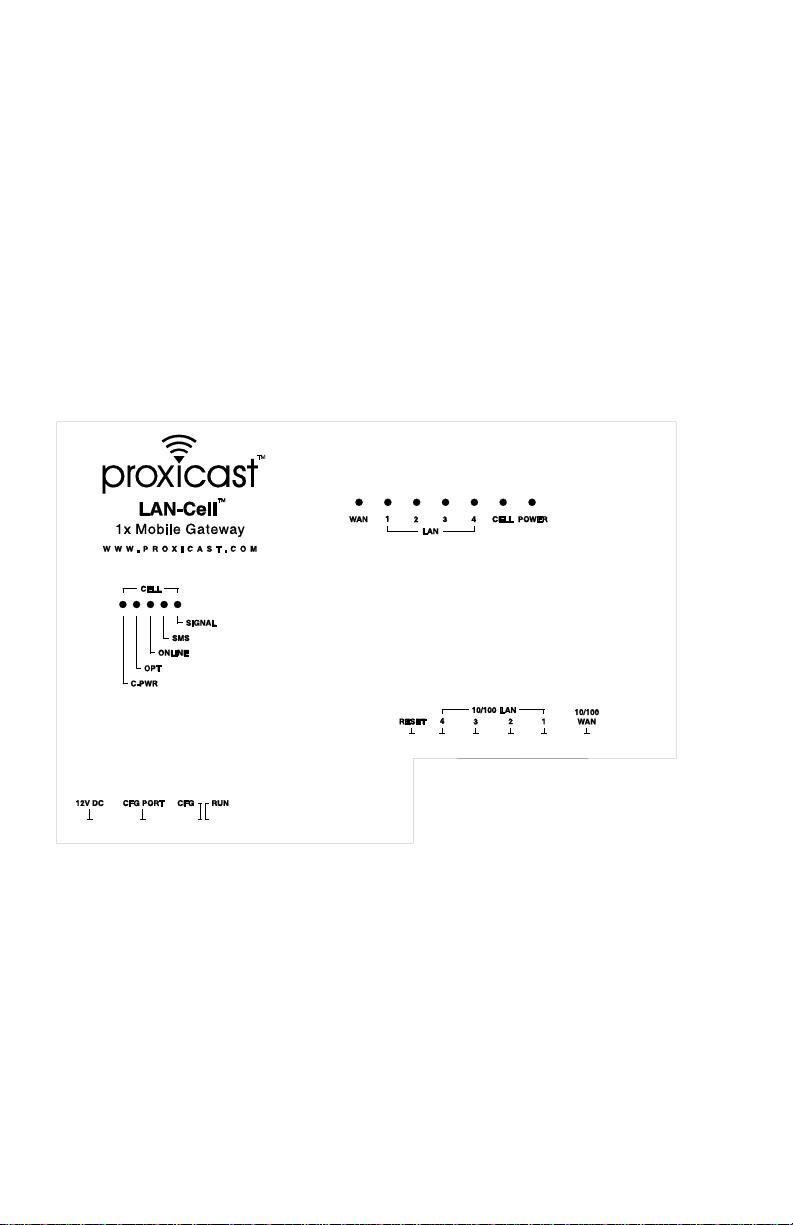
Front Panel LEDs
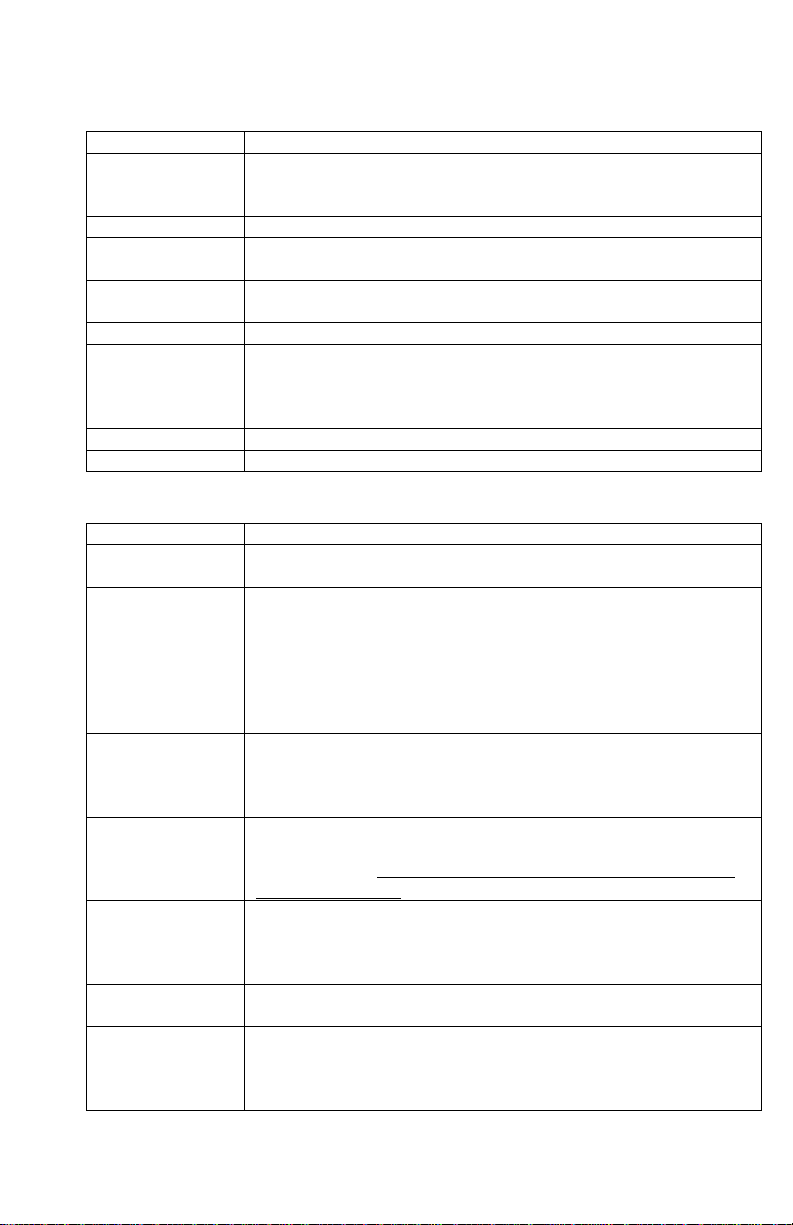
LABEL DESCRIPTION
Power Indicates that power is supplied to the LAN-Cell. The Power LED
blinks while performing system testing and stays on if the testing is
successful. Red indicates that the supplied voltage is too low.
Cell Indicates activity between the router and its cellular modem.
WAN & LAN 1-4 Indicate Link Status and Activity on the corresponding ports.
Green = 10 Mbps, Orange = 100 Mbps
Cell Signal Indicates that the embedded cellular modem has detected the
presence of a signal from the carrier for which it is configured.
Cell SMS Indicates that an SMS message has been received.
Cell Online Turns on when the cellular modem has made a successful data
connection to the carrier. Minute and/or data charges may be
incurred when this LED is ON. Consult your cellular service
provider for details regarding your cellular data service plan.
Cell OPT Future Use. (model 1xMG-401S only)
Cell C-PWR Indicates that power is being supplied to the internal modem.
Front Panel Connections
LABEL DESCRIPTION
12VDC Connect the included power adapter (use only this adapter) to this
power socket.
CFG Port This DB9 connection is used to access the embedded cellular
modem for configuration, if necessary (see Activating the Cellular
Modem).
The CFG Port communication parameters are 115200 bps, no parity,
8 data bits, 1 stop bit and hardware flow control. Use the supplied
DB9/DB25 serial cable.
CFG/RUN Switch Set this switch to CFG to access the modem configuration via the
CFG Port. Otherwise, set the switch to RUN. Note: moving the
switch from RUN to CFG will disconnect any active cellular
modem connection.
Reset Only use this button if you’ve forgotten the LAN-Cell’s password.
It returns the LAN-Cell its factory defaults (password is 1234, LAN
IP 192.168.1.1), not necessarily the “as-shipped” configuration for
your specific carrier. Use only as a last resort.
10/100 LAN 1–4 Connect computer equipment to these ports with Ethernet cable.
These ports are auto-negotiating (can connect at 10 or 100 Mbps)
and auto-sensing (automatically adjust to the type of Ethernet cable
you use, straight-through or crossover).
10/100 WAN Connect a cable/DSL modem or other Ethernet-based WAN
equipment to this port.
Antenna Attach the supplied antenna to the SMA connector located on the
side of the LAN-Cell, near the Proxicast logo. Use only the antenna
supplied with your unit. Be sure to tighten the antenna connector
fully to ensure a reliable cellular connection.