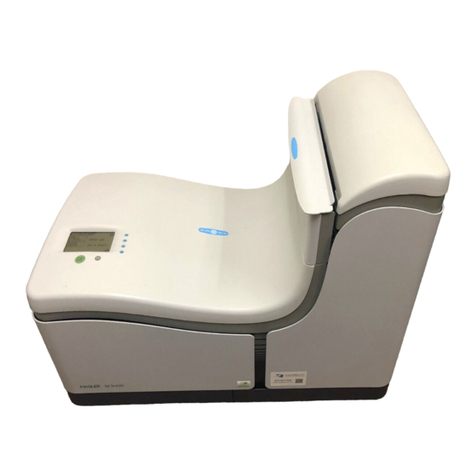
Neopost DS-75i Manuel utilisateur

Table of Contents
How this Help Works ....................................................................................11
Help Menu........................................................................................................1
User Guide.......................................................................................................2
Meet your Document System .......................................................................32
Introduction.......................................................................................................3
Operating Controls...........................................................................................6
Control Panel....................................................................................................7
Power Up..........................................................................................................7
How to Operate the Touch Screen...................................................................9
Open a Web Browser.......................................................................................9
What is a Job?................................................................................................10
Job List...........................................................................................................11
Job Overview..................................................................................................12
High Capacity Document Feeder (HCDF)......................................................15
MaxiFeeder....................................................................................................15
Side Exit.........................................................................................................57
High Capacity Vertical Stacker.......................................................................56
Shut Down the System...................................................................................17
Working with Jobs ......................................................................................183
Introduction.....................................................................................................18
Use an Existing Job........................................................................................18
Create a New Job...........................................................................................19
About Automatic Jobs....................................................................................20
Create an Automatic Job................................................................................20
Create a Manual Job......................................................................................21
Create a Test Mail Set....................................................................................28
Mail Sets.........................................................................................................34
| Page 1 | TOC | Apr-28-2016 11:23 |

Change to Another Feeder Tray.....................................................................38
Link Feeder Trays...........................................................................................39
Edit a Job.......................................................................................................40
Save a Job.....................................................................................................40
Delete or Move an Enclosure.........................................................................41
Copy a Job.....................................................................................................42
Delete a Job...................................................................................................43
Rename a Job................................................................................................43
Lock a Job......................................................................................................44
Loading the System ....................................................................................454
Document Orientation....................................................................................45
Document Feed Trays....................................................................................45
Load Envelopes..............................................................................................53
Adjust the Side Guides and Envelope Separation.........................................54
Fill the Sealing Liquid Reservoir.....................................................................55
Options ........................................................................................................565
High Capacity Vertical Stacker.......................................................................56
insert'n Frank / insert'n Mail ...........................................................................57
Side Exit.........................................................................................................57
Settings menu .............................................................................................586
Open the Settings Menu.................................................................................58
Open the Settings Menu (Supervisor)............................................................60
Supervisor Settings Menu..............................................................................61
Connect the System to the Internet ..........................................................777
Options for Connection...................................................................................77
Set up a Wired Connection............................................................................78
Set up a Wireless Connection........................................................................79
Test the Connection........................................................................................81
Reading ........................................................................................................828
Introduction.....................................................................................................82
| Page 2 | TOC | Apr-28-2016 11:23 |

OCR Code Description...................................................................................83
BCR Code Description...................................................................................86
OMR Code Description..................................................................................90
Flex Reading Code Description......................................................................94
Create Jobs with Reading..............................................................................95
Reading Settings..........................................................................................101
Exit Selection with Reading..........................................................................103
Operator Maintenance ..............................................................................1059
Maintenance Schedule.................................................................................105
Clean and Replace Brushes.........................................................................106
Replace or Clean Moistening Cloth..............................................................107
Calibrate Photocells.....................................................................................108
Fault Finding .............................................................................................10910
Messages.....................................................................................................109
Clear Stoppages...........................................................................................112
Operator Troubleshooting.............................................................................118
Troubleshooting Table..................................................................................119
Specifications ............................................................................................12411
Technical Specifications...............................................................................124
Hopper and Feeder Capacity.......................................................................125
Configuration Dimensions............................................................................125
Document and Insert Specifications.............................................................126
Envelope and Document Set Specifications................................................127
maxiFeeder Specifications...........................................................................128
High Capacity Vertical Stacker Specifications..............................................129
Terminology ...............................................................................................13012
Terminology..................................................................................................130
Document Orientation..................................................................................136
| Page 3 | TOC | Apr-28-2016 11:23 |

| Page 4 | TOC | Apr-28-2016 11:23 |

How this Help Works1
Help Menu
The help button [?] gives access to help topics via a pull-down menu.
The contents of the help menu can be different for your situation. The help menu can contain
the following topics:
• Search; use the search engine to find a specific topic.
• User Guide; user instructions describing how to use the system.
• FAQ's (option); when the system is connected to the internet, frequently asked
questions are answered here (option).
• What can I do here; a list with relevant help topics related to the current screen.
• Remote assistance (option); online remote assistance for helpdesk guidance. Call
the phone number that is displayed and follow the instructions of the support assistant.
1
| Page 1 | Apr-28-2016 11:23 | How this Help Works
1
English

User Guide
You can use this guide as follows:
1. Use the contents overview to browse the contents. When you are finished you can
close the User Guide with the Close button.
2. To keep the topic from the User Guide active, you can use the Minimize button. When
you click the active Help button, the User Guide is restored.
3. To search for topics; enter a keyword in the Searchbar and press the Search button.
To navigate through the User Guide:
• Tap to select.
• Swipe up/down to scroll.
• Double tap to zoom.
• Pinch in/out to zoom in/out.
See also How to operate the touchscreen.
2
| Page 2 | Apr-28-2016 11:23 | How this Help Works
1
English

Meet your Document System2
Introduction
The system is a folding and inserting system for processing mail easily. The system:
• feeds documents
• folds the documents
• inserts the documents into envelopes
• seals the envelopes
• stacks the envelopes
Automatic monitoring ensures the correct number of documents per envelope. The system
can be operated by means of a user friendly interface. The settings of the system (type of
documents, type of envelopes and the type of fold) are recorded in so called jobs. These
jobs can be created by the operator.
3
| Page 3 | Apr-28-2016 11:23 | Meet your Document System
2
English

The figure shows an overview of the system.
Document Feeders (flexFeed) (1)
The flexFeed is the feeding part of the system. There are two types of feeders: the automatic
and the special feeder. The automatic feeder does not require any adjustments for the
separation. From a feeder you can feed one or more documents (multi feed). The feeders
have a double feed control (DFC). DFC detects if more documents are fed instead of one.
You can link feeders. This means that two feeders can be linked as pairs. When the first
feeder is empty, the system switches to the other feeder. Meanwhile the empty feeder can
be refilled without stopping the system.
The upper automatic feeder is equipped with a 'daily mail' function. You can use this feeder
to process sets of documents that you cannot process automatically (stapled documents
and sets with varying thickness).
Collating Area (2)
All documents of a document set are collated and aligned in the collating area.
powerFold(3)
The fold unit folds the documents. The following fold types are possible (see Terminology
on page 130):
• No fold
• V-fold
• C-fold
4
| Page 4 | Apr-28-2016 11:23 | Meet your Document System
2
English

• Z-fold
• Double V-fold
Envelope feeder (4)
Envelopes that are placed on a stack by the user, are fed one by one into the system by
the envelope feeder.
Inserter (5)
After the documents are folded, the documents are transported to the inserter. The inserter
inserts the documents into a waiting envelope. The inserter seals the envelope or not,
depending on the settings. Automatic monitoring ensures the correct number of inserts per
envelope.
Stacker (6)
The documents inserted (or not) are transported to the stacker depending on the
programmed job. The stacker automatically stacks inserted documents.
Operator and supervisor
You can use the system as operator and as supervisor. The supervisor has access to more
settings than the operator. You can switch from operator to supervisor in every screen.
When you switch to supervisor, you see immediately the result: extra tabs appear for the
advanced settings. Also the side menu contains extra functions.
2
English
5
| Page 5 | Apr-28-2016 11:23 | Meet your Document System

Operating Controls
K- Sensors
L - Bellows
M- Handle for clearing stoppages
N - Sealing liquid reservoir
O- Side cover (opened)
P- Ruler
Q- Thumb wheel for side guide adjustment
R- Side guides envelope hopper
S- Knob for separation adjustment
T- Envelope support bracket
A- Envelope catch tray
B- Envelope slide
C- Display with operating buttons
D- Upper unit
E- Locking hand grip upper unit
F- Document feeders
G- Collator arm
H- Collator area
I- Power inlet, power switch, (RS232 con-
nector / USB / modem - optional)
J- Knobs for clearing stoppages
6
| Page 6 | Apr-28-2016 11:23 | Meet your Document System
2
English
Autres manuels pour DS-75i
1
Table des matières
Autres manuels Neopost Système d'insertion de documents