
Neat SMILE Manuel utilisateur

neat
SMILE
User manual
NE41 14002-02 v2.0

2SMILE User manual NE41 14002-02 v2.0
SMILE kit contents
The list below shows the included parts in the package. If any part is
missing or is defect, please kontakt your reseller or distributor.
# Denomination
1 SMILE unit
2 Necklace with PIN
3 Wristband
Declaration of Conformity
Hereby NEAT Electronics AB declares that the
radio equipment type SMILE is in compliance
with Directive 2014/53/EU. The full text of the
EU declaration of conformity is available at
the following internet address:
http://www.neat-group.com/downloads/
documentation
© 2014 NEAT Group
All rights reserved.
Document number: NE41 14002-02 v2.0
Revision date: 2019-01-29
NEAT Electronics AB
Varuvägen 2
SE-246 42 Löddeköpinge
Sweden
Phone: +46 (046) 707065
Fax: +46 (046) 707087
www.neat-group.com/se
infosweden@neat-group.com
123

3
1 About SMILE 5
1.1 SMILE 5
1.2 SMILE ID 5
1.3 Intended use 5
1.4 General Use 5
2 SMILE 6
3 SMILE parts 6
4 LED indications 7
5 SMILE Accessories 7
5.1 EPA (Easy Press Adapter) 7
5.2 BERLOCK 7
6 Mounting 8
6.1 PIN/necklace 8
6.2 Wristband 8
6.3 CLIP 8
6.3.1 Mounting the EPA 8
6.4 BERLOCK 9
6.5 Changing the top shell 9
7 SMILE Programmer 9
7.1 The drop down menus 10
7.1.1 File 10
7.1.2 Communication 11
7.1.3 Help 12
7.2 Button and Alarm types 12
7.2.1 Button functions 13
7.2.2 Alarm Types 13
7.3 Radio 14
7.3.1 Radio ID Code, Alarm Delay 14
7.3.2 Radio transmission 15
Contents
SMILE User manual NE41 14002-02 v2.0

4
7.4 Info 16
7.5 Activity 16
7.6 RFID 17
7.7 RFID zones/codes 18
7.7.1 Codes and zones with continous retransmission 18
8 Battery holder 20
9 Use and maintenance 21
9.1 Safety notes 21
9.2 Use Use only original parts. 21
9.3 Do not expose to direct sunlight. 21
9.4 Cleaning 21
9.5 Recycling 21
10 Technical data 22
SMILE User manual NE41 14002-02 v2.0
5
SMILE User manual NE41 14002-02 v2.0
1 About SMILE
The SMILE Family is a range of products meant for the care sector,
either in a home care living or in a warden facility. The SMILE Family
consist of two portable triggers, SMILE and SMILE ID.
The term SMILE or SMILE unit will be used for the trigger in general
and if not stated otherwise it refers to the standard SMILE.
1.1 SMILE
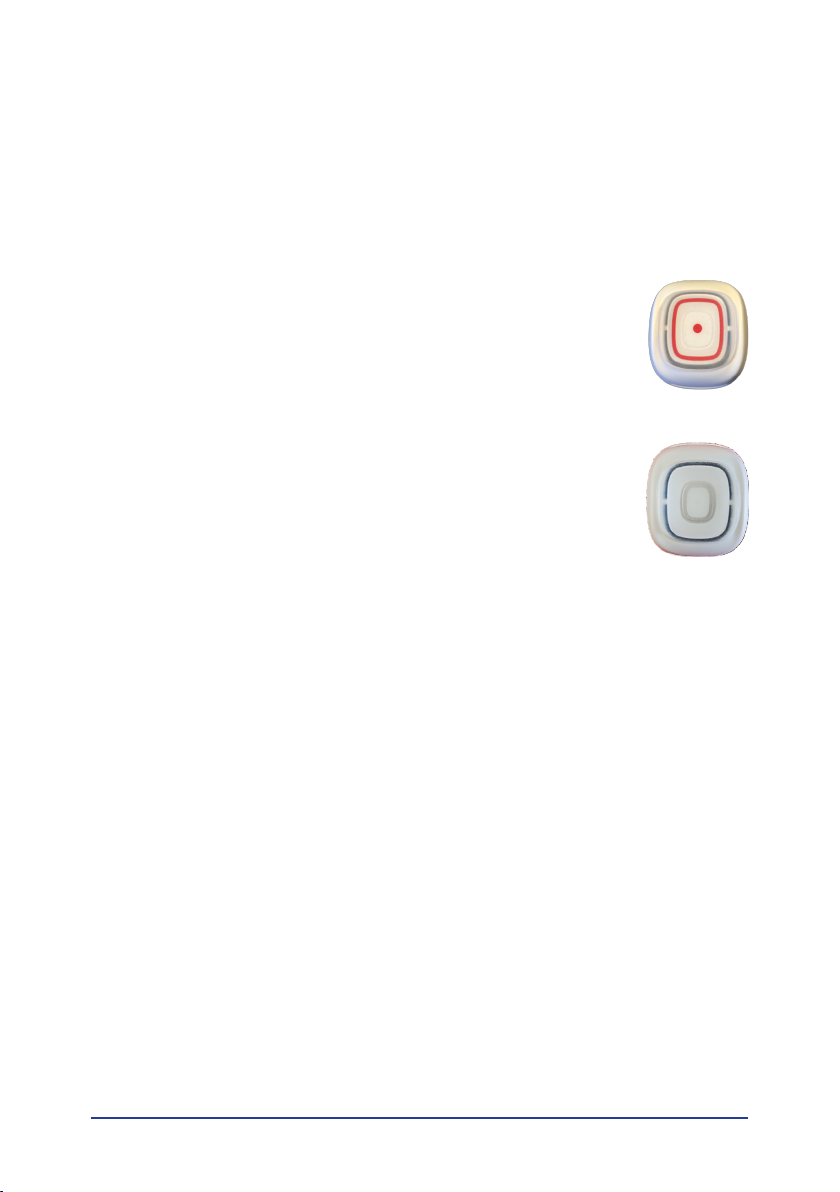
SMILE is a portable alarm trigger which must be con-
nected to a receiver (e.g. NOVO Homecare Phone, TREX
2G Portable Transceiver, D-TECT and D-SERVER System)
to be able to send alarms.
1.2 SMILE ID
SMILE ID is based on the standard SMILE but with a grey
appearance and is also equipped with an RFID circuit
which is trigged by the magnetic elds created by a
D-POS Antenna or a LOOP Antenna.
SMILE ID also has a built in accelerometer which enbles
the possibility to monitor unit inactivity.
1.3 Intended use
The SMILE is intended for use in homes and wardens to provide
a feeling of security with the possibility to dispatch alarms in the
event of an accident.
SMILE ID is intended to be used in the care sector for monitoring
persons who demands extra attention or nursing by enabling posi-
tioning in a D-POS, DPOS-II or D-SERVER system.
1.4 General Use
SMILE is to be carried by the user, either in a necklace or on a wrist-
band. An alarm button enables the possibility to trigger an alarm
manually. The alarm is trigged by a light touch on the red alarm
button and the alarm is acknowledged by blinking green.
More detailed information about the functions and use of a SMILE-ID
can be found in D-POS II Technical handbook NE41 17030-02.

6SMILE User manual NE41 14002-02 v2.0
2 SMILE
# Denomination
1 LED
2 Alarm button
3 SMILE parts
# Denomination
1 SMILE Unit (with red alarm button)
2 SMILE PIN (with latch and necklace)
3 SMILE CLIP (Optional)
4 Necklace with PIN
5 Wristband
1
2
145

7
SMILE User manual NE41 14002-02 v2.0
4 LED indications
The LED indicates status when the alarm button is pressed.
When pressing the alarm button, the LED lights red during the trans-
mission until it receives an ACK. When an ACK is received the LED
lights green for 2 s.
If the LED rapidly blinks during transmission (red) and ACK conr-
mation (green), this indicates the battery is low (and a Battery Low
alarm is also sent) and the unit should be replaced.
Blink Action
1 red flash/blink The alarm button sends an alarm
1 green blink The alarm is acknowledged
Flashing red or green Low battery, replace the unit
5 SMILE Accessories
5.1 EPA (Easy Press Adapter)
In some cases the user cannot use his or hers nger to press the
alarm button on the trigger. EPA can help since it enables the user
to use the palm of a hand or the elbow to trigger an alarm with the
SMILE or SMILE-ID.
5.2 BERLOCK
The berlock trim is an accessory and is used to reduce the user
feelings stigmatizing.

8SMILE User manual NE41 14002-02 v2.0
6 Mounting
6.1 PIN/necklace
Thread the pin into the holes and press until the latch clicks into
place.
Release the pin by pressing the latch (1) and then pulling it
upwards (2).
6.2 Wristband
Thread the wristband through the holes and attach on arm.
6.3 CLIP
Fix CLIP on the back of the SMILE, thread the PIN trough the holes on
the SMILE until the latch clicks in place.
To detach the CLIP, press the PIN latch and remove the PIN.
6.3.1 Mounting the EPA
Gently press the EPA to the front of the SMILE/SMILE ID.
To detach, use a thin blade (e.g. a table knife or similar) insert under
the EPA and gently bend the hooks from SMILE.
Do not use excessive force or the hooks may break.
②
①

9
SMILE User manual NE41 14002-02 v2.0
6.4 BERLOCK
The BERLOCK is mounted in the same way as the CLIP.
To remove the BERLOCK, stick a paperclip in the wristband hole
closest to the necklace and detach the PIN.
6.5 Changing the top shell
The SMILE design allows for replacement of the top shell. Remove
the top shell by gently pulling the wristband holes outwards.
Attach the new top shell and press until a distinct “click” is heard.
A removed top shell is expended and must be discarded!
7 SMILE Programmer
SMILE Programmer is a simple tool to change/customize the cong-
uration and the user interface is simple and straightforward. Using
SMILE Programmer requires a NPU (NEAT Programming Unit) which
is available as an accessory from your distributor.
The soware is built up around six tabs:
• Buttons and Alarm types
• Radio
• Info
• Activity
• RFID
• RFID zones/codes

10 SMILE User manual NE41 14002-02 v2.0
7.1 The drop down menus
7.1.1 File
New
Press New to select a new standard conguration for a SMILE or
SMILE ID.
Open..., Save, Save As...
The options Open..., Save, Save As... and Change default cong should
be quite self-explanatory and is for handling conguration les.
Language
Change language of the programmer interface.
Autres manuels pour SMILE
1
Table des matières
Autres manuels Neat Émetteur


Manuels Émetteur populaires d'autres marques


Dejero
Dejero EnGo 3x Manuel utilisateur

Rosemount
Rosemount 4600 Manuel utilisateur

Speaka Professional
Speaka Professional 2342740 Manuel utilisateur

trubomat
trubomat GAB 1000 Manuel utilisateur

Teledyne Analytical Instruments
Teledyne Analytical Instruments LXT-380 Manuel utilisateur

Rondish
Rondish UT-11 Manuel utilisateur


