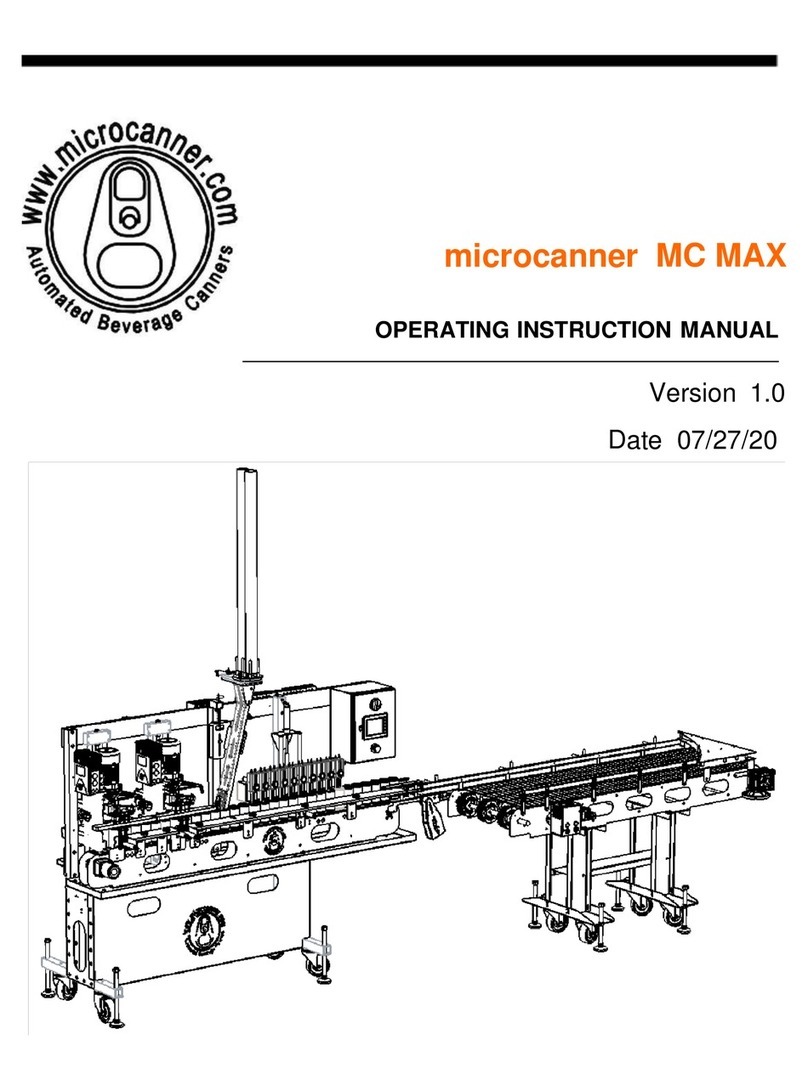
Microcanner MC202 Mode d’emploi

microcanner MC202
OPERATING INSTRUCTION MANUAL
Version 1.0
Date 9/22/16

microcanner MC202
MC202 OIM (V1.0) Page 2 of 30
WARNING!
OPERATING AUTOMATED EQUIPMENT IS DANGEROUS. DO NOT OPERATE
THE MC202 CANNING SYSTEM UNTIL YOU HAVE READ THIS MANUAL AND
HAVE RECEIVED PROPER TRAINING. PRECAUTIONS MUST BE TAKEN TO
SAFEGUARD OPERATORS. OPERATORS MUST BE TRAINED AND AWARE
OF DANGER POINTS, IF SOMEONE FAILS TO FOLLOW SAFETY RULES,
INJURY OR DEATH COULD RESULT.
IMPORTANT SAFTEY PRACTICES
•Conveyors are dangerous and present entanglement hazards. Loose clothing,
hair, and jewelry should be avoided at all costs. Never place hands near or
inside of a moving conveyor.
•NEVER permit children, or un-trained operators anywhere near an operating
machine.
•In the event of an emergency, hit the E-stop.
•Never preform adjustments without being in E-Stop mode, or unplugging.
•Never plug into an outlet that is not GFCI. Water and electricity do not mix.
•Never open the control panel while powered up / plugged in.
•Keep clear of all moving parts.
•Clear machine jams only when in E-stop mode or fully powered down.
•It is recommended that you wear safety glasses anytime during operation of the
MC202 canning system.

microcanner MC202
MC202 OIM (V1.0) Page 3 of 30
TABLE OF CONTENTS
1 INTRODUCTION 5
2 MACHINE REQUIREMENTS 5
3 GENERAL MACHINE SERVICE 6
4 START UP PROCEDURE 8
5 SEAM SETUP GUIDE 12
5.1 GETTING STARTED 12
5.2 GENERAL SEAMING INFORMATION 12
5.3 HOW TO ADJUST SEAM FOR TOOLING 12
5.4 HOW TO TEST AND MEASURE SEAMS 15
6 CHANGE OVER PROCEDURE 17
6.1 ADJUSTING THE FILLER 17
6.2 ADJUSTING THE CAP FEEDER 18
6.3 ADJUSTING THE CAP HOLD DOWN 19
6.4 ADJUSTING THE SEAM LIFT DECK 21
6.5 ADJUSTING THE TRANSFER STAR 22
6.6 ADJUSTING THE SEAM STATION 22
7 HMI OPERATIONS 24
7.1 HMI BASIC OPPERATIONS 24
7.2 F1: MAIN SCREEN 25
7.3 F2: SEAM SETUP DIMENSIONS 26

microcanner MC202
MC202 OIM (V1.0) Page 4 of 30
7.4 F3: FILL STATION SETUP 27
7.5 F4: TOP OFF MODE 28
7.6 F5: SEAM SETUP CONTROLS 28
8 TIPS FOR A SUCCESSFUL RUN 30

microcanner MC202
MC202 OIM (V1.0) Page 5 of 30
1 INTRODUCTION
•Thank you for purchasing a microcanner MC202 canning system. This manual is
written for your benefit to help you fully understand how to operate and service your
machine. With proper operation and service your machine will offer you years of
service.
•The MC202 canning system is designed to run 12 or 16oz cans with a few simple
changeover steps. The machine will run up to 60 cases per hour, this will vary from
product to product based on carbonation and/or specific gravity.
2 MACHINE REQUIREMENTS
•For safety purposes you should plug your machine into a 110v 20 amp GFCI outlet.
Please note that the motors use a V.F.D. (variable frequency drive) to convert 110v
single phase to 220 volt, 3 phase power. The type of GFCI commonly purchased in
a big box store will not work. A licensed electrician with experience in motor control
should to be contracted to perform the work.
•Clean dry air supply to the machine. Below is one we would suggest.
ohttp://www.smcusa.com/products/idfb-refrigerated-air-dryer.aspx
oModel IDF B3E-11N should be adequate. Consult your local SMC
representative prior to purchase.
oFailure to provide dry air will destroy valves and void the warranty.
oAir Regulator at the machine is to be set at 105 P.S.I. If your pressure needle
jumps around during operation, you will need to supply a surge tank near the
machine.
oThe lift table regulator valve should be backed out 2 full turns from full
pressure setting to avoid crushing cans.
•CO2delivery system that is regulated to 10 P.S.I. This line should have a standard
quick connect for hooking up to the filler head.
•Water supply for rinse tunnel, and pre-rinse if applicable. Simple garden hose
connection.

microcanner MC202
MC202 OIM (V1.0) Page 6 of 30
•1 ½ Tri-clamp product supply line from brite tank, preferably insulated
•30°F product @ 1.64 Co2 @ 15 PSI head pressure (head pressure will vary and a
longer line set may be required when running high gravity, high IBU double IPA
beer)
•1 1⁄2” Tri-clamp with sanitizer to rinse filler valves (pump or keg supplied is OK)
3 GENERAL MACHINE SERVICE
Like any other piece of equipment, new car or tractor, your canning machine needs
to be cleaned, lubricated and periodically serviced. Screws loosen, Filters plug up
with contaminates, sensors vibrate out of adjustment and seam tooling wears. It is
important to assign a technician to learn the system and take good care of it.
•Prior to each use, all screws and sensors should be checked for tightness.
•During each use seams should be checked at least every 200 cans to assure
that bad cans are not being made due to worn out or loose tooling.
•Drain beer from fill line and run sanitizer through it after use. Thoroughly clean
fill level sensors and spray with alcohol.
•Following each use, the entire machine should be hosed off (no pressure
washers). A bucket of warm water and dawn soap should be prepared, and the
machine be scrubbed with a soft plastic bristled bush. All water spots should be
polished off using vinegar and rags.
•After cleaning a food grade zero weight grease
(http://www.mcmaster.com/#1242k11/=125v2xd) needs to be applied to all
conveyor bearing zerk fittings. There are 3 conveyor bearings on the main line,
and 4 on the add-on conveyor. Zerk location showed circle red below.

microcanner MC202
MC202 OIM (V1.0) Page 7 of 30
•Grease must also be applied to 1st operation and 2nd operation tooling. While
greasing, spin the form wheel. Stop pumping when you just start to notice the
rpm of the wheel drop from the grease contact (ONLY ABOUT A 16TH OF A
PUMP PER 100 CASES)
•Grease Gate cylinders and all three rods on the filler head H-slide after each use.
•Prior to running the machine check to see if any water has accumulated in the
catch bowl of the filter regulator to the right, or the water separator to the left.
oTo empty the catch bowl, push down on the grey thumb slide, then turn
and pull down to take the bowl off. Empty the bowl of any water.

microcanner MC202
MC202 OIM (V1.0) Page 8 of 30
oLook through the sight glass of the water separator and open the relief
valve on the bottom to clear any water. The separator is designed to auto
drain when air is powered down.
4 START UP PROCEDURE
1. Put machine into desired location.
2. With a bubble level on the bed of the conveyor, raise the machine by lowering
the threaded foot pads by hand until the machine is completely level.
3. Connect and level add-on rinse conveyor, if applicable. If not, skip to step 4

microcanner MC202
MC202 OIM (V1.0) Page 9 of 30
a. Prior to starting make sure that any addiontional bolts that were used to
hold the transition pieces in place have been removed.
b. When connecting the two conveyors you will use two ¼-20 x 1-1/8”
SBHCS and a nut on the insides of the conveyors. These screws and
nuts will pass through the T-shaped delrin (plastic) piece.
c. Bring the add-on conveyor over and get it roughly in place by aligning the
drive shafts. The shafts are halved so you will need to line up the flats on
either shaft to be able to fit through the bearing block.
d. Start by raising the left hand side of the conveyor with the height adjusting
foot pads until the drive shafts are in line. You’ll want the try to keep the
conveyor level front to back during this process.
e. Once the drive shafts are inline you can slide the two conveyors together
so that each shaft enters the opposite conveyor bearing block.
f. Now fully level the add-on conveyor with the level placed on the bed of the
conveyor. While leveling the add-on conveyor keep watch for the
alignment of the mounting holes through the T-shaped transition plate,
and insert the mounting screws when possible.

microcanner MC202
MC202 OIM (V1.0) Page 10 of 30
g. Make sure that the heads of the bolts connecting the conveyors are on the
outside of the conveyors and the nuts are on the insides, as shown above.
This will ensure that the screws do not rub on the conveyor belting.
h. Verify that all screws and nuts are in place and tightened.
4. Verify that the machine is setup to run desired cans, 12 or 16 oz. If not see
change over manual
5. Verify that the cap shedder is at the appropriate running height. Run a can by
hand under the shedder to verify the end catches and falls on top of the can.
Table des matières
Autres manuels Microcanner Équipement industriel