2
InnoMedia, Inc. All Right Reserved
Table of Contents
About This Document ................................................................................................................... 4
Chapter 1........................................................................................................................................ 5
SIP Device Internal Port Setup.................................................................................................... 5
Overview.................................................................................................................................... 5
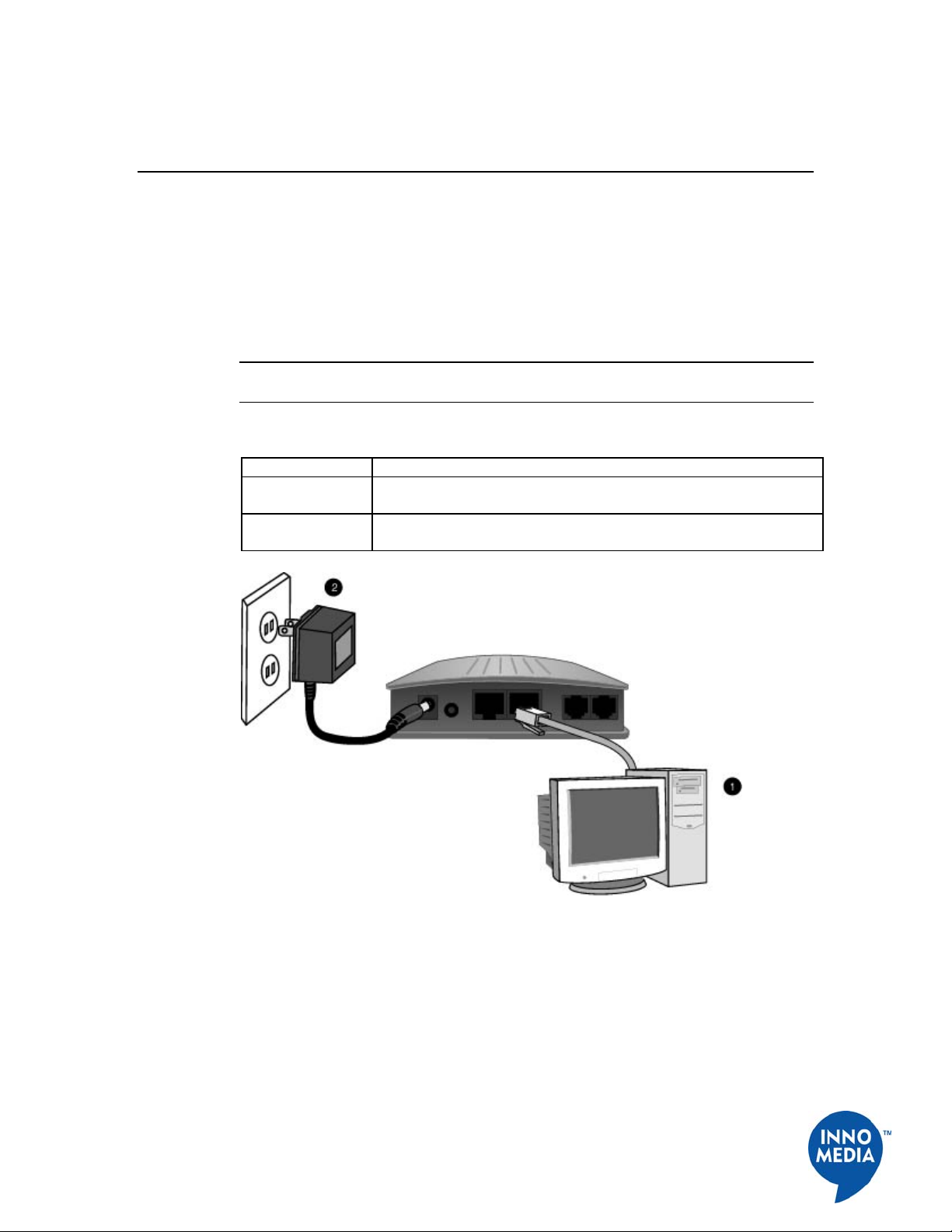
Hardware Installation Steps .................................................................................................... 5
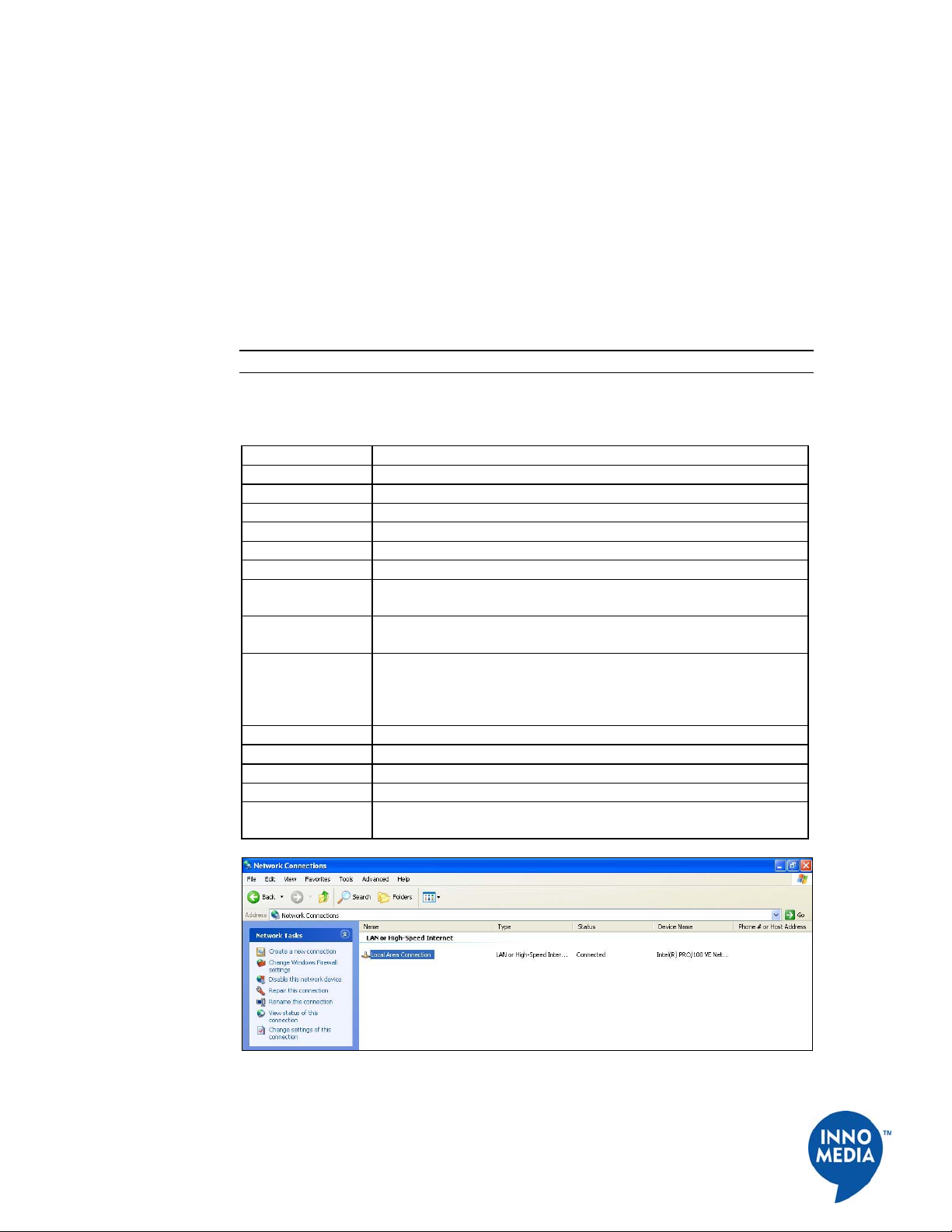
Setting up Your Computer....................................................................................................... 6
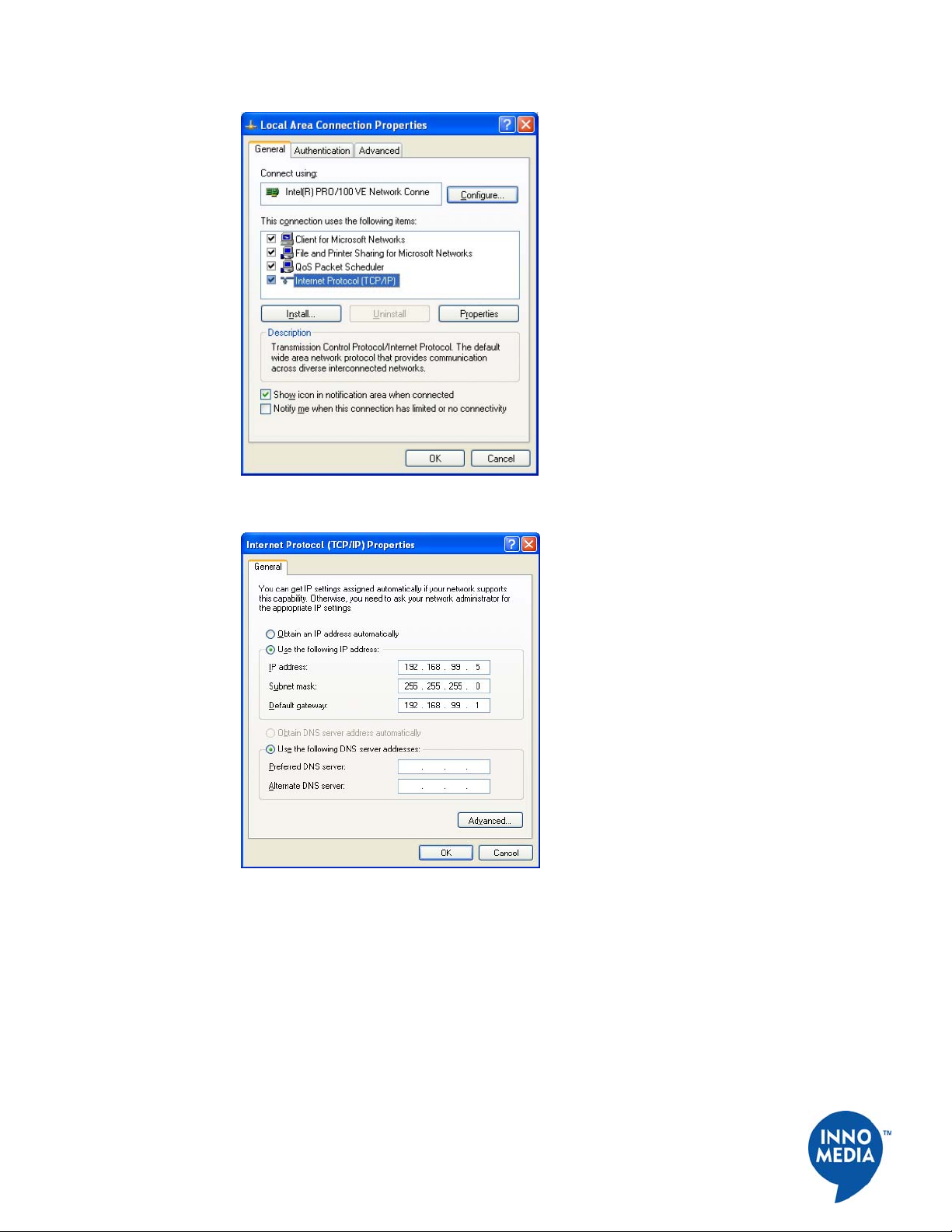
Configuring the Internal Port.................................................................................................. 6
Chapter 2........................................................................................................................................ 8
SIP Device Configuration ............................................................................................................. 8
Overview.................................................................................................................................... 8
Configuring SIP Device Via Web User Interface................................................................... 8
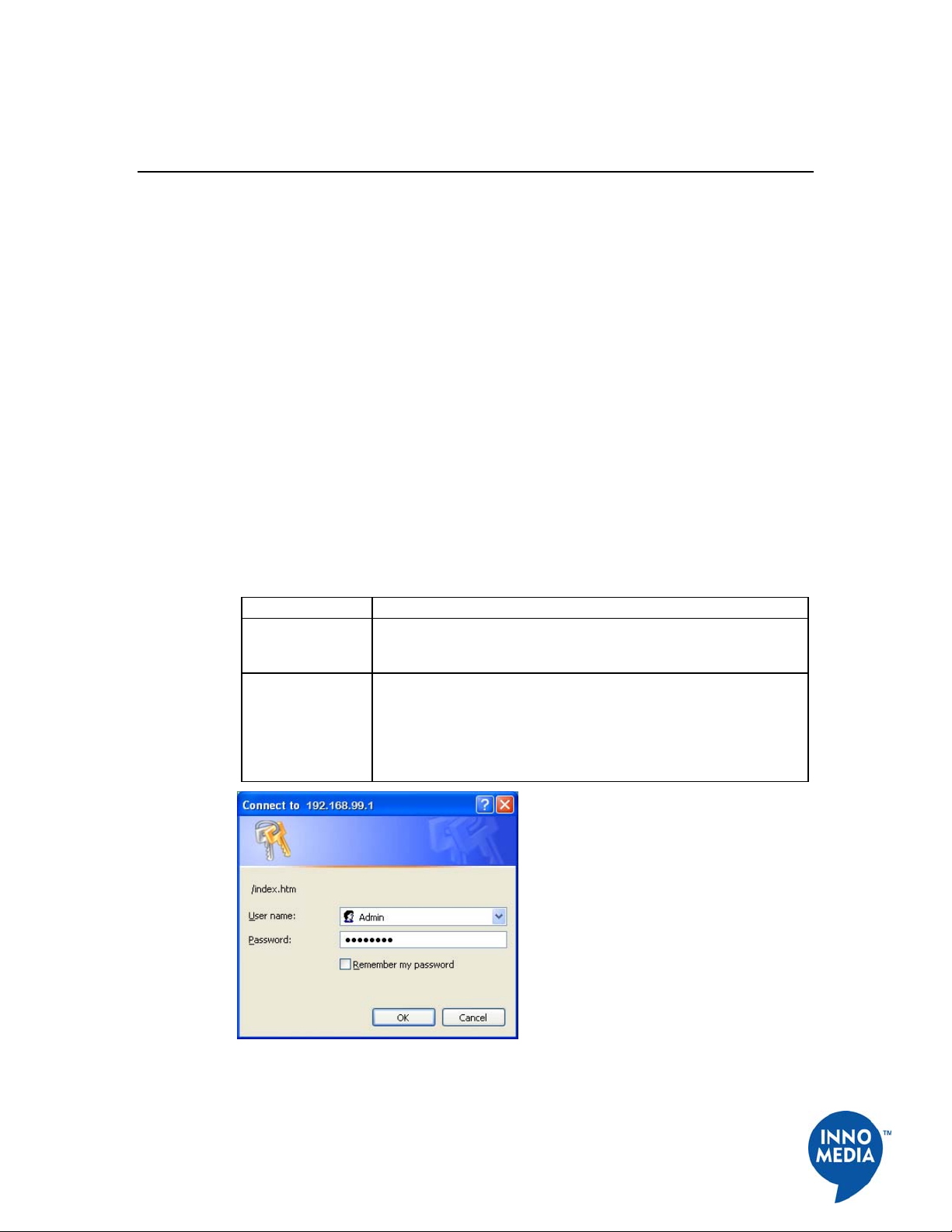
Logging In .............................................................................................................................. 8
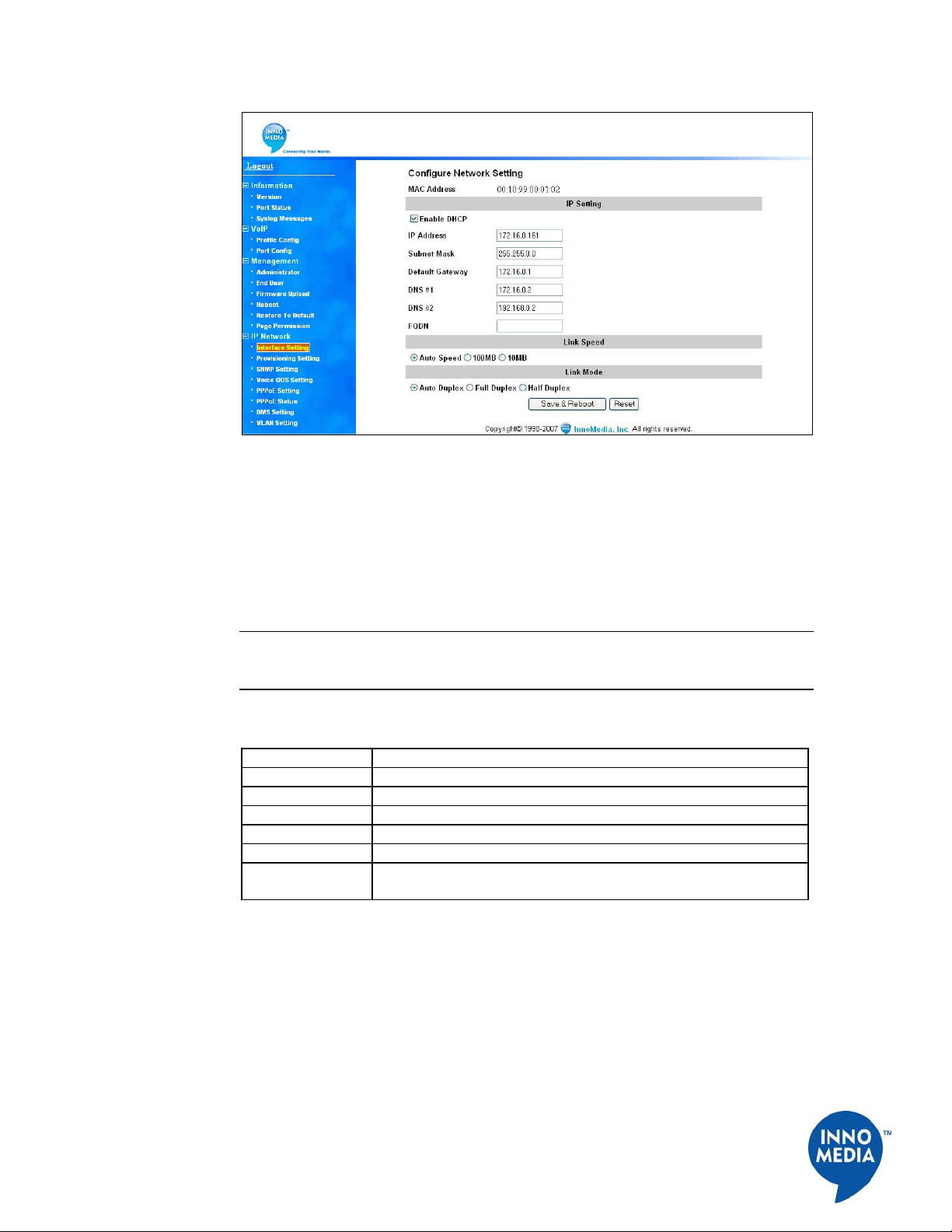
Configuring IP Addresses for SIP Device.............................................................................. 9
Configuring Provisioning Settings........................................................................................ 10
Configuring SNMP Settings................................................................................................. 11
Configuring NAT Port Mapping (for Router Device Only)................................................. 12
Configuring Voice QoS Setting............................................................................................ 14
Configuring Access Filtering options (for Router Device Only).......................................... 14
Configuring DHCP Server Information................................................................................ 19
Configuring MAC Cloning................................................................................................... 21
Configuring DMS Setting..................................................................................................... 22
Configuring VLAN Setting .................................................................................................. 23
Changing Administrator ID and Password........................................................................... 24
Changing End User ID and Password................................................................................... 25
Rebooting SIP Device........................................................................................................... 27
Restoring Default Values...................................................................................................... 27
Configuring Page Permission ............................................................................................... 28
Configuring VoIP Settings ................................................................................................... 28
Viewing SIP Device Information ......................................................................................... 31
Configuring SIP Device via Telnet Interface........................................................................ 35
Before You Begin................................................................................................................. 35
Logging In ............................................................................................................................ 35
Viewing Current Configuration Information (Cf)................................................................ 36
Configuring IP Information (Ci)........................................................................................... 37
Changing your User Name and Password (Cw)................................................................... 43
Voice Volume Control.......................................................................................................... 44
Information about the System............................................................................................... 44
Configuring PPPoE Functions (N) ....................................................................................... 47
Other Commands..................................................................................................................59
Provisioning.......................................................................................................................... 79
System Information ..............................................................................................................86
Restoring System Default..................................................................................................... 86
Chapter 3...................................................................................................................................... 88
SIP Device Firmware Updates ................................................................................................... 88
Overview.................................................................................................................................. 88
Manually Uploading SIP Device Firmware via Web Interface .......................................... 88