
Advanced Merchant Pocket Merchant Manuel utilisateur
For Your Palm OS or Pocket PC PDA
User Guide
Copyright ?2002, Advanced Merchant Solutions, Inc.
tm

2
AMS Document 031502A All rights reserved

3
User Guide _____________________________ 1
Limited Warranty for Pocket Merchant____ 4
Introduction __________________________ 6
Connectors & Controls _________________ 7
Battery Considerations ________________ 10
Resetting the Printer __________________ 11
Changing Paper ______________________ 12
Charging Pocket Merchant _____________ 12
Swiping a Credit Card / Driver’s License__ 14
Configuring your Software –Palm OS ____ 15
Configuring your Software –Pocket PC___ 16

4
Limited Warranty for Pocket Merchant
Advanced Merchant Solutions, Inc. warrants to the original
end user ("Customer") that this Pocket Merchant product will
be free from defects in workmanship, under normal intended
use, for a period of one (1) year after the date of original
purchase.
This Limited Warranty does not cover physical damage to the
product, including, without limitation, breakage, cracks or
scratches. This Limited Warranty also does not apply if
anyone other than an authorized Advanced Merchant
Solutions representative opens the casing for the product, or
if damage or failure is caused by misuse, accident, modifying
the product’s components, or operating the product in an
unsuitable environment or in a manner for which it is not
intended. Customers will be charged for all product repairs
for damage or failure not covered by this Limited Warranty.
Advanced Merchant Solutions' sole obligation under this
Limited Warranty shall be, at Advanced Merchant Solutions'
discretion, to replace the product or part with a comparable
product or part, repair the product or part, or if neither repair
nor replacement is reasonably available, to refund to Customer
the purchase price paid for the product or part. Replacement
products or parts may be new or reconditioned.
Advanced Merchant Solutions warrants any replaced or
repaired product or part for a period of ninety (90) days
from shipment. All products or parts that are replaced become
the property of Advanced Merchant Solutions. Advanced
Merchant Solutions shall not be responsible for Customer's
software, firmware, information, or memory data contained in,
stored on, or integrated with any products returned to
Advanced Merchant Solutions for repair, whether under
warranty or not.
OBTAINING WARRANTY SERVICE: Customer must
contact Advanced Merchant Solutions within the applicable

5
warranty period to obtain warranty service authorization.
Dated proof of original purchase will be required. Advanced
Merchant Solutions is not responsible for products or parts
received without a warranty service authorization. Products or
parts shipped by Customer to Advanced Merchant Solutions
must be sent prepaid and packaged appropriately for safe
shipment, and it is recommended that they be insured or sent
by a method that provides for tracking of the package. The
repaired product or part will be shipped as soon as reasonably
possible, which will be no later than thirty (30) days after
Advanced Merchant Solutions receives the original product or
part from Customer, or Advanced Merchant Solutions will
provide a full refund of the purchase price.
Advanced Merchant Solutions can be contacted at (714) 449-
0211 M-F 9:00 am to 6:00 pm Pacific Standard Time. Email
Pocket Merchant, Pocket Verifier, Pocket CrossCheck, and
the AMS Logo are trademarks of Advanced Merchant
Solutions, Inc. All other trademarks, registered trademarks
and trade names, logos, and any likeness thereof mentioned or
displayed on any Advanced Merchant Solutions product are
the property of their respective companies and owners.
Copyright ?2002, Advanced Merchant Solutions, Inc. All rights
reserved. Total or partial reproduction of this manual in
whatever form, whether by printed or electronic means, is
forbidden. Information regarding any errors found in this
manual or suggestions on how it could be improved are
appreciated. Since products are subject to continuous check
and improvement, Advanced Merchant Solutions, Inc.
reserves the right to make changes in information contained in
this manual without prior notification.

6
Introduction
Pocket Merchant is a complete, self contained Magnetic Card
Reader and Thermal Printer. The Pocket Merchant can read
credit cards, and driver’s licenses as well as print receipts in
42, 32 and 16 column formats.
The Pocket Merchant is a complete breakthrough in mobile
printer design. It is true Line Printer (the paper moves
underneath a motionless head), rated not in characters, but
MILES of paper in reliability (31 to be precise)! Powered by
powerful, built-in Nickel -Metal Hydride rechargeable
batteries, this printer literally throws receipts out at up to 2
inches per second!
All this in a printer that is shorter and narrower than a Palm III
or VIIx, and only one inch thick! This printer will easily fit in
a pocket or purse, and weighs just 7 oz.
Designed to work with Pocket Verifier Professional,
WebConnect 5, Merchant Mover, AirVerify, Mobile System
7, and the Okanjo Merchant System,for either Palm OS or
Pocket PC, Pocket Merchant will allow you to process credit
cards, and issue receipts anytime and anywhere!
You can also use Pocket Merchant with our Pocket
CrossCheck check guarantee software, and use the card reader
to directly read the magnetic stripe on the back of many
driver’s licenses! Never take a bad check again!
7
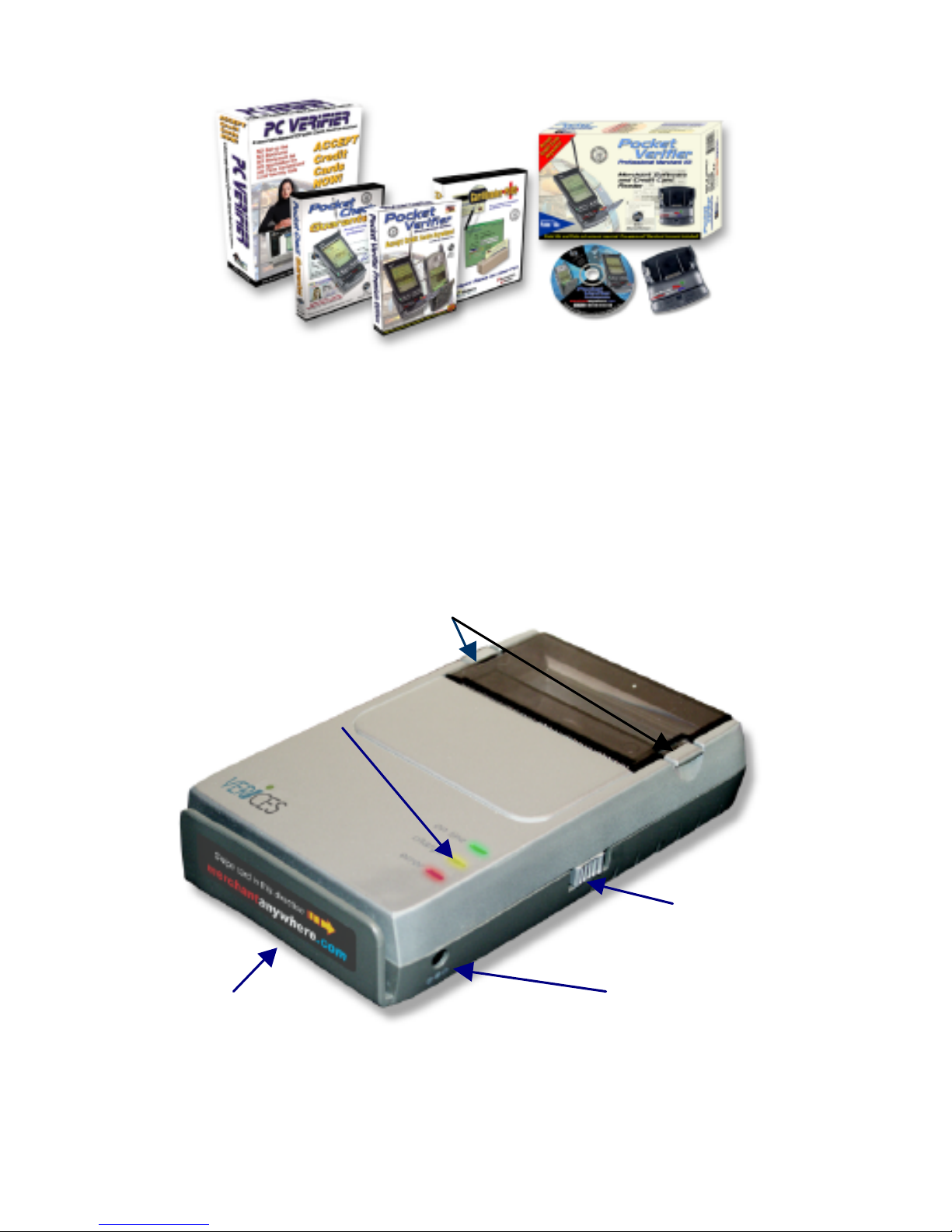
Connectors & Controls
On the right hand side of the unit, you will find the pushbutton
power switch, and the connector for the charger. On the top of
the unit, you will find the tabs to open the paper door, and
below that, the indicator LED’s.
Figure 1 –Location of components.
Paper Door Release Tabs
Power Pushbutton
Charger Connector
Indicator LED’s
Mag
Card
Reader

8
The slot for the magnetic card reader is at the front of the unit.
Turning the unit on and off
The Pocket merchant is turned on by pressing the power
button once. The unit will give 5 rising beep tones, and the
green “ON LINE” LED will illuminate. After about two
seconds, the printer will beep once more, the red “ERROR”
LED will flash, and the printer will advance the paper about 1
mm. This indicates that the printer has completed it’s self test
and is ready to use.
If the printer remains unused for five minutes, it will turn itself
off in order to conserve battery power. This way, you can
“use and forget” it, and never come back to a dead printer.
To turn the printer off manually, depress and hold the button
until the printer makes 4 falling beep tones, and all LED’s
extinguish.
If for any reason, the printer fails to respond to the power
button, or fails to print or read properly, there is a reset button
on the back of the printer. See “RESETTING THE
PRINTER”
9
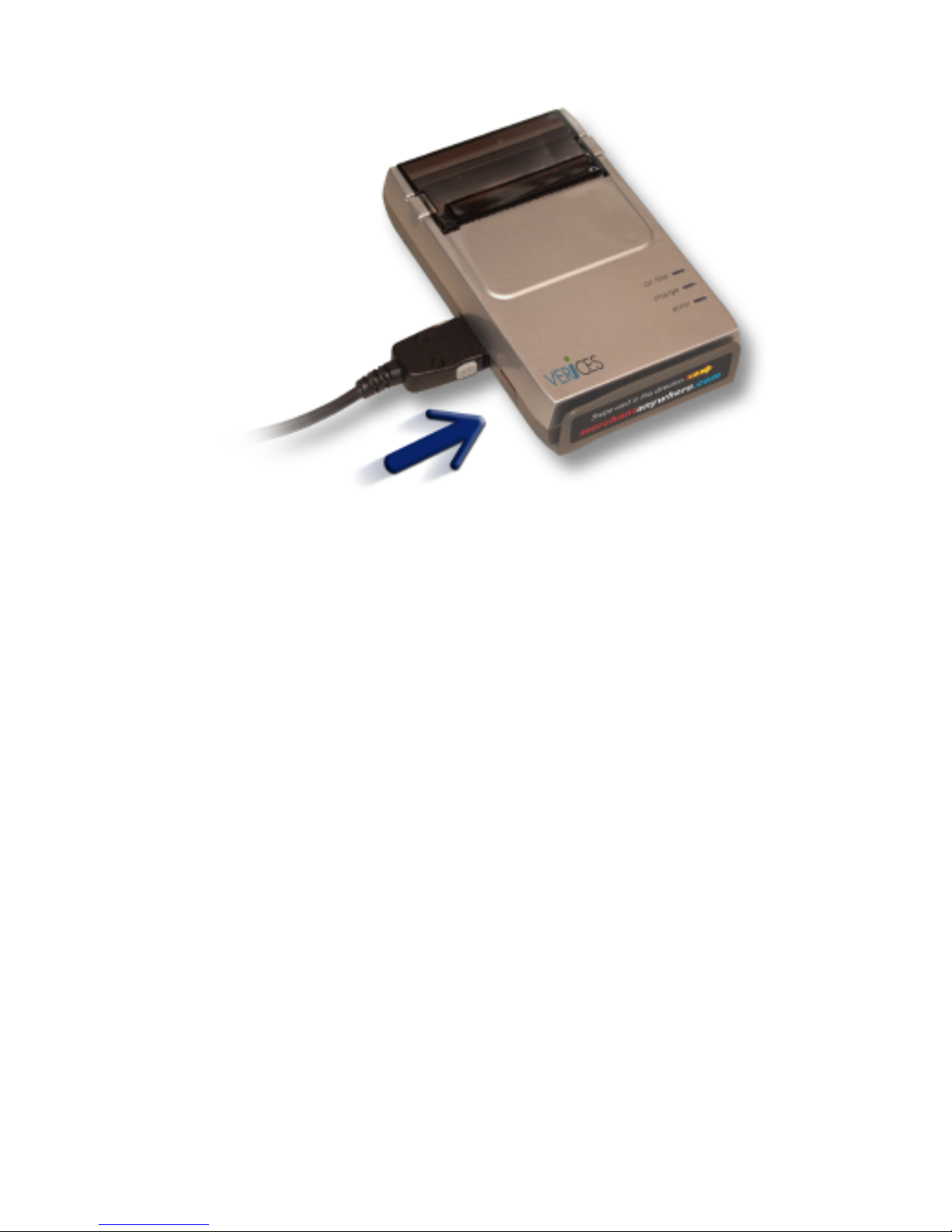
Figure 2 –Data connector.
On the left side of the printer, there is a connector for the data
cable. This connector will can only be properly inserted one
way, as shown in the following picture:
10
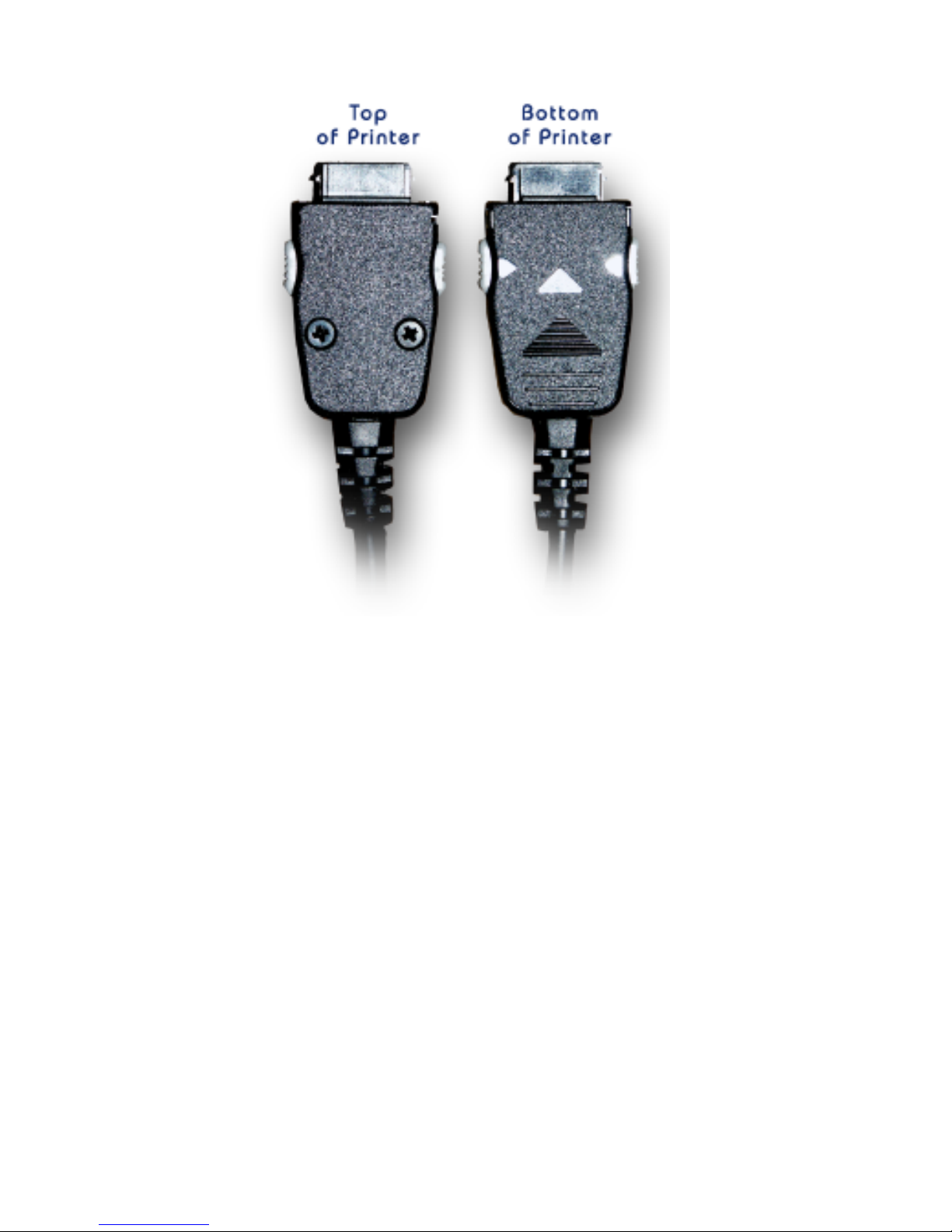
Figure 3 –Data cable (printer end).
Some cables may have a sticker marked “Top” on the top side
of the connector.
Battery Considerations
Your new Pocket Merchant Reader / Printer is equipped with
built in high capacity Ni-MH (Nickel –Metal Hydride)
batteries. Please note that the new Ni-MH battery reaches
maximum performance levels only after having been
completely discharged and recharged at least two or three
times. Never use battery chargers that are damaged or worn.
Battery life varies greatly depending, for example, on print
density and the text to be printed. Recharge times vary
depending on depletion levels, type of battery and battery
charger used. Batteries may be recharged and discharged
Table des matières
Manuels Terminal de paiement populaires d'autres marques


Ingenico
Ingenico iWL250B Manuel utilisateur

Optimum
Optimum M4230 Manuel utilisateur

Triton
Triton RL5000 Manuel utilisateur

Ingenico group
Ingenico group Lane/8000 Manuel utilisateur

Gilbarco
Gilbarco FlexPay IV CRIND Manuel d'installation et d'exploitation

Infinite Peripherals
Infinite Peripherals Infinea Tab Lite Manuel utilisateur


