
Xylem optimyze Manuel utilisateur
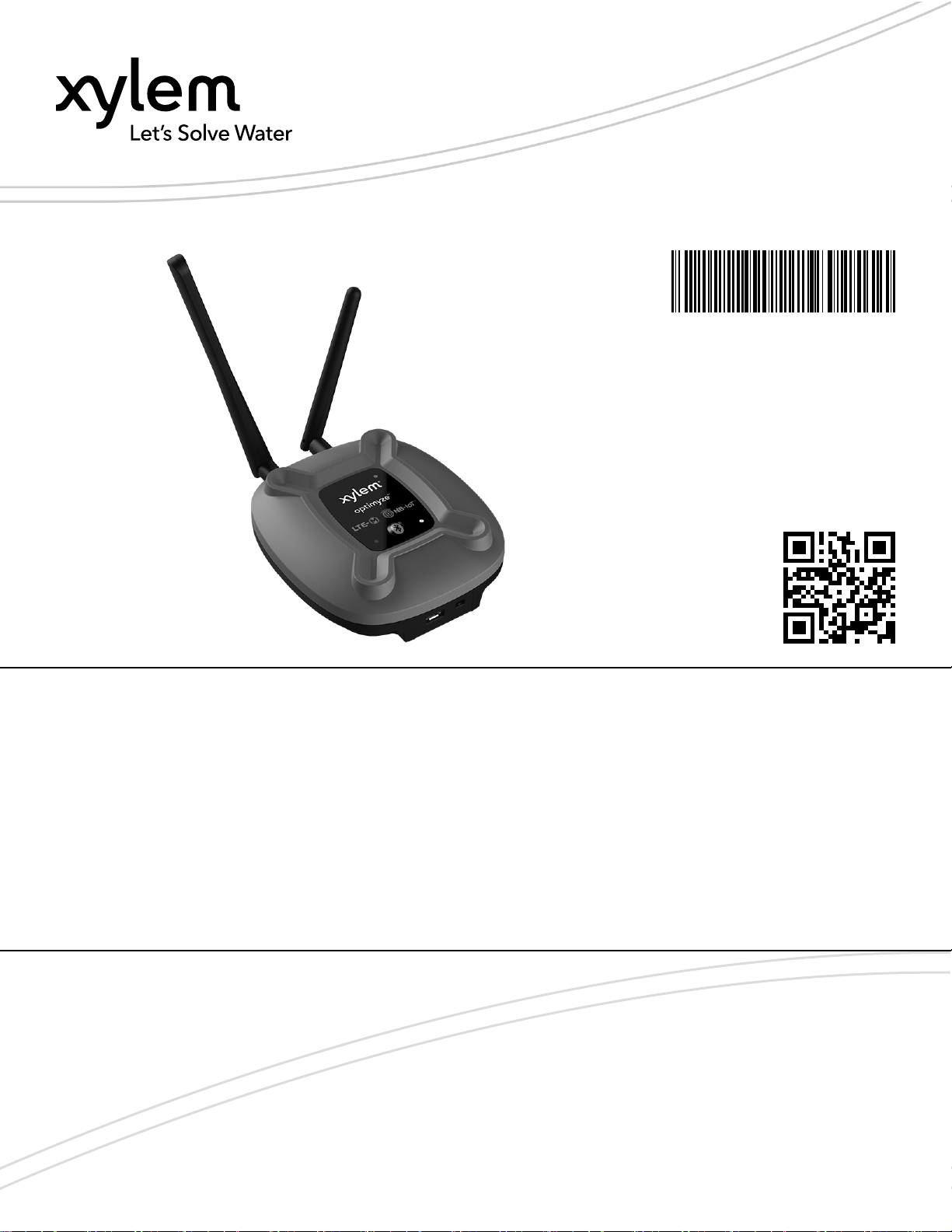
Instruction, Operation, and
Maintenance Manual
P2007090 Rev 1
optimyze™ Gateway


Table of Contents
1 Introduction and Safety........................................................................................................ 3
1.1 Introduction....................................................................................................................3
1.2 Safety terminology and symbols....................................................................................3
1.3 User safety.................................................................................................................... 4
1.4 Protecting the environment............................................................................................4
1.5 Spare parts.................................................................................................................... 4
2 Transportation and Storage................................................................................................. 5
2.1 Examine the delivery..................................................................................................... 5
2.1.1 Examine the package............................................................................................. 5
2.1.2 Examine the unit..................................................................................................... 5
2.2 Storage guidelines.........................................................................................................5
3 Product Description..............................................................................................................6
3.1 Usage............................................................................................................................ 6
3.2 Features........................................................................................................................ 6
3.3 Compatibility.................................................................................................................. 6
3.4 Parts.............................................................................................................................. 6
4 User Interface.......................................................................................................................7
4.1 Button locations............................................................................................................. 7
4.2 LEDs..............................................................................................................................7
5 Installation............................................................................................................................ 8
5.1 Precautions....................................................................................................................8
5.2 Mounting options........................................................................................................... 8
6 Operation............................................................................................................................. 9
6.1 Configure and install the optimyze sensors...................................................................9
6.2 Set up optimyze Gateway..............................................................................................9
6.3 Unpairing....................................................................................................................... 9
7 Troubleshooting................................................................................................................. 10
7.1 Symptoms and remedies.............................................................................................10
8 Technical Specification...................................................................................................... 11
8.1 Dimensions..................................................................................................................11
8.2 Approvals.....................................................................................................................11
8.3 Environmental requirements........................................................................................11
8.4 Power.......................................................................................................................... 11
8.5 Wireless communication..............................................................................................11
8.6 Physical properties...................................................................................................... 12
8.7 Part numbers............................................................................................................... 12
9 Product Warranty............................................................................................................... 13
10 Cybersecurity................................................................................................................... 14
10.1 Xylem Product Cybersecurity.................................................................................... 14
10.2 Security Recommendations for End-User................................................................. 14
Table of Contents
optimyze™ Gateway Instruction, Operation, and Maintenance Manual 1

11 Certifications.................................................................................................................... 17
11.1 For U.S...................................................................................................................... 17
11.2 For Canada (ISED)....................................................................................................18
11.3 UK (UKCA)................................................................................................................ 18
11.4 EU Regulatory........................................................................................................... 18
Table of Contents
2 optimyze™ Gateway Instruction, Operation, and Maintenance Manual

1 Introduction and Safety
1.1 Introduction
Purpose of the manual
The purpose of this manual is to provide the necessary information for working with the unit.
Read this manual carefully before starting work.
Read and keep the manual
Save this manual for future reference, and keep it readily available at the location of the unit.
Intended use
WARNING:
Operating, installing, or maintaining the unit in any way that is not covered in this manual
could cause death, serious personal injury, or damage to the equipment and the
surroundings. This includes any modification to the equipment or use of parts not provided
by Xylem. If there is a question regarding the intended use of the equipment, please contact
a Xylem representative before proceeding.
1.2 Safety terminology and symbols
About safety messages
It is extremely important that you read, understand, and follow the safety messages and
regulations carefully before handling the product. They are published to help prevent these
hazards:
•Personal accidents and health problems
• Damage to the product and its surroundings
• Product malfunction
Hazard levels
Hazard level Indication
DANGER:
A hazardous situation which, if not avoided, will
result in death or serious injury
WARNING:
A hazardous situation which, if not avoided, could
result in death or serious injury
CAUTION:
A hazardous situation which, if not avoided, could
result in minor or moderate injury
NOTICE:
Notices are used when there is a risk of equipment
damage or decreased performance, but not
personal injury.
Special symbols
Some hazard categories have specific symbols, as shown in the following table.
1 Introduction and Safety
optimyze™ Gateway Instruction, Operation, and Maintenance Manual 3

Electrical hazard Magnetic fields hazard
Electrical Hazard:
CAUTION:
1.3 User safety
All regulations, codes, and health and safety directives must be observed.
The site
•Observe lockout and tagout procedures before starting work on the product, such as
transportation, installation, maintenance, or service.
• Pay attention to the risks presented by gas and vapors in the work area.
• Always be aware of the area surrounding the equipment, and any hazards posed by the
site or nearby equipment.
Qualified personnel
This product must be installed, operated, and maintained by qualified personnel only.
Protective equipment and safety devices
• Use personal protective equipment as needed. Examples of personal protective
equipment include, but are not limited to, hard hats, safety goggles, protective gloves and
shoes, and breathing equipment.
• Make sure that all safety features on the product are functioning and in use at all times
when the unit is being operated.
1.4 Protecting the environment
Emissions and waste disposal
Observe the local regulations and codes regarding the disposal of packaging and
electronics.
1.5 Spare parts
CAUTION:
Only use the manufacturer’s original spare parts to replace any worn or faulty components.
The use of unsuitable spare parts may cause malfunctions, damage, and injuries as well as
void the warranty.
1 Introduction and Safety
4 optimyze™ Gateway Instruction, Operation, and Maintenance Manual

2 Transportation and Storage
2.1 Examine the delivery
2.1.1 Examine the package
1. Examine the package for damaged or missing items upon delivery.
2. Record any damaged or missing items on the receipt and freight bill.
3. If anything is out of order, then file a claim with the shipping company.
4. If the product has been picked up at a distributor, make a claim directly to the distributor.
2.1.2 Examine the unit
1. Remove packing materials from the product.
Dispose of all packing materials in accordance with local regulations.
2. To determine whether any parts have been damaged or are missing, examine the
product.
3. If there is any issue, then contact a sales representative.
2.2 Storage guidelines
Storage location
The product must be stored in a covered and dry location free from heat, dirt, and vibrations.
NOTICE:
Protect the product against humidity, heat sources, and mechanical damage.
NOTICE:
Do not place heavy weights on the packed product.
2 Transportation and Storage
optimyze™ Gateway Instruction, Operation, and Maintenance Manual 5

3 Product Description
3.1 Usage
The optimyzeTM 1 Gateway provides remote connectivity for optimyze condition monitoring
sensors. Once set up and paired, the Gateway will automatically connect to the sensors
every 24 hours to collect asset health data. The data will then be securely sent to the xylem
cloud over low-power LTE-M, allowing users to access the latest information about their
assets without physically being within Bluetooth®2 range.
3.2 Features
•Cellular connectivity: The optimyze Gateway gathers data from optimyze sensors through
Bluetooth and then sends it over LTE-M cellular networks to the cloud.
• Certified for deployment around the world:
– Regulatory approvals for FCC (USA), ISED (CANADA), CE (EUROPE), UKCA
(United Kingdom)
• Compact Form Factor: 110.3 mm (4.4 in) x 99.2 mm (3.9 in) x 35.4 mm (1.4 in)
• Visual status indication:
– LED: Clear indication of optimyze Gateway status. See
Button locations
on page 7
for different status information.
3.3 Compatibility
Developed for exclusive use with optimyze sensors.
3.4 Parts
4
5
1
2 3
6
1. optimyze Gateway
2. Antenna, Bluetooth
3. Antenna, Dipole, Cellular
4. Power Switch
5. USB Power Connector
6. AC-DC Power Supply, with regional adaptor for US, UK, Australia and Europe.
1optimyze™ is a trademark of Xylem, Inc. or one of its subsidiaries. All other trademarks or registered trademarks are
property of their respective owners.
2The Bluetooth® word mark and logos are registered trademarks owned by Bluetooth SIG, Inc. and any use of such marks
by Xylem Inc is under license. Other trademarks and trade names are those of their respective owners.
3 Product Description
6 optimyze™ Gateway Instruction, Operation, and Maintenance Manual
4 User Interface
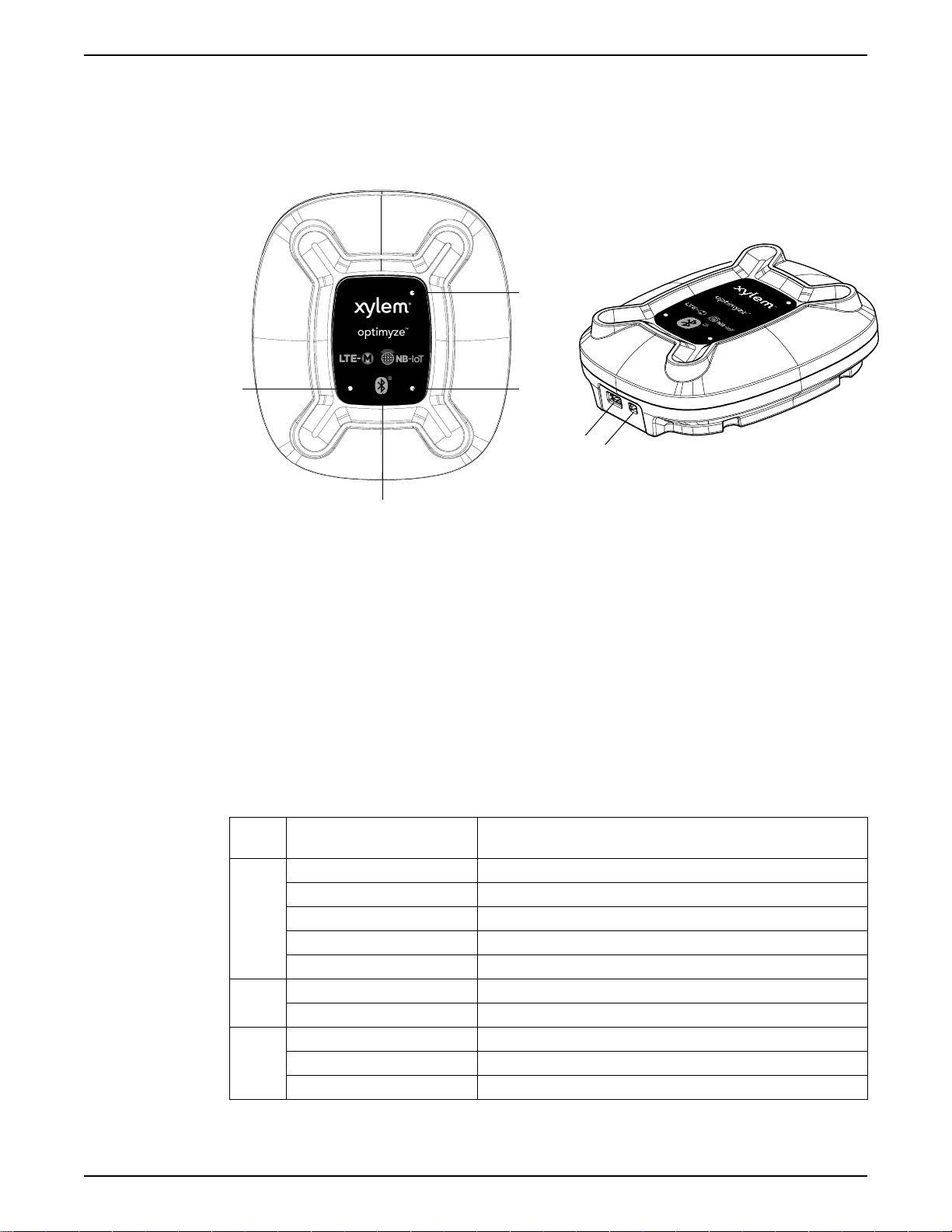
4.1 Button locations
1
2
3
4
56
1. Red LED
2. Green LED
3. Blue LED
4. Bluetooth Button
5. USB Power Connector
6. Power Switch
4.2 LEDs
The LEDs are used to show different status information of the optimyze Gateway:
• Bluetooth status
• LTE cellular status
• Xylem Cloud server connection status
The LED statuses are shown below:
LED
color
LED Description
Blue
5-second single blink Normal mode
1-second blink Pairing mode
On Connected over Bluetooth to optimyze sensor
Triple blink Successful new Bluetooth pairing with an optimyze sensor
Double blink Successfully unpaired with all devices
Green On Connected to xylem cloud
Off Not connected to xylem cloud
Red
1-second blink LTE-M is not connected but is searching for network
On LTE-M connected
Off LTE-M not connected
4 User Interface
optimyze™ Gateway Instruction, Operation, and Maintenance Manual 7

5 Installation
5.1 Precautions
Before starting work, make sure that the safety instructions in the chapter
Introduction and
Safety
on page 3 have been read and understood.
WARNING:
All work must be performed by qualified personnel trained in the proper application,
installation, and maintenance of the equipment.
5.2 Mounting options
Location
The Gateways are intended to be positioned in clean, protected, and dry indoor
environments. The enclosures are rated for dust, and water ingress protection.
Procedure
•The rear enclosure includes two key hole slots that accept screw heads to hang the unit
on a vertical surface. The screw head diameter can be no larger than 7 mm with a
maximum thread diameter of 3.75 mm and a head height of 3.2 mm.
• When the screw is installed in the mounting surface, the space between screw head and
mounting surface shall be no less than 5 mm to account for the thickness of plastic and
rubber feet.
• Space the mounting screws 44.45 mm (1.75 in) apart.
(1.75)
44.45
External Antenna positioning
For optimal performance, external antennas should be positioned vertically, tip pointing up,
perpendicular to the ground regardless of mounting surface orientation.
Precaution
To avoid damage, be sure to use appropriate anchors and screws when mounting on vertical
surfaces.
5 Installation
8 optimyze™ Gateway Instruction, Operation, and Maintenance Manual
Autres manuels pour optimyze
3
Table des matières
Autres manuels Xylem Porte

Manuels Porte populaires d'autres marques

LST
LST M500RFE-AS Manuel utilisateur

Kinnex
Kinnex Media Gateway Manuel utilisateur

2N Telekomunikace
2N Telekomunikace 2N StarGate Manuel utilisateur

Mitsubishi Heavy Industries
Mitsubishi Heavy Industries Superlink SC-WBGW256 Manuel utilisateur

ZyXEL Communications
ZyXEL Communications ZYWALL2 ET 2WE Manuel utilisateur

Telsey
Telsey CPVA 500 - SIP Manuel utilisateur


