
TTBIT Scrypt USB Manuel utilisateur

TTBIT Scrypt USB Stick Miner Official User Guide
Last updated on 27/01/2020
Page 1
TTBIT Scrypt
USB Stick Miner
Official User Guide

TTBIT Scrypt USB Stick Miner Official User Guide
Last updated on 27/01/2020
Page 2
Table of Contents
1. he First Glance..........................................................................................................3
1a. Where to purchase BI USB Miner..................................................................3
2. Accessories & Connection...........................................................................................4
2a. Where to purchase powered USB hub..................................................................4
2b. Connection............................................................................................................4
2c. Correct connection order.......................................................................................4
3. Setup (Windows).........................................................................................................5
3a. Silabs CP210x USB to UAR Bridge VCP Driver.................................................5
3b. Running bfgminer..................................................................................................6
4. Setup (Raspberry Pi)...................................................................................................8
4a. Using monitor and peripherals..............................................................................8
4b. Using console terminal..........................................................................................8
5. Setup (GNU/Linux)....................................................................................................10
5a. Using monitor and peripherals............................................................................10
4b. Using console terminal........................................................................................10
6. Basic roubleshooting (Q&A)....................................................................................12
7. Voltage and Frequency Adjustments (overclocking).................................................15
7a. uning..................................................................................................................16
7b. Memory Voltage..................................................................................................16
7c. Checking the core voltage...................................................................................17

TTBIT Scrypt USB Stick Miner Official User Guide
Last updated on 27/01/2020
Page 3
1. The First Glance
Welcome to BI Official User Guide.
Manufactured by BI , the Scrypt USB Miner is being produced in two colors:
Green and Blue. BI Scrypt USB Miner is one of the fastest and easiest to deploy
entry-level miners. With its own integrated cooling solution, it includes a 25mm fan,
so no need to come up with clumsy external fan solutions to keep these cool. It can
mine any Scrypt algorithm coins such as: Emerald Crypto Coin (EMD), Verge (XVG),
DigiByte (DGB), Bitcoin (via Nicehash), Litecoin (L C), Einsteinium (EMC2), Florin
(FLO), Gulden (NLG), GameCredits (GAME), Dogecoin (DOGE), Viacoin (VIA),
Myriad (XMY) along many other smaller Scrypt-mineable coins.
1a. Where to purchase TTBIT USB Miner
You can purchase BI Scrypt USB Miner on eBay:
BI L C Scrypt USB Miner

TTBIT Scrypt USB Stick Miner Official User Guide
Last updated on 27/01/2020
Page 4
2. ccessories & Connection
2a. Where to purchase powered USB hub
You will need a powered USB hub that is capable of supplying at least 1-2A per port
(5-10W @ 5V). Some computers provide enough power for BI miner to work, but
this is not guaranteed.
If your computer is not up to the task or you want to use two, three, five or maybe
even 10 BI miners, I recommend to purchase this USB hub:
Sipolar 10 Port USB Professional Mining Hub
2b. Connection
a) Connect your USB hub to your host computer. Make sure the power adapter is
plugged in as well.
b) Insert the BI USB Stick Miner into the USB hub via the USB port.
2c. Correct connection order
Make sure that you plug in powered USB hub into your computer first. Only once you
do that, after few seconds, start plugging in your BI miners.

TTBIT Scrypt USB Stick Miner Official User Guide
Last updated on 27/01/2020
Page 5
3. Setup (Windows)
3a. Silabs CP210x USB to U RT Bridge VCP Driver
If you purchased the miner from eBay link provided with this Guide, you will receive
software pack containing all required drivers. Download it and unpack the archive to
separate folder.
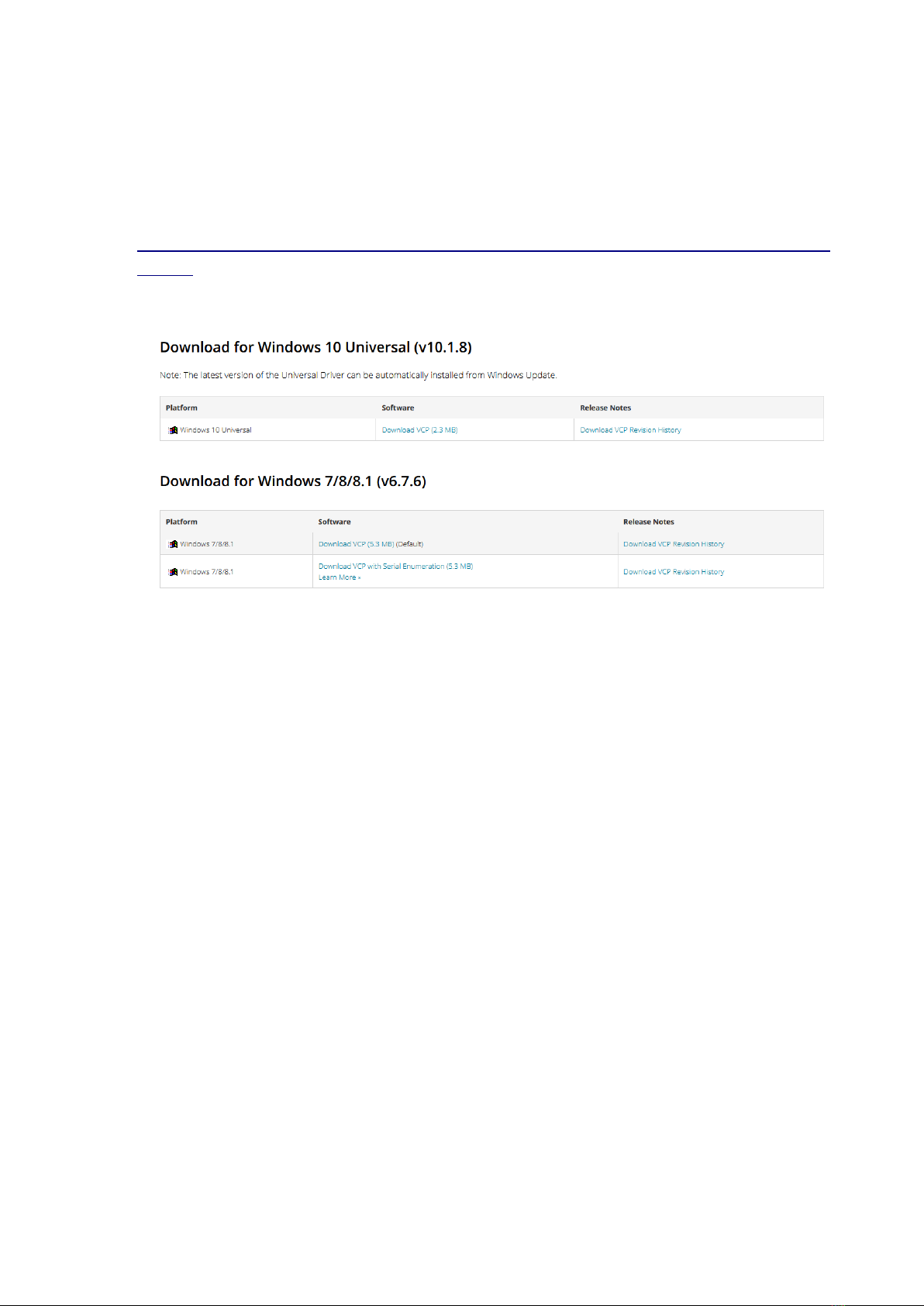
First, install Silabs CP210x USB to UAR Bridge VCP Driver. I included Windows 10
driver files (Windows 10 only!) in the folder “Silabs Windows 10 Driver” which is in
“Windows” folder. Open the folder and run CP210xVCPInstaller_x64.exe:
After successful install, you will see this screen:
TTBIT Scrypt USB Stick Miner Official User Guide
Last updated on 27/01/2020
Page 6
If you have earlier Windows version (Windows 8 etc.), you can go to Silabs website
and download driver directly:
https://www.silabs.com/products/development-tools/software/usb-to-uart-bridge-vcp-
drivers
Unpack downloaded file and run .exe file in similar fashion described above.
3b. Running bfgminer
Navigate to “Windows” folder included with this manual, you will find files similar to
this:

TTBIT Scrypt USB Stick Miner Official User Guide
Last updated on 27/01/2020
Page 7
Run any of the .bat files, for example EMD_p2pool.bat. If everything is successful,
you will see a window similar to this one:
It’s important to see device listed here (MLD 0) and hashrate (in MH s).
Once everything is confirmed working, you can exit cgminer by pressing [Q] for Quit.
Now, modify pool settings by editing .bat file – right click on the file and select Edit.
You can enter your own pool settings and addresses and restart cgminer. I’ve also
included few more .bat files for different coins and pools, please have a look. Enjoy!

TTBIT Scrypt USB Stick Miner Official User Guide
Last updated on 27/01/2020
Page 8
4. Setup (Raspberry Pi)
If you purchased the miner from eBay link provided with this Guide, you will receive
software pack containing all required drivers. Download it and unpack the archive to
separate folder.
4a. Using monitor and peripherals
Navigate to “RPi” folder using file explorer.
Alternatively, you can copy the contents of “RPi” folder to your Raspberry Pi, using
any cloud service, ssh transfer or simply by plugging USB stick to your Raspberry Pi.
Once in the folder, you will find few example .sh files with bfgminer options there.
Doubleclick on chosen .sh file and select “Run in terminal” option. You will see
bfgminer window similar to this one:
If you getting error about missing libncurses.so.5 library, please install libncurses5
package using your package manager.
Once you verify that everything is fine, you can press [Q] to exit bfgminer.
o edit pool credentials to your own, simply edit chosen .sh file (don’t forget to
backup first).
4b. Using console terminal
o run all of the above from terminal (if your Raspberry Pi doesn’t have monitor and
peripherals attached):

TTBIT Scrypt USB Stick Miner Official User Guide
Last updated on 27/01/2020
Page 9
Copy the contents of “RPi” folder to your Raspberry Pi, using any cloud service, ssh
transfer or simply by plugging USB stick to your Raspberry Pi.
Once complete, enter the folder:
cd RPi
here is few .sh files with bfgminer options, chose one and enter the command to run
it:
./EMD_p2pool.sh
If you getting error about missing libncurses.so.5 library, please install libncurses5
package:
sudo apt update && sudo apt install libncurses5
You open your miner everyday by repeating commands to enter the folder and run
the bfgminer (cd and ./ commands).
o put your own pool credentials, simply backup chosen .sh file and edit it using
nano editor:
nano EMD_p2pool.sh
Replace pool credentials in the file with your own, save the file by pressing C RL + O
and exit the editor by pressing C RL + X.

TTBIT Scrypt USB Stick Miner Official User Guide
Last updated on 27/01/2020
Page 10
5. Setup (GNU/Linux)
If you purchased the miner from eBay link provided with this Guide, you will receive
software pack containing all required drivers. Download it and unpack the archive to
separate folder.
5a. Using monitor and peripherals
Navigate to “Linux” folder using file explorer.
Once in the folder, you will find few example .sh files with bfgminer options there.
Doubleclick on chosen .sh file and select “Run in terminal” option. You will see
bfgminer window similar to this one:
If you getting error about missing libncurses.so.5 library, please install libncurses5
package using your package manager.
Once you verify that everything is fine, you can press [Q] to exit bfgminer.
o edit pool credentials to your own, simply edit chosen .sh file (don’t forget to
backup first).
4b. Using console terminal
o run all of the above from terminal (if your Linux system doesn’t have monitor and
peripherals attached):
Copy the contents of “Linux” folder to your system, using any cloud service, ssh
transfer or simply by plugging USB stick to your Raspberry Pi.
Once complete, enter the folder:
Table des matières
Manuels Matériel informatique populaires d'autres marques

EMC2
EMC2 VNX Series Manuel du propriétaire

Panasonic
Panasonic DV0PM20105 Manuel utilisateur

Mitsubishi Electric
Mitsubishi Electric Q81BD-J61BT11 Manuel utilisateur

Gigabyte
Gigabyte B660M DS3H AX DDR4 Manuel utilisateur

Raidon
Raidon iT2300 Manuel utilisateur

National Instruments
National Instruments PXI-8186 Manuel utilisateur


