• Set switch 6 to ON (2-10 V)
• Set switches 7 and 8 to OFF
• Refer to voltmeter connected to TP1 and TP3. Using an insulated 1/8” flat bladed screwdriver, adjust
speed potentiometer to desired Min speed airflow.
• STORE: Set switch 8 to Store (ON), wait one second, then to Set (OFF), to save the value
5. Resume Normal 2 – 10 V DC Proportional Control: Set configuration switches to OFF-ONOFF-
OFF-OFF-ON-OFF-OFF for normal proportional speed control, as shown at left in figure H.
• Set switch 2 to ON (Analog)
• Set switch 6 to ON (2 – 10)
• Set all other switches to OFF
EC Motor Troubleshooting Guidelines
Ensure motors and blowers are clean as part of normal maintenance. No further maintenance is required for these motors. Warning! Follow
standard lock out tag out (LOTO) procedures when performing service on motor or blower.
EC MOTOR TROUBLESHOOTING GUIDELINES
Problem Possible Cause Corrective Action
Motor fails to start
No or loose enable jumper (Big Best manufactured
constant RPM motor only)
Verify enable jumper connected properly to motor
driver. Refer to “Enable Jumper” section (page 12).
No power to motor. Possible blown fuse
or open circuit breaker
Verify line voltage at motor driver. Replace fuse or
reset circuit breaker.
PWM configuration switch in program
mode
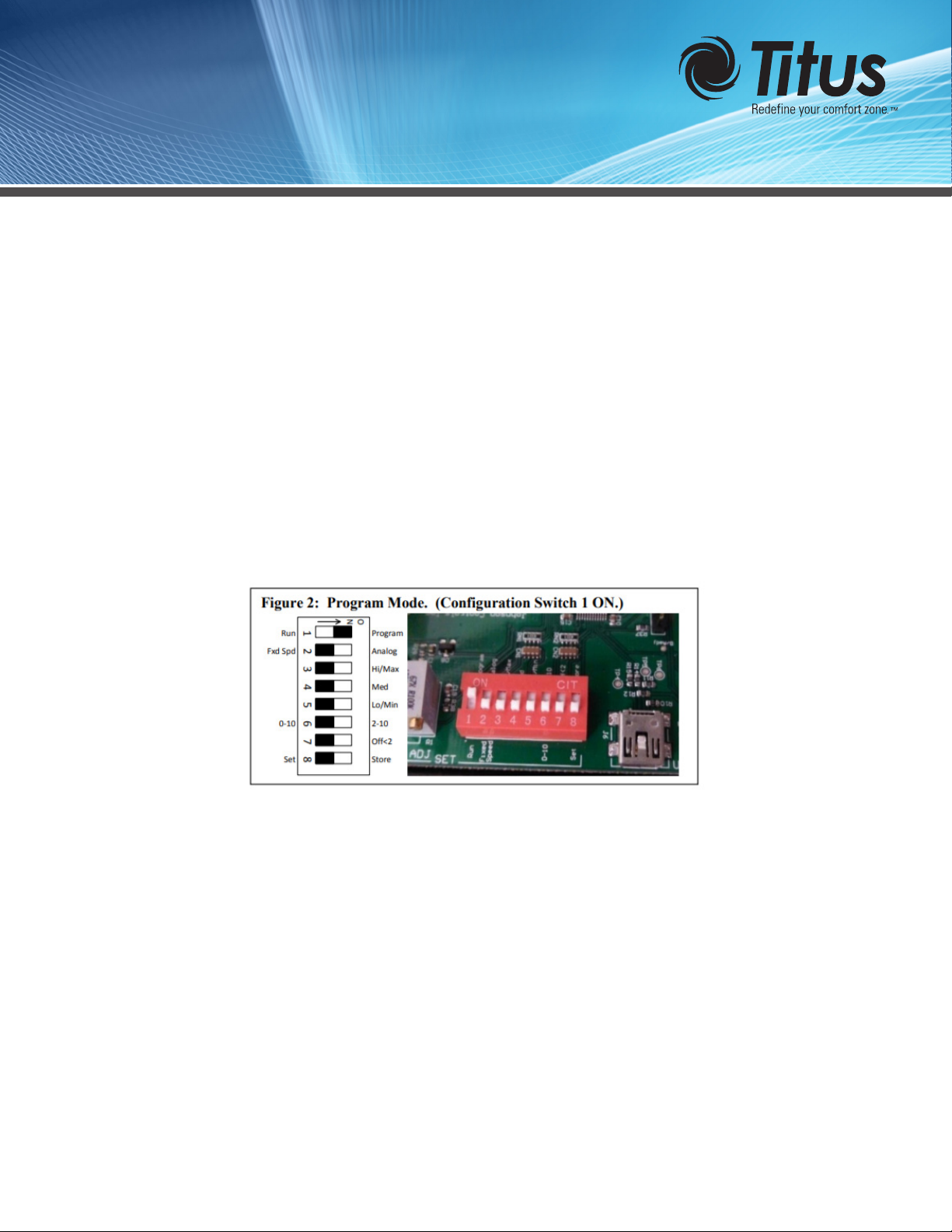
Configuration switch 1 must be in Run mode (page
2, figure 2). Refer also to PWM board status LEDs
(page 1).
PWM board faulted
Refer to PWM board status LEDs (page 1). Verify
voltage input, wiring and connections. Push reset
button. Replace PWM board if fault returns.
No control signal (constant RPM)
Constant RPM EC motors will not rotate if they
lose PWM signal while enabled.
Verify PWM signal at motor connector by connect-
ing a multimeter set for “duty cycle” between pins
1P1 and 1C (or between pins 2P1 and 2C). The duty
cycle represents the on-time percentage signal sent
to the motor (this number will vary between the
minimum and maximum duty cycle set by the facto-
ry). See Figure 1 for PWM board connections (page
1). Refer also to PWM board status LEDs (page 1) to
verify board is in normal operating mode.
Improper wiring connections
Verify wiring. If Fan Coil Relay board present, verify
all jumpers installed. Refer to Fan Coil Relay Board
Troubleshooting Guide.
EC motor wiring harness improperly seated Unplug harness and re-install, making sure plugs
are fully seated.
EC motor wiring harness(es) open or intermittent Replace harness(es). See section on checking wire
harnesses (page 9).
Blower jammed Clear blockage. Verify blower rotates freely with
motor disconnected.
No 24 VAC power Refer to Fan Coil Relay Board Troubleshooting
Guide
Fan Coil EC Motor Control