Thump User Guide 4
Bluetooth Pairing Your Thump with Your Phone
A critical step, pairing introduces Bluetooth enabled devices to each other. The process
creates a permanent and safe link between your Thump and your phone and provides you
with quick service between the devices without using any password.
1. START by first putting your phone into Bluetooth discovery mode. E.g., for an
iPhone®, use a Settings > General > Bluetooth > OnSettings > Bluetooth > On
selection sequence depending on your IOS version.
2. Immediately, set your Thump to be discoverable by:
a. Thump must be off to begin, meaning all LED lights are off. Refer to Thump
Shutdown topic below if any LED lights are visible.
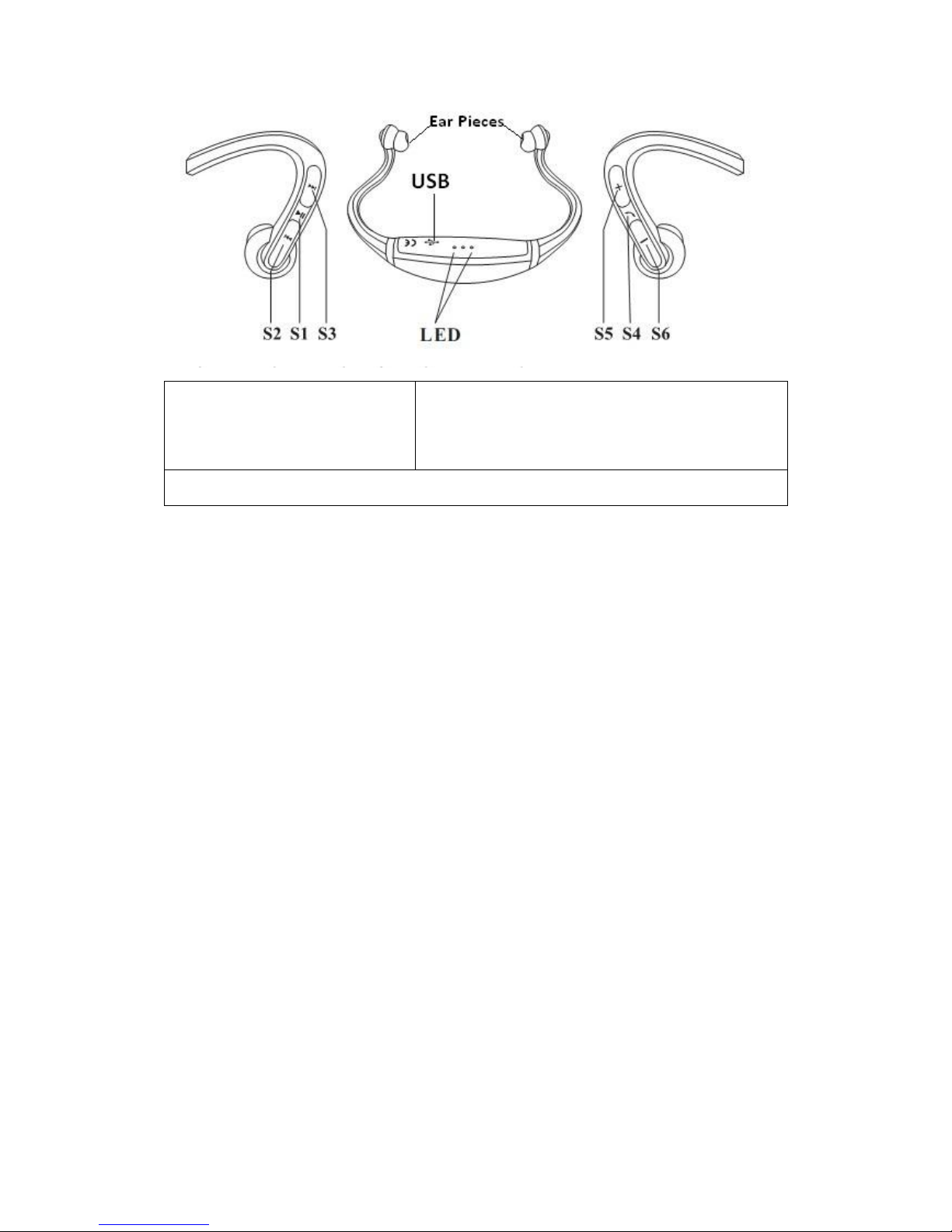
b. Press and hold the S4 button ignoring various light sequences until the red
and blue LED lights are alternating. Requires at least 8 seconds.
c. Release S4 button. The lights should still be alternating.
d. Thump is now discoverable and will stay so for a few minutes.
3. Shortly after, your phone will discover QAK-THUMP
Bluetooth device list with a status of Not Paired. QAK-THUMP is Thump’s electronic
ID.
4. QAK-THUMPPin-Code is requested, enter
code 0000. (zeros)
5. QAK-THUMPConnected. Your Thump pairing
successfully completes with two single tones in your Thump and the lights will flash
to indicate the status of the connection:
If the red & blue lights flash simultaneously, it indicates a successful
connection with both a mono and stereo phone.
If only the red light flashes slowly, it indicates a successful connection with
just a mono phone.
If only the blue light flashes slowly, it indicates a successful connection with
just a stereo phone.
2.
Note: If your Thump cannot pair with your phone in 3 minutes, it will automatically shut
off. If your Thump in pairing mode, your phone will not be able to find it. To ensure
successful pairing, you must make sure both devices are in Bluetooth discovery mode at
the same time.