
Temptime EDGE LoRa Manuel utilisateur

!
!
!
!
!!
User%Guide%
LoRa!Gateway!Receiver!
temptimecorp.com!

!Notices!and!safety!
EDGE!LoRa!Gateway!Receiver! ! Page!2!
1 Notices!and!safety!
1.1.1 Safety!instructions!
IMPORTANT NOTE: Do not use this product for protection or as part of an automated emergency system or as for any other
application that involves protecting people and/or property. Customers and users of Temptime products are responsible for making
sure that the product is fit for the intended usage. Do not open the product casing and do not disassemble or modify internal
components in any manner. Temptime products do not contain any internal components that require user intervention or repair. If
the device shows signs of improper operation, disconnect it immediately from its power source and contact Temptime technical
services.
1.1.2 Certifications!
EMC Compliance
US: FCC Part 15 Class B
EU: EN 55022 Class B, EN 55024
Canada: ICES-003
Radio Compliance
FCC Part 22,24,27
Safety
UL 60950-1 2nd Ed., cUL 60950-1 2nd Ed., IEC 60950-1 2nd Ed
Quality
MIL-STD-810G: High Temp, Low Temp, Random Vibration. SAE J1455: Transit Drop & Handling Drop, Random Vibration, Swept-
Sine Vibration. IEC68-2-1: Cold Temp. IEC68-2-2: Dry Heat
Caution: Any changes or modifications not expressly approved by Temptime could void the user's authority to operate the
equipment.
1.1.3 Environmental!protection!
Please respect local regulations concerning disposal of packaging, unused wireless devices and their accessories, and promote
their recycling.!
1.1.4 Disclaimer!and!limitation!of!liability!
Temptime assumes no responsibility for any loss or claims by third parties which may arise through the use of this product. This
document is non-contractual and subject to change without notice.
%
© 2017 Temptime. All rights reserved. Temptime, the Temptime logo, EDGEConnect Mobile, Temptime EDGE, and EDGECloud are
the exclusive property of Temptime. All other brands mentioned are the property of their respective owners. Specifications subject to
change without notice
Nov!2017! ! Ref:!COMM!EDGE!LoRa!Gateway!Receiver!Configuration!Guide! ! Rev.!03! !

!Notices!and!safety!
EDGE!LoRa!Gateway!Receiver! ! Page!3!
Table!of!Contents!
1!Notices%and%safety%.............................................................................................................%2!
1.1.1!Safety!instructions!......................................................................................................................!2!
1.1.2!Certifications!..............................................................................................................................!2!
1.1.3!Environmental!protection!..........................................................................................................!2!
1.1.4!Disclaimer!and!limitation!of!liability!...........................................................................................!2!
2!Introduction%.......................................................................................................................%4!
2.1!Product!overview!............................................................................................................................!4!
2.2!Main!features!..................................................................................................................................!4!
2.2.1!Technical!highlights!....................................................................................................................!4!
2.2.2!In!the!box:!..................................................................................................................................!4!
2.3!Architecture!and!technologies!........................................................................................................!5!
3!Setting%up%your%receiver%.....................................................................................................%6!
3.1!Installing!the!receiver!configuration!software!................................................................................!6!
3.2!Receiver!configuration!....................................................................................................................!6!
3.2.1!Ethernet!configuration!...............................................................................................................!6!
3.2.2!Wi-Fi!configuration!(optional)!....................................................................................................!9!
4!Appendix%-%Troubleshooting%..............................................................................................%13!
5!Appendix%–%Product%specifications%....................................................................................%15!
5.1!EDGE!LoRa!Gateway!receiver!features!..........................................................................................!15!
5.2!EDGE!LoRa!Gateway!companion!products!....................................................................................!15!
6!Index%................................................................................................................................%16!
!
!
!
!
!!

!Introduction!
EDGE!LoRa!Gateway!Receiver! ! Page!4!
2 Introduction!
Congratulations!and!thank!you!for!choosing!the!Temptime!EDGE!wireless!monitoring!solution.!
This!document!describes!how!to!set!up!and!use!the!EDGE!LoRa!Gateway!Receiver,!a!key!component!for!
collecting!data!in!your!EDGE!W-200!LoRaWAN™!solution.!
2.1 Product!overview!
Designed!for!use!with!Temptime!EDGE!W-200!wireless!sensor!
modules,!the!Temptime!EDGE!LoRa!Gateway!Receiver!is!a!
wireless!receiver!that!leverages!new-generation!LoRaWAN™!
technology!to!offers!exceptionally!long-range!wireless!
communication.!
This!receiver!can!be!connected!to!your!local!network!via!either!a!
wired!Ethernet!or!a!Wi-Fi!connection.!
2.2 Main!features!
2.2.1 Technical!highlights!
• Up!to!9!miles!(15!km)!line-of-sight!wireless!range!
• 2-way!wireless!communication!
• Wired!Ethernet!or!Wi-Fi!network!connection!
• Available!frequencies:!915!MHz,!868!MHz,!434!MHz!!
2.2.2 In!the!box:!
• 1!!EDGE!LoRa!Gateway!Receiver!!
• 1!AC!adapter!(110-240!v)!
• 1!Antenna!
• 1!USB!cable!
• 1!USB!key!including!this!document!and!receiver!configuration!software!
Optional!and!to!be!ordered!separately!
• 1!Wi-Fi!adaptor!
!
!!
Figure'1'–'Temptime'LoRa''
Gateway'Receiver'

!Introduction!
EDGE!LoRa!Gateway!Receiver! ! Page!5!
2.3 Architecture!and!technologies!
Installed!locally!at!your!site,!the!Temptime!EDGE!LoRa!Gateway!Receiver!collects!data!from!EDGE!W-200!
sensor!modules!within!wireless!range.!
The!Receiver!is!connected!permanently!via!the!Internet!to!the!Temptime!EDGECloud!service,!where!
module!data!is!pushed!by!the!Receiver,!and!accessed!using!the!EDGEConnect™!web!application.!The!
diagram!below!shows!the!overall!solution!organization.!!
!
!
Figure'2'–''EDGE'LoRa'Gateway'Receiver'role'in'connecting'EDGE'W-200'modules'to'the'Cloud'
Receiver!collects!data!from!
W-200!modules!and!
forwards!it!to!the!Cloud!

!Setting!up!your!receiver!
EDGE!LoRa!Gateway!Receiver! ! Page!6!
3 Setting!up!your!receiver!
3.1 Installing!the!receiver!configuration!software!
Before!you!can!use!your!receiver,!you!must!first!configure!it!to!connect!to!the!Cloud!via!the!Internet.!For!
this,!please!copy!the!EDGE%Gateway%Receiver%Configuration!software!delivered!with!the!USB!Key!and!
install!the!software!application!on!your!Windows!PC.!
1. After!copying!the!file!to!your!computer,!double-click!on!the!provided!!
Setup%(EDGEReceiverConfiguration).exe.!!
2. Follow!the!instructions!in!the!Setup!wizard!to!install!the!software.!This!software!installs!the!
configuration!application!and!specific!drivers!that!your!Windows!computer!might!require!to!
connect!with!the!EDGE!LoRa!Gateway!Receiver.!
3.2 Receiver!configuration!
3.2.1 Ethernet!configuration!
This!section!describes!how!to!connect!your!receiver!to!the!Cloud!server!via!a!cabled!Ethernet!
connection!(wireless!configuration!is!described!below!in!section!3.2.2'Wi-Fi'configuration).!Follow!these!
steps:!
1. Plug!the!network!Ethernet!cable!into!your!receiver!
!
!
Figure'3'–'Plugging'the'Ethernet'cable'and'AC'adapter'
2. Plug!the!provided!AC!adapter!into!a!wall!socket!and!plug!the!other!end!into!the!power!socket!on!
the!receiver.!Wait!about!30!seconds!for!the!boot!process!to!complete.!
!Setting!up!your!receiver!
EDGE!LoRa!Gateway!Receiver! ! Page!7!
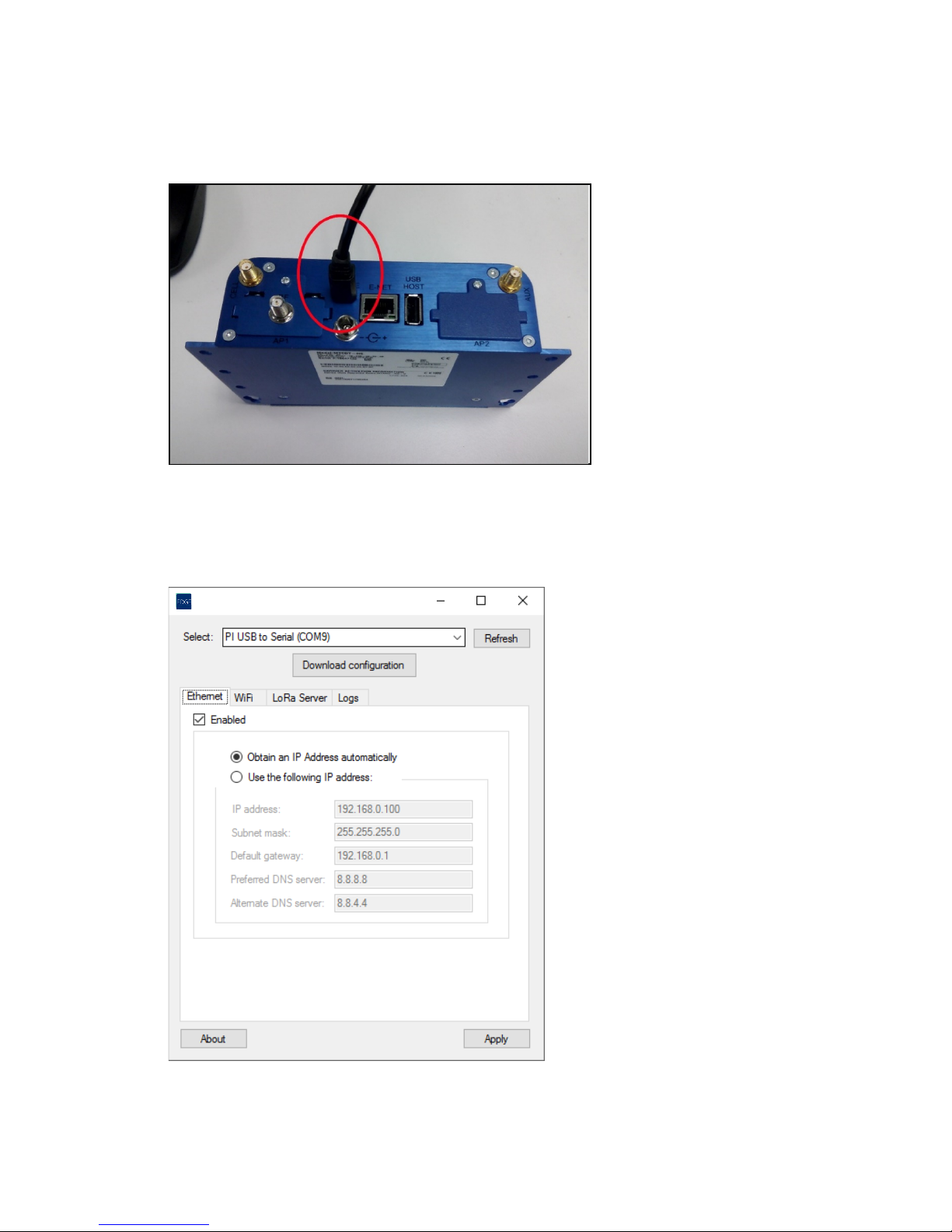
3. Plug!the!micro-USB!cable!into!both!the!receiver!and!your!PC.!The!setup!program!installs!drivers!
for!the!receiver,!so!the!device!recognized!automatically!by!Windows.!
Figure'4'–'Plugging'the'USB'cable'
4. Run!EDGEReceiverConfiguration!from!the!Windows!Start!menu.!The!Select!field!should!show!
your!gateway.!If!not,!make!sure!the!USB!cable!is!plugged!in!and!click!on!Refresh.!
!
!
!
'
'
'
'
'
'
'
'
Figure'5'–'Setting'up'an'Ethernet'connection' '
LoRa!Gateway!Receiver!Configurator!(v1.1.6)!

!Setting!up!your!receiver!
EDGE!LoRa!Gateway!Receiver! ! Page!8!
5. Click!on!the!Ethernet!tab!and!click!to!select!Enabled.!
6. Set!the!Ethernet!parameters!according!to!your!needs:!
- Obtain%IP%address%automatically!is!selected!by!default,!and!the!receiver!will!try!to!obtain!its!
IP!address!automatically!from!the!network!router!using!DHCP.!
- If!you!need!to!enter!specific!IP!settings,!click!on!Use%the%following%IP%address!and!fill!in!the!
fields!as!needed!for!your!network.!
7. Click!on!the!LoRa%Server!tab!to!set!the!IP%address!and!Instance%ID!of!your!LoRa!server.!If!you!are!
using!the!Temptime!EDGECloud!server,!these!settings!are!provided!by!Temptime.!!
37.187.141.72
'
'
'
'
'
'
'
'
'
'
Figure'6'–'Setting'up'the'LoRa'server'connection'
8. Click!on!Apply!when!done.!The!application!switches!to!the!Logs!tab!and!the!sequence!of!
configuration!events!is!displayed!on!the!screen.!!
LoRa!Gateway!Receiver!Configurator!(v1.1.6)!

!Setting!up!your!receiver!
EDGE!LoRa!Gateway!Receiver! ! Page!9!
When!the!process!is!complete,!after!about!30!seconds,!a!message!is!displayed!to!indicate!
whether!configuration!was!successful:!
!
Command%executed%successfully!The!receiver!is!now!up!and!running.!
!
Command%failed%The!application!was!unable!to!configure!the!receiver!
completely.!In!that!case,!you!can!have!a!look!at!the!logs!to!
identify!the!problem.!Make!sure!the!receiver!has!a!
working!Internet!connection!and!check!your!network!
settings!then!press!Apply!to!try!again.!
3.2.2 Wi-Fi!configuration!(optional)!
This!section!describes!how!to!connect!your!receiver!to!the!Cloud!server!via!a!wireless!Wi-Fi!connection.!
(Ethernet!connection!is!described!in!the!previous!section)!
1. Plug!the!optional!Wi-Fi!adaptor!into!the!USB!port!on!the!back!of!your!receiver.!Wi-Fi!adapter!
must!be!purchased!separately.!
!
!
Figure'7'–'Inserting'the'Wi-Fi'adaptor
2. Plug!the!provided!AC!adaptor!into!a!wall!socket!and!plug!the!other!end!into!the!power!socket!on!
the!receiver.!Wait!about!30!seconds!for!the!startup!process!to!complete.!
3. Plug!the!micro-USB!cable!into!both!the!receiver!and!your!PC.!The!setup!program!installs!drivers!
for!the!receiver!so!the!device!is!recognized!automatically!by!Windows.

!Setting!up!your!receiver!
EDGE!LoRa!Gateway!Receiver! ! Page!10!
Figure'8'–'Plugging'in'the'USB'cable'
4. Run!EDGEReceiverConfiguration!from!the!Windows!Start!menu.!The!Select!field!should!show!
your!gateway.!If!not,!make!sure!the!USB!cable!is!plugged!in!and!click!on!Refresh.!!
!
'
'
'
'
'
'
'
'
'
!
Figure'9'–'Setting'up'a'Wi-Fi'connection'
LoRa!Gateway!Receiver!Configurator!(v1.1.6)!
Table des matières
Manuels Porte populaires d'autres marques

LST
LST M500RFE-AS Manuel utilisateur

Kinnex
Kinnex Media Gateway Manuel utilisateur

2N Telekomunikace
2N Telekomunikace 2N StarGate Manuel utilisateur

Mitsubishi Heavy Industries
Mitsubishi Heavy Industries Superlink SC-WBGW256 Manuel utilisateur

ZyXEL Communications
ZyXEL Communications ZYWALL2 ET 2WE Manuel utilisateur

Telsey
Telsey CPVA 500 - SIP Manuel utilisateur


