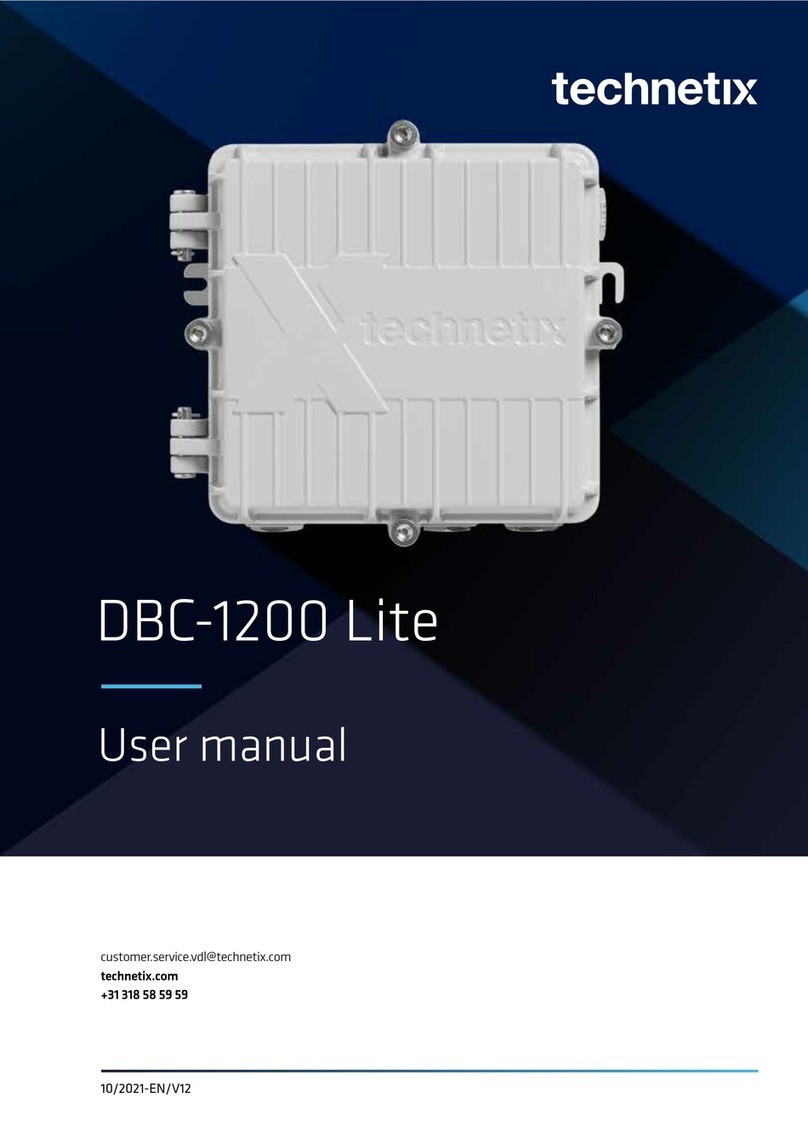
technetix DBC-1200S Manuel utilisateur

04/2019 - AE/V1.16 1
Technetix Group Limited
Table of contents
Safety � � � � � � � � � � � � � � � � � � � � � � � � � � � � � � � � � � � � � � � � � � � � � � � � � � � � � � � 2
Intended audience � � � � � � � � � � � � � � � � � � � � � � � � � � � � � � � � � � � � � � � � � � � � � � � � 2
Specific tools list � � � � � � � � � � � � � � � � � � � � � � � � � � � � � � � � � � � � � � � � � � � � � � � � � 2
Software � � � � � � � � � � � � � � � � � � � � � � � � � � � � � � � � � � � � � � � � � � � � � � � � � � � � � � 3
Modules available for the DBC-1200S � � � � � � � � � � � � � � � � � � � � � � � � � � � � � � � � � � � � � 4
1. Overview of the DBC-1200S . . . . . . . . . . . . . . . . . . . . . . . . . . . . . . . . . . . . . . . 5
1�1 Overview � � � � � � � � � � � � � � � � � � � � � � � � � � � � � � � � � � � � � � � � � � � � � � � � � � 5
1�2 Benefits � � � � � � � � � � � � � � � � � � � � � � � � � � � � � � � � � � � � � � � � � � � � � � � � � � � 6
1�3 Amplifier features and options � � � � � � � � � � � � � � � � � � � � � � � � � � � � � � � � � � � � � � 7
1�4 Physical features� � � � � � � � � � � � � � � � � � � � � � � � � � � � � � � � � � � � � � � � � � � � � � 8
2. Installing the DBC-1200S . . . . . . . . . . . . . . . . . . . . . . . . . . . . . . . . . . . . . . . . . 9
2�1 Housing features� � � � � � � � � � � � � � � � � � � � � � � � � � � � � � � � � � � � � � � � � � � � � � 9
2�2 Housing mounting � � � � � � � � � � � � � � � � � � � � � � � � � � � � � � � � � � � � � � � � � � � � � 11
2�3 Installing coaxial connectors � � � � � � � � � � � � � � � � � � � � � � � � � � � � � � � � � � � � � � �13
2�4 Closing amplifier lid � � � � � � � � � � � � � � � � � � � � � � � � � � � � � � � � � � � � � � � � � � � �14
2�5 Configuring the PSU� � � � � � � � � � � � � � � � � � � � � � � � � � � � � � � � � � � � � � � � � � � �15
2�6 Powering up the amplifier� � � � � � � � � � � � � � � � � � � � � � � � � � � � � � � � � � � � � � � � �16
2�7 Downstream configuration � � � � � � � � � � � � � � � � � � � � � � � � � � � � � � � � � � � � � � � � 17
2�8 Downstream activation � � � � � � � � � � � � � � � � � � � � � � � � � � � � � � � � � � � � � � � � � �19
2�9 Upstream activation � � � � � � � � � � � � � � � � � � � � � � � � � � � � � � � � � � � � � � � � � � � 25
3. Maintenance . . . . . . . . . . . . . . . . . . . . . . . . . . . . . . . . . . . . . . . . . . . . . . . .29
3�1 PSU replacement � � � � � � � � � � � � � � � � � � � � � � � � � � � � � � � � � � � � � � � � � � � � 29
3�2 Amplifier module replacement � � � � � � � � � � � � � � � � � � � � � � � � � � � � � � � � � � � � � 30
3�3 Diplex filter change � � � � � � � � � � � � � � � � � � � � � � � � � � � � � � � � � � � � � � � � � � � 32
4. Optical node 1x1 . . . . . . . . . . . . . . . . . . . . . . . . . . . . . . . . . . . . . . . . . . . . . .33
4�1 General installation � � � � � � � � � � � � � � � � � � � � � � � � � � � � � � � � � � � � � � � � � � � 33
4�2 Downstream connection � � � � � � � � � � � � � � � � � � � � � � � � � � � � � � � � � � � � � � � � 33
4�3 Upstream connection � � � � � � � � � � � � � � � � � � � � � � � � � � � � � � � � � � � � � � � � � � 34
4�4 CWDM Applications � � � � � � � � � � � � � � � � � � � � � � � � � � � � � � � � � � � � � � � � � � � 35
4�5 Software settings � � � � � � � � � � � � � � � � � � � � � � � � � � � � � � � � � � � � � � � � � � � � 35
4�6 Upgrading a RF amplifier into an optical node � � � � � � � � � � � � � � � � � � � � � � � � � � � � 36
4 �7 Optical modules � � � � � � � � � � � � � � � � � � � � � � � � � � � � � � � � � � � � � � � � � � � � � 38

04/2019 - AE/V1.16 2
Technetix Group Limited
Safety
Caution: AC voltages in the range of 20 – 65 VAC (110/230 VAC local
power) can be present when power is connected to the DBC-1200S.
Observe all notes and cautions in this user manual.
Intended audience
The DBC-1200S User Manual is intended for network engineers and technicians responsible for
planning, configuring, installing and testing the Technetix DBC-1200S amplifier� Installers should
have a working knowledge of coaxial cable systems and cabling practices�
Specific tools list
The following tools and supplies are required when installing a DBC-1200S amplifier:
■7/16” socket driver
■Set of Phillips head screwdrivers
■Diplex removal tool (part # 1901053) (only needed if changing the diplex filters)
■Torque wrench
■Appropriate bolts/screws/washers for mounting the DBC-1200S (see page 11)
■Appropriate USB cable
- USB A type for the DBDCM-A1 FSK module (for local control/ALSC)
- USB mini-b for the DBDCM-C1 module (for local control only)
The connector on the other side of the cable will depend on the device
you are using to configure the DBC-1200S (laptop, android or iPhone)

04/2019 - AE/V1.16 3
Technetix Group Limited
Software
The software you require to configure a DBC-1200S depends on the device you are using to connect
to the modules within the amplifier:
■Laptop – BLL software
■Android – BLA software� The software requires Android version 4�1 or higher
and USB host support with power
Note: We refer to BLL software and a laptop in this user manual but you may
be using an android device with BLA software.
Installing the BLA software on a phone or tablet:
1. Ensure the device will allow unknown sources
a� Go to Applications > Settings > Applications
b� Select - Unknown sources
2. Copy the BLA vx.x.apk file to the phone/tablet
a� Go to Applications > Settings > Wireless and Network > USB Settings
b� Select Mass storage
c� Connect the phone/tablet to your PC
d� The drives of the phone will appear in file explorer
e� Copy the �apk file to a suitable place on the phone/tablet
3. Go to applications > my files
4. Browse to the .apk file
5. Click the BLA apk file
6. Select ‘OK’ to install
7. Once installed you can select ‘open’ or ‘done’
8. The Technetix BLA shortcut can now be found with all the other applications on your device

04/2019 - AE/V1.16 4
Technetix Group Limited
Modules available for the DBC-1200S
Upstream modules
DBUS-x-x Upstream module, range of output powers with a 42 MHz hinge point
Downstream modules
DBDS-x-x Downstream module, hybrid configuration, 1 GHz or 1�2 GHz
Software hinge points 750 MHz and 1�2 GHz
Control modules
The DBC-1200S is designed with digital switches which can be set by a digital control module� During
boot-up, the settings for each switch are set by the digital control module, implementing the correct
amplifier levels� Without this module, the amplifier cannot be configured or used�
DBDCM-A-x: This module allows remote communication to the amplifier via FSK modulated
signals generated by a PRG-121 (L or H) or PRG-121A (agile)� It enables AGC and ALSC
compensation plus local control via a USB port� When the DBDCM-A-x is powered
but not receiving FSK data, the LED shows red� When the LED shows green, it indicates
the module is receiving FSK information�
DBDCM-C-x: This module is used for local control through a laptop connected via the USB port�
Power supplies
DBPSU-xx: Range of power supplies with or without PFC (power factor correction) available
for line powering (nominal 65 VAC or 90 VAC) and local powering (110 VAC or 230 VAC)�
Diplexe rs
DBDIP-xx – A range of diplex filters that include:
42/54 MHz
65/85 MHz
85/102 MHz
85/105 MHz
204/258 MHz

04/2019 - AE/V1.16 5
Technetix Group Limited
Chapter 1: Overview of the DBC-1200S
The Technetix DBC-1200S strand mount amplifier is an innovative “crossover” design
which provides a field upgradeable solution to deep fiber/fiber to the last amplifier (FttLA)�
The RF function can be configured for use as a two output device (with or without an internal
splitter/directional coupler)�
Designed using energy ecient GaN (gallium nitride) technologies, the DBC-1200S oers a functional
upgrade path for the majority of compact amplifiers from other manufacturers by:
■Consuming less power for the same operational gain
■Providing a similar or smaller physical footprint
■Harnessing GaN technology to provide class-leading forward and return path gain, duplicating
or improving on the performance of existing units
The DBC-1200S provides reverse path transmission with a hybrid amplification stage�
Forward and return path attenuation can be adjusted with electronic attenuators, with electronic
equalizers available for forward and return path equalization� The cable simulation may be provided
by a suitable JXP plug-in module�
The DBC-1200S has a highly ecient long-life switch-mode power supply to provide the powering
modes required for the modules used�
Gas tubes at the input and output ports protect the RF circuits in the event of lightning
or mains power surges�

04/2019 - AE/V1.16 6
Technetix Group Limited
1.2 Benefits
■Full digital control and setup with optional integrated ALSC
■Innovative GaN technology operates to 1�2 GHz
■Energy ecient hybrid technology provides more gain from the same power consumption
■Flexible to meet changing network needs
■CPD Safe® technology and surge protection mean fewer reported faults, improved customer
service and a reduction in truck rolls
■On-board ingress detection facility provides an option to apply -6 dB or -40 dB of return path
attenuation via a simple transponderless protocol
■Field upgradable to deep fiber node via optional optical transmitter and receiver modules
which replace the existing RF modules

04/2019 - AE/V1.16 7
Technetix Group Limited
1.3 Amplifier features and options
■Adaptable for one or two high-level outputs
■Operates to 1200 MHz with a forward gain determined by the choice
of downstream module
■Return path gain determined by the choice of upstream module
■Field upgradable plug-in diplexers oer 42/54, 65/85, 85/102, 85/105
or 204/258 MHz band splits
■Modular, power ecient design
■On-board ingress detection facility
■Input bypass facility
■Configurable one active output amplifier, field upgradeable to a deep fiber node
four-port housing
Upstream amplifier
module PSU supply
USB control
interface
Downstream
amplifier module
Amplifier digital
control module

04/2019 - AE/V1.16 8
Technetix Group Limited
1.4 Physical features
1� Quick release power supply
2� Upstream amplifier module
3� Digital control module
4� Digital control module USB connection
5� Downstream amplifier module
6� Downstream cable simulator JXP location
7� Input and output diplex filters� 42/54, 65/85,
85/105 and 204/258 options
8� Input bypass splitter location: 2 way splitter
TX DC-4-IS; directional coupler Tap 8 dB TX
DC-8; Tap 12 dB TX DC-12
9� Port power directors/fuses�
(10 amp micro2 automotive)
10� Input -20 dB test point
11� External powering point
12� Output -20 dB test point (return path
injection -20 dB test point)
13� Output splitter location: 2 way splitter TX
DC-4-IS 2 way; directional coupler Tap 8
dB TX DC-8; Tap 12 dB TX DC-12
14� Input RF port – PG11 thread with
5/8” reducing ring for 5/8” threaded
connectors
15� Port 3 RF bypass output port – PG11
thread with 5/8” reducing ring for 5/8”
threaded connectors
16� Port 2 RF output port – PG11 thread with
5/8” reducing ring for 5/8” threaded
connectors
17� Port 1 RF output port – PG11 thread with
5/8” reducing ring for 5/8” threaded
connectors
14 10 9 74 3 2 7 10 12 17
15 8 11 6 1 5 13 16

2.1 Housing features
Front view
Rear view
04/2019 - AE/V1.16 9
Technetix Group Limited
Chapter 2: Installing the DBC-1200S
Lid bolts
Rear mounting
bolt holes
Table des matières
Autres manuels technetix Amplificateur

technetix
technetix DBC-1200 Manuel utilisateur

technetix
technetix DBC-1200 Manuel utilisateur

technetix
technetix AIMA-FPAS Manuel d'exploitation

technetix
technetix AIMA3000.RPAS Manuel d'exploitation

technetix
technetix AIMA3000.FPAE Manuel d'exploitation

technetix
technetix DBC-1200 Manuel utilisateur

technetix
technetix LINDSAY BROADBAND LMDA3726 Series Manuel utilisateur

technetix
technetix EDFA-R Manuel d'exploitation

technetix
technetix DBD-1200 Manuel utilisateur

technetix
technetix DBE-1200S Manuel utilisateur