Installing theAudacity Software
Install theAudacity software inyour
Computer, thedisc is compatiblewith the
USB turntable.
Insert theAudacity disc intothe CD
drive of yourcomputer.
Click on MyComputer on thedesktop.
Double click CDdrive to viewthe
contents of theAudacity disc.
Double clickAudacity Set Upto install
the Audacitysoftware according tothe
instructions.
Footnote:If you misplaceyour software
CD or itbecomes damaged,you may
Install theUSB Driver
Make sure theAudacity discis still in
your CD drive.
Using the includedUSB cable, connect
the turntable to your computer.
Follow screen instructionsto install the
USB driver.
Running theSoftware
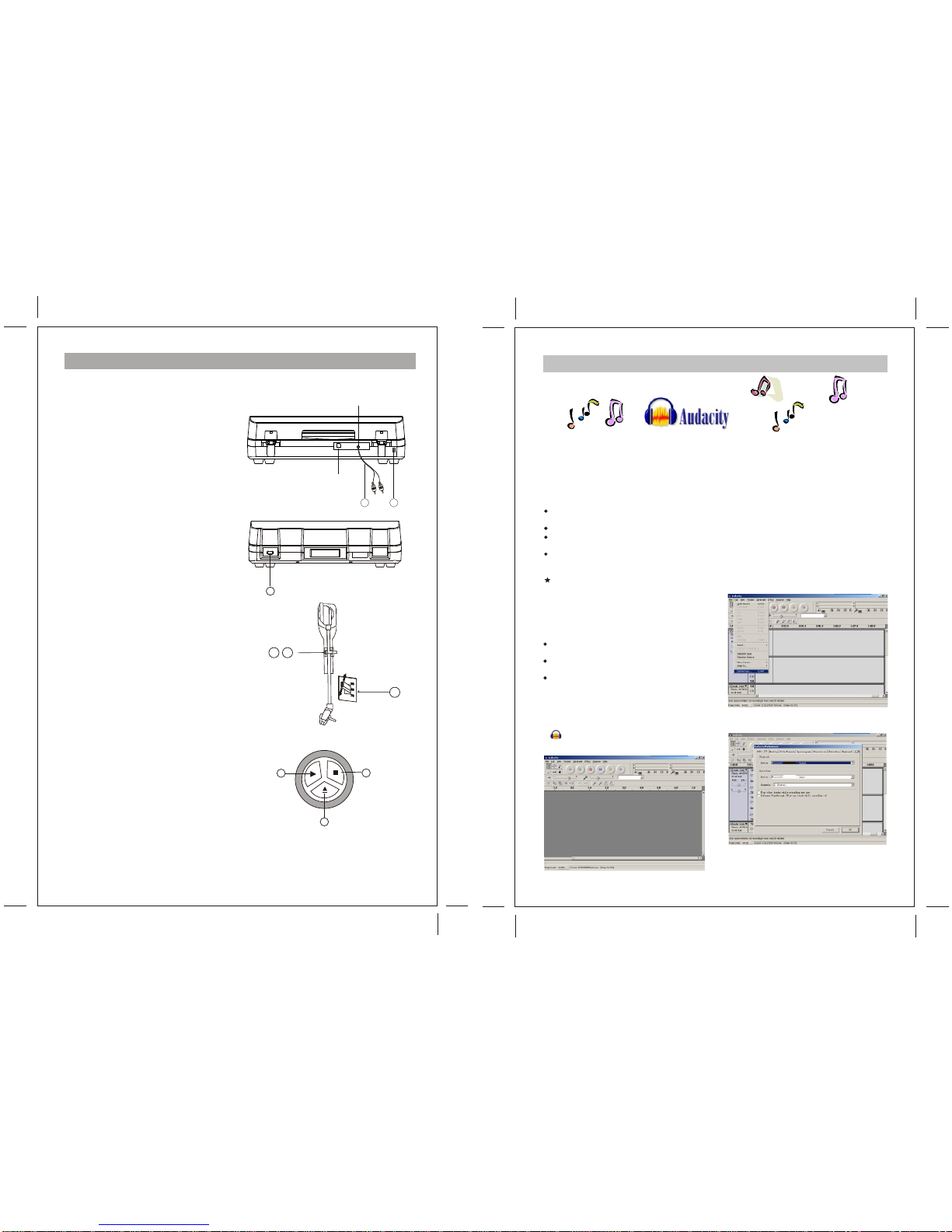
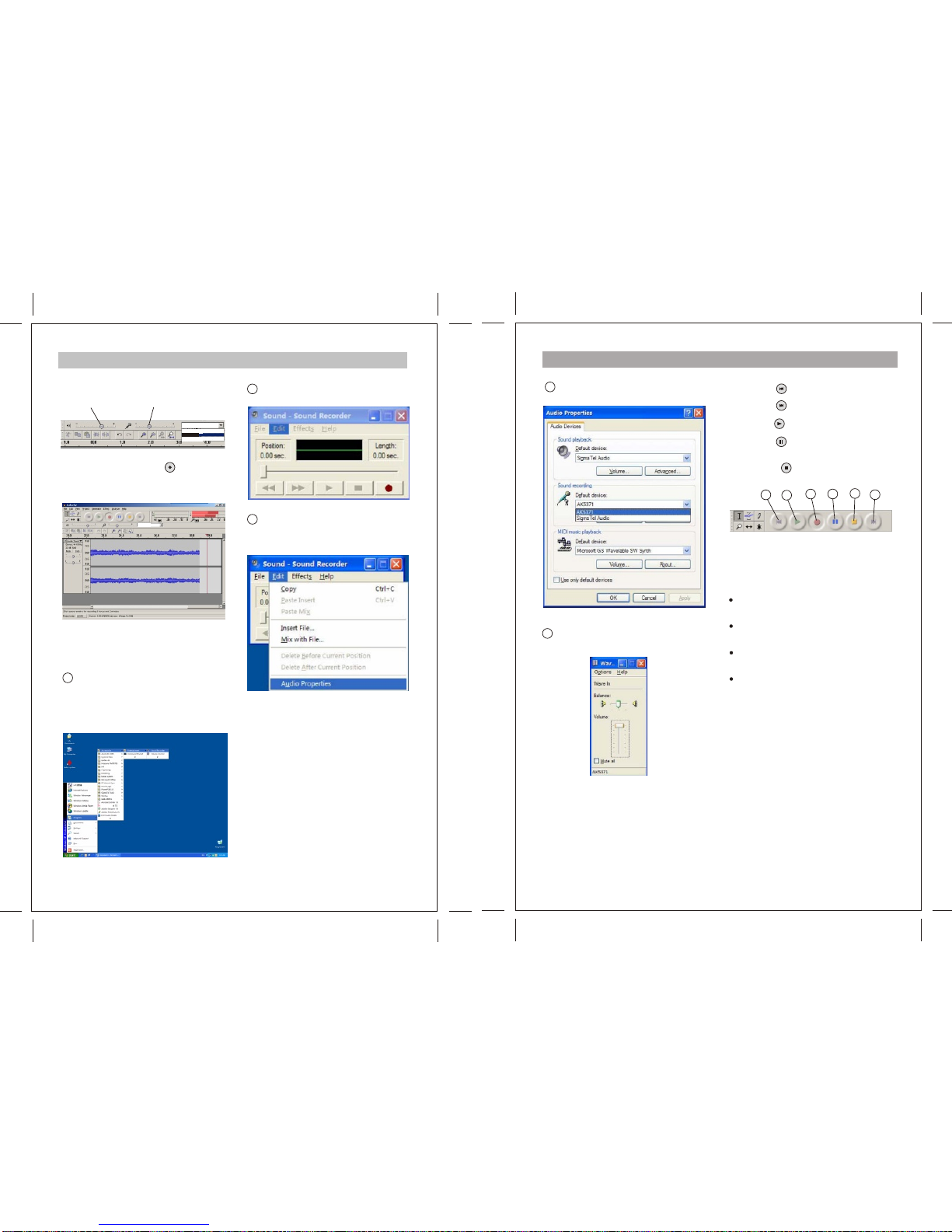
1.Double click the Audacity softwareicon
“ ” and it willopen the following
interface;
download Audacitysoftware online at:
http://download-audacity.org/
6
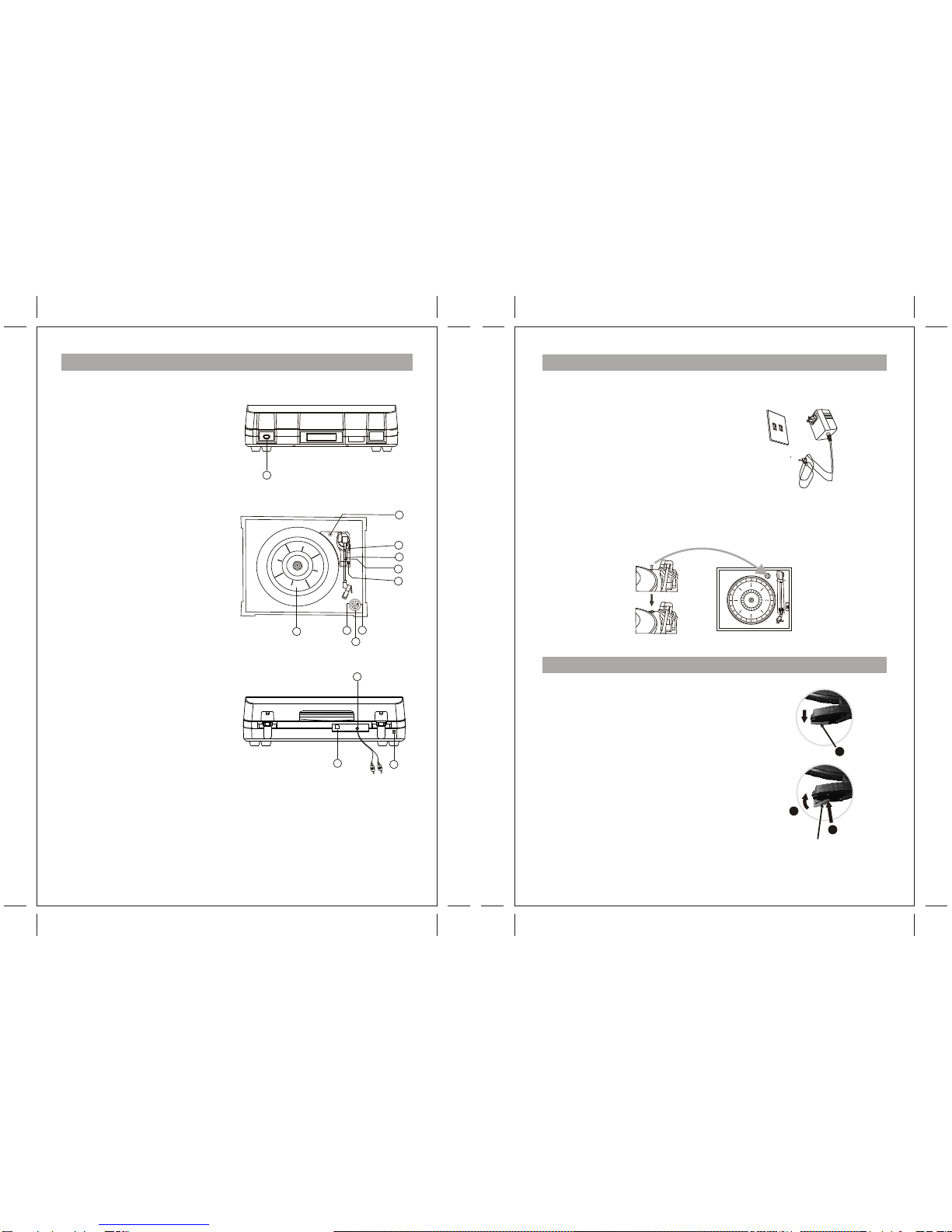
Listening toa Record
1. Connect theAC adapterto the main
power supply, the standardis 120V-
60Hz, and output
DC 9V.
3. Switch onthe unit usingthe POWER
switch on thefront.
2. Plug theother ends ofthe RCACable
into the auxiliaryinput (Aux) onyour TV,
home entertainment receiveror other
music system, besure that thered RCA
Cable is insertedinto the redjack and
the white RCACable is insertedinto the
white jack.(optional)
4. Put arecord onto theturntable, when
playing the 45rpmrecord, remember to
use the adapter.
5. Select correctspeed according tothe
record you areplaying.
6. Remove thetone arm fromthe holder,lift
the que-lever andmove the tonearm
gently to thedesired position overthe
record, lower theque-lever slowly, then
the record willbegin playing.
7. Turnon the receiver which you
connected to thisUSB turntable by
using the On/off Knob orVolume knob,
adjust the volumeknob to controlthe
volume of themusic.
8. Press STOP buttonto stop playing.
9. Press thePLAYbutton to continue
playing.
10. When themusic is finishedplaying, and
the tone-arm reachesthe end ofthe
record, the tone-armwill return tothe
arm-rest automatically. Or youcan
press the ejectbutton when playingthe
record, the tonearm will liftfrom the
record and thenback to thearm-rest.
3
5
46
10
98
USB Jack
Line Out
USBOUTUSB OUT
LINEOUTLINEOUT
2 1
7
Audacity Music Software andUSB Computer Connection
2. Using theattribute control buttonat the
top of thescreen, go tobeginning, Play,
Record, Pause, Stopand go toend. Use
the File, Edit,View,Project, Generate,
Effect andAnalyze menusto Save, Export,
and edit themusic.
3. Select preferencesat the bottomof the
menu which willopen upAudacity
Preferences. You can setthe Audio
I/O,Quality,FileFormats, Spectrograms,
Directories, Interface, Keyboardand
Mouse in theAudacity preference
Interface.
Audacity Preferences
Stereo
Sound Mapping
Sound Mapping
Stereo
Front View
Back View