
SSV Embedded Systems Com/PC1 Manuel utilisateur
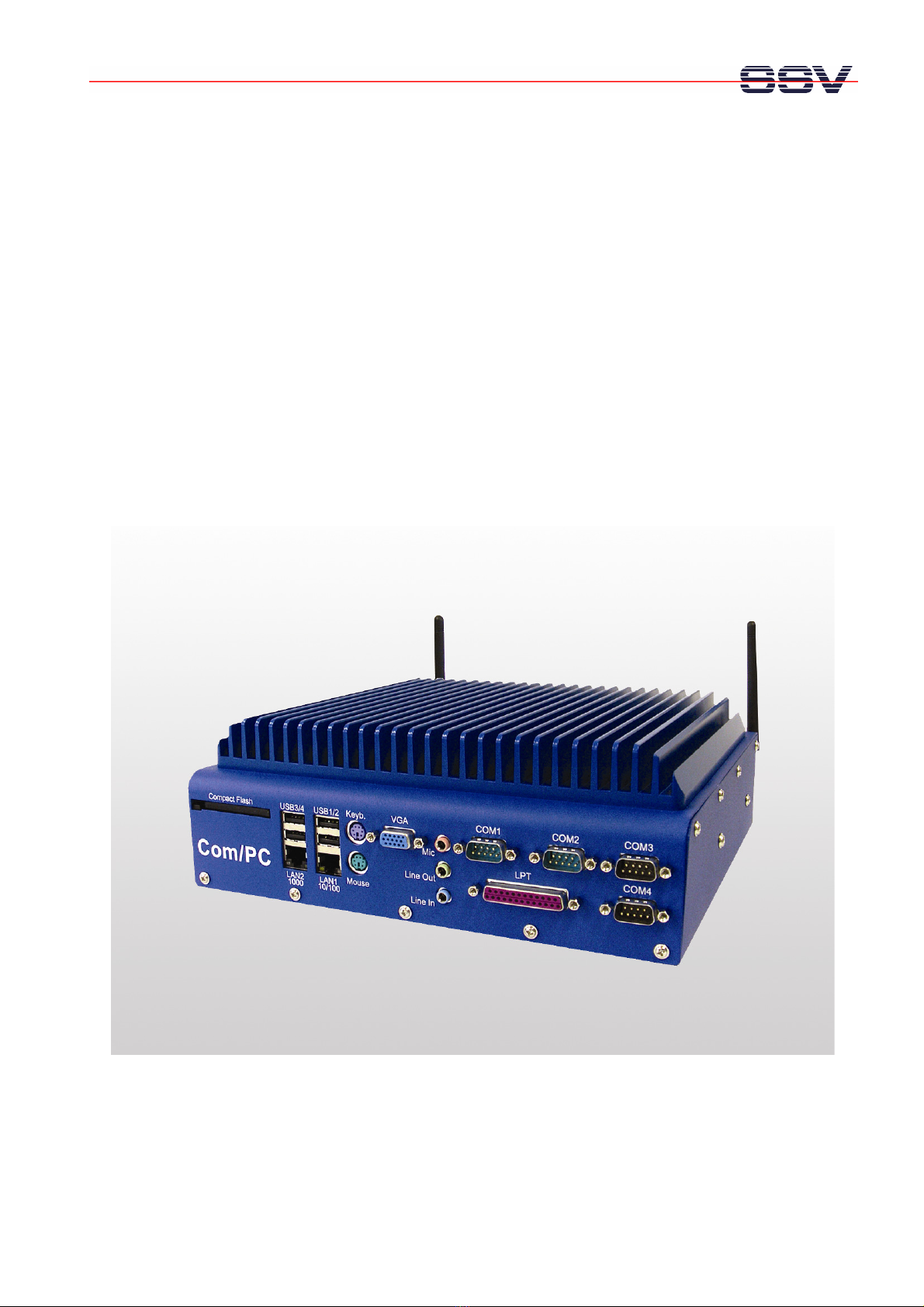
Com/PC1
Windows®
XP Professional
First Steps
SSV Embedded Systems
Heisterbergallee 72
D-30453 Hannover
Phone: +49 (0)511/40 000-0
Fax: +49 (0)511/40 000-40
Manual Revision: 1.0
Date: 2007-06-01
F
OR FURTHER INFORMATION REGARDING OUR PRODUCTS PLEASE VISIT US AT WWW
.
SSV
-
COMM
.
DE

Com/PC1 with Windows® XP Professional – First Steps
M an u al R e v is i on 1 . 0
2
CONTENT
1INTRODUCTION...............................................................................................................3
1.1 Safety Guidelines ......................................................................................................................3
1.2 Conventions ..............................................................................................................................3
2GETTING STARTED.........................................................................................................4
2.1 Connecting the Power Supply...................................................................................................4
2.2 Connecting Keyboard and Mouse.............................................................................................4
2.3 Connecting the VGA Display ...................................................................................................5
2.4 Ethernet Link between Com/PC1 and PC.................................................................................5
2.5 Booting the Com/PC1 for the First Time......................................................................................6
2.6 Checking the IP Address.........................................................................................................16
2.7 Changing the IP Address.........................................................................................................17
3HELPFUL LITERATURE.................................................................................................19
CONTACT .............................................................................................................................19
DOCUMENT HISTORY .........................................................................................................19

Com/PC1 with Windows® XP Professional – First Steps
M an u al R e v is i on 1 . 0
3
1 INTRODUCTION
This document describes the first steps with the Com/PC1 and the Windows® XP Profes-
sional operating system.
1.1 Safety Guidelines
Please read the following safety guidelines carefully! In case of property or personal
damage by not paying attention to this document and/or by incorrect handling, we
do not assume liability. In such cases any warranty claim expires.
ATTENTION: Observe precautions for handling – electrostatic sensitive device!
•Discharge yourself before you work with the device, e.g. by touching a heater of
metal, to avoid damages.
•Stay grounded while working with the device to avoid damage through electro-
static discharge.
1.2 Conventions
Convention Usage
bold
Important terms
italic
Filenames, user inputs
monospace Pathnames, program code, command lines
Table 1: Conventions used in this Document

Com/PC1 with Windows® XP Professional – First Steps
M an u al R e v is i on 1 . 0
4
2 GETTING STARTED
2.1 Connecting the Power Supply
Connect the power cable with the power connector at the rear of the Com/PC1 and a
110 – 230 VAC power outlet.
Figure 1: Connecting the power supply of the Com/PC1
Please note: Do not turn on the Com/PC1 until all cables are connected.
2.2 Connecting Keyboard and Mouse
Connect a keyboard with the PS/2 keyboard connector (violet) at the front of the
Com/PC1. Connect a mouse with PS/2 mouse connector (light green) at the front of the
Com/PC1.
Figure 2: Connecting a keyboard and a mouse with the Com/PC1
Please note: To work with Windows® XP Professional, a mouse is necessary.

Com/PC1 with Windows® XP Professional – First Steps
M an u al R e vi s i o n 1. 0
5
2.3 Connecting the VGA Display
Connect a VGA display with the VGA connector at the front of the Com/PC1.
Figure 3: Connecting a VGA display with the Com/PC1
2.4 Ethernet Link between Com/PC1 and PC
Setup an Ethernet LAN link between the LAN1 or LAN2 interface of the Com/PC1 and
the LAN interface of a PC with an Ethernet cross-over cable.
Figure 4: Ethernet link between the Com/PC1 and a PC
It is also possible to use two Ethernet patch cables in a switch-based infrastructure.
Figure 5: Switch-based Ethernet link between the Com/PC1 and a PC

Com/PC1 with Windows® XP Professional – First Steps
M an u al R e vi s i o n 1. 0
6
2.5 Booting the Com/PC1 for the First Time
Turn on the Com/PC1 with the power switch at the rear side. Choose “Start Windows
Normally” and press ENTER.
Figure 6: Starting the Com/PC1 for the first time
When the Com/PC1 is booting for the first time, the hard disk has to be converted into the
NTFS file system. This process runs automatically and takes a few minutes.
Figure 7: Converting the hard disk to the NTFS file system

Com/PC1 with Windows® XP Professional – First Steps
M an u al R e vi s i o n 1. 0
7
Click on “Next” to continue the setup.
Figure 8: Setting up Windows® XP Professional
Click on “Yes, I accept” and then on “Next” to continue the setup.
Figure 9: Accepting the EULA

Com/PC1 with Windows® XP Professional – First Steps
M an u al R e vi s i o n 1. 0
8
Enter the product key and click on “Next” to continue the setup. You find the product
key on a label attached to the envelope with the Windows® XP installation CD-ROM.
Figure 10: Entering the product key
Please note: The keyboard layout is English!

Com/PC1 with Windows® XP Professional – First Steps
M an u al R e vi s i o n 1. 0
9
Choose to protect or not to protect the Com/PC1 with the Windows firewall. We recom-
mend activating the firewall. Then click on “Next” to continue the setup.
Figure 11: Activating the Windows firewall
Enter a computer name and a description. Click on “Next” or “Skip” to continue the
setup.
Figure 12: Entering a computer name

Com/PC1 with Windows® XP Professional – First Steps
M an u al R e vi s i o n 1. 0
10
Enter an administrator password. Click on “Next” or “Skip” to continue the setup.
Figure 13: Entering an administrator name
Enter a domain name, if the Com/PC1 will be part of a domain. Then click on “Next” to
continue the setup.
Figure 14: Entering a domain name
Table des matières
Autres manuels SSV Embedded Systems Matériel informatique


Manuels Matériel informatique populaires d'autres marques

EMC2
EMC2 VNX Series Manuel du propriétaire

Panasonic
Panasonic DV0PM20105 Manuel utilisateur

Mitsubishi Electric
Mitsubishi Electric Q81BD-J61BT11 Manuel utilisateur

Gigabyte
Gigabyte B660M DS3H AX DDR4 Manuel utilisateur

Raidon
Raidon iT2300 Manuel utilisateur

National Instruments
National Instruments PXI-8186 Manuel utilisateur


