ICP Family Programmers
User’s Manual
1Connectors..................................................................................................................................................3
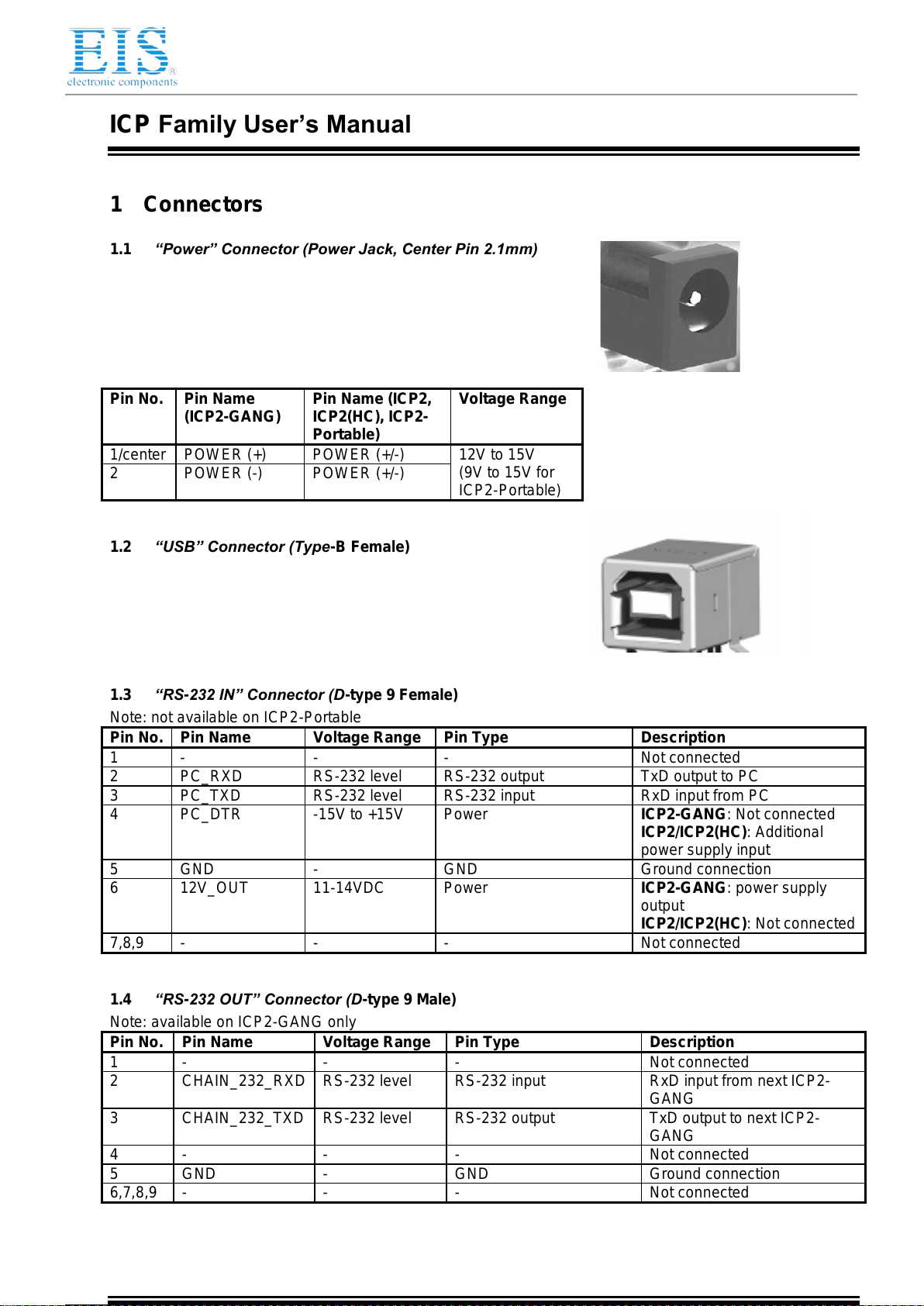
1.1 “Power” Connector (Power Jack, Center Pin 2.1mm) ........................................................................3
1.2 “USB” Connector (Type-B Female)....................................................................................................3
1.3 “RS-232 IN” Connector (D-type 9 Female).........................................................................................3
1.4 “RS-232 OUT” Connector (D-type 9 Male).........................................................................................3
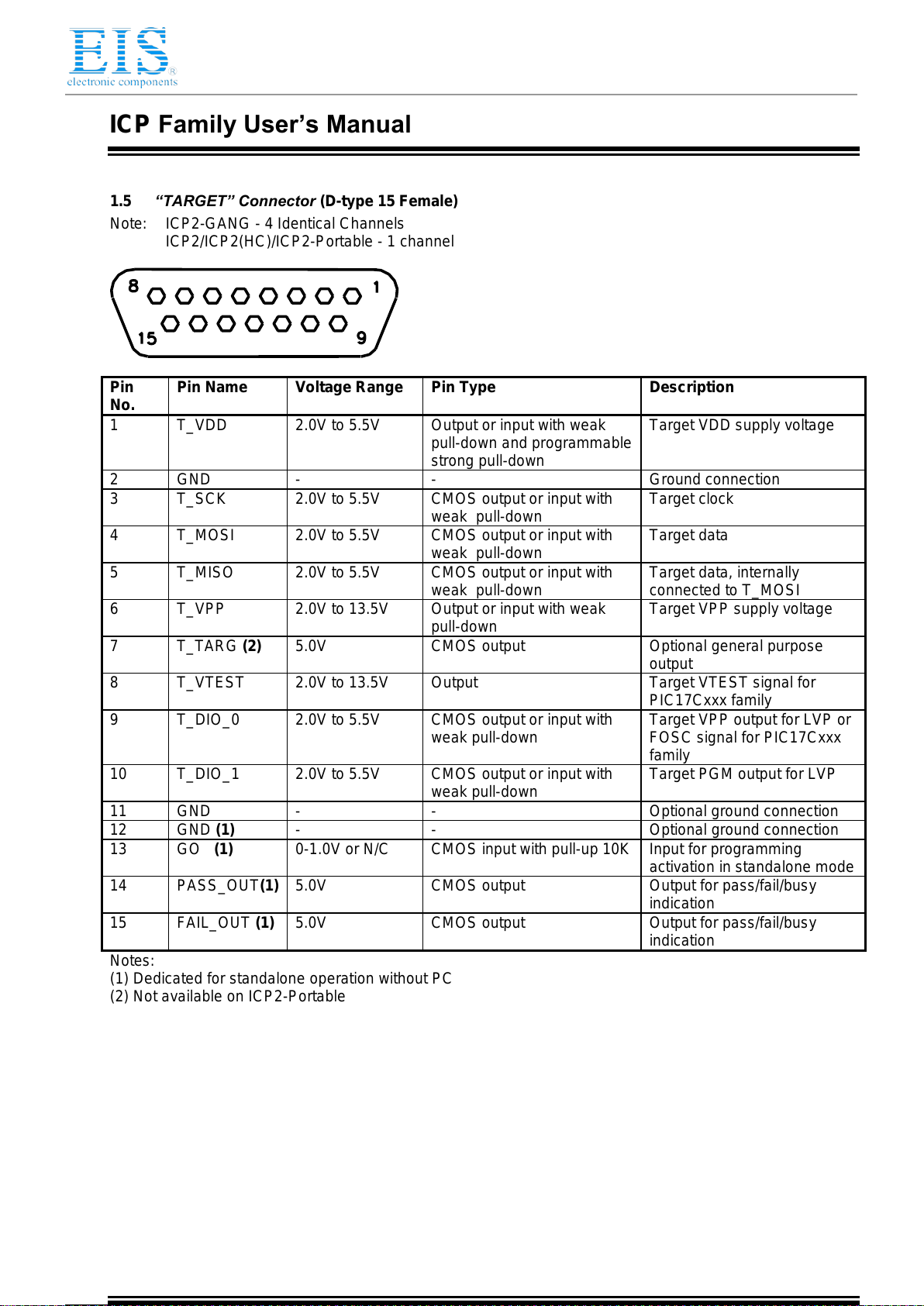
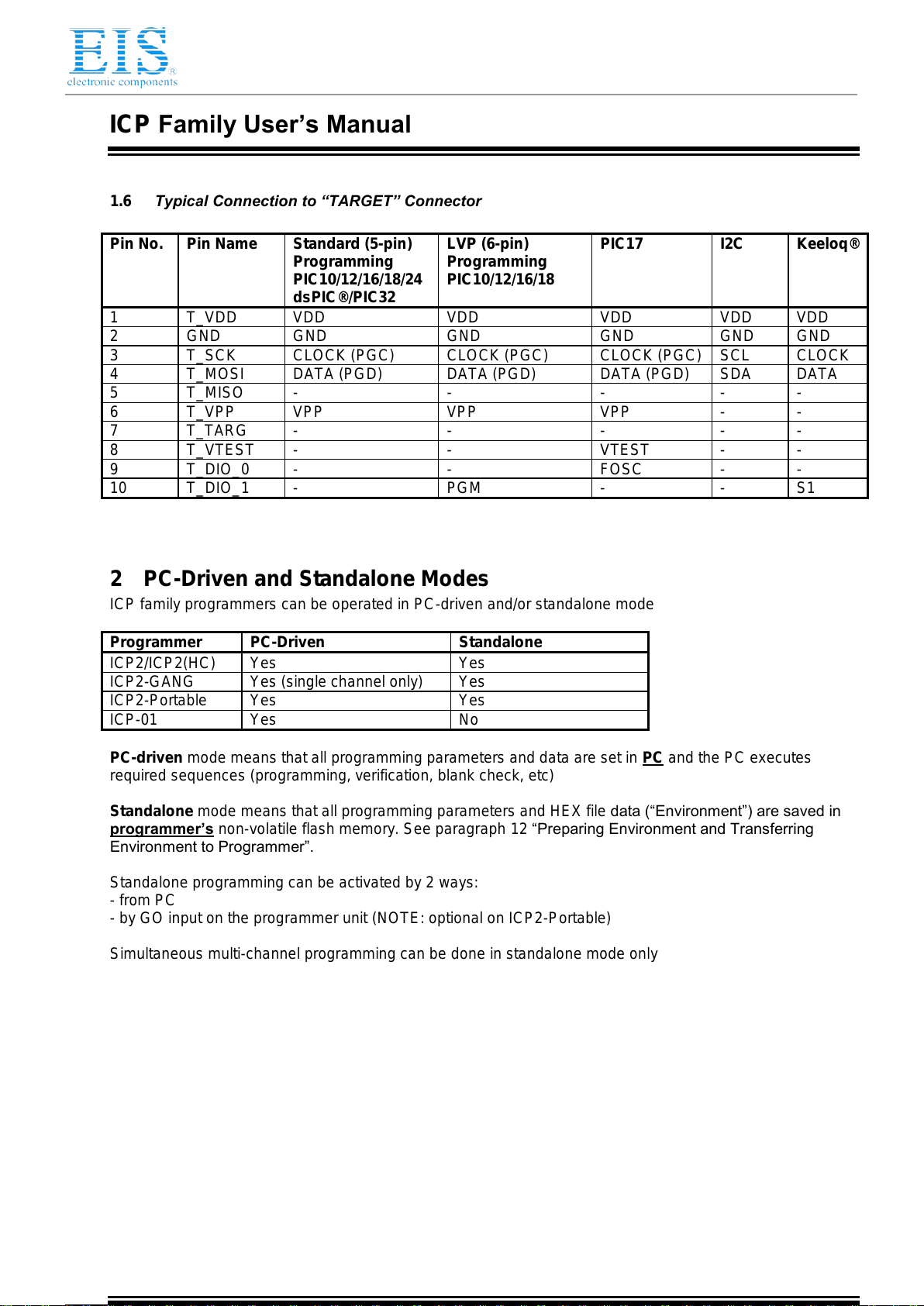
1.5 “TARGET” Connector (D-type 15 Female).........................................................................................4
1.6 Typical Connection to “TARGET” Connector .....................................................................................5
2PC-Driven and Standalone Modes..............................................................................................................5
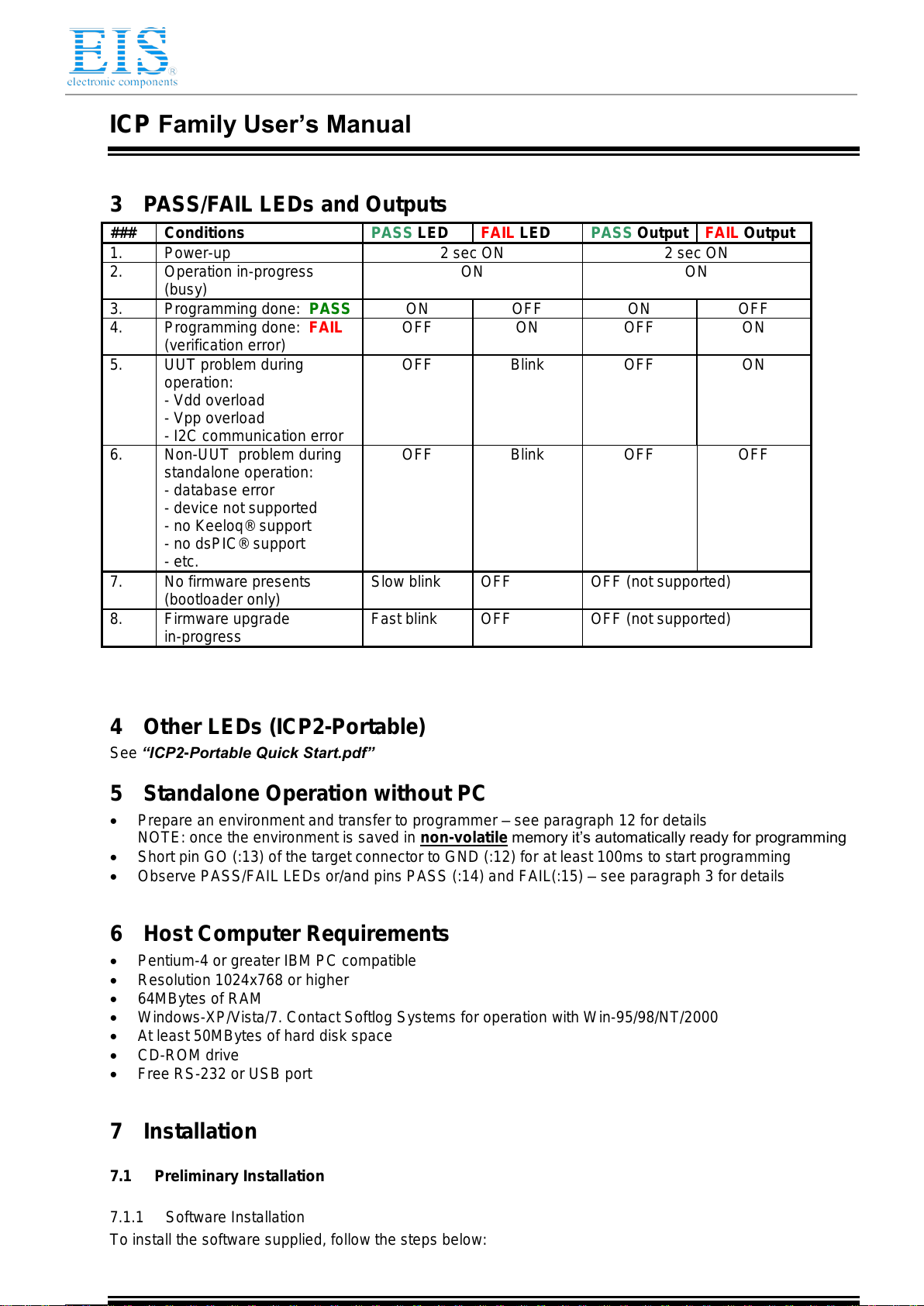
3PASS/FAIL LEDs and Outputs....................................................................................................................6
4Other LEDs (ICP2-Portable) .......................................................................................................................6
5Standalone Operation without PC...............................................................................................................6
6Host Computer Requirements.....................................................................................................................6
7Installation ...................................................................................................................................................6
7.1 Preliminary Installation .......................................................................................................................6
7.1.1 Software Installation .......................................................................................................................6
7.1.2 Preliminary Hardware Installation...................................................................................................7
7.2 ICP2-GANG Setup .............................................................................................................................7
7.3 ICP2-Portable Setup...........................................................................................................................7
7.4 ICP2/ICP2(HC) Software Setup .........................................................................................................7
7.4.1 Run ”ICP_Win.exe” Program..........................................................................................................7
7.4.2 Run “Programmer/Quick Start Wizard” and follow the Wizard.......................................................7
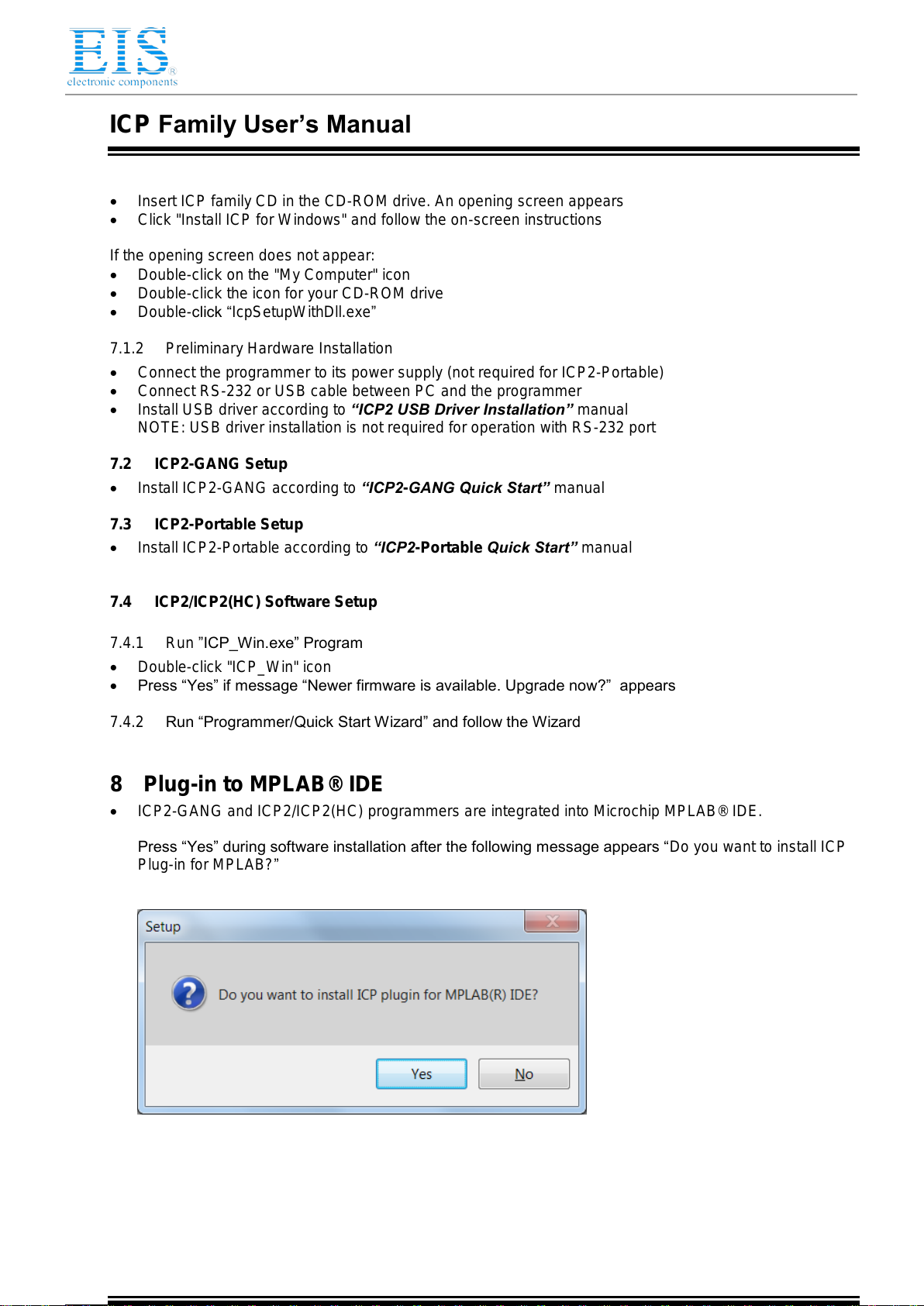
8Plug-in to MPLAB® IDE ..............................................................................................................................7
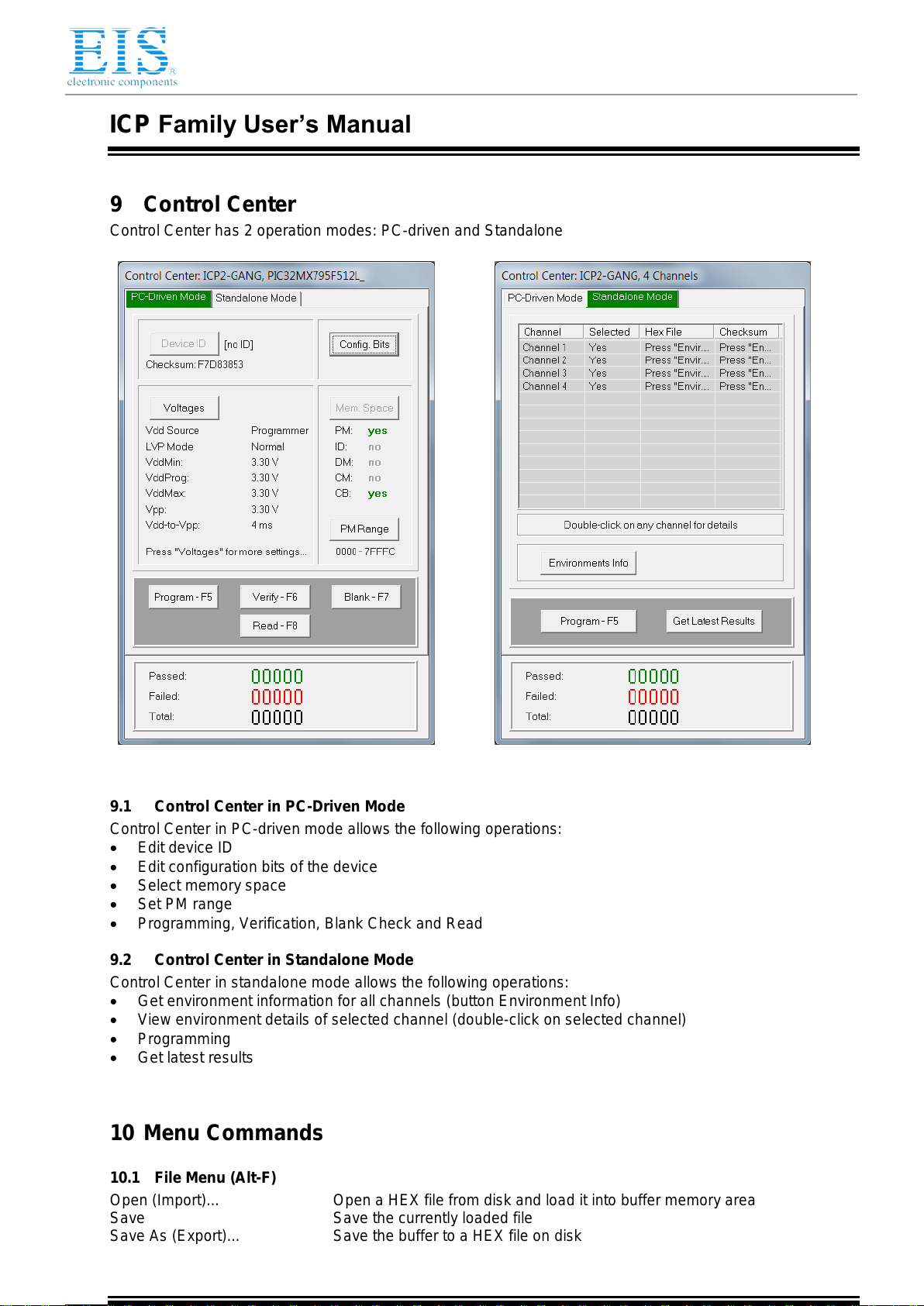
9Control Center.............................................................................................................................................8
9.1 Control Center in PC-Driven Mode.....................................................................................................8
9.2 Control Center in Standalone Mode...................................................................................................8
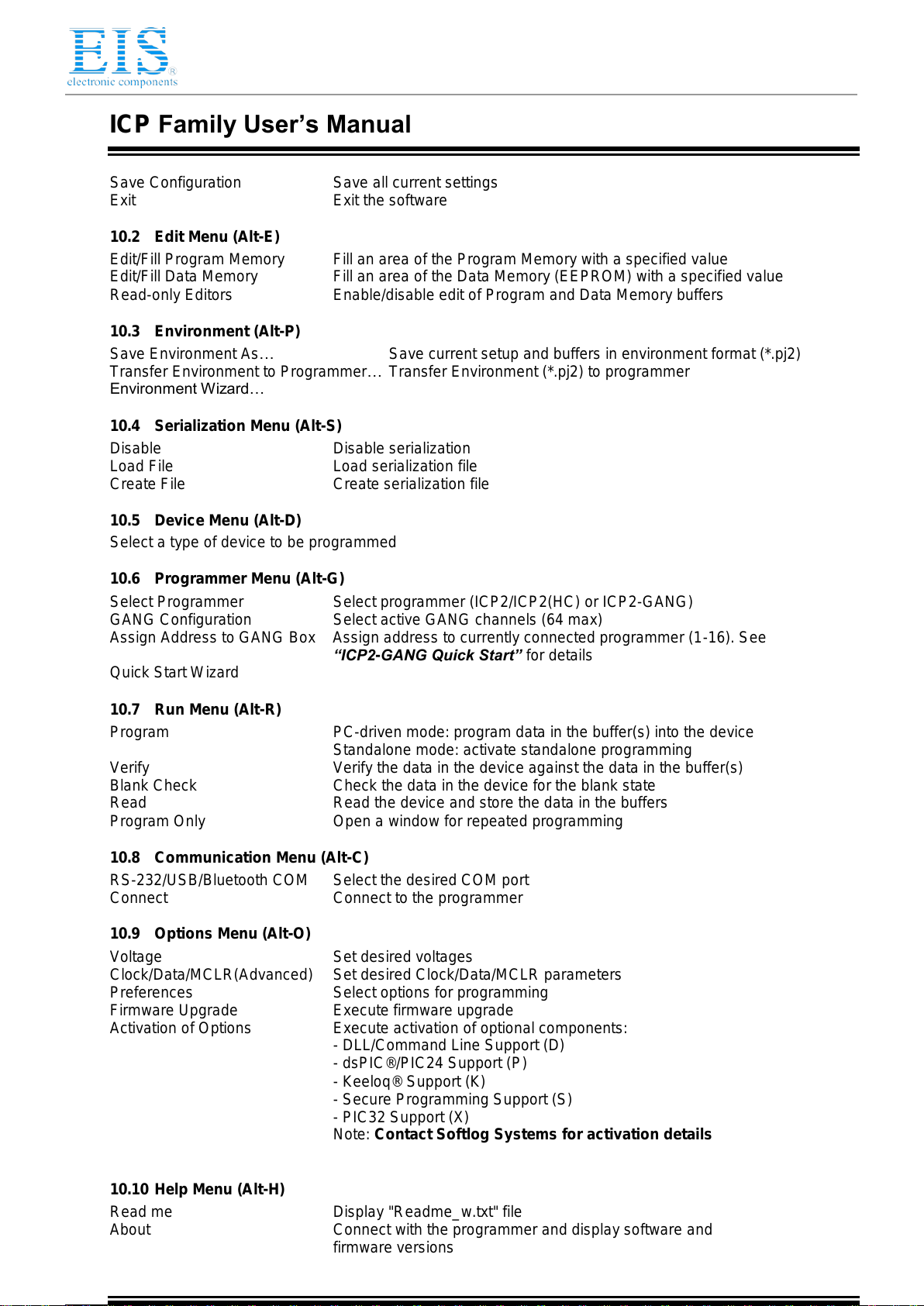
10 Menu Commands ...................................................................................................................................8
10.1 File Menu (Alt-F).................................................................................................................................8
10.2 Edit Menu (Alt-E) ................................................................................................................................9
10.3 Environment (Alt-P) ............................................................................................................................9
10.4 Serialization Menu (Alt-S)...................................................................................................................9
10.5 Device Menu (Alt-D)...........................................................................................................................9
10.6 Programmer Menu (Alt-G)..................................................................................................................9
10.7 Run Menu (Alt-R)................................................................................................................................9
10.8 Communication Menu (Alt-C).............................................................................................................9
10.9 Options Menu (Alt-O)..........................................................................................................................9
10.10 Help Menu (Alt-H)...........................................................................................................................9
11 Shortcuts...............................................................................................................................................10
12 Preparing Environment and Transferring Environment to Programmer...............................................10
13 Serialization..........................................................................................................................................11
13.1 Create Serialization File ...................................................................................................................11
13.2 Serialization File Example 1.............................................................................................................11
13.3 Serialization File Example 2 (User File Scheme).............................................................................12
13.4 Enable Serialization..........................................................................................................................12
13.5 Disable Serialization.........................................................................................................................12
14 Voltages................................................................................................................................................13
14.1 Menu: Options → Voltage ................................................................................................................13
14.2 Vdd Source and LVP Mode..............................................................................................................13
14.3 Vpp Voltage......................................................................................................................................13
14.4 Vdd-to-Vpp Delay .............................................................................................................................13
14.5 ICP-01 Compatibility.........................................................................................................................13
15 Clock, Data and MCLR/VPP.................................................................................................................14