www.smart-impulse.com Smarter Metering
Current measurement
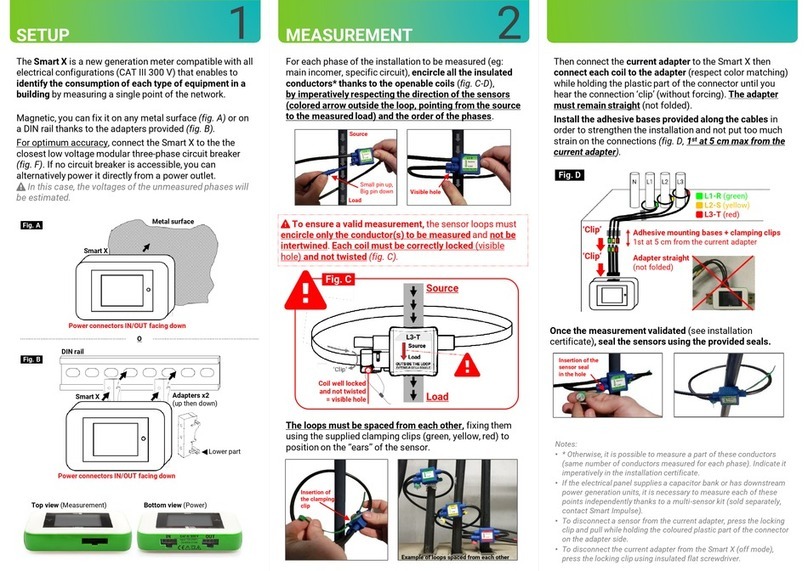
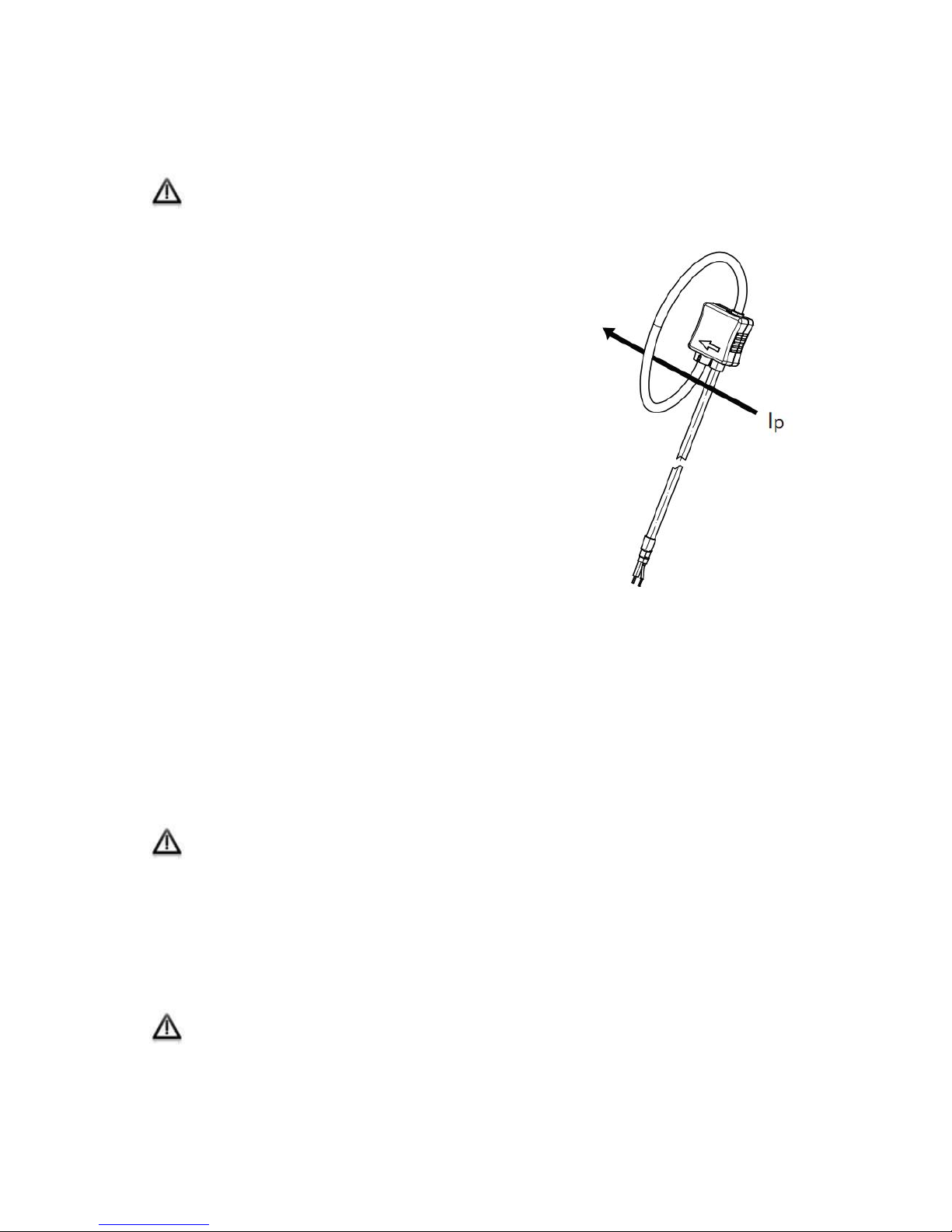
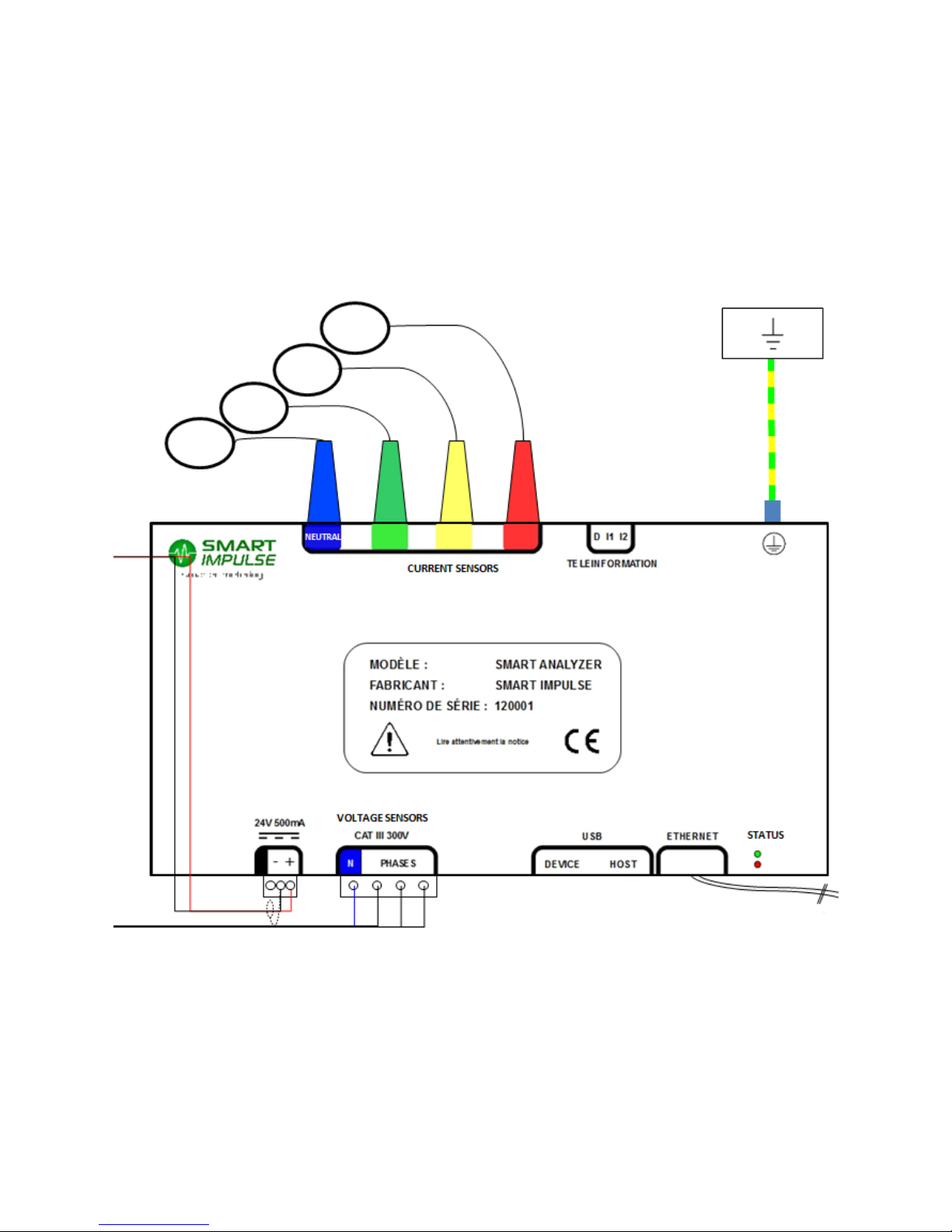
The Smart Analyzer® supports several types of probes such as the “Rogowski coils” type.
The order of phases and sensors direction are not important, the Smart Analyzer® will
restore them automatically in case of defect. Nevertheless, if used, the neutral current
sensor must absolutely be linked to the neutral wire.
To ensure a good installation of the sensors, it is
recommended to complete the following steps:
1) Install the coils around the conductors of the
different phases to measure: open the coil, pass it
around the conductor, and close it making sure it is
well locked.
2) Route the connection cables
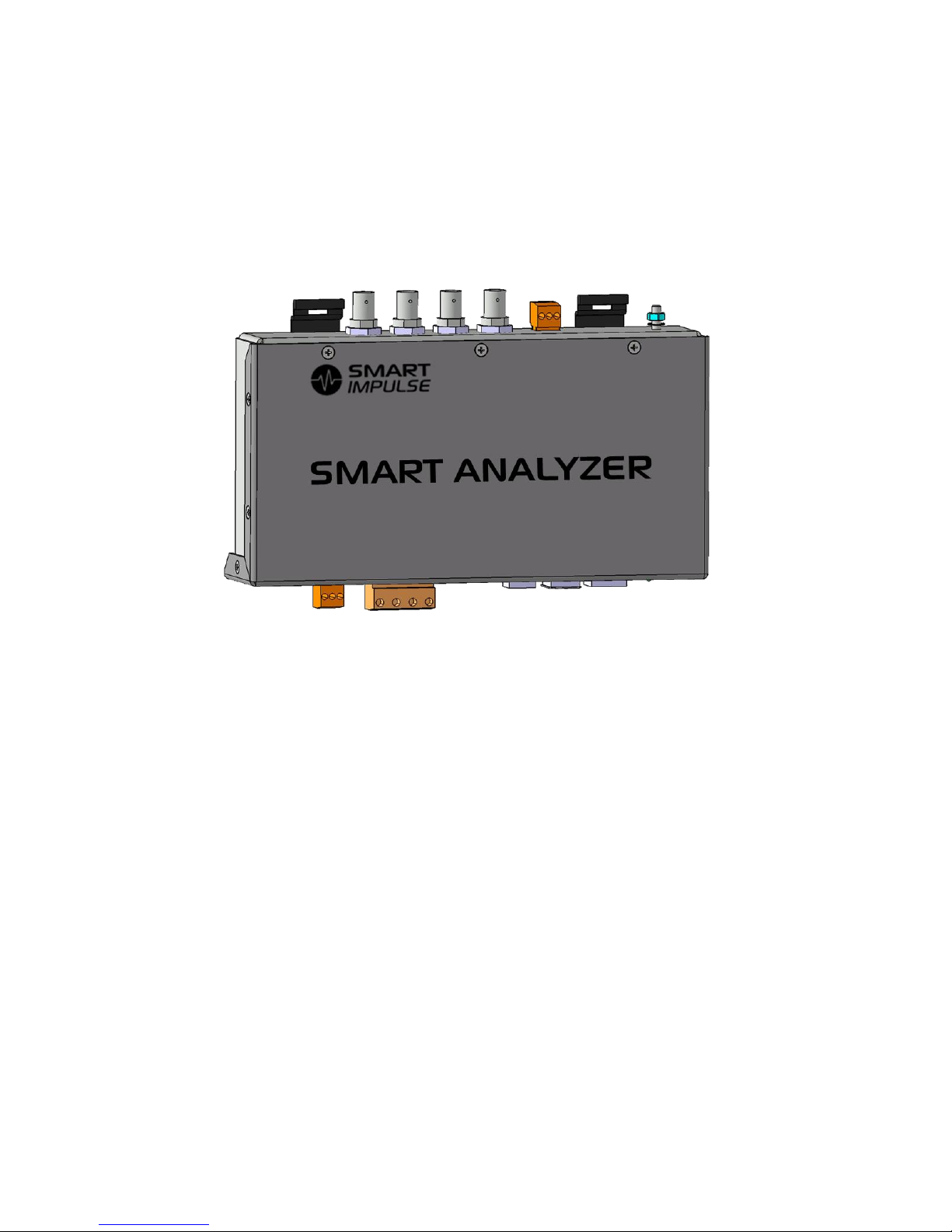
3) Connect the BNC plugs and ensure they are well
locked by quarter turn and clockwise.
Note 1: No need to short-circuit the secondary of the
Rogowski coils.
Note 2: if several wires ensure the current’s transit for a
given phase, the current sensor must link all these wires.
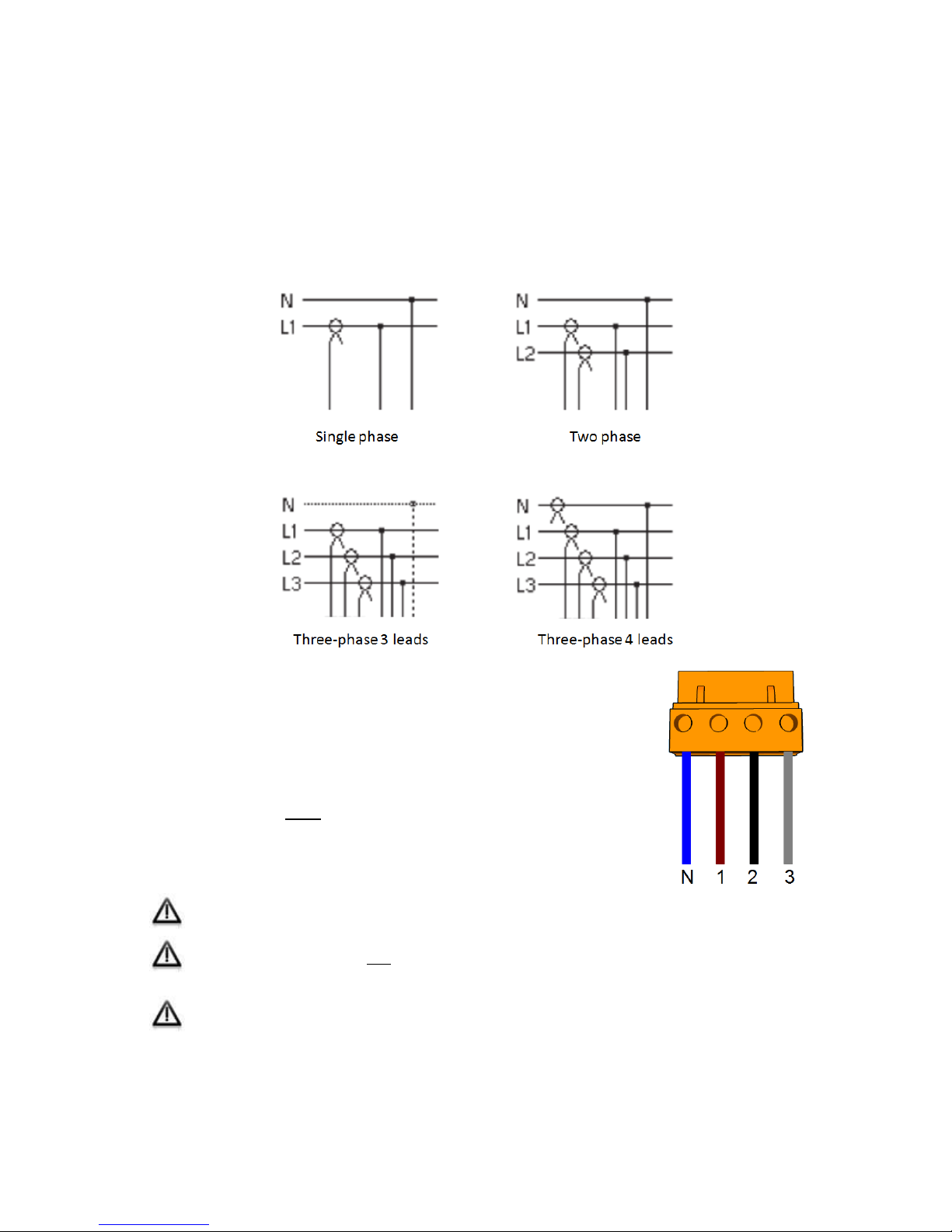
Note 3: For a single-phased installation, do not connect
phases 2 and 3.
4.3. Connection to the telecommunication network
The Smart Analyzer® must be connected to the Internet in order to have a continued access
to the processing server.
Local Area Network connection (LAN)
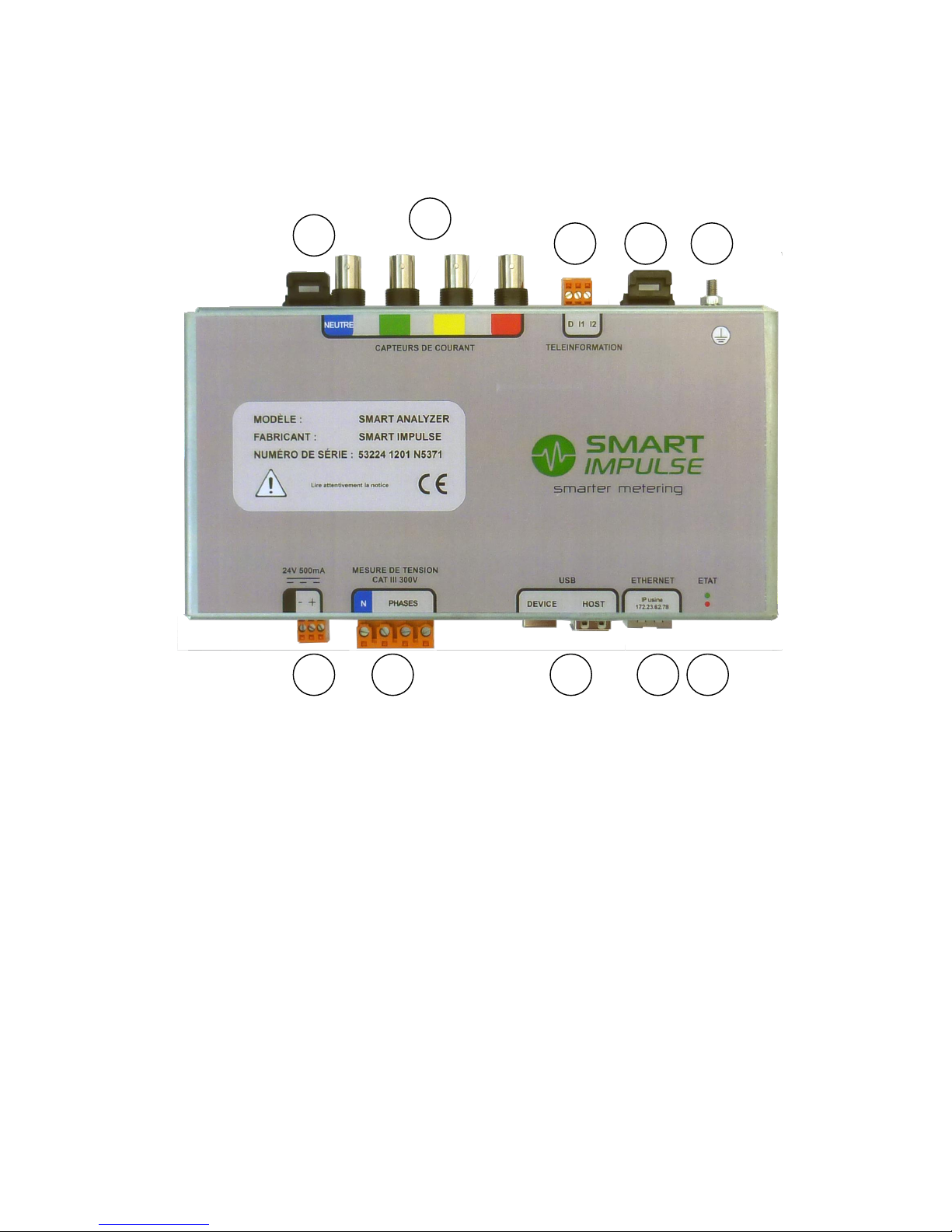
Connect an Ethernet cable of minimum category 5e S/FTP (shielded cable) on the RJ45 plug
located at the bottom of the box. The configuration is automatic in order to allocate an IP
address (by DHCP) and open a virtual private network (VPN) on the port 80.
The Ethernet communication speed of the Smart Analyzer® is 10/100 Mbps.
For any specific configuration or for the Wifi option, check page 10 of this manual.
3G modem connection
If the connection to the company’s LAN isn’t possible, install an Ethernet/3G router. In order
to do that, connect the Smart Analyzer® to the router with an Ethernet cable of minimum
category 5e S/FTP.
The 3G coverage in electrical rooms can be random. A study can be made to position
the radiocommunication antenna correctly.