User Manual for USB Skype Mouse
- 3 - Version 1.0.0.0 2007-03-22
LearnAboutYourPhone
Overview
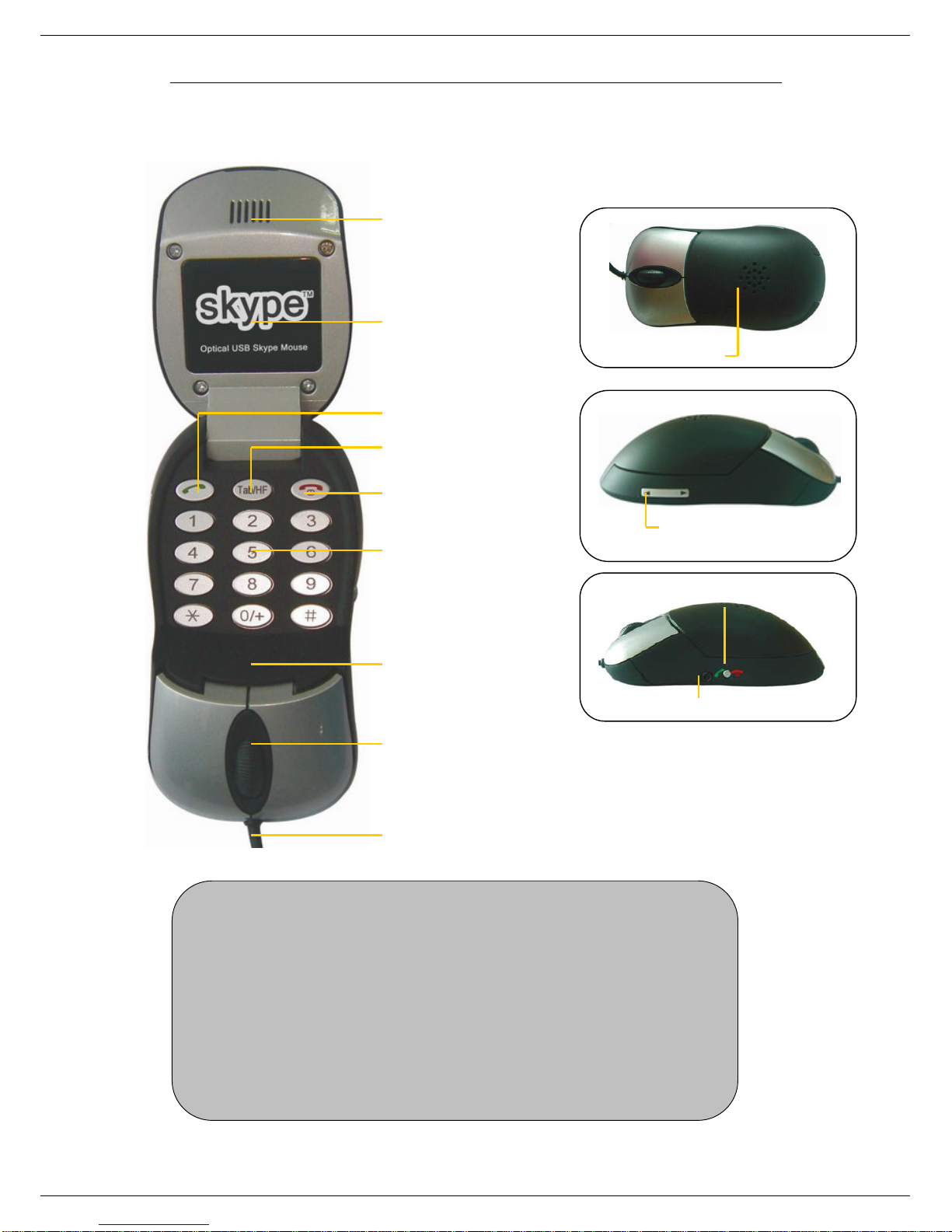
With high quality USB audio feature, this optical USB Skype Mouse can also be used as a mini
computer hi-fi speaker to play music. Moreover, when you flip the cover of the mouse, the fully
functional keypad inside can help you make/receive VoIP calls even easier. No doubt it is the
best PC companion for you to surf the Internet and enjoy various popular VoIP services.
As a mouse:
z1.8m USB cable (USB 1.1)
z800 dpi optical sensor
As a Hi-Fi Speaker:
zCrystal clear sound quality
z48 KHz sampling rate
zSupplied earphone to protect your privacy.
As a VoIP Phone:
zAuto detection between mouse and VoIP phone
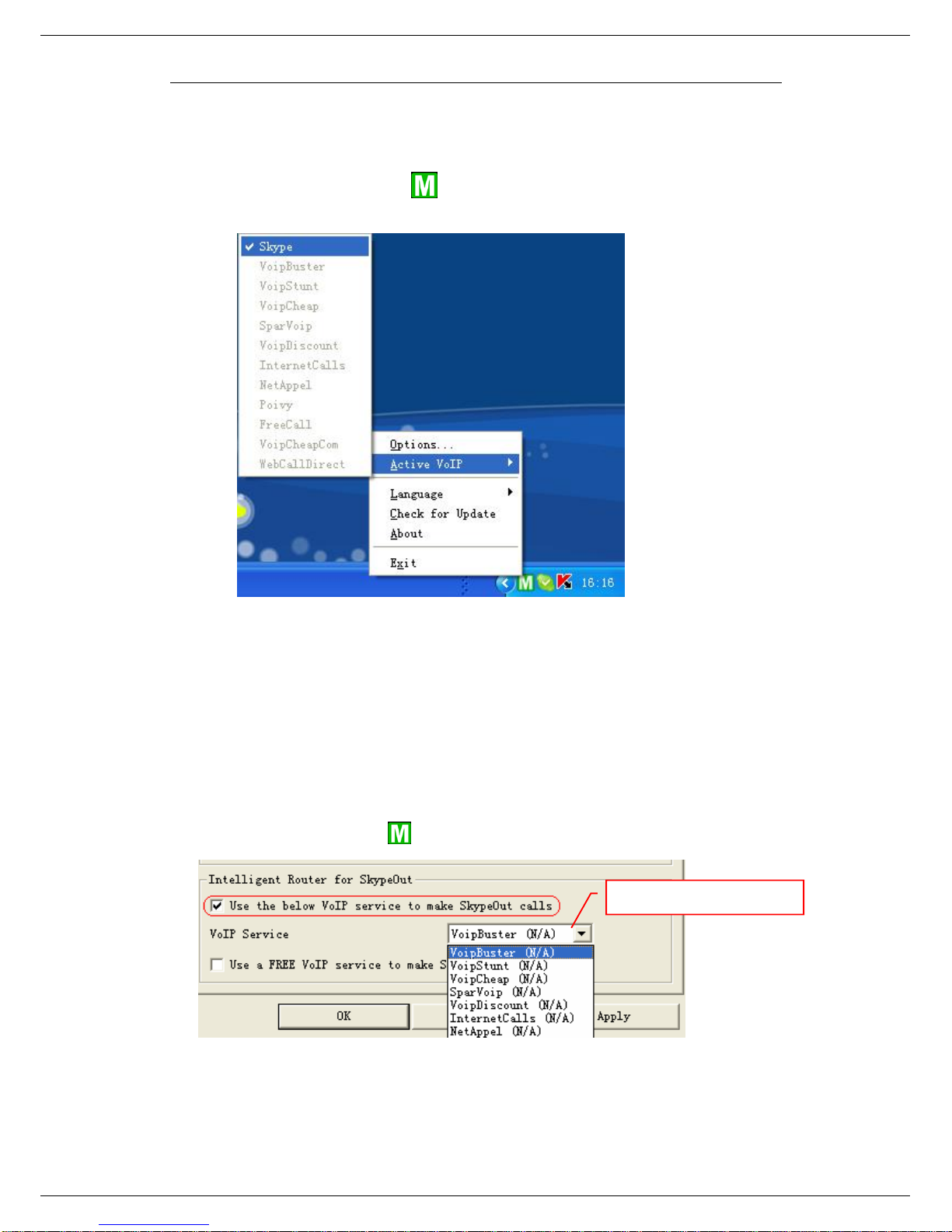
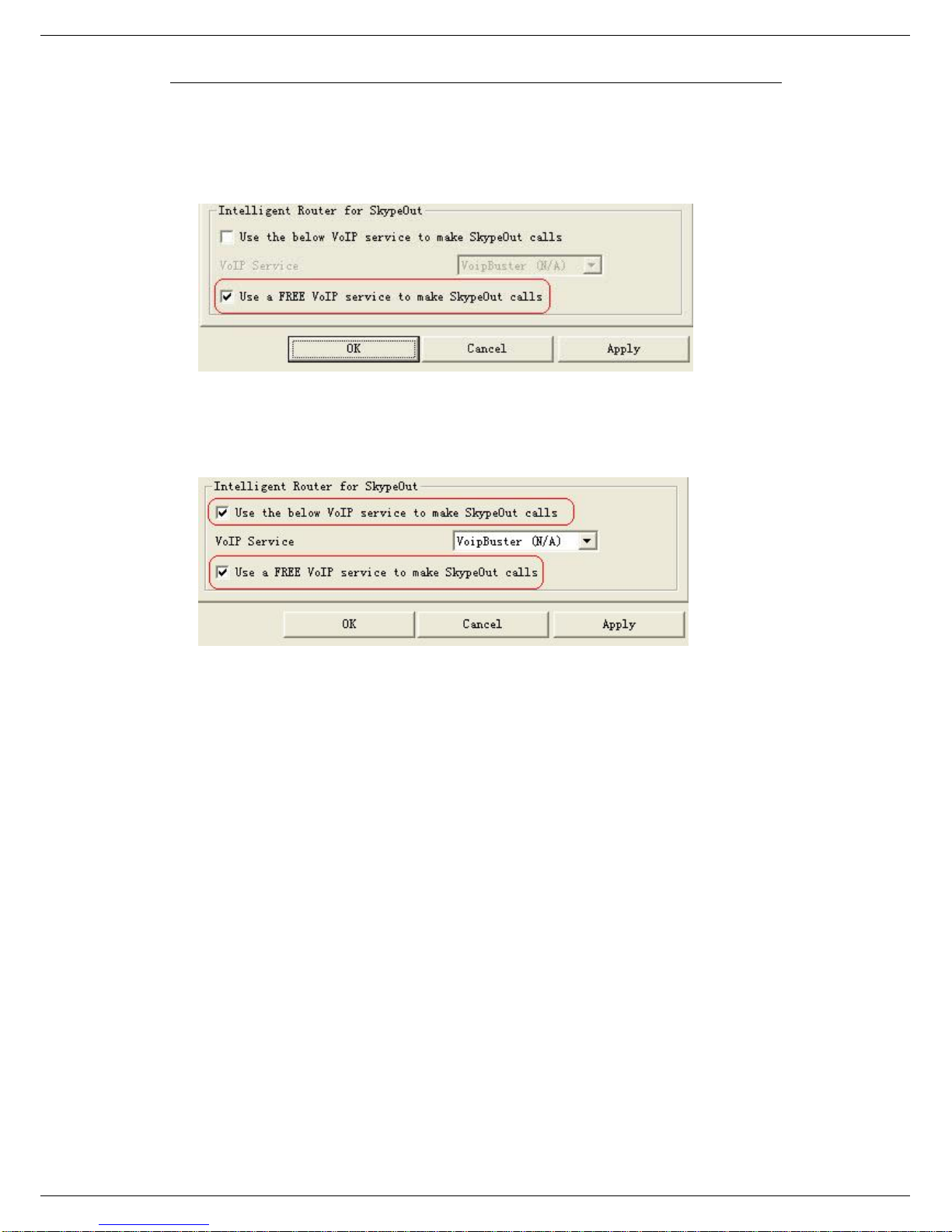
zSeamlessly integrated with Skype, VoipButser, VoipStunt, VoIPCheap, VoipDiscount,
SparVoip, Internetcalls, poivY, WebCallDirect, VoipCheapCom, FreeCall and
NetAppel.
zHands-free speakerphone function.
zVarious chord music ring tones catering to different tastes.
zRings loudly on an incoming call.
zAcoustically isolated earpiece and microphone to eliminate echo.
zFull-duplex communication with crystal clear voice.
Specifications
Weight 119g
Dimensions 105mm*55mm*33mm
Cabling 1.8M USB Cable (USB 1.1)
Mouse Optical Sensor 800 dpi
Earphone Connector 2.5mm
Voltage 4~5.25 V
Operating Humidity 5~95%RH
Operating Temperature 0~40℃
SystemRequirements
9Microsoft Windows 2000/XP
9Pentium 400MHz above processor/128MB RAM/16MB free hard disk capacity.
9One USB port available.
9Internet connection (ADSL, Cable Modem, Dial-Up, Wireless LAN)