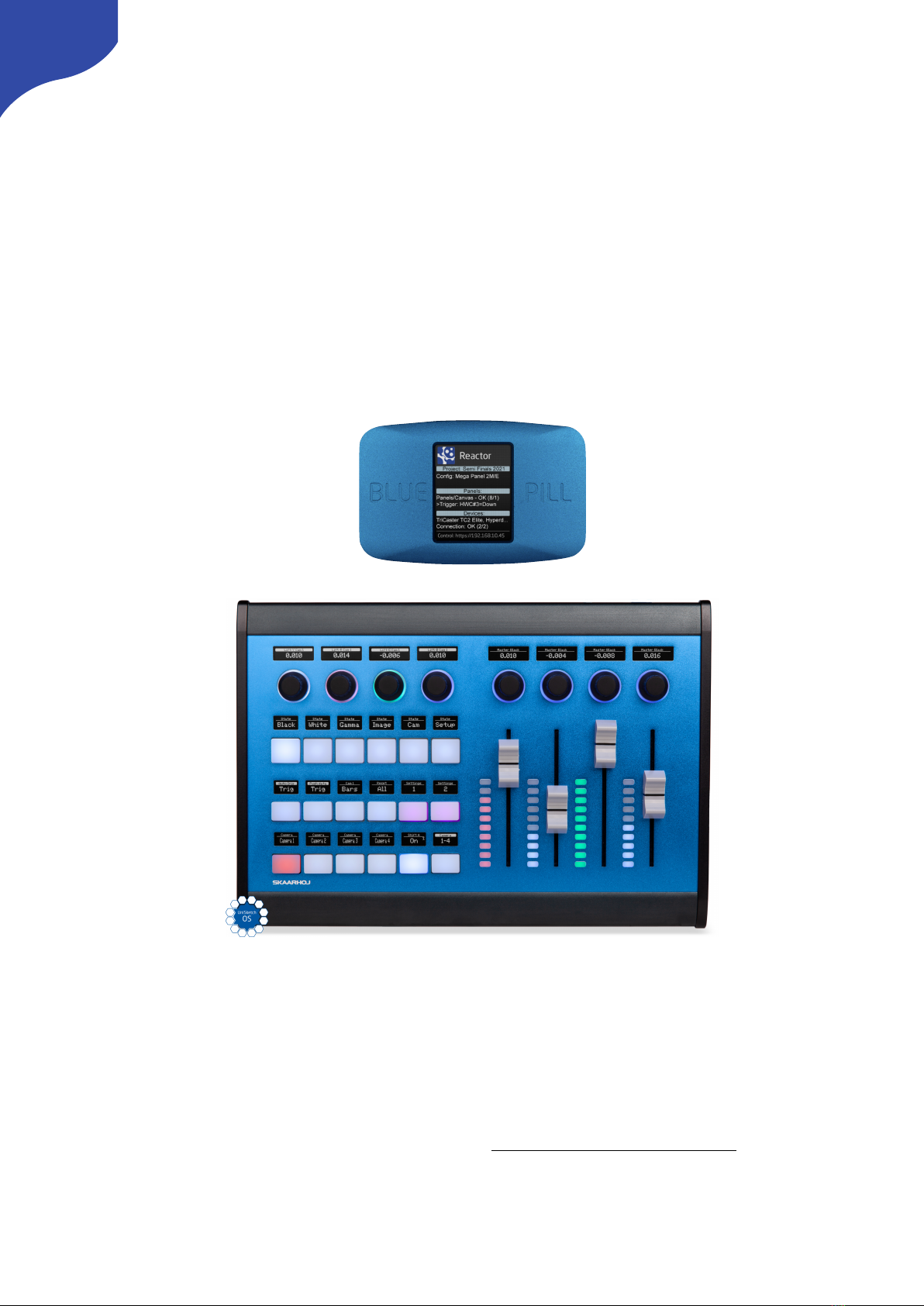
SKAARHOJ Blue Pill Manuel utilisateur

Contents
Contents 2
Important Information 4
Legal Notice 4
Warnings 4
Maintenance Precautions 4
Regulatory Compliance 4
Overview 5
Features 5
Controller Diagram 6
Color Fly v2 Top 6
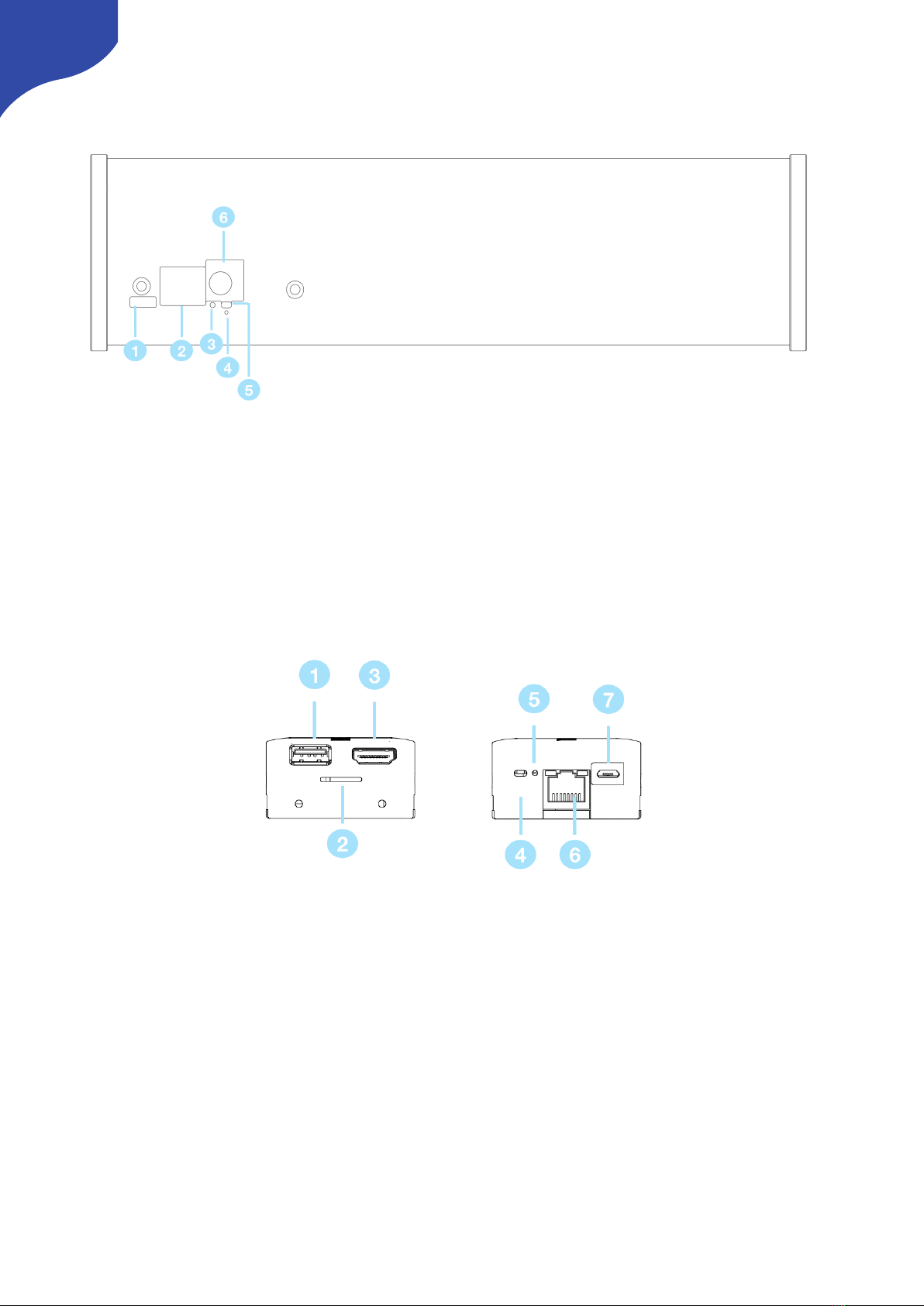
Color Fly v2 Backside 7
Blue Pill Port Sides 7
System Configuration 8
Connection 8
Power 8
Network Recommendations 9
Power over Ethernet (PoE) Specifications 9
Accessing Blue Pill 9
DHCP or Static IP 9
Wi-Fi Access Point 10
Link from SKAARHOJ Firmware Updater 10
SKAARHOJ Firmware Updater and Micro USB 11
Adding Panels 11
Auto Discover 12
Manually Added 12
Panel Details 12
Confirm Connection 13
Select Mapping 14
Adding Devices 14
Auto Discover 14
Manually Added 15
Device Details 15
Populate Constant Sets 16
Connecting UniSketch Controllers 17
Blue Pill Mode - Via Serial monitor 17
Blue Pill Mode - Via Special Key 18
Fixed Configuration 18
Controller Use 20
Color Fly v2 20
2

Important Information
Legal Notice
Attention:
The content and instructions of this document are
subject to change without prior notice. Updates
will be added to the manual.
Best effort have been conducted to verify the
correctness of the content in this manual, but no
statement, information, or recommendation in this
manual shall constitute formal guarantee of any
kind, expressed or implied. We shall not be held
responsible for any technical or typographical
error in this manual.
The product and graphic appearance
demonstrated in this manual is for reference only,
and may differ from the actual appearance of your
device and associated software applications.
Use of this manual and the subsequent result shall
be entirely on the user’s own responsibility.
Reference to product names of other companies
in this manual are the trademark or registered
trademark of the respective companies.
Warnings
•If the product does not work properly,
please contact your dealer. Never attempt
to disassemble the controller yourself (we
will not assume any responsibility for
problems caused by unauthorized repair
or maintenance)
•This installation should be made by a
qualified service person and should
conform to all the local codes
•When shipping, the controller should be
packed in its original packaging
•Make sure the power supply voltage is
correct before using the controller
•Do not drop the controller or subject it to
physical shock
Maintenance Precautions
•If there is dust on the controller and the
displays, remove the dust gently using a
oil-free brush or dust blowing apparatus
•Do not use organic solvents, such as
benzene or ethanol when cleaning the
surface of the controller
Regulatory Compliance
For private households: Information on
Disposal for Users of WEEE
This symbol on the product(s)
and / or accompanying documents
means that used electrical and
electronic equipment (WEEE)
should not be mixed with general
household waste. For proper
treatment, recovery and recycling, please take this
product(s) to designated collection points where
it will be accepted free of charge.
Alternatively, in some countries, you may be able
to return your products to your local retailer upon
purchase of an equivalent new product.
Disposing of this product correctly will help save
valuable resources and prevent any potential
negative effects on human health and the
environment, which could otherwise arise from
inappropriate waste handling.
Please contact your local authority for further
details of your nearest designated collection
point.
Penalties may be applicable for incorrect disposal
of this waste, in accordance with you national
legislation.
For professional users in the European Union
If you wish to discard electrical and electronic
equipment (EEE), please contact your dealer or
supplier for further information.
For disposal in countries outside of the
European Union
This symbol is only valid in the European Union
(EU). If you wish to discard this product please
contact your local authorities or dealer and ask for
the correct method of disposal.
4
Figure 1

Overview
This user guide is suitable for the following
models
-Color Fly v2 using a Blue Pill with RED default
configuration
Features
•Support for RED Protocol including
•Focus
•Iris
•Color Offset Red/Blue/Green
•White Balance
•Auto White Balance
•Color Temperature
•ISO
•Shutter Speed
•Shutter Mode
•Power (Gain) Red/Blue/Green
•Color Saturation
•Slope Red/Blue/Green
•Tint
•Display Preset
•Highlight Roll-Off
•Paint Preset
•Record Start/Stop
•Audio Source
•Audio Gain
•Super crisp window with large display tiles for
settings
•High-quality encoders with RGB backlight for
function identification
•Camera ID display with OLED technology
•Four-way buttons with OLED legends for
dynamic labelling and functionality
•Motorized iris faders
•Power: DC 12V, 5W-30W PoE (+)
•PoE Standard: IEEE 802.3af/t
•Firmware Upgrade via networked connection
•DB9 (EXT I/O) connector
•Option for changing configuration layout
5

Controller Diagram
Color Fly v2 Top
1. 4 rotary encoders with RGB backlight and OLED displays for function identification
2. 4 rotary encoders with RGB backlight and OLED displays for future variable function
3. Variable function control
4. 4 motorized faders for Iris control
5. Menu navigation buttons
6. Camera select and panel lock buttons
6

Color Fly v2 Backside
1. Micro USB Port for serial communication with SKAARHOJ Firmware Updater
2. IP Network RJ45 Port for IP Control and PoE Standard: IEEE 802.3af
3. Status LED for monitoring and debugging
4. Reset, use only under the guidance of SKAARHOJ support
5. Config Button, to enable WiFi Access Point
6. 12V DC Power Supply, connect the supplied DC Power adaptor
Blue Pill Port Sides
1. USB-A Port. See Blue Pill/Reactor Manual for additional information
2. SKAARHOJ Expansion Slot. See Blue Pill/Reactor Manual for additional information.
3. HDMI Port for Image Grabber. See Blue Pill/Reactor Manual for addition information.
4. Config Button to enable WiFi Access Point. See Accessing Blue Pill section
5. Status LED for monitoring and debugging
6. IP Network RJ45 Port for IP control and 5W-30W PoE(+)/PoE Standard: IEEE 802.3af/t
7. Micro USB Port for serial communication and 5V power
7

System Configuration
Connection
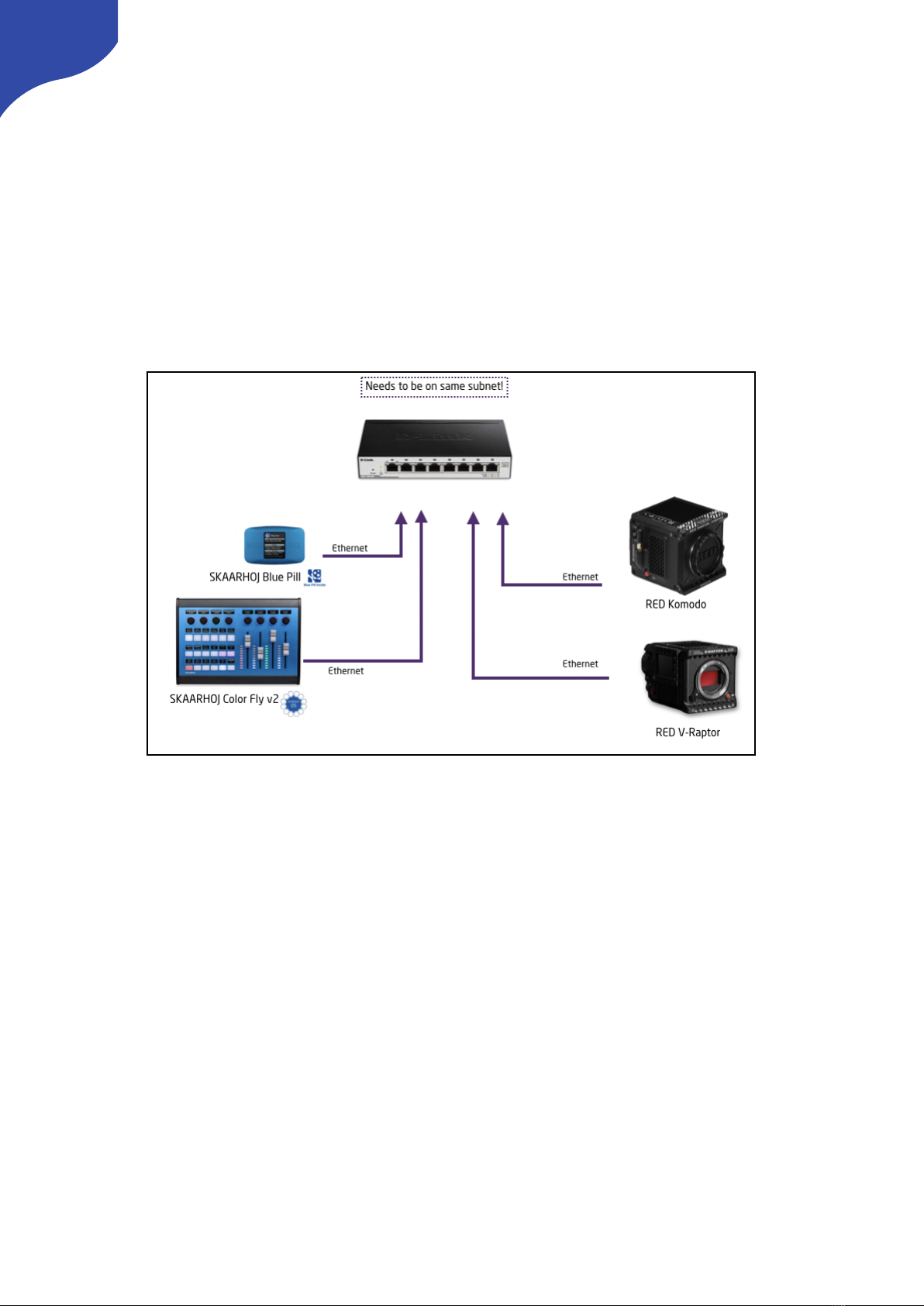
The SKAARHOJ Blue Pill communicates to
camera(s) and the SKAARHOJ controllers via a
networked IP connection. For the RED cameras
this can be via WiFi connection in the camera to
the network or RED’s USB-C adaptor to ethernet
adaptor is needed for the Komodo, the V-Raptor
has it built in.
The layout of the configuration for the Color Fly is
done towards control of multiple cameras in
groups of 4. No video signal processing is done
on the SKAARHOJ RCP Pro.
Power
•Use only the DC power adapter supplied with the controller. Do not use any other DC power
adaptor
•The Blue Pill can be used with a PoE switch providing 5W-30W PoE (+)/PoE Standard: IEEE 802.3af/t
•The UniSketch controllers can be used with a PoE switch providing PoE Standard: IEEE 802.3af
•Ensure the PoE provider has sufficient power budget to power the controller. Otherwise it will not
function properly
8

Network Recommendations
•SKAARHOJ controllers have a 100 mbps network interface
•Network switch must have Auto-MDI/MDIX
•Network switch must support 100 mbps
•PoE: IEEE 802.3af
•SKAARHOJ controllers only support Half Duplex mode without Auto-Negotiate
Remember a SKAARHOJ controller and client must be on the same subnet (192.168.10.* or one defined
for the local network used by the controller). With multiple SKAARHOJ units connected to the same
network they need to have different IP addresses!
Power over Ethernet (PoE) Specifications
We use the PoE industry standard 5W-30W PoE (+) IEEE802.3af/t. To power our controllers using PoE it is
important the switch supports this standard. Please notice some manufactures such as Ubiquity have their
own non-standard 24V type of PoE which is incompatible with our controllers. Especially pay attention to
the standard when using a PoE injector.
Accessing Blue Pill
DHCP or Static IP
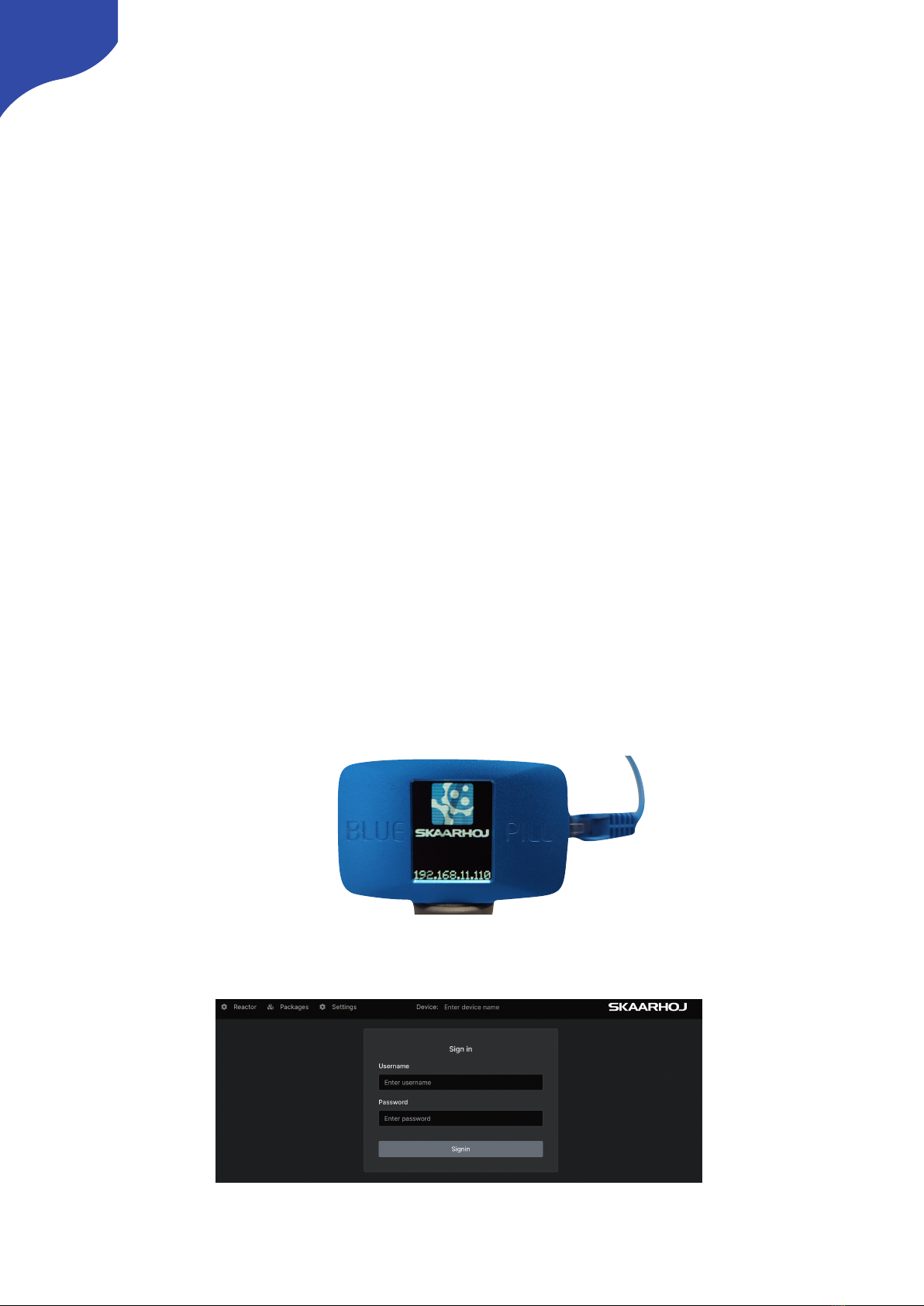
The Blue Pill’s user interface is accessed via the device’s IP Address and any web browser. The IP address
can be found on the display after it is plugged into a network connection with PoE or a network
connection and a power supply (5V Micro USB).
Entering the IP address into the address bar of a search engine will bring up a prompt for username and
password. The default is username: admin password: skaarhoj
9

Wi-Fi Access Point
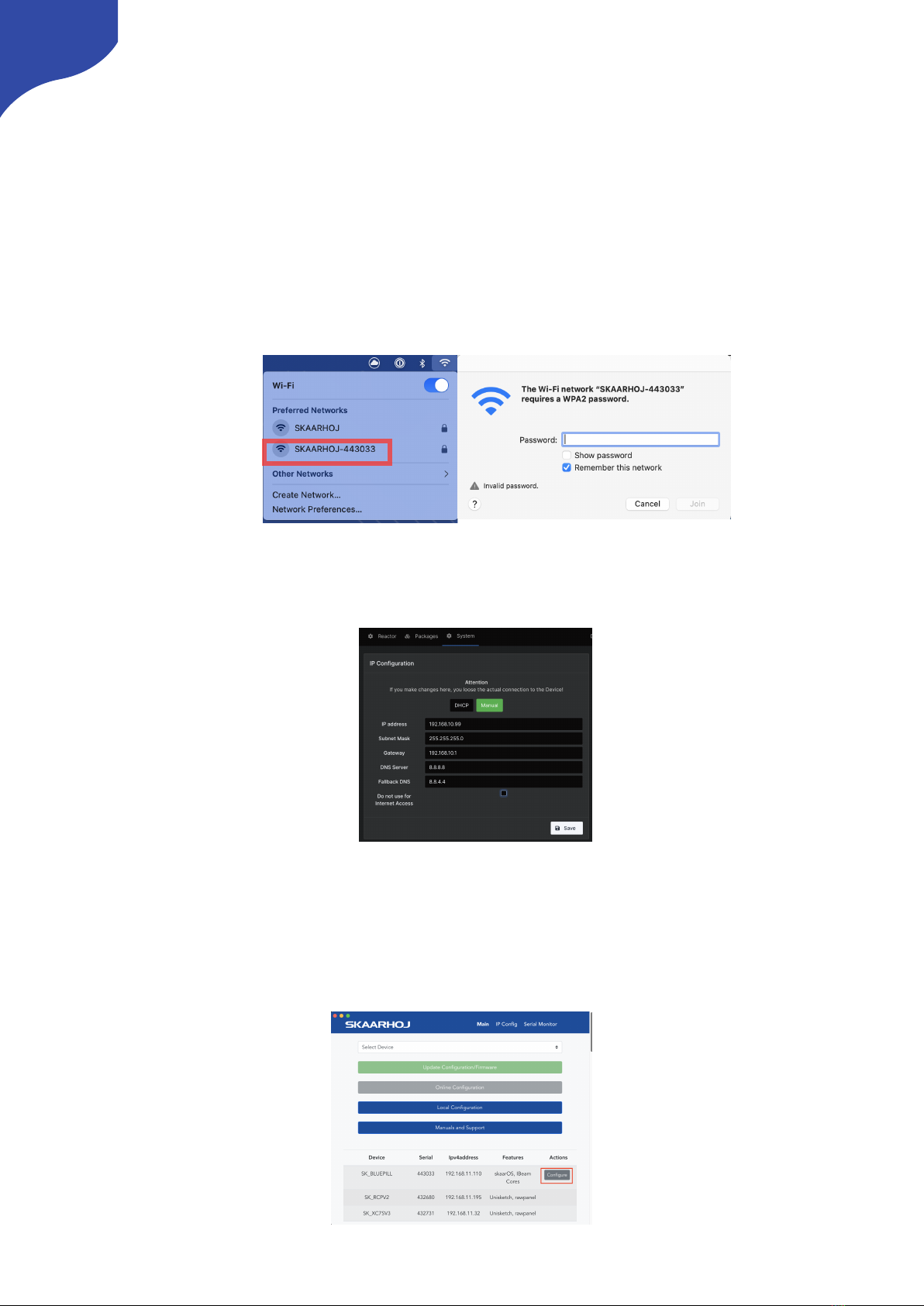
If the Blue Pill is not displaying an IP address, the web interface is accessible by enabling the internal Wi-Fi
access point.
To enable the Wi-Fi access point, gently press and hold the config button on the side of the Blue Pill for
about 3 seconds (Found next to the Ethernet jack. Use a flat screw driver, a paper clip or similar). When
released, it will enable the internal Access Point and the LED will light up purple. It will show up in the Wi-
Fi networks list as SKAARHOJ-XXXXXX (Blue Pill’s serial number).
The default password is: skaarhoj
The web interface is then accessed at the IP address: 192.168.4.1
After accessing the Blue Pill it is best to navigate to the System Menu/System page to set a static IP
address. Once saved, the new IP address will appear on the Blue Pill’s display, it may be necessary to
reboot or power cycle the device afterwards.
Link from SKAARHOJ Firmware Updater
If the SKAARHOJ Firmware Updater open on a computer running on the same subnet as the Blue Pill, the
Blue Pill should appear below the main controller access buttons of the updater. Clicking on Configure
next to the panel’s information will open the web interface directly. The Blue Pill does not need to be
connected to the computer via USB.
10
Table des matières
Autres manuels SKAARHOJ Contrôleurs