EvalAg5800 - User Manual
5.3 Input Signature and Classification
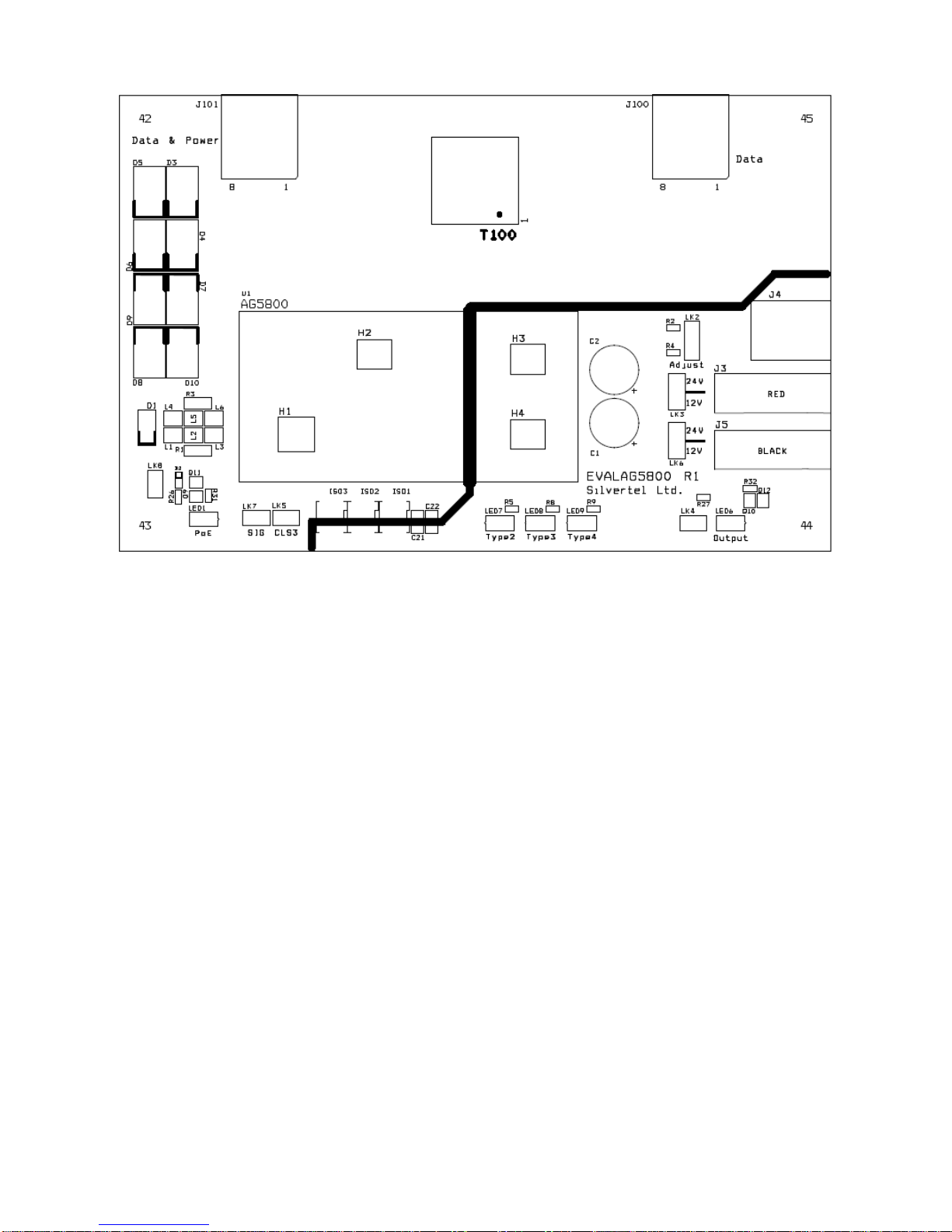
The EVALAg5800 board will automatically direct the power from J101 to the Ag5800’s
input.
The Ag5800 provides a 25K signature required to be powered from an IEEE compliant
PSE. The EvalAg5800 has been designed to be powered from an IEEE802.3bt PSE
such as SilverTel’s Ag6800 PSE module. However the Ag5800 has also provisions for
being powered from Legacy PSE’s such as PoH or Phihongs 12.5K signature PSE.
5.3.1 Powered from POH PSE
If the EvalAg5800 is connected to a PoH (Power Over HDBaseT) PSE then by fitting a
link to LK5 will alter the classification that the Ag5800 displays allowing the PSE to send
the full amount of power to the Ag5800.
5.3.2 Powered from Phihong 12.5K Signature PSE
The Ag5800 is designed to work with Legacy PSE’s such as Phihongs
POE80U/POE60U PSE. By fitting LK7 it will connect the SA1 and SA2 signature
adjustment pins altering the Ag5800 signature to 12.5K.
For all other PSE’s these pins should be left unconnected.
5.3.3 PSE Detect
When the EVALAG5800 board is connected to a compliant IEEE PSE the Ag5800 will
detect the Type of PSE and the on board LED’s will illuminate accordingly:
For example if an IEEE802.3at (PoE+) compliant PSE such as a Phihong POE36U-
1AT-R is connected via J101 the PSE will detect Class 4 and output 2-Event
classification pulses. In turn the Ag5800 detects these pulses and activates the Type 2
detect output. This output is connected to an opto-isolator to cross the isolation barrier
and LED 7 will be illuminated.
When the EVALAG5800 board is connected to an IEEE802.3bt Type 3 compliant PSE,
the Ag5800 activates the Type 3 detect output and LED 8 will be illuminated.
When the EVALAG5800 board is connected to an IEEE802.3bt Type 4 compliant PSE,
the Ag5800 activates the Type 4 detect output and LED 9 will be illuminated.
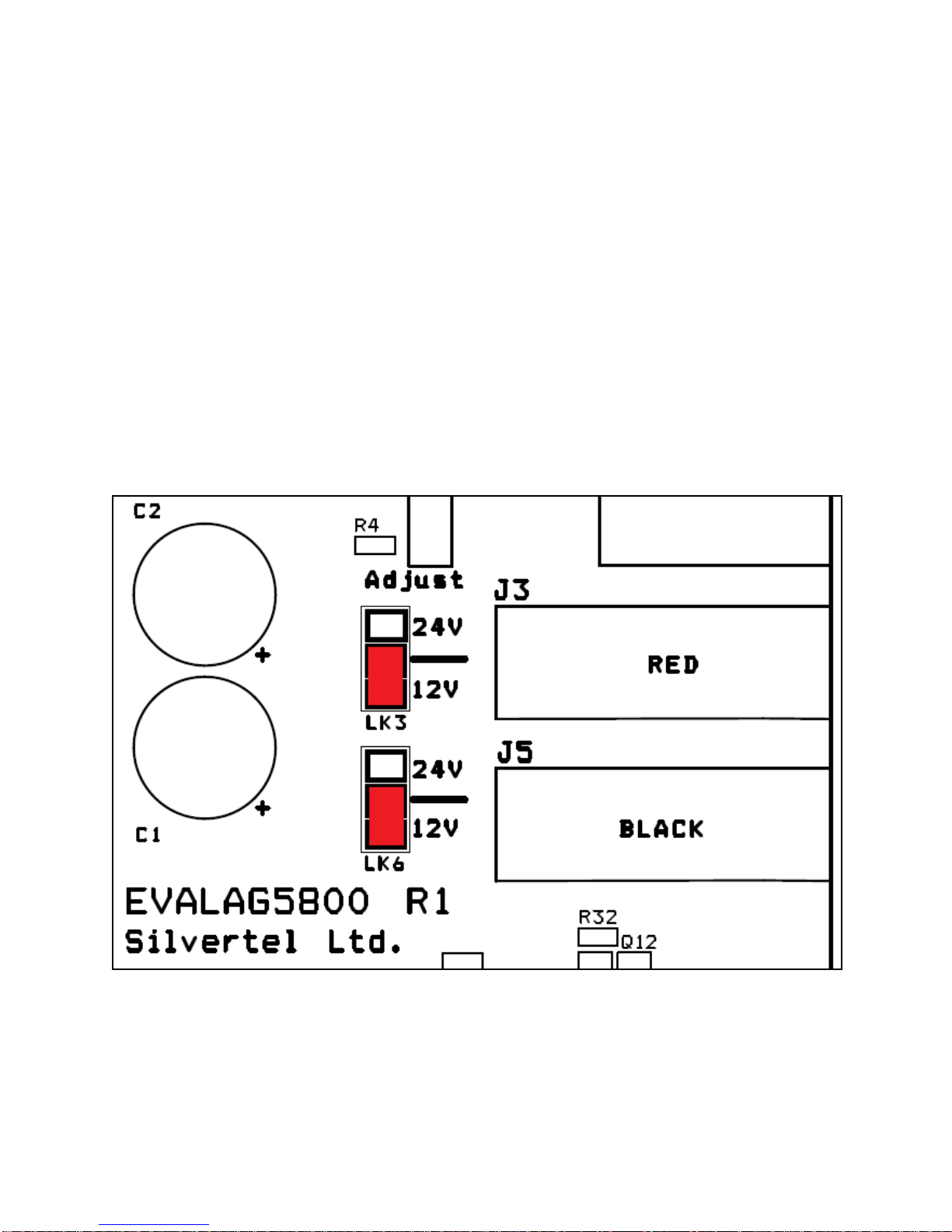
5.4 PD Output Selection
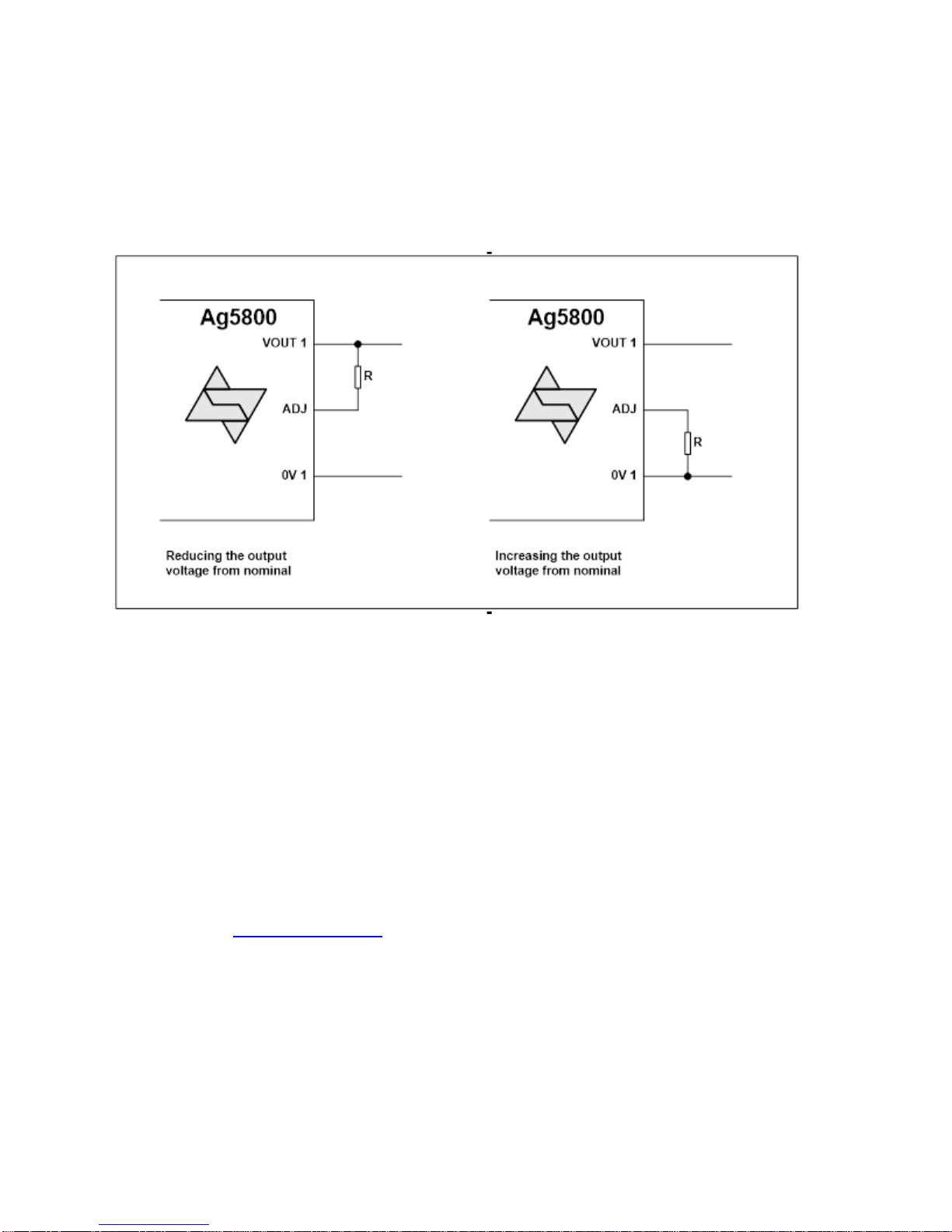
Before using the EVALAg5800 evaluation board, it is important to setup the output
configuration for the correct output voltage.