1Overview ................................................................1
1.1 Additional Support Documentation.......................1
1.2 SightLine Software Requirements..........................1
1.3 Third Party Software ..............................................1
2Safe Device Handling..............................................1
34000-OEM USB Overview.......................................2
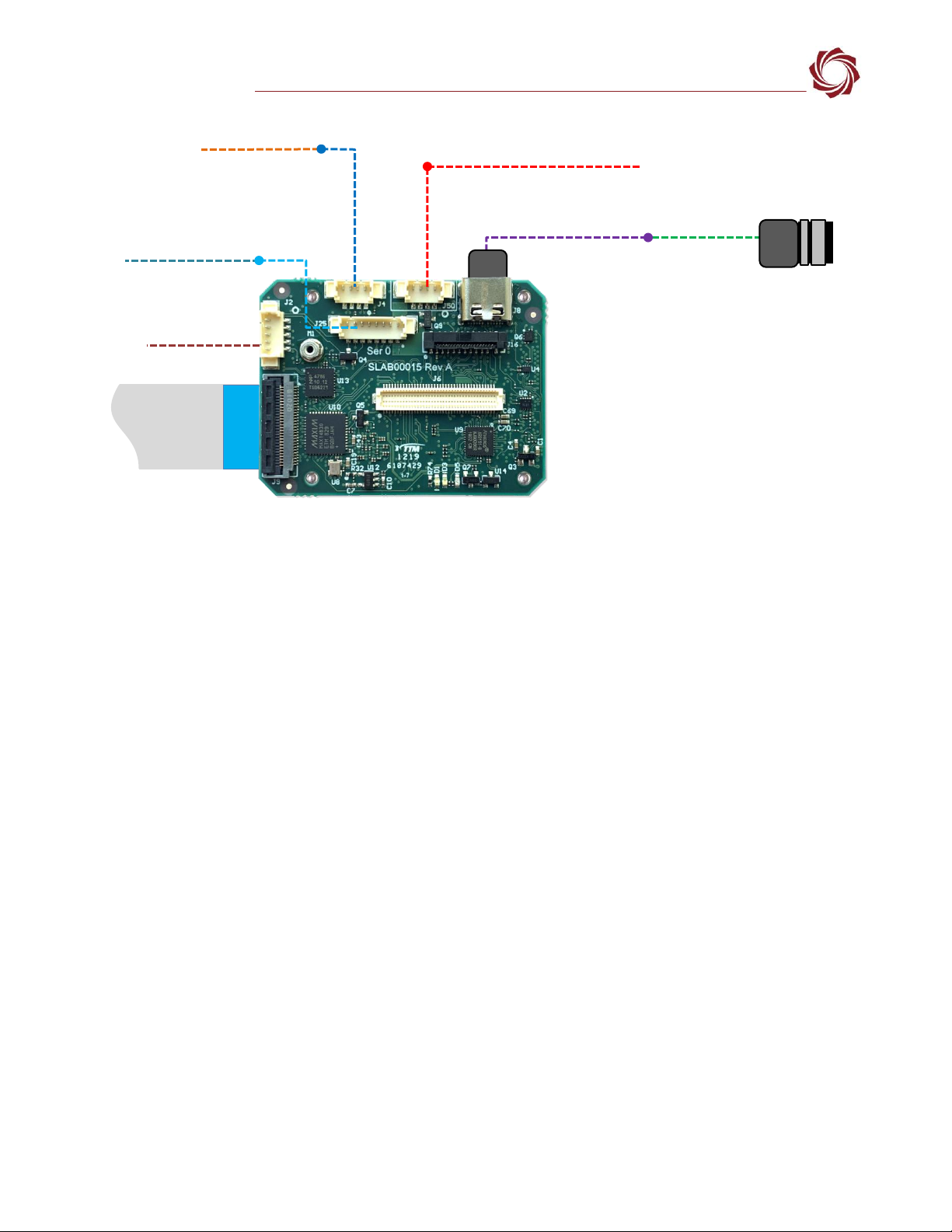
3.1 Connector J7: Debug only ......................................2
44000-OEM USB Camera Bench Setup ....................2
5Configuration Settings Overview ...........................3
5.1 Acquisition Settings................................................4
6Camera Discovery ..................................................4
6.1 Alternative Camera Discover Method....................5
7Advanced Configuration Options...........................6
7.1 Optional Supported Formats .................................6
7.2 Camera Passthrough Options ................................7
7.3 Common USB3 Vision Features .............................7
7.3.1 DeviceLinkThroughputLimit Feature......................8
7.4 Retrieving USB3 Vision Feature List .......................8
7.5 Querying USB3 Vision Features .............................9
7.6 Setting USB3 Vision Features...............................10
8FLIR FireFly USB Configuration Example ..............10
8.1 Setting Frame Rate and Pixel Format ..................10
8.2 Acquisition Settings..............................................12
9Troubleshooting...................................................12
9.1 Questions and Additional Support.......................14
Appendix A: Updating UDEV Rules - USB3 Vision
Cameras..........................................................................14
Appendix B: 4000-OEM Dual USB Camera Limitations and
Troubleshooting .............................................................16
CAUTION: Alerts to a potential hazard that may result in personal injury, or an unsafe practice that causes damage to the equipment
if not avoided.
IMPORTANT: Identifies crucial information that is important to setup and configuration procedures.
Used to emphasize points or remind the user of something. Supplementary information that aids in the use or understanding of the
equipment or subject that is not critical to system use.