EAN-SCD-Cameras
© SightLine Applications, Inc. 5
If you do not have a strong basic system setup and familiarity, we recommend reviewing the OEM
startup guide(s) and work with our support team to establish basic connection and streaming
fundamentals.
5.1 Acquisition Settings
From the main menu in Panel Plus go to Configure » Acquisition Settings. If available, use the Auto Fill
drop-down menu in the Acquisition Settings dialog to automatically populate the relevant fields with
the correct settings.
The settings can also be manually entered as shown in the camera configuration tables.
For information about Acquisition fields in Panel Plus see EAN-Digital Video Configuration.
IMPORTANT: Save parameters and reset the board when changing parameters. Cycle system
power when changing resolution.
If video does not display, try saving and activating the settings again. Check the encoding settings
on the Compress tab and review the network addresses for the destination video.
5.2 Additional Configuration Notes
Mini Blackbird camera:
Most Mini Blackbird cameras come with an SDI output module that will output SDI video signals. Since
the SDI video signal has a specific frame rate requirement, the output module provides a frame synch
signal to the camera to make it match up with the SDI output frame rate.
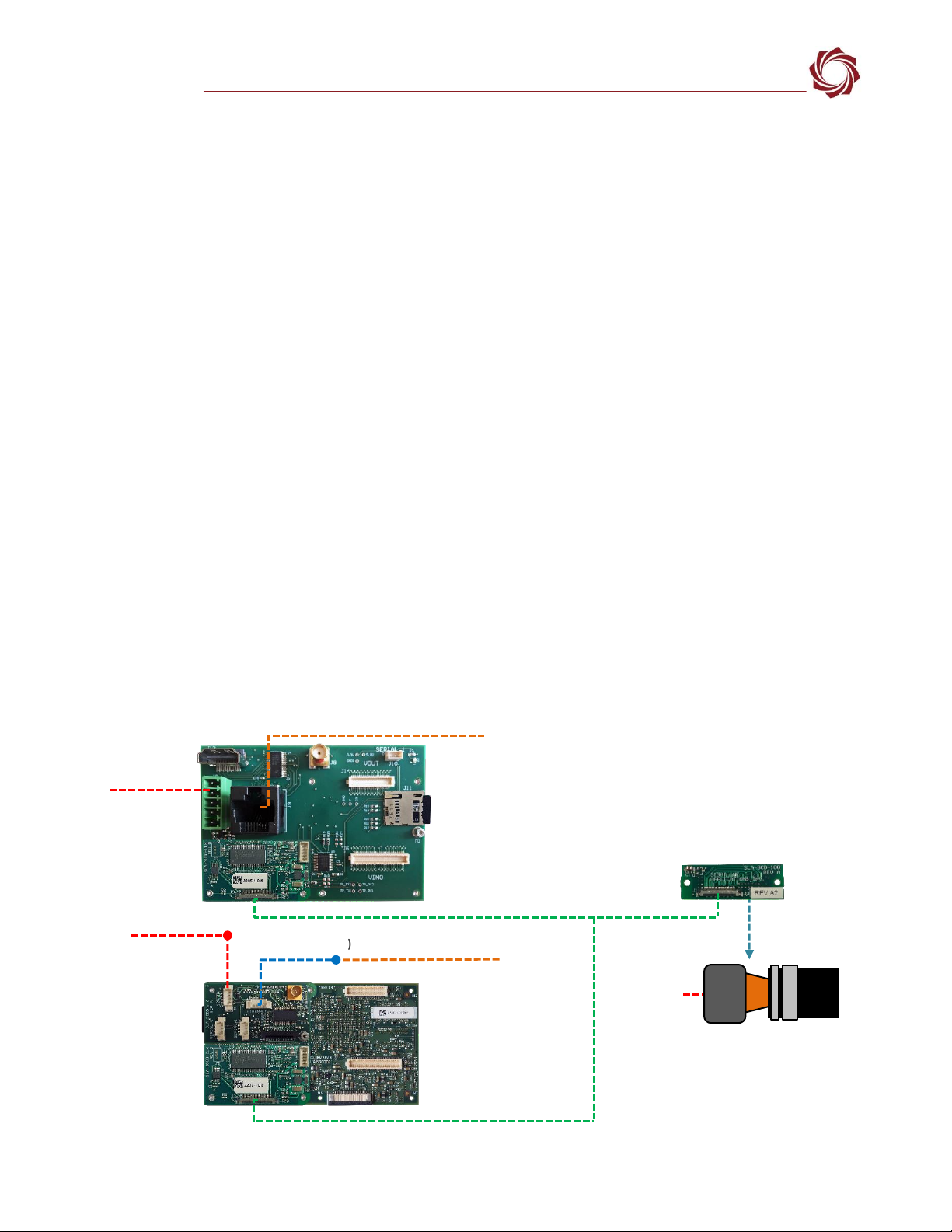
The SDI output module must be removed from the 100-pin connector on the Mini Blackbird camera
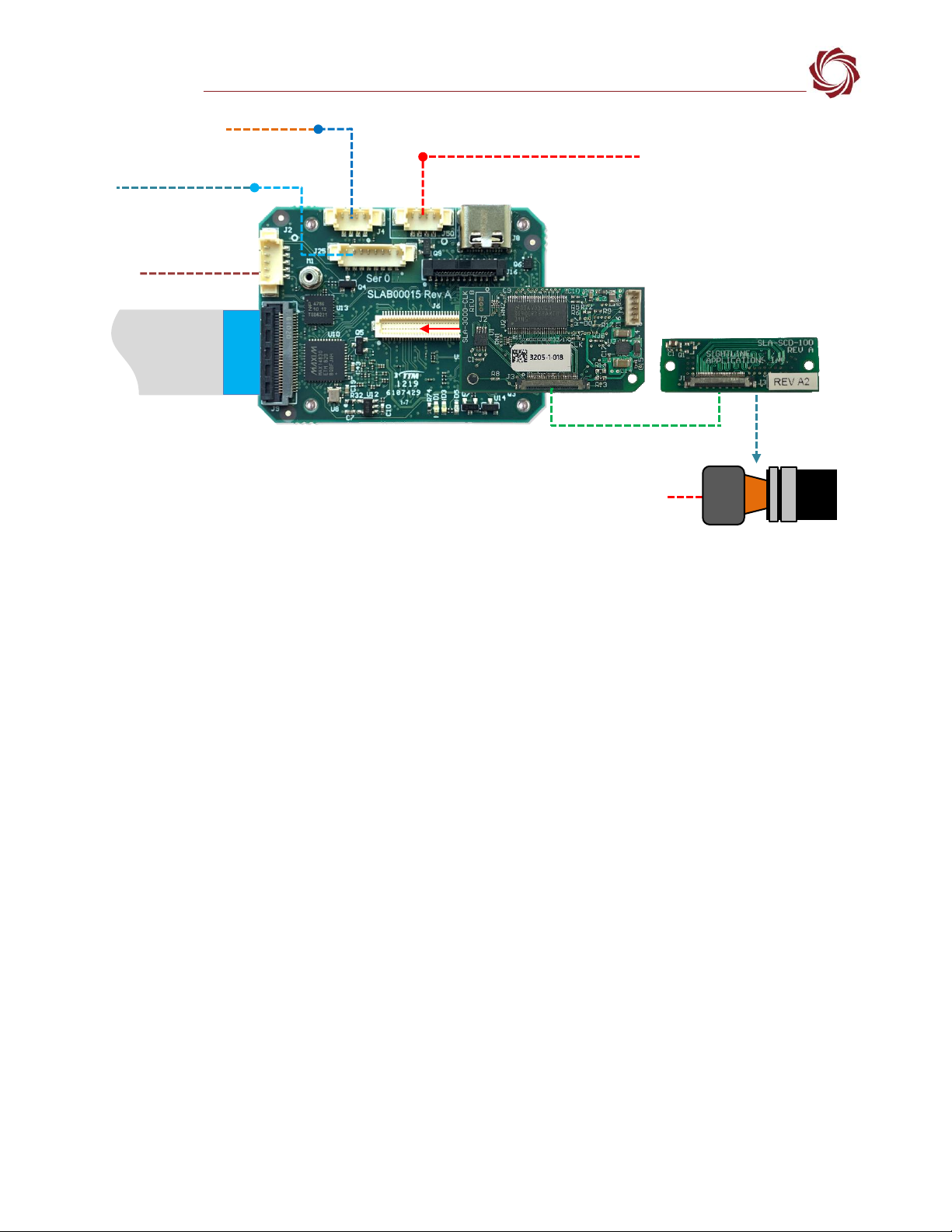
and replaced with the Sightline SLA-SCD-100 adapter board.
Camera Link over Micro Coax (KEL):
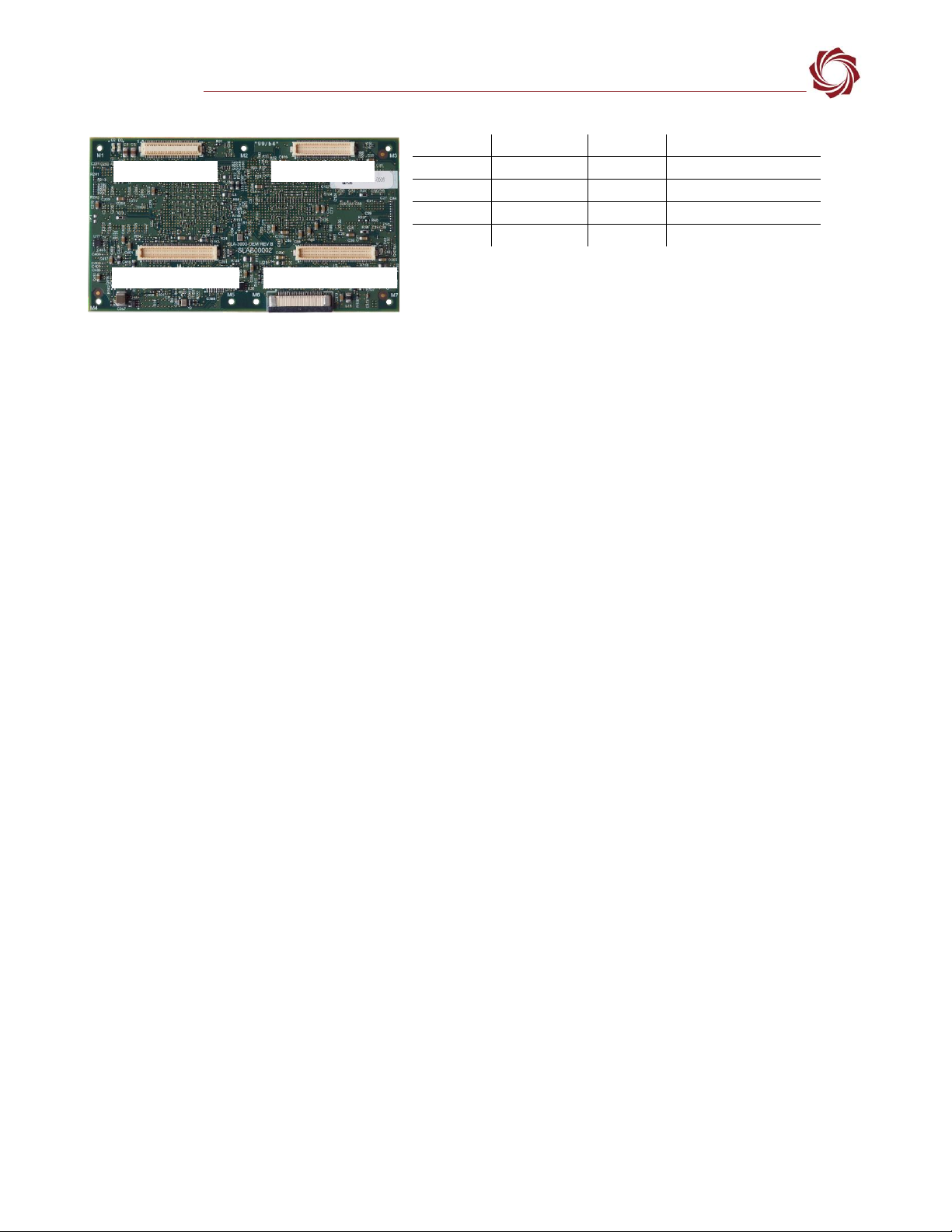
•The SLA-3000-CLK board provides camera interface for reduced size KEL form factor Camera Link
interfaces.
•The 1500-OEM is not supported through Camera Link.
•See the Camera Link section in EAN-Digital-Video-Configuration for additional information.
5.2.1 SCD Camera GUI Configuration Settings
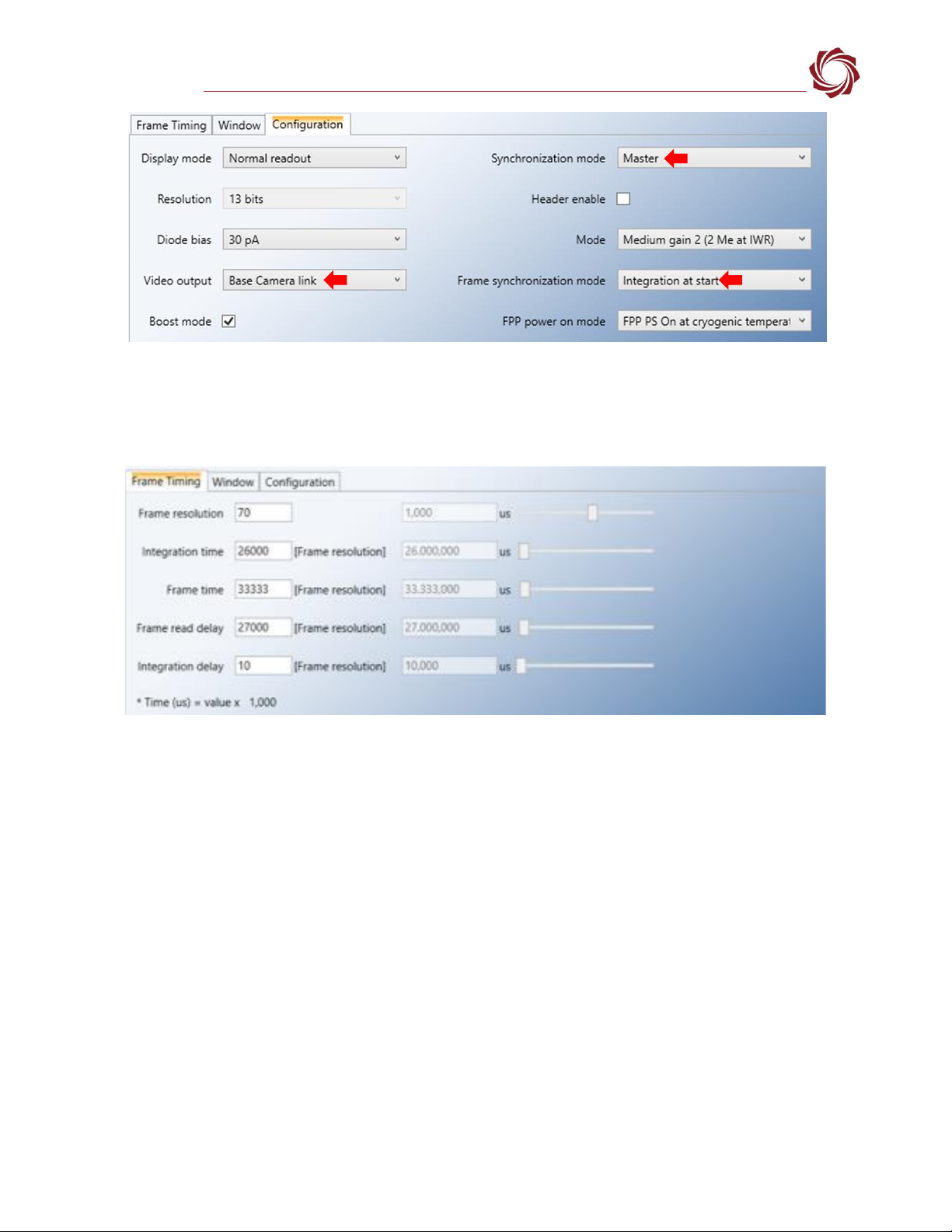
Since the Sightline hardware does not provide a frame sync output to the camera, the Synchronization
mode must be changed to Master.
When using the SLA-3000-CLK adapter board with the SLA-SCD-100 camera interface board set the
Video output mode to Base Camera link (1 cable).
It can be easier to get set up imager timing by changing the Frame synchronization mode to Integration
at start than using Read (ITR).