Qeedji AMP300 Manuel utilisateur

User manual
AMP300
9.10.10 002B

2
Legal notice
AMP300 9.10.10 (002B_en)
© 2022 Qeedji
Rights and Responsibilities
All rights reserved. No part of this manual may be reproduced in any form or by any means whatsoever. or by any means whatsoever without the
written permission of the publisher. The products and services mentioned herein may be trademarks and/or service marks of the publisher. or
trademarks of their respective owners. The publisher and the author do not claim any rights to these Marks.
Although every precaution has been taken in the preparation of this document, the publisher and the author assume no liability for errors or
omissions, or for damages resulting from the use of the information contained in this document or the use of programs and source code that can go
with it. Under no circumstances can the publisher and the author be held responsible for any loss of profits or any other commercial prejudice caused
or alleged to have been caused directly or indirectly by this document.
Product information
Product design and specifications are subject to change at any time and `Qeedji` reserves the right to modify them without notice. This includes the
hardware, the embedded software and this manual, which should be considered as a general guide to the product. The accessories supplied with the
product may differ slightly from those described in this manual, depending on the developments of the various suppliers.
Precautions for use
Please read and heed the following warnings before turning on the power: - installation and maintenance must be carried out by professionals. - do
not use the device near water. - do not place anything on top of the device, including liquids (beverages) or flammable materials (fabrics, paper). - do
not expose the device to direct sunlight, near a heat source, or in a place susceptible to dust, vibration or shock.
Warranty clauses
The `Qeedji` device is guaranteed against material and manufacturing defects for a certain duration. Check the device warranty duration value at the
end of the document. These warranty conditions do not apply if the failure is the result of improper use of the device, inappropriate maintenance,
unauthorized modification, operation in an unspecified environment (see operating precautions at the beginning of the manual) or if the device has
been damaged by shock or fall, incorrect operation, improper connection, lightning, insufficient protection against heat, humidity or frost.
WEEE Directive
This symbol means that your appliance at the end of its service life must not be disposed of with household waste, but must be taken to a collection
point for waste electrical and electronic equipment or returned to your dealer. Your action will protect the environment. In this context, a collection
and recycling system has been set up by the European Union.

3
1.1
1.2
1.3
1.3.1
1.3.2
1.4
1.5
1.6
1.7
2.1
2.1.1
2.1.2
2.1.3
2.1.4
2.2
3.1
4.1
4.1.1
4.1.2
4.1.3
4.1.4
4.1.5
4.1.6
4.1.7
4.1.8
4.1.9
4.1.10
4.1.11
4.1.12
4.1.13
4.1.14
5.1
5.2
5.3
6.1
7.1
7.2
7.3
7.4
7.5
7.6
7.7
7.8
7.9
7.10
Table of contents
Part I : Description and installation
Introduction
Labelling
Product faces
Device dimensions
Device fixture
Power supply
Device start-up steps
LED behaviour
Connectors pin-out
Part II : System configuration
Introduction
AQS firmware upgrade
APK deployment
Device configuration by script
Hardware reset
Factory recovery
Part III : Applicative user interface
Applicative user interface
Part IV : Administration console user interface
Administration console user interface
Configuration > Administrator
Configuration > LAN
Configuration > WLAN
Configuration > Output
Configuration > Servers
Configuration > Date and time
Configuration > Regionality
Configuration > Variables
Maintenance > Files
Maintenance > Middleware
Maintenance > Preferences
Information > Device
Information > Network
Information > Screens
Part V : Technical information
Technical specifications
Antenna return loss
Conformities
Part VI : Contacts
Contacts
Part VII : Appendix
Appendix: Qeedji PowerPoint publisher for Media Players
Appendix: ISO image burning with BalenaEtcher
Appendix: TFTP and DHCP server configuration
Appendix: Timezone
Appendix: Device network disk mounting in MS-Windows explorer
Appendix: USB mass storage
Appendix: 802.1X security
Appendix: Certificates
Appendix: Configuration with the AOSP settings application
Appendix: Factory reset

4
Part I Description and installation

5
1.1 Introduction
This manual explains how to install and configure your AMP300 device. It explains also how to install a third party APK and realize a AQS firmware
upgrade.
Content of the package
Items Description Quantity
Device AMP300 device with AQS ¹ embedded 1
USB-A to USB-C cable Lenght: 25 cm (9,84 ") 1
Leaflet Instruction guide 1
¹ AQS for Android Qeedji System
Recommendations and warnings
This device is designed to be used indoor and can work 24/7.
The device is delivered without a power supply unit. Depending on your needs, Qeedji is explaining different ways to install your device in the
chapter § Power supply.
◬
Before supply the AMP300 device with the USB connector of your computer, check with your computer's manufacturer that the USB
connectors is suitable to deliver a sufficient power.
◬
In case you had to remove the micro SD card, ensure first that the AMP300 device is powered off before removing or inserting the micro SD
card. In case of bad handling, the micro SD card replacement would not be covered by the warranty.
This device is a Class A device. In a residential environment, this device may cause radio interference. In this case, the user is asked to take
appropriate measures.

6
1.2 Labelling
Product label
These are the labels stuck on the case. They are showing information embedded also in the QR code:
the device model,
the product serial number (PSN),
the MAC addresses.
They are showing also:
the power supply characteristics,
the manufacturer Website,
the conformity logo.
☛ FCC certification in pending.
☛ The QR code on the product label is corresponding to the product identification URL, for example:
http://i.qeedji.tech?model=AMP300&sn=01540-00001&mac.lan1=00-1C-E6-02-52-63&mac.wlan1=00-1C-E6-02-52-64&mac.wpan1=00-1C-E6-02-52-65 .
Packingbox label
This is the label stuck also on the packingbox. It is showing:
the device model,
the QR code embedding the product serial number (PSN),
the manufacturer Website.
☛ The QR code on the packingbox label is corresponding to the product PSN, for example:
PSN01540-00001 CD7 .
☛ The serial number of the device could be requested in case of technical support.

7
1.3 Product faces
Device's front face
1 POWER IN : USB-C connector supporting power,
2 LAN/PoE : RJ45 connector for network connectivity and PoE supply,
3 Tapped hole allowing to lock the USB-C cable on the POWER IN USB-C connector,
4 RBT : hole hidding a push button allowing to reboot the device or exit from kiosk mode.
Device's up face
5, 6 Drilled holes for fixing the device with screws or cable ties.
Device's bottom face
7, 8 Drilled holes for fixing the device,
9,10 ,11 ,12 Built-in screws (must never been unmounted),
13 Aluminium surface to dissipate the device heat ¹.
¹ It is normal that this aluminium surface is hot, especially when the device is supplied by a PoE way and is supplying at the same time an USB-C
display device.
1
2
3
4
5
6
7
8
9
10
11
12
13

8
Device's rear face
14 USB 2 : USB-C connector supporting power & data
15 USB 1 : USB-C connector supporting display port ¹, power & data,
16 HDMI OUT connector,
17 microSD connector with its micro SD card,
18 Tapped hole allowing to lock the USB-C cable on the USB 2 connector
19 Tapped hole allowing to lock the USB-C cable on the USB 1 connector
20 Tapped hole allowing to lock the HDMI cable on the HDMI connector
¹ If your display device has a USB-C connector, it must be connected to this specific connector.
Device's side face
21 Ventilation grids, located on the two sides of the device,
22 Hole allowing to watch the bicolor status LED, located on the two sides of the device ².
² Both status LED on the two sides of the device have the same behaviour.
◬
Do not cover the ventilation grids designed to evacuate naturally the heat of the device when it is running.
14
15
16
17
18
19
20
21
22

9
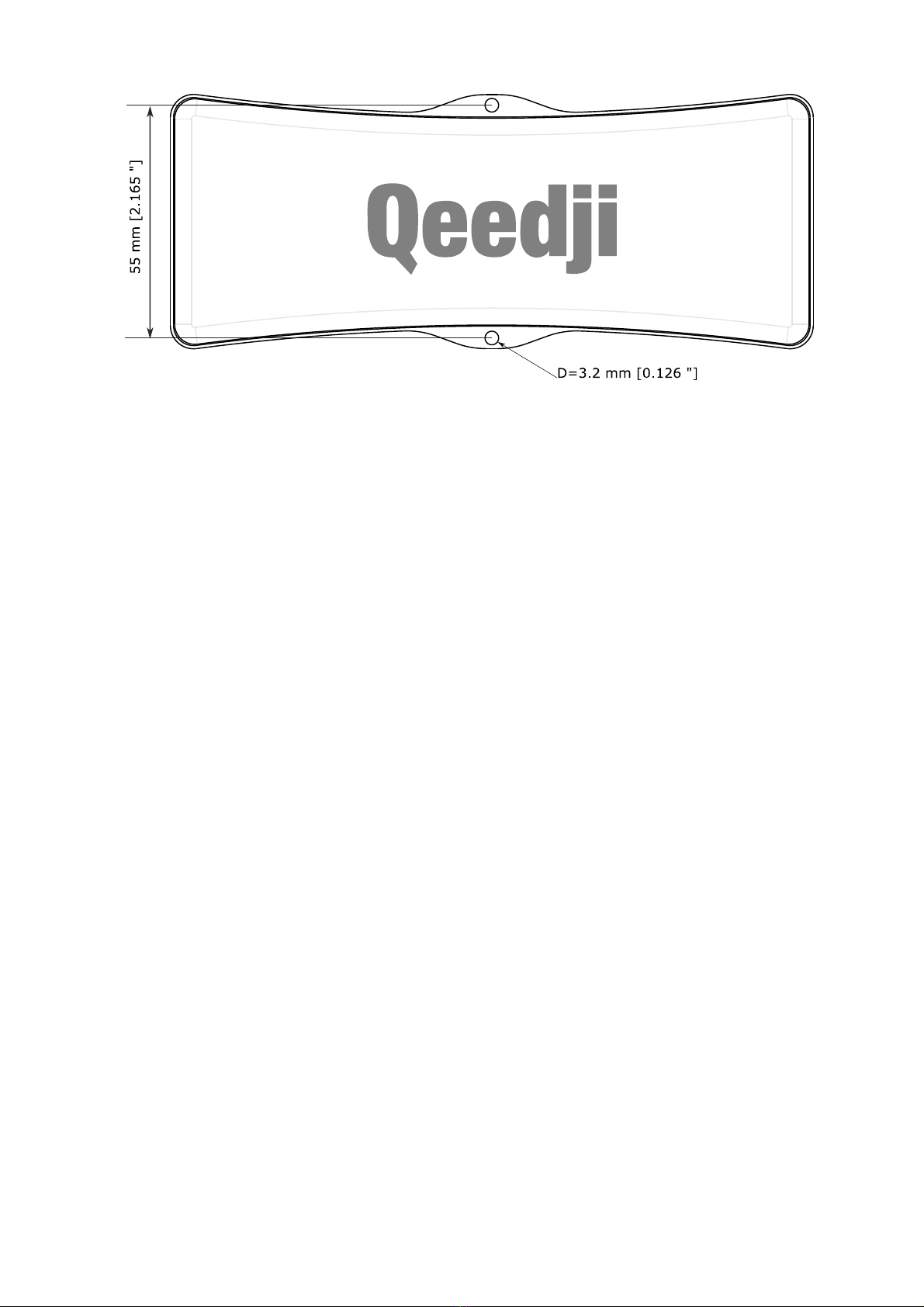
1.3.1 Device dimensions

10
1.3.2 Device fixture
Autres manuels pour AMP300
1
Table des matières
Manuels Matériel informatique populaires d'autres marques

EMC2
EMC2 VNX Series Manuel du propriétaire

Panasonic
Panasonic DV0PM20105 Manuel utilisateur

Mitsubishi Electric
Mitsubishi Electric Q81BD-J61BT11 Manuel utilisateur

Gigabyte
Gigabyte B660M DS3H AX DDR4 Manuel utilisateur

Raidon
Raidon iT2300 Manuel utilisateur

National Instruments
National Instruments PXI-8186 Manuel utilisateur