
Owlo Talon Manuel utilisateur
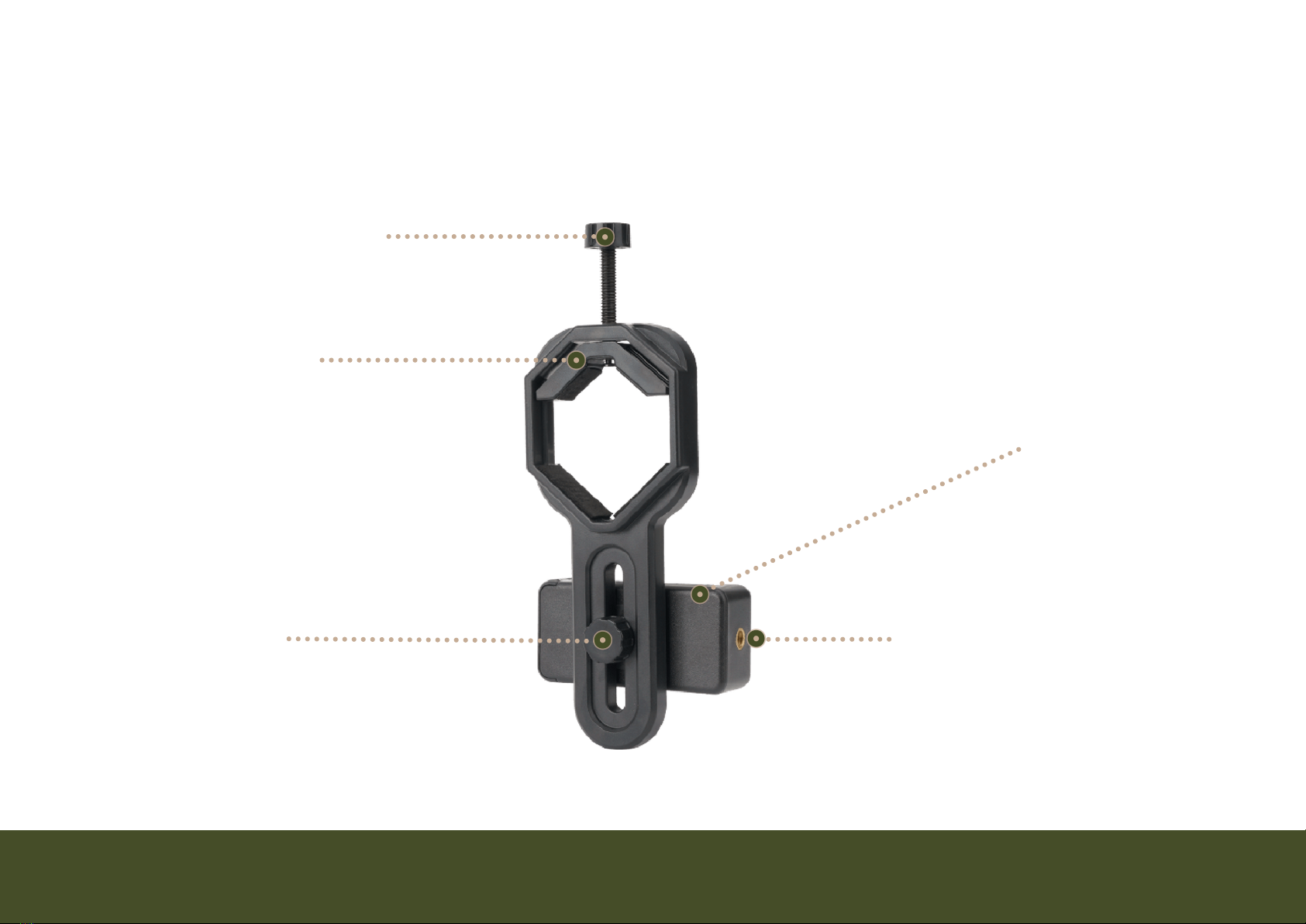
Auxiliary Tripod Mount
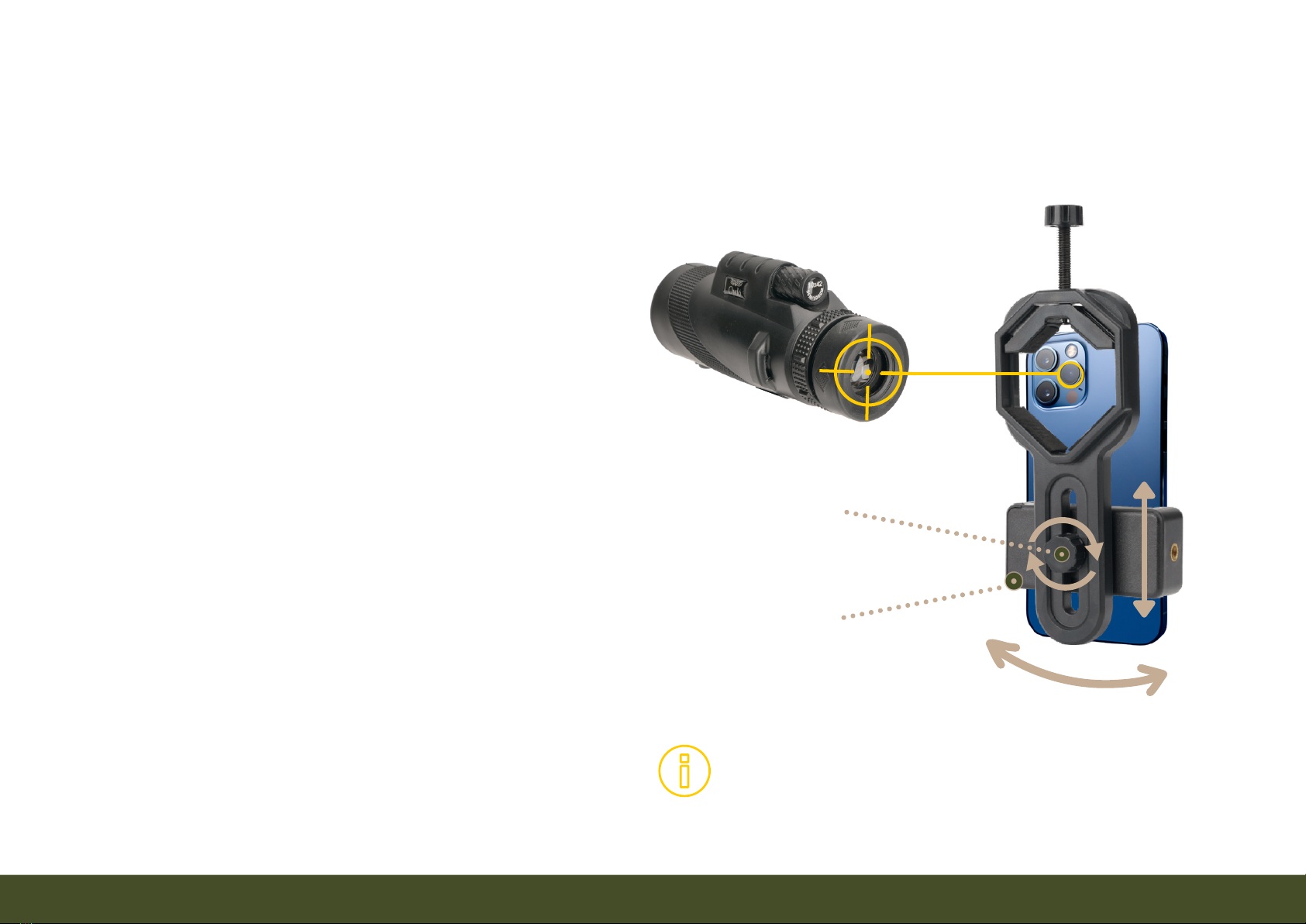
Position Lock
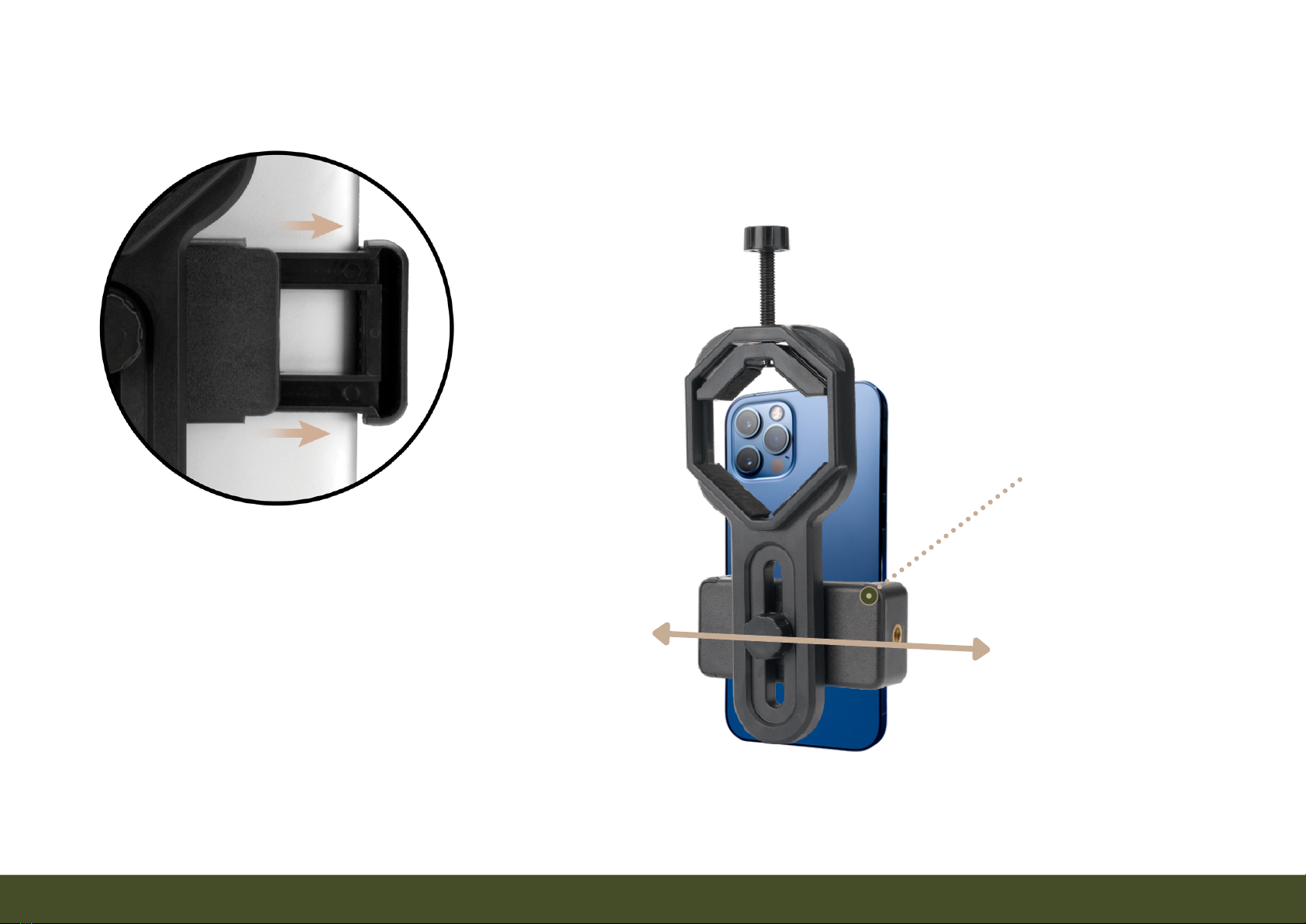
Phone Cradle
Eyepiece Clamp
Eyepiece Clamp Bolt
USER GUIDE
Talon Universal Smartphone Adapter

Contents
I. BASIC INFORMATION
Note about Safe, Logical Design..............................................................................................................2
Universal Smartphone Compatibility.....................................................................................................3
Compatibility with other Devices...........................................................................................................4
Safety Precautions........................................................................................................................................5
II. USING THE TALON SMARTPHONE ADAPTER WITH THE MONOCULAR
1. Attaching Adapter to Monocular.........................................................................................................6
2. Inserting Smartphone into Adapter...................................................................................................7
3. Align Eyepiece to Phone's Camera.....................................................................................................8
4. Focus the Monocular...............................................................................................................................9
5. Zoom-in on the Smartphone................................................................................................................10
III. OTHER USEFUL INFORMATION
Help Identifying Phone's Main Camera................................................................................................11
Photography Tips..........................................................................................................................................12
Monocular Troubleshooting.....................................................................................................................13
Dimensions.....................................................................................................................................................14
Owló, 2022. Updated January, 2022
- 2 -
Note about Safe, Logical Design
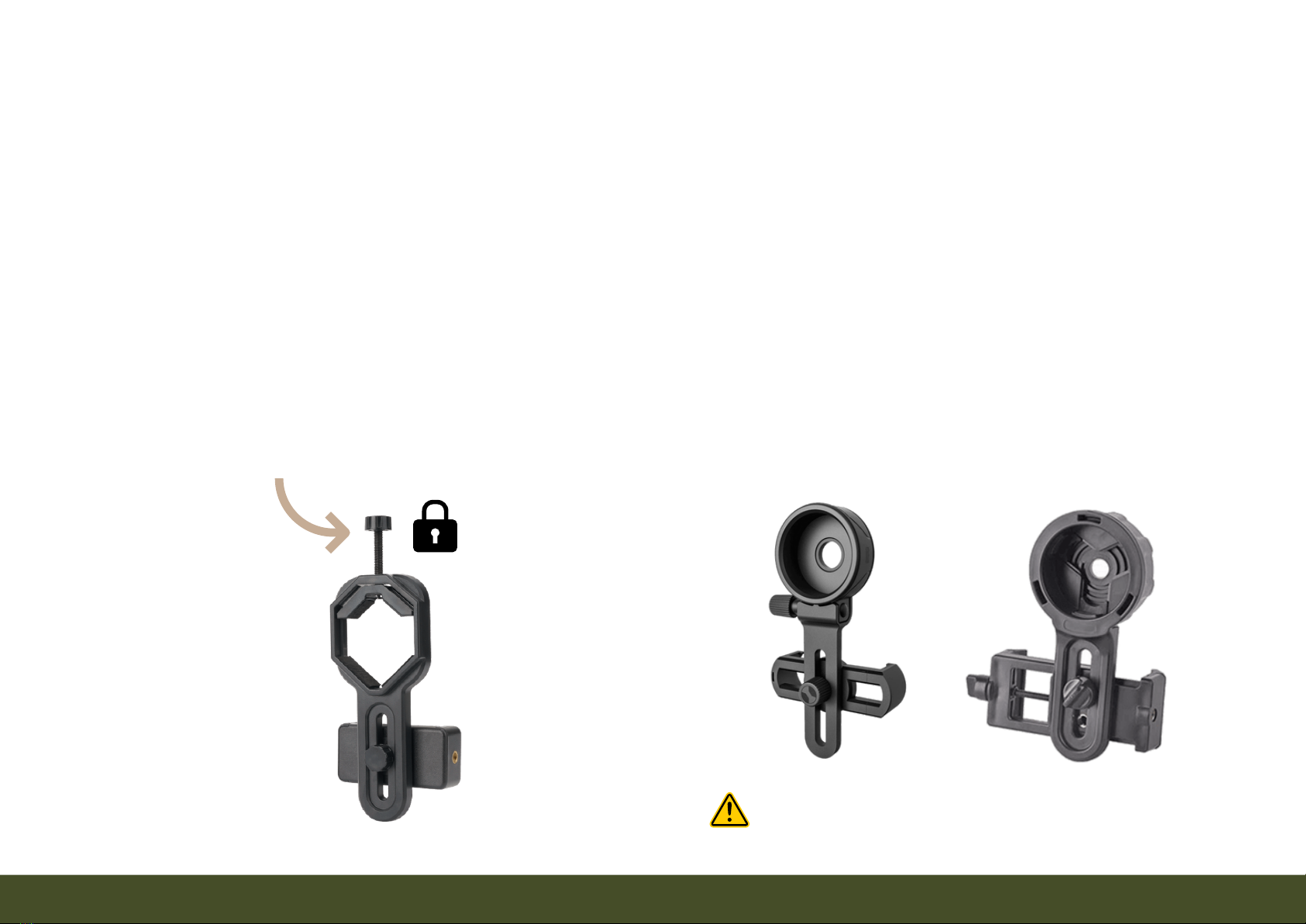
Other adapters may save you a moment by providing quicker alignment. However, other
adapters slip off and on the eyepiece without anything to lock them in place. They can
fall off damaging the smartphone or simply create bad images because of vibration. After
rigorous testing, our team chose this design to protect the investment you made in your
smartphone. Lastly, the Talon Adapter is designed to provide a true universal experience
by because of its fit with other monoculars, binoculars, telescopes, and microscopes.
Talon Adapter Locks onto Monocular Others Do Not Have A Locking Bolt
Slips off & on easily. May fall off!
- 3 -
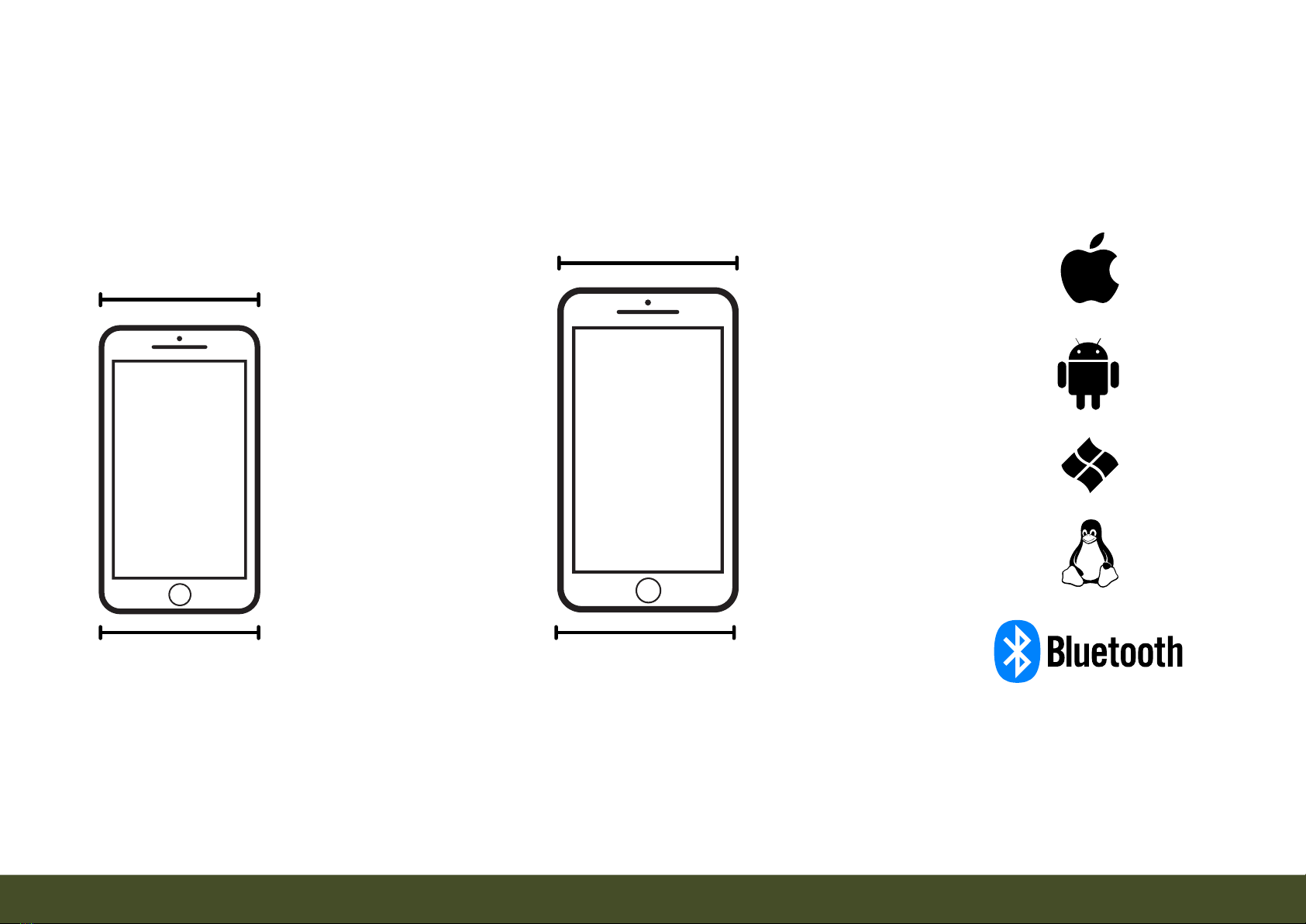
Universally compatible with Bluetooth shutter remotes & all operating systems.
Universal Smartphone Compatibility
Minimum
Width
Maximum
Width
50 mm
1.97"
80 mm
3.15"
Fits the largest mobile phones manufactured as of January 2022.
Warning: The adapter may not hold flip phones, curved phones, or atypical phone shapes.
- 4 -
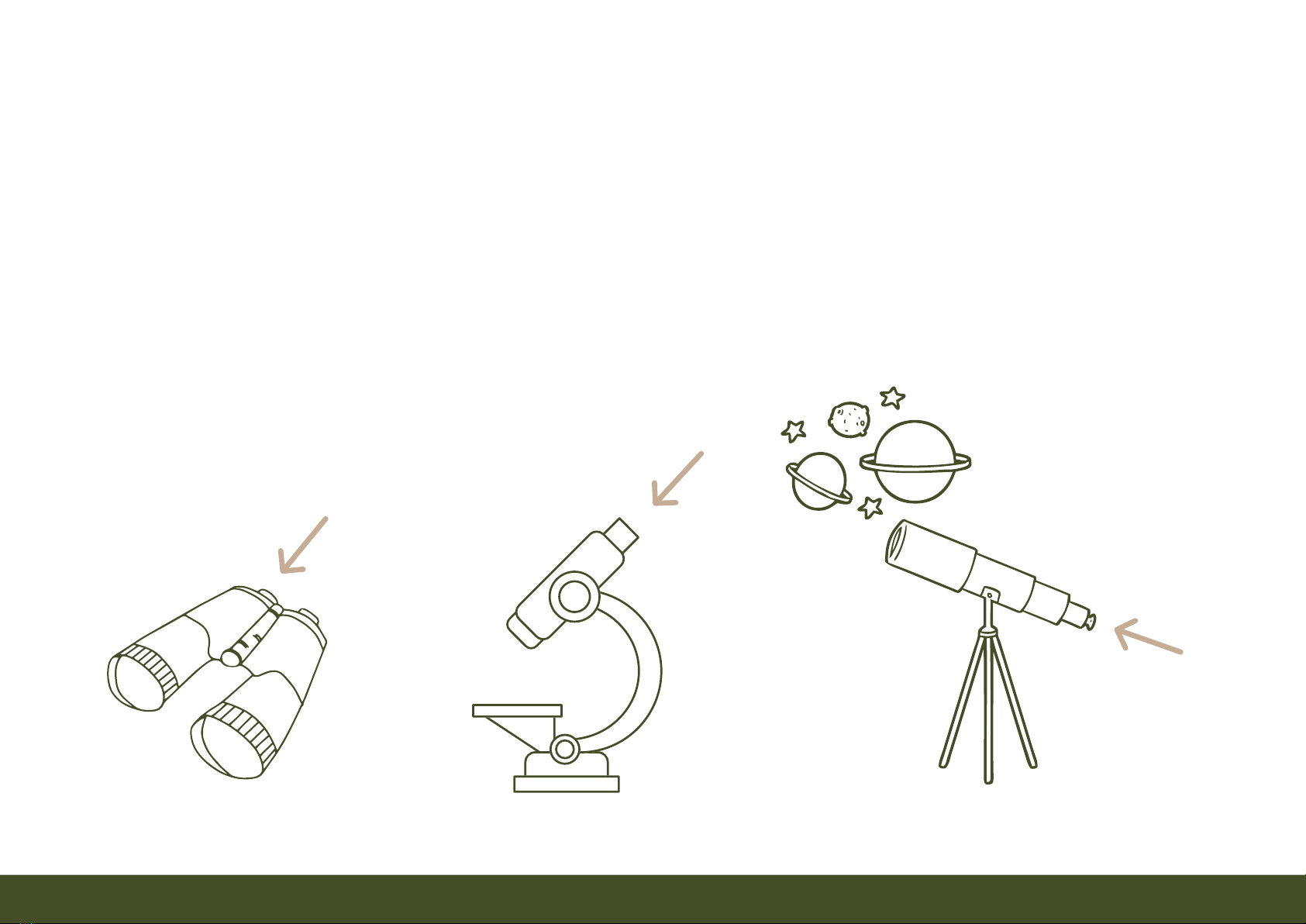
The adapter is compatible with microscopes, astronomical telescopes, binoculars, & other
monoculars. Place the adapter's eyepiece opening over the eyepiece of the device as
indicated by the arrows below. It fits eyepieces from 0.87" to 1.73". The auxiliary tripod
mount may be used to mount a phone to a tripod without any other device (See diagram
on the front cover).
Compatiblity with other Devices

- 5 -
If disassembled, small parts may present a choking hazard to infants and
small children.
To avoid Injury due to stumbling, do not use it while walking or running.
Caution
Safety Precautions
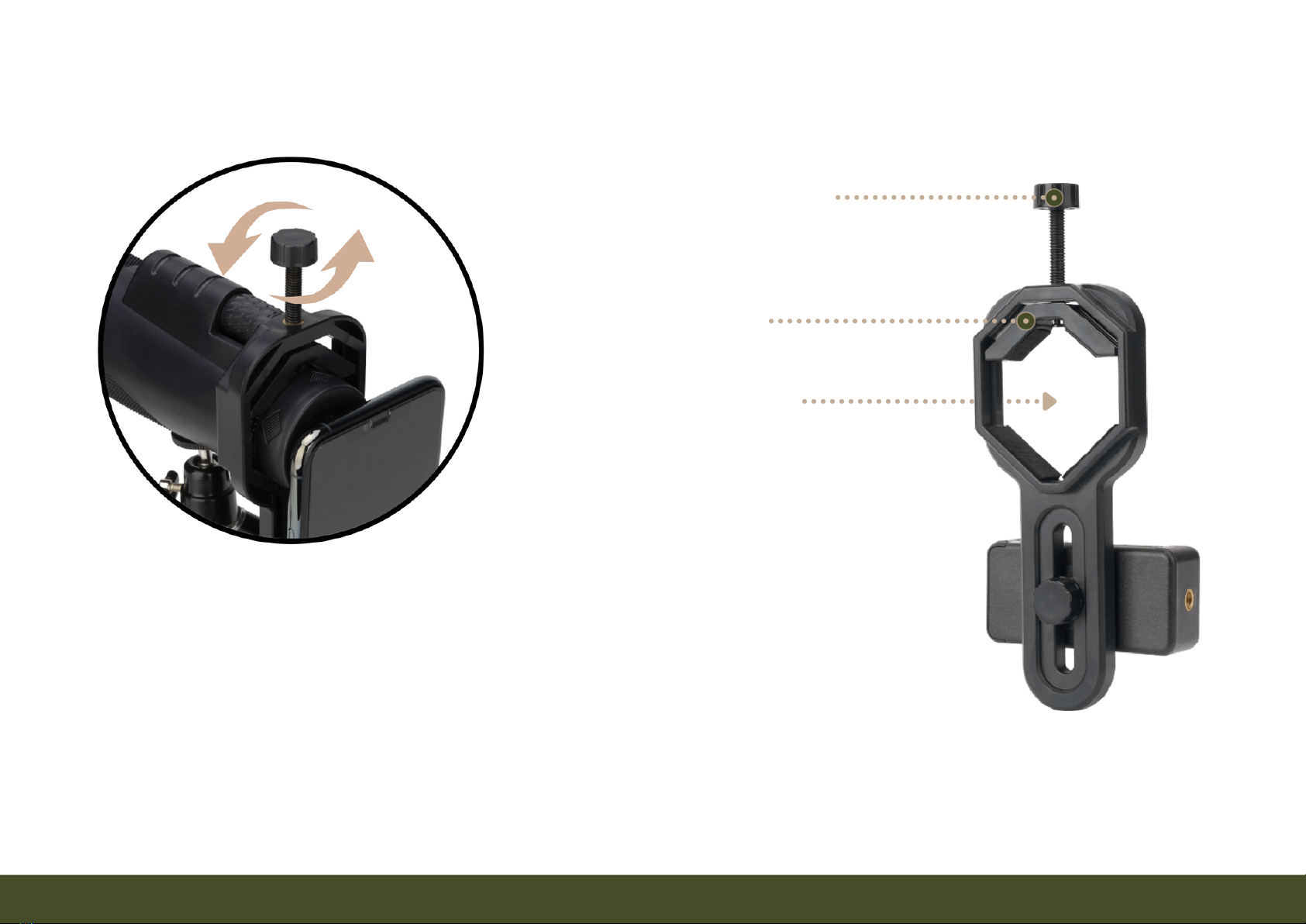
Eyepiece Opening
- 6 -
1. Attaching Adapter to Monocular
Turn the Eyepiece Clamp Bolt counterclockwise to open the
Eyepiece Clamp. Slide the Eyepiece Opening over the
monocular's Eyepiece. Turn the Eyepiece Clamp Bolt to the
right to secure the Clamp onto the Eyepiece.
Eyepiece Clamp
Eyepiece Clamp Bolt
TIP: A tripod provides stability for good images and to easily connect the adapter.
- 7 -
2. Inserting Smartphone into Adapter
Phone Cradle
The Phone Cradle is spring-loaded to
close and tightly grip the smartphone
automatically. Pull in the direction
of the arrows to open cradle grip.
Insert smartphone into the cradle.
Release grip so it closes to hold the
smartphone tightly.
- 8 -
Phone Cradle
(A) Loosen the Position Lock to adjust the
phone cradle up or down. (B) Slide the
Phone Cradle up or down to align the
camera lens vertically. (C) Rotate the
phone cradle clockwise or counter-
clockwise to align from side to side.
(D) Tighten the Position Lock to keep
position from changing.
(E) Slide Eyepiece Opening in or out on
Monocular Eyepiece adjust distance
between lenses. 1/2" lens distance typical.
3. Align Eyepiece to Phone's Camera
Position Lock
For demonstration purposes only. See Page for
identifying which is the main camera.
TIP: While locked, the rotation
position may adjust by carefully
applying extra force.
- 9 -
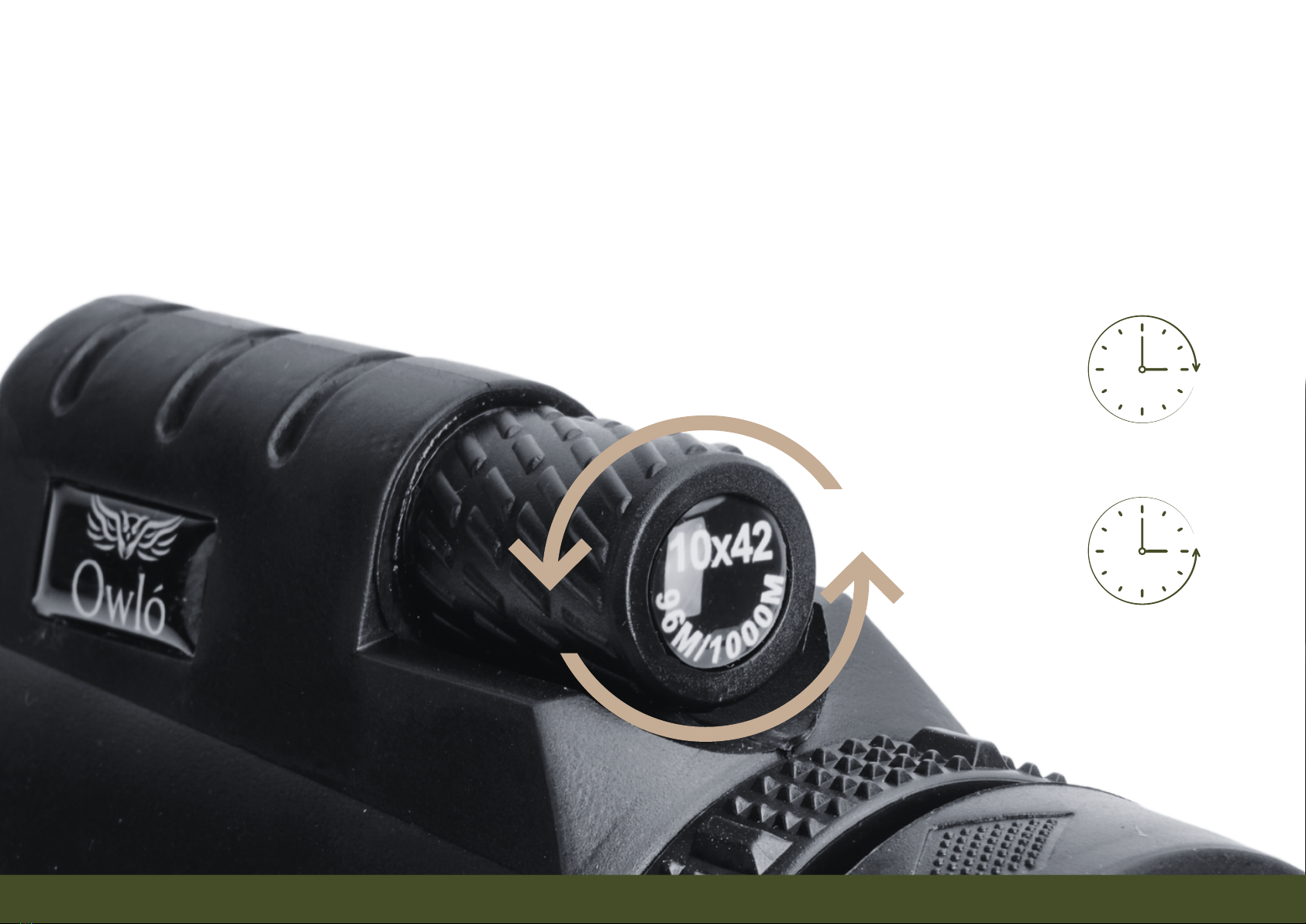
4. Focus the Monocular
Turn the focus wheel left or right until the image becomes clear. Clockwise is for closer
objects. Counter-Clockwise is for objects that are further away.
Closer Objects
Further Objects
Table des matières


