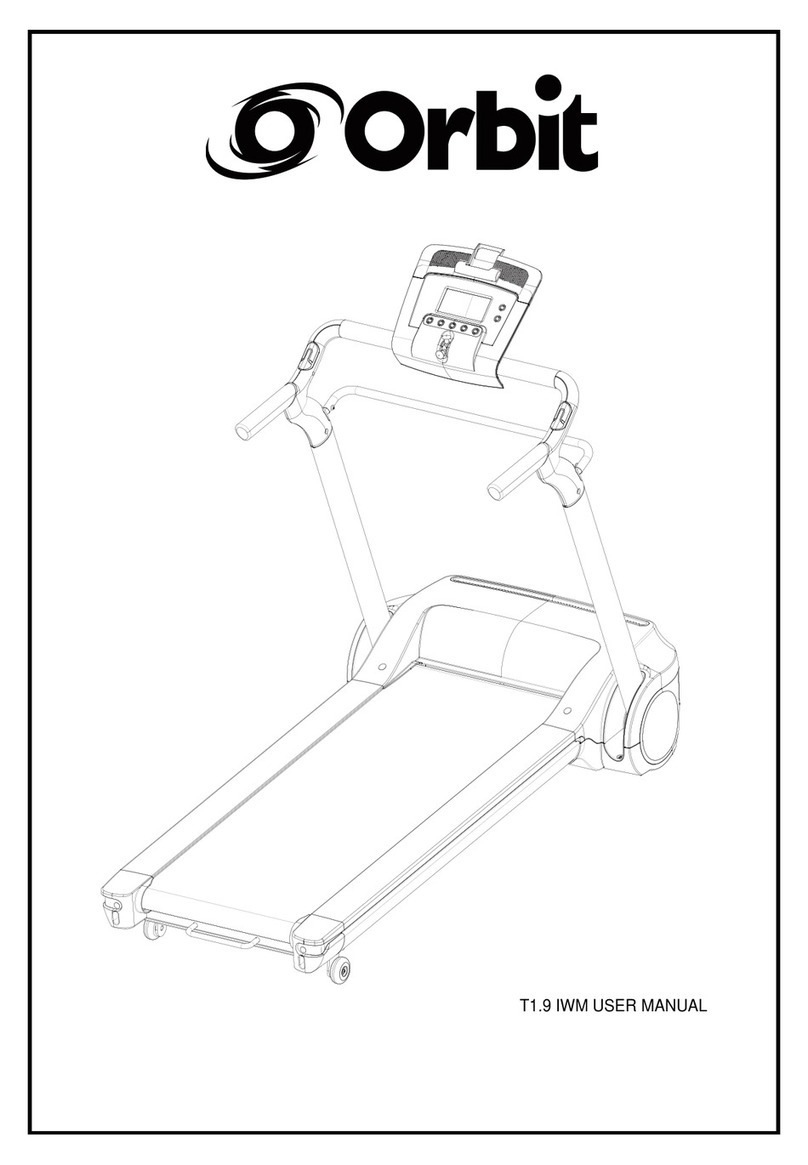
Orbit ST 35D.1 Manuel utilisateur

.1
.1
.1

1
CONTENT
CONTENT ----------------------------------------------------------------------------------------------------------------------------------1
IMPORTANT SAFETY PRECAUTIONS --------------------------------------------------------------------------------------2
ASSEMBLY INSTRUCTIONS ---------------------------------------------------------------------------------------------------3-5
FOLDING & UNFOLDING INSTRUCTIONS --------------------------------------------------------------------------------6
GROUNDING METHODS -----------------------------------------------------------------------------------------------------------7
OPERATION GUIDE ---------------------------------------------------------------------------------------------------------------8-15
GETTING STARTED GUIDE -----------------------------------------------------------------------------------------------------16
SAFETY EXERCISES ---------------------------------------------------------------------------------------------------------------17
WARM-UP EXERCISES ------------------------------------------------------------------------------------------------------------18
MAINTENANCE INSTRUCTIONS ---------------------------------------------------------------------------------------------19
BELT ADJUSTMENT ----------------------------------------------------------------------------------------------------------------20
EXPLODED DRAWING -------------------------------------------------------------------------------------------------------------21
PARTS LIST -------------------------------------------------------------------------------------------------------------------------22-23
ERROR CODE AND TROUBLE SHOOTING -----------------------------------------------------------------------------24

2
IMPORTANT SAFETY PRECAUTIONS
WARNING: Before starting any exercise program, consult your physician or health professional,
especially for person who is above 35 years old or had some health problems before. Neither manufacturer
nor distributor should be held responsible for any injuries or discomfort by the user due to above reasons.
Don't plug in power until you finish assembling the treadmill.
ATTENTIONS:
1. When using this treadmill, attach the safety key pull pin to your clothes or belt.
2. Do not plug anything into any parts of this treadmill, or it may cause damage.
3. Position treadmill on a clean, level surface. Do not place the treadmill on thick carpet as it may interfere
with proper ventilation. Whereby necessary, use a rubber or PVC treadmill mat. Do not place treadmill near
water or outdoors, moisture will cause damage to electronics.
4. Do not start the treadmill while standing on the walking belt. After turning the power on and adjusting the
speed control, there may be a few seconds before the walking belt begins to move, always stand on the foot
rails on the sides of the frame until the belt is moving. Hold onto handrails when initially start walking or
running on the treadmill, let go until you are comfortable with its speed.
5. Wear appropriate clothing when exercising on the treadmill. Do not wear long, loose fitting clothing that
could be caught in the treadmill. Always wear running or aerobic shoes with rubber soles.
6. Keep small children and pets away from the treadmill while switched on.
7. This treadmill is designed for adult use, children intent to use the treadmill must have adult supervision.
8.The power cord of motorized treadmill is specialized for its purpose. Do not attempt to modify or repair it
yourself. Do not place heavy object on power cord or leave it near high temperature, only plug it into well
earthed power point. If it is damaged, please purchase new from distributor or contact our company
directly.
9. If case of an electrical failure or safety key being pulled from its pot during exercise, this treadmill may
come to a stop in 3-4 seconds. Hold onto hand rail until it completely stops and step down through the side
foot rails. Do not attempt to jump off the treadmill while it’s still in motion.
10. When the treadmill is not being used, unplug power cord and remove safety pull pin. Keep them in safe
place and do not use them for other purpose.
11. This treadmill is designed for home use only with maximum user weight 110kg. It is improper to put it into
a corporate or commercial environment and it won’t be covered by its domestic warranty.

3
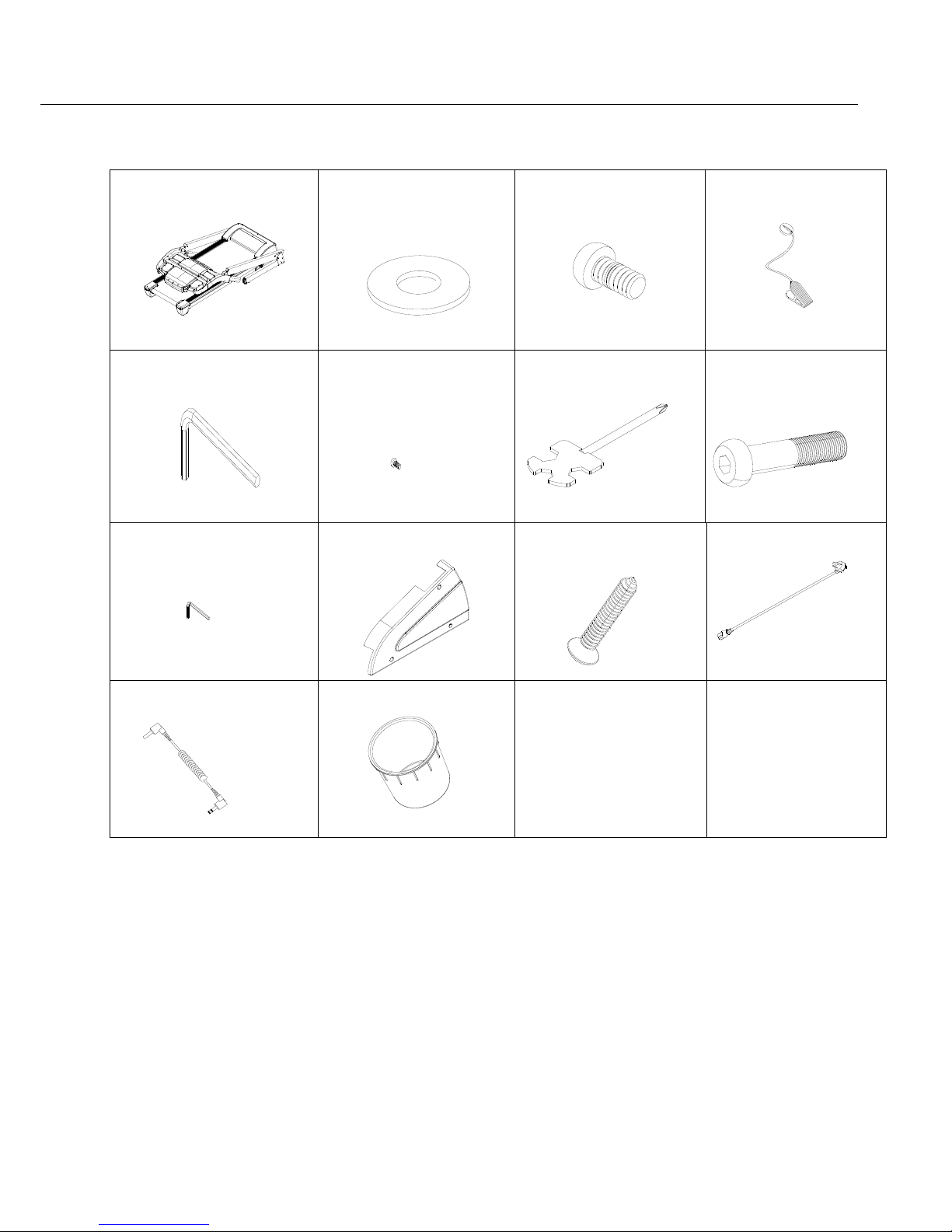
WHEN YOU OPEN THE CARTON, YOU WILL FIND THE BELOW PARTS:
Main frame
1set
D21 Washer M10
8 PCS
D8 Round head hex bolt
M10*15
4 PCS
C13 Safety key
1 PC
D2 Allen wrench 6mm
1 PC
C32 Chest belt
1PC
D1 Screw dirver
1 PC
D12 Round head hex
bolt M10*55
4 PCS
B11L Left side cover
1 PC
B11R Right side cover
1PC
D48 Cross self-tapping
bolt ST4.2*19, washer
6 PCS
C15 Power cable
1 PC
C19 MP3 cable
1 PC
B49 Bottle holder
2 PCS
NOTE: Do Not Tighten Bolts At Once.

4
STEP 1:Follow the below diagram to lift up the computer bracket. Be careful not to cut, jam
and damage cables inside the frame tubes when folding up.
STEP 2: Use bolt M10*55 (D12) and flat washer M10 (D21) to tighten bottom uprights, and
fix console/handrail bracket with bolt M10*15 (D8) and flat washer M10 (D21).
D21 D8
D8
D21

5
Step 3: Tighten left/right side covers (B11L/R) with cross self-tapping bolt ST4.2*19,
washer (D48).
Step 4: Place on bottle holders (B49), safety key (C13), MP3 cable (C19), and power cable
(C15).
ATTENTION: Check that all nuts and bolts are tightened before using the treadmill. Please
read the below instructions carefully.

6
Lift up the machine and apply force to
push up until you hear "click" from the latch,
which indicates that locking mechanism is
engaged.
Use foot to press the latch lightly until the
cylinder disengages and treadmill deck
starts folding down. Hold onto the deck to
support the fold down until you are in safe
space to the drop. Let go and the deck will
drop slowly (soft drop) until it reaches
ground.
Unfolding instruction
Folding instruction

7
This treadmill must be grounded properly. It is equipped with a cord connecting to an
equipment-grounding conductor and a grounding plug. The 3 pin plug must be plugged into
an appropriate power outlet that complies with industrial codes and local requirements in
relate to grounding.
DANGER – Improper connection of the equipment-grounding conductor can result in risk of
electric shock. Check with a qualified electrician or serviceman if you are in doubt as to
whether the product is properly grounded. Do not modify the plug provided with the product.
If it does not fit the power outlet, please have a proper outlet installed by a qualified
electrician. No adapter should be used with this product.
Grounding methods

8
1.1. WINDOW DISPLAY
1.2. START
Treadmill starts at 0.8kph after 5 seconds countdown
1.3 PROGRAM
1 manual mode,15 pre-set programs, 3 countdown functions, 1 body fat program, 3 users programs,
3 HRC programs.
1.4. SAFETY LOCK FUNCTION
Window shows"---" when safety key is taken away from the lock and treadmill will stop quickly with "didi"
beeping alarm. Put the safety key back on and all windows will light up for 2 seconds and then show 0 or
default values.
1.5.BUTTON FUNCTION
1.5.1. START/STOP
“START”--When treadmill is switched on, press this button to start, initial speed is “0.8”
“STOP”--When treadmill is running, press this button to stop, it will quickly stop in a few seconds
and return to manual mode after stopping.
Operation Guide

9
1.5.2 “PROGRAM” BUTTON
When treadmill is switched on, press this button to have exercise options from manual mode to pre-set
modes ( P1-P15,1 Body fat, U1-U3, HRC programs).
1.5.3 “MODE” BUTTON
When treadmill is switched on, press this button to choose countdown modes:”H-1”,”H-2”,”H-3”;
H-1” is the time countdown mode, “H-2” is the distance countdown mode, “H-3” is the calorie countdown
mode;
press “SPEED+/-” or “INCLINE+/-“button to adjust the set values to desired values. After that, press “START”
button to start the treadmill.
1.5.4 “SPEED +/- “BUTTON
SPEED +/– --Adjust speed when treadmill starts, the increment is 0.1km with each press. Hold on
button for continuous adjustment.
1.5.5 SPEED QUICK BUTTON
Press speed quick button 4km/h,6km/h,8km/h, 10km/h, 12km/h , 16km/h, 18km/h to adjust speed
towards the desired speed when the treadmill is running.
1.5.6 “INCLINE+/-” BUTTON
INCLINE +/ – --Adjust incline when treadmill starts; the increment is 1 section with each press. Hold on the
button for continuous adjustment.
1.5.7 INCLINE QUICK BUTTON
Press incline quick button 2,4,6,8,10,12,15 to adjust incline level towards desired level when the treadmill is
running.
1.6. DISPLAY FUNCTION
1.6.1 SPEED
Display running speed in km/h.
1.6.2 TIME
Display total accumulated running time or countdown time left in a program.
1.6.3 DISTANCE
Display accumulated total distance or distance countdown.
1.6.4 CALORIE
Display accumulated calorie burnt or calorie countdown.
Ce manuel convient aux modèles suivants
1
Table des matières
Autres manuels Orbit tapis roulant

Orbit
Orbit Starlite SL3 Manuel utilisateur

Orbit
Orbit StarStrider SS55C Manuel utilisateur

Orbit
Orbit T944 Manuel utilisateur

Orbit
Orbit ST 35D Manuel utilisateur

Orbit
Orbit T977 Manuel utilisateur

Orbit
Orbit SS 255 Manuel utilisateur

Orbit
Orbit T966 Manuel utilisateur

Orbit
Orbit T1.9 IWM Manuel utilisateur
Manuels tapis roulant populaires d'autres marques

Smooth Fitness
Smooth Fitness EVO 3i Manuel utilisateur

NordicTrack
NordicTrack NETL81810.0 Manuel utilisateur

Schwinn
Schwinn 830/Journey 8.0 Manuel utilisateur

Keys Fitness
Keys Fitness HealthTrainer HT-740T Manuel utilisateur

Spirit
Spirit XT8 Manuel utilisateur

NordicTrack
NordicTrack T 14.0 Treadmill Manuel utilisateur