Omni Instruments SAM3G Manuel utilisateur

1
T
Th
he
eS
SA
AM
M3
3G
GU
Us
se
er
rG
Gu
ui
id
de
e
Document history
18th May 2007 : Start version 1.0
UK / Europe Office
Tel: +44 (0)8700 434040
Fax: +44 (0)8700 434045
info@omniinstruments.co.uk
www.omniinstruments.co.uk
Australia / Asia Pacific Office
Tel +61 (0)282 442 363
Fax +61 (0)294 751 278
info@omniinstruments.com.au
www.omniinstruments.com.au
USA / Canada Office
Tel +1-866-849-3441
Fax +1-866-628-8055
info@omniinstruments.net
www.omniinstruments.net

2
Contents
1. Introduction
2. Safety precautions
3. Radio frequency exposure - SAR
4. WEEE Directive 2002/96/EC - disposal of old electronic equipment
5. Packaging
6. Functionality
a. General
b. The RJ45 socket
c. The MiniB USB connector
d. The SMB-Jack 50Ω antenna connector
e. The USIM holder
f. The LED status
g. The Data cable
7. Electrical characteristics
a. Power consumption
b. RF bands
c. Receive sensitivity
d. Conducted transmit power tolerances
e. Main antenna specifications
8. Operation
a. Using the USB port
b. Using the serial RS232 port
UK / Europe Office
Tel: +44 (0)8700 434040
Fax: +44 (0)8700 434045
info@omniinstruments.co.uk
www.omniinstruments.co.uk
Australia / Asia Pacific Office
Tel +61 (0)282 442 363
Fax +61 (0)294 751 278
info@omniinstruments.com.au
www.omniinstruments.com.au
USA / Canada Office
Tel +1-866-849-3441
Fax +1-866-628-8055
info@omniinstruments.net
www.omniinstruments.net

3
1. Introduction
The SAM3G is a compact, light-weight, UMTS based modem. It provides GSM, GPRS, EDGE
and WCDMA connectivity.
- GSM, GPRS, EDGE : 850MHz, 900MHz, 1800MHz, 1900MHz
- UMTS, WCDMA/HSDPA : 850MHz, 1900MHz, 2100MHz
The SAM3G is designed for both mobile and fixed M2M applications. It has an RJ45 socket for
both input voltage and serial RS232 signals, a MiniB USB connector, a SMB-Jack for antenna
connection, a SIM holder and an LED indicator.
The SAM3G is capable of sending/receiving SMS, Circuit switched data and Packet-switched
data.
SMB-Jack antenna
connector
SIM holder
LED indicator
USB connector RJ45 for power and serial RS232
UK / Europe Office
Tel: +44 (0)8700 434040
Fax: +44 (0)8700 434045
info@omniinstruments.co.uk
www.omniinstruments.co.uk
Australia / Asia Pacific Office
Tel +61 (0)282 442 363
Fax +61 (0)294 751 278
info@omniinstruments.com.au
www.omniinstruments.com.au
USA / Canada Office
Tel +1-866-849-3441
Fax +1-866-628-8055
info@omniinstruments.net
www.omniinstruments.net

4
2. Safety Precautions
The following safety precautions must be observed whenever the SAM3G modem is in operation
or in service. Failure to comply with these precautions violates the safety standards of the design,
manufacture and intended use of the product
- Switch off the SAM3G modem :
In hospitals or places where medical equipments may be in use.
In an aircraft
Refueling points
Explosive areas
- Restricted use of the SAM3G modem
Near any chemical plant
Near any Fuel depot
Areas with mobile phone warning signs
Respect national regulations on the use of cellular devices. Road safety always comes first
The SAM3G modem receives and transmit radio frequency energy while switched on,
therefore interference can occur if the SAM3G is near TVs, radios, PCs or any inadequately
shielded equipments.
3. Radio frequency exposure - SAR
The SAM3G modem is a low-power transceiver, similar to a typical handheld GSM/GPRS/UMTS
mobile phone. When it is turned on, it will emit low-level radio frequency energy.
There are different guidelines and standards around the world that govern the permitted levels of
radio frequency exposure for general population. The levels include a safety margin to a human
body.
The Specific Absorption rate (SAR) is a measure of the rate at which radio frequency energy is
absorbed by the body when exposed to radio frequency electromagnetic field. The SAR value is
determined at the highest certified power level in the laboratory conditions, but the actual SAR
level of the transceiver while operating can be well below this value. This is because the
transceiver is designed to use minimum power to connect to the network.
The SAM3G modem is approved to use in applications where the antenna is placed more than
20cm from the body.
For other applications, the integrator is responsible for the local SAR requirements.
UK / Europe Office
Tel: +44 (0)8700 434040
Fax: +44 (0)8700 434045
info@omniinstruments.co.uk
www.omniinstruments.co.uk
Australia / Asia Pacific Office
Tel +61 (0)282 442 363
Fax +61 (0)294 751 278
info@omniinstruments.com.au
www.omniinstruments.com.au
USA / Canada Office
Tel +1-866-849-3441
Fax +1-866-628-8055
info@omniinstruments.net
www.omniinstruments.net

5
4. WEEE directive 2002/96/EC, disposal of old electronic equipment
This symbol on the product indicates that this product shall not be treated as
household waste . It must be placed at an appropriate collection point for the recycling of
electrical and electronic equipments.
By ensuring the correct disposal of this equipment, it will help the environment and human’s
health. The recycling will help to conserve the natural resources.
The SAM3G product is RoHS compliant
UK / Europe Office
Tel: +44 (0)8700 434040
Fax: +44 (0)8700 434045
info@omniinstruments.co.uk
www.omniinstruments.co.uk
Australia / Asia Pacific Office
Tel +61 (0)282 442 363
Fax +61 (0)294 751 278
info@omniinstruments.com.au
www.omniinstruments.com.au
USA / Canada Office
Tel +1-866-849-3441
Fax +1-866-628-8055
info@omniinstruments.net
www.omniinstruments.net

6
5. Packaging
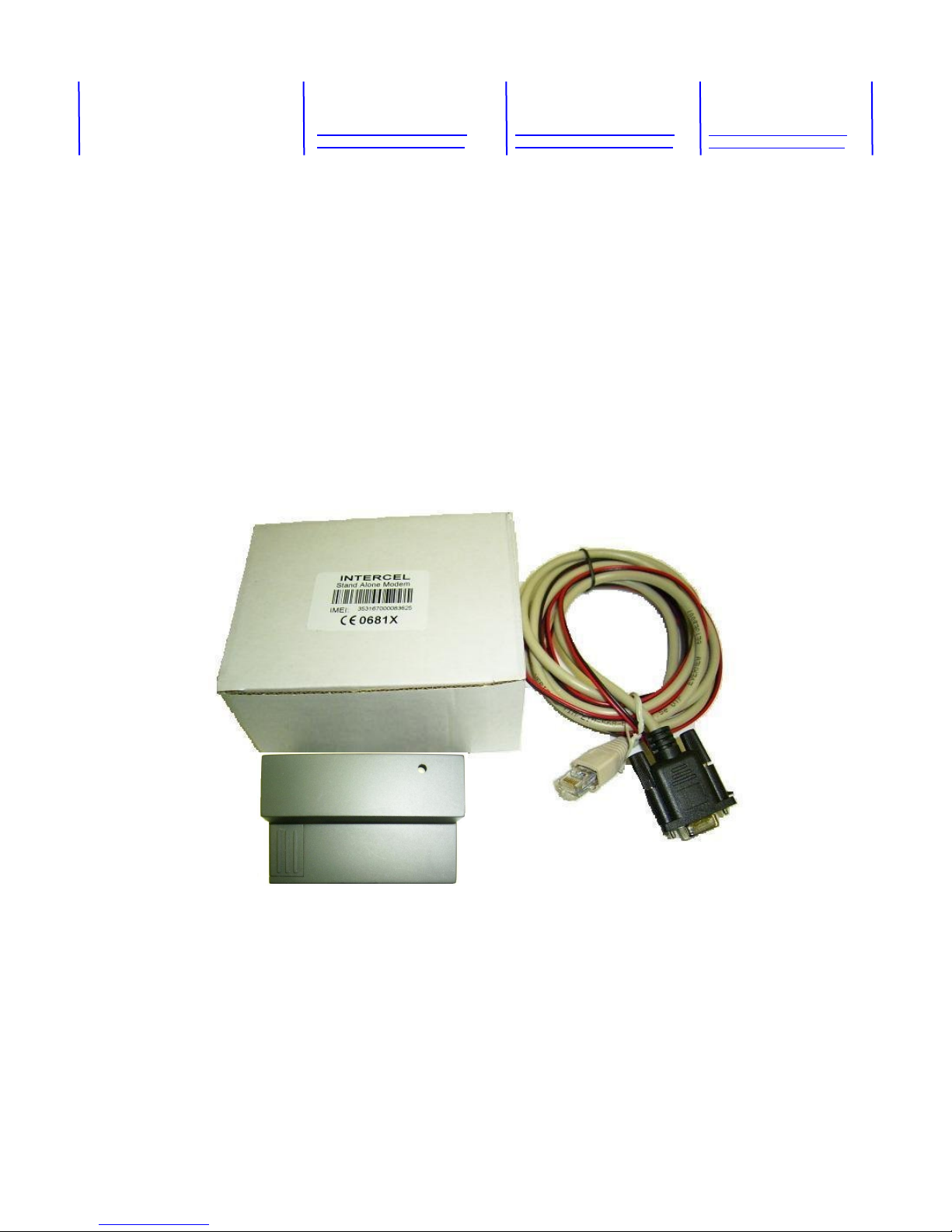
The SAM3G package consists of :
- A SAM3G modem
-A data cable
- A one-page Specification of the SAM and its pinouts
- A SAM3G User Guide
The carton box diameter is 120mm x 95mm x 60mm
The Data cable is 2m long
The Label diameter is 50mm x 33mm
The Power supply is available on request. It is recommended that the SAM3G is powered using a
12Vdc/1A power supply.
The Antenna is also availableon request. Make sure the correct antenna is used to get optimised
performance from the SAM3G.
UK / Europe Office
Tel: +44 (0)8700 434040
Fax: +44 (0)8700 434045
info@omniinstruments.co.uk
www.omniinstruments.co.uk
Australia / Asia Pacific Office
Tel +61 (0)282 442 363
Fax +61 (0)294 751 278
info@omniinstruments.com.au
www.omniinstruments.com.au
USA / Canada Office
Tel +1-866-849-3441
Fax +1-866-628-8055
info@omniinstruments.net
www.omniinstruments.net

7
6. Functionality
a. General
The SAM3G modem consists of an RJ45 connector for serial port and input power, a miniB USB
connector, an SMB Jack antenna connector and a SIM holder. The LED indicator, located on top,
indicates the SAM operating status.
SMB connector
3G ENGINE
Switching
Power
Supply
RS232
Serial Data
Interface
SIM Interface
RJ45
Socket
MiniB
USB
Connector
LED Indicator
The SAM3G F
unctional Block Diagram
uController
UK / Europe Office
Tel: +44 (0)8700 434040
Fax: +44 (0)8700 434045
info@omniinstruments.co.uk
www.omniinstruments.co.uk
Australia / Asia Pacific Office
Tel +61 (0)282 442 363
Fax +61 (0)294 751 278
info@omniinstruments.com.au
www.omniinstruments.com.au
USA / Canada Office
Tel +1-866-849-3441
Fax +1-866-628-8055
info@omniinstruments.net
www.omniinstruments.net

8
b. The RJ45 socket
Pin Signals Description
1 VIN Input voltage 5Vdc - 32Vdc
2DCD Data Carrier Detect
3 N/U Not used
4 GND Common Ground
5 RXD Serial Data out of the SAM
6 TXD Serial Data into the SAM
7 RTS Ready to Send
8 CTS Clear to Send
c. The MiniB USB connector
Pin Signal
1 VIN
2 D-
3 D+
4 N/C
5 GND
Important Note : RS232 and USB ports must not be connected/operated simultaneously
Pin5 Pin1 Pin8 Pin1
UK / Europe Office
Tel: +44 (0)8700 434040
Fax: +44 (0)8700 434045
info@omniinstruments.co.uk
www.omniinstruments.co.uk
Australia / Asia Pacific Office
Tel +61 (0)282 442 363
Fax +61 (0)294 751 278
info@omniinstruments.com.au
www.omniinstruments.com.au
USA / Canada Office
Tel +1-866-849-3441
Fax +1-866-628-8055
info@omniinstruments.net
www.omniinstruments.net

9
d. The SMB-Jack 50Ω antenna connector
e. The USIM holder
To insert the SIM card, remove the door by sliding it back toward the end. Make sure
the SIM card faces the right way as indicated on the box. Voltage levels over this USIM interface
complies with 3GPP standards
f. The LED status
The LED indication has the following status :
- LED on steady : The SAM3G is on and connected, but not transmitting/receiving data
- LED flashes slowly : The SAM3G is on and searching for network connection
- LED flashes intermittently : The SAM3G is in use (transmit/receive data)
- LED is off : No power
UK / Europe Office
Tel: +44 (0)8700 434040
Fax: +44 (0)8700 434045
info@omniinstruments.co.uk
www.omniinstruments.co.uk
Australia / Asia Pacific Office
Tel +61 (0)282 442 363
Fax +61 (0)294 751 278
info@omniinstruments.com.au
www.omniinstruments.com.au
USA / Canada Office
Tel +1-866-849-3441
Fax +1-866-628-8055
info@omniinstruments.net
www.omniinstruments.net

10
g. The data cable
The data cable is 2m long. It consists of an RJ45 plug, a DB9-female connector and a 2-wire
input power.
5 4 3 2 1
9 8 7 6
DB9 Signals RJ45 Description
1 DCD 2 Data Carrier Detect
2 RXD 5 Serial Data out of the SAM3G
3 TXD 6 Serial Data into the SAM3G
4 DTR 3 Not used
5 GND 4 Common Ground
6 DSR
7 RTS 7 Ready to Send
8 CTS 8 Clear to Send
9 RI
1 RED wire : Input voltage from 5Vdc to 32Vdc
4 BLACK wire : Power Ground
UK / Europe Office
Tel: +44 (0)8700 434040
Fax: +44 (0)8700 434045
info@omniinstruments.co.uk
www.omniinstruments.co.uk
Australia / Asia Pacific Office
Tel +61 (0)282 442 363
Fax +61 (0)294 751 278
info@omniinstruments.com.au
www.omniinstruments.com.au
USA / Canada Office
Tel +1-866-849-3441
Fax +1-866-628-8055
info@omniinstruments.net
www.omniinstruments.net
Table des matières
Manuels Modem populaires d'autres marques

Davicom
Davicom DM562AP Manuel utilisateur

EpiValley
EpiValley TATA indicom SXC-1080 Manuel utilisateur

Zte
Zte WiMAX Manuel utilisateur

Intelimax
Intelimax MA-2060 Manuel utilisateur

SMC Networks
SMC Networks D3CM1604V Manuel d'utilisation et d'entretien

Telstra
Telstra Wi-Fi 4G Advanced Pro X Manuel utilisateur

US Robotics
US Robotics 3453C Manuel utilisateur

MaxTech
MaxTech Plug & Play Internal Voice/FAX/Data/SVD... Manuel utilisateur

Zte
Zte MF823 Manuel utilisateur

Four-Faith
Four-Faith F1403 Manuel utilisateur

Sierra Wireless
Sierra Wireless AIRLINK MP595W Manuel utilisateur

Gemtek
Gemtek WiMAX WIXFBR-103 Manuel utilisateur