
nwm MBE001 Manuel utilisateur
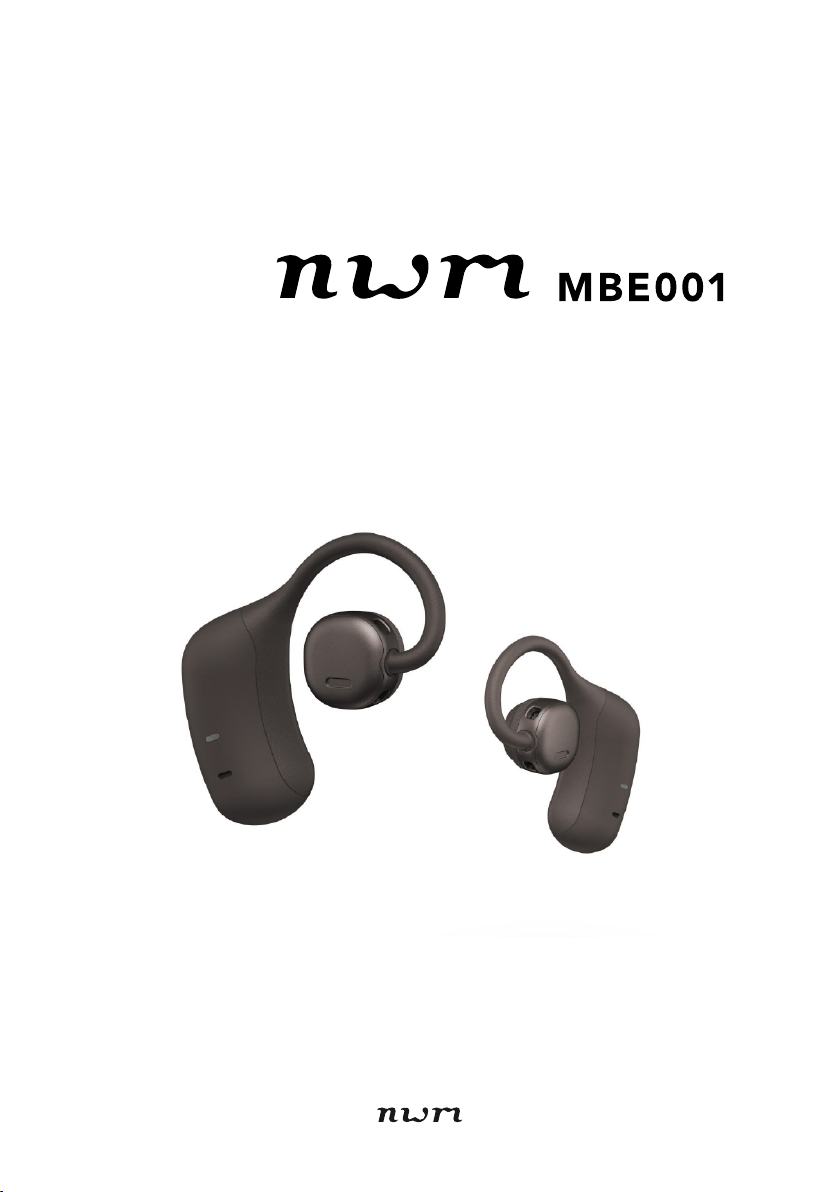
wireless on-ear speakers
Online Instruction Manual

Contents
Introduction ................................................................................ 3
Package contents ........................................................................... 3
Part names ..................................................................................... 4
Turning power on/off ....................................................................... 5
Wearing .......................................................................................... 6
Status indicator display .................................................................. 7
How to charge ............................................................................. 9
Charging ......................................................................................... 9
How to connect ......................................................................... 13
Pairing .......................................................................................... 13
Re-pairing ..................................................................................... 15
How to use ................................................................................ 17
Listening to music ........................................................................ 17
Calling .......................................................................................... 19
Using the voice assistant function ................................................ 21
nwm Connect App .................................................................... 23
Operations available with the nwm Connect app .......................... 23
Download the nwm Connect app .................................................. 23
Troubleshooting ....................................................................... 24
Troubleshooting ............................................................................ 24
How to reset ................................................................................. 26
Notifications .............................................................................. 27
Precautions for use ....................................................................... 27
Bluetooth ...................................................................................... 29
Trademarks .................................................................................. 30
Warranty ....................................................................................... 31
Main specifications .................................................................. 32
Main specifications ....................................................................... 32
– 2 –
Introduction
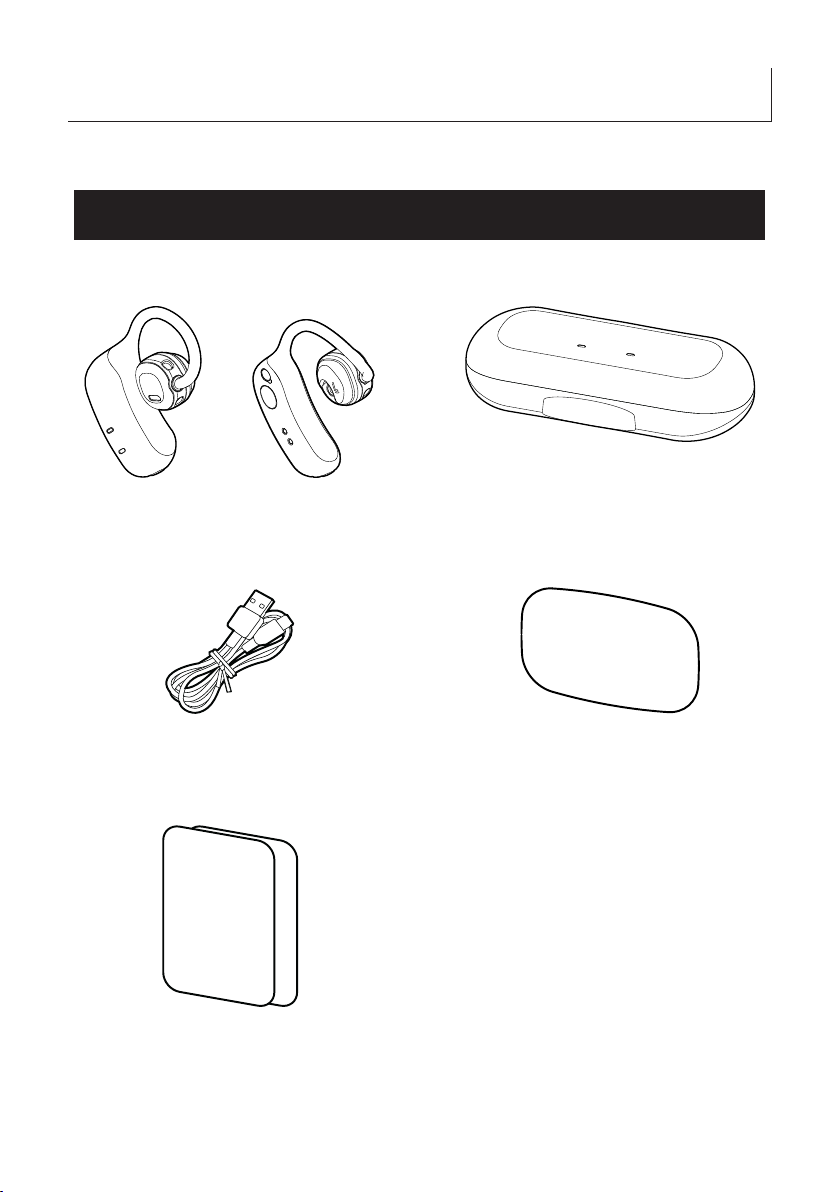
Package contents
(1) Main unit
(2) Carrying case
(3) USB cable (USB Type-A - USB Type-C®)
(4) Quick start guide
(5) Safety guide x 2
– 3 –
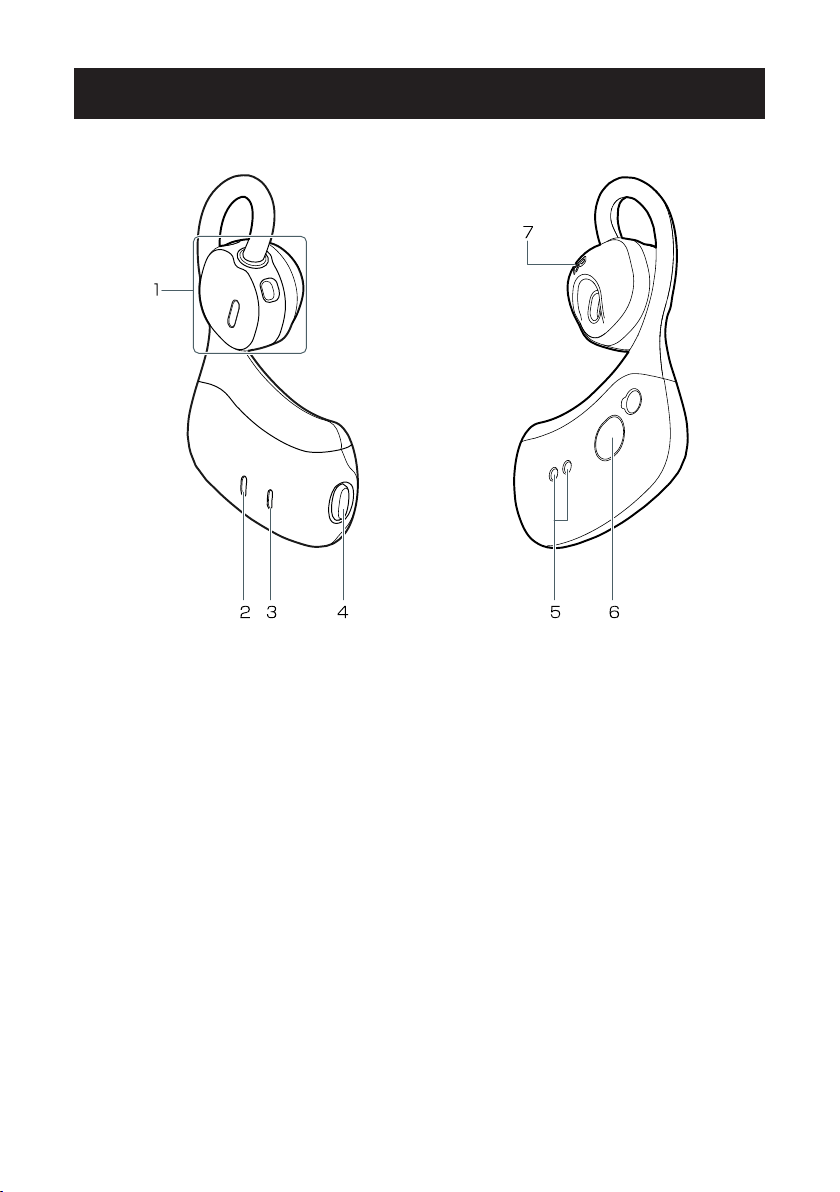
Part names
(This example uses the right earphone)
1: Speaker
2: Status indicator
3: Microphone
4: Multifunction button
5: Earphone charging connectors
6: Sensor
7: Left/right label
– 4 –
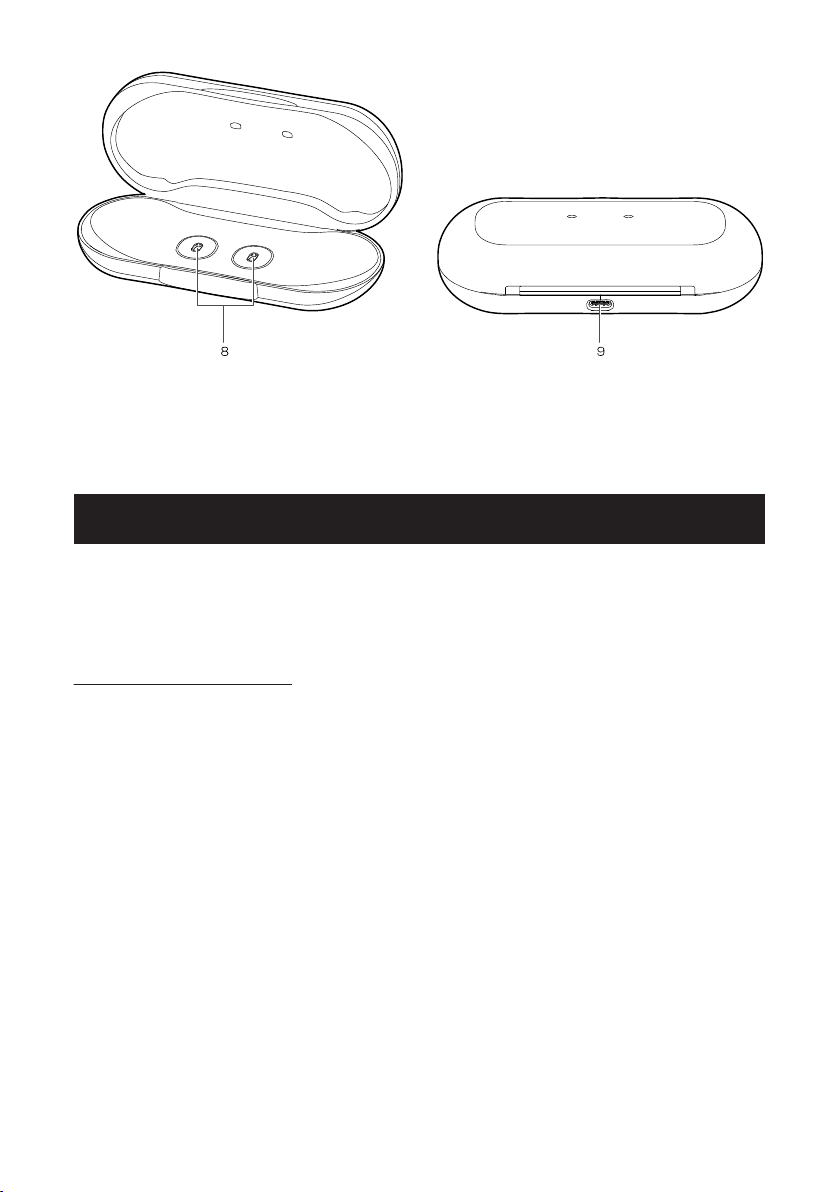
8: Carrying case charging connectors
9: USB charging port (USB Type-C®)
Turning power on/off
Turn the earphones on by removing them from the carrying case, and turn them off by
returning them to the case.
Turning the earphones on and off with the multifunction button is not possible.
On-ear detection sensors
These earphones include on-ear detection sensors.
If you take the earphones off from your ears while listening, the music will automatically
pause. If you put them on again, the music will be resumed.
lIf the earphones are not put on correctly, the on-ear detection sensors may not
function.
lIf the earphone sensors are dirty, the on-ear detection sensors may not function. If
the earphones are dirty, wipe them clean with a soft, dry cloth or similar.
lThe on-ear detection function can also work with the left or right earphone only.
– 5 –
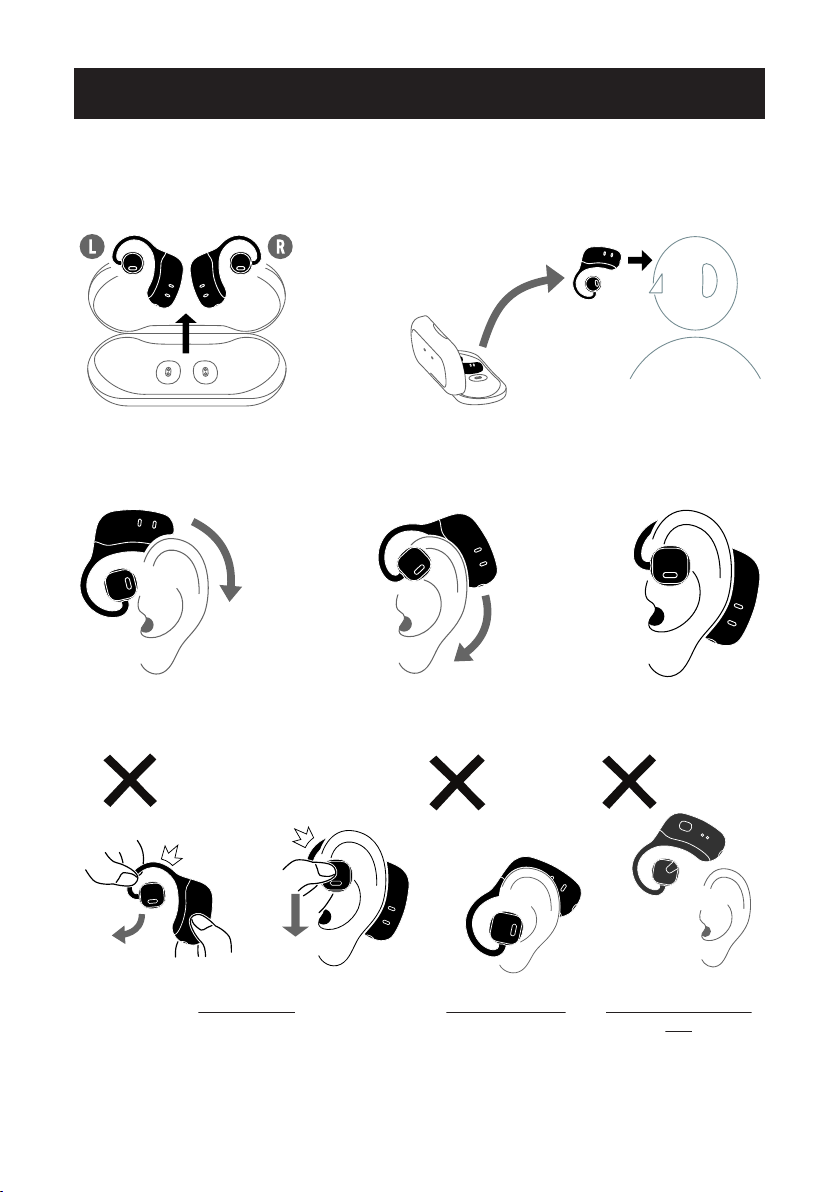
Wearing
These earphones are open-ear type. They are worn such that the speaker fits over the
ear canal.
Before putting them on, check which are the left and right earphones.
Place the earphones over the ear from the front so that the speaker is above the ear
canal.
Excessive force Misaligned wearing Earphones in the wrong
ears
Do not use excessive force when putting on or while using the earphones. Doing so may
damage the earphones.
– 6 –
If the earphones are not put on completely, they may fall off.
Ensure that the earphones are not put on the wrong ears.
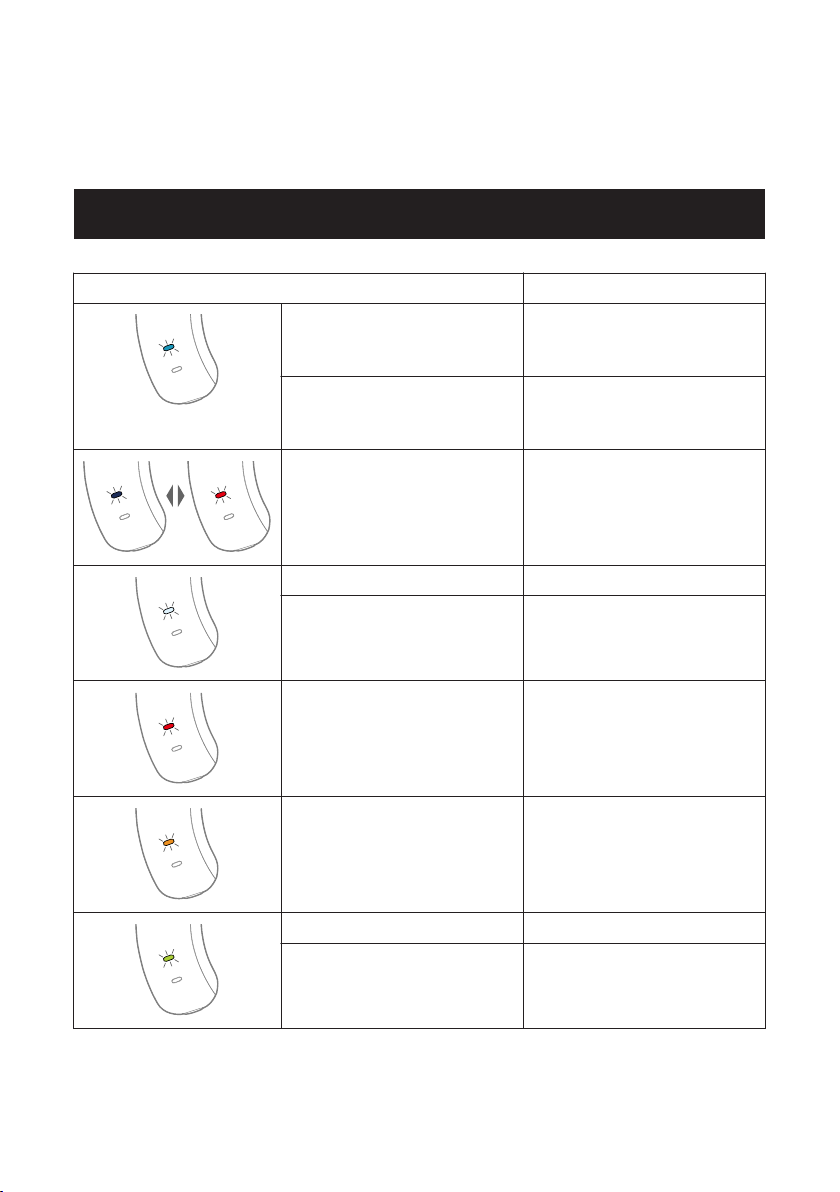
Status indicator display
Color and pattern of status indicator Earphone status
Two slow, light blue blinks Not connected to a device.
(Power will automatically turn off af-
ter approximately 5 minutes)
Slow light blue blinking In connection standby status.
(Power will automatically turn off af-
ter approximately 5 minutes)
Blinks red and blue alternatively In pairing mode.
Slow white blinking Connected to a device.
Fast white blinking Receiving a call.
Lit red Microphone muted.
Lit orange Low battery.
Slow green blinking (default setting) Charging.
Lit green (default setting) Charging completed.
The status indicator does not work when the earphones are being worn.
– 7 –

How to charge
Charging
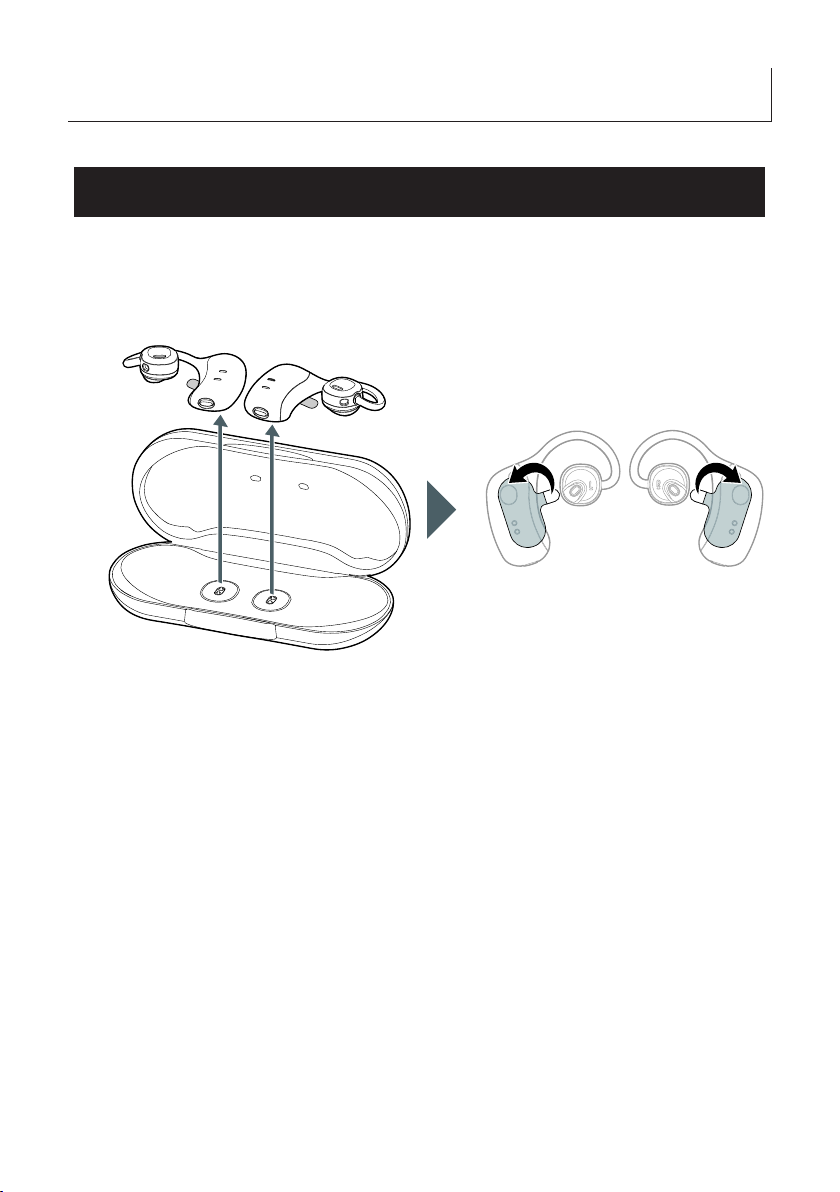
Before using your earphones for the first time, charge them using the included USB
cable.
1. Remove the earphones from the carrying case, and peel away the protective stickers.
– 9 –
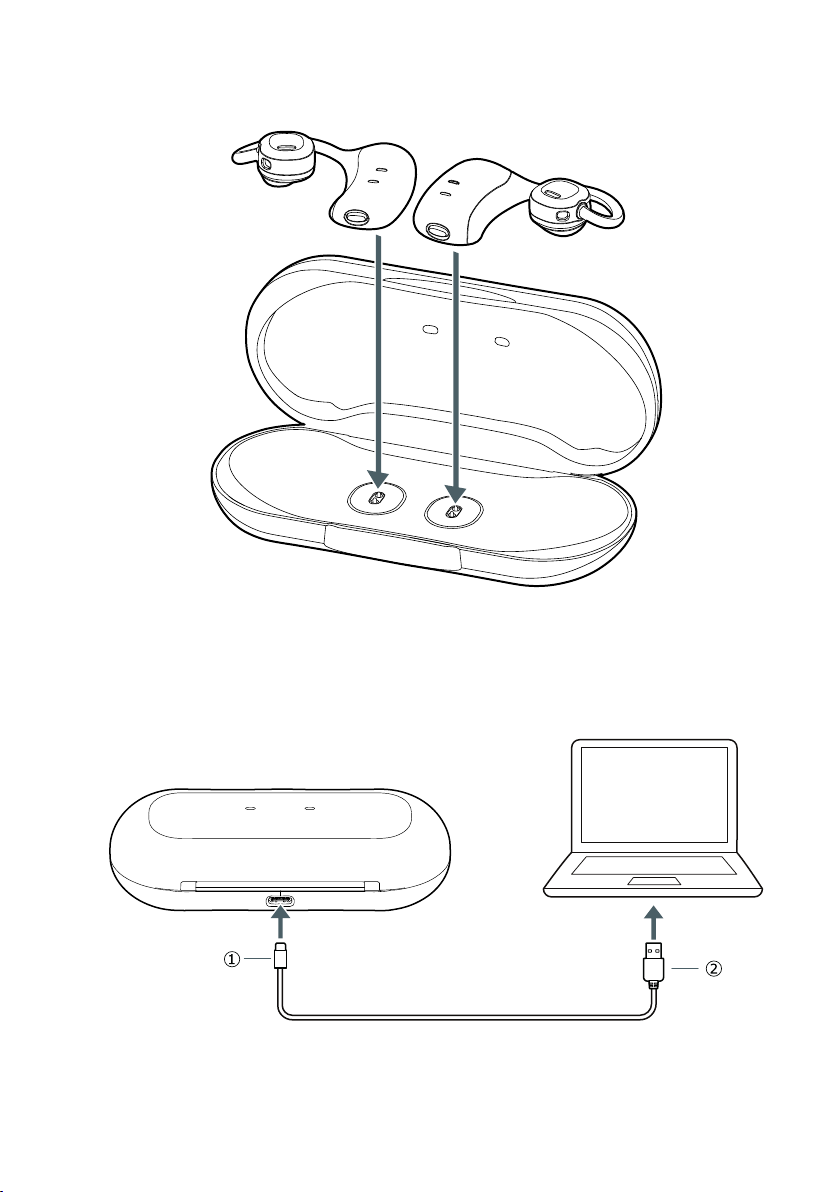
2. Place the earphones in the carrying case.
Place the earphones in the carrying case such that their charging connectors are aligned.
3. Connect the end (USB Type-C: (1)) of the included USB cable to the USB port on the
carrying case.
4. Connect the other end (USB Type-A: (2)*) of the USB cable to the USB port on a PC or
similar.
– 10 –
Table des matières


