TABLE OF CONTENTS
INTRODUCTION.....................................................................................................................................................................1
MATERIALS.............................................................................................................................................................................1
INSTALLATION.......................................................................................................................................................................2
USING THE NTI SWITCH ......................................................................................................................................................3
CPU SELECT BUTTON.....................................................................................................................................................................3
KEYBOARD CONTROL.....................................................................................................................................................................3
COMMAND MODE..............................................................................................................................................................................3
SCAN MODE........................................................................................................................................................................................4
NORMAL MODE..................................................................................................................................................................................4
RESET SWITCH.....................................................................................................................................................................4
KEYBOARD FEATURES........................................................................................................................................................4
TECHNICAL SPECIFICATIONS............................................................................................................................................5
TROUBLESHOOTING............................................................................................................................................................5
WARRANTY INFORMATION.................................................................................................................................................6
COPYRIGHT...........................................................................................................................................................................6
INTRODUCTION
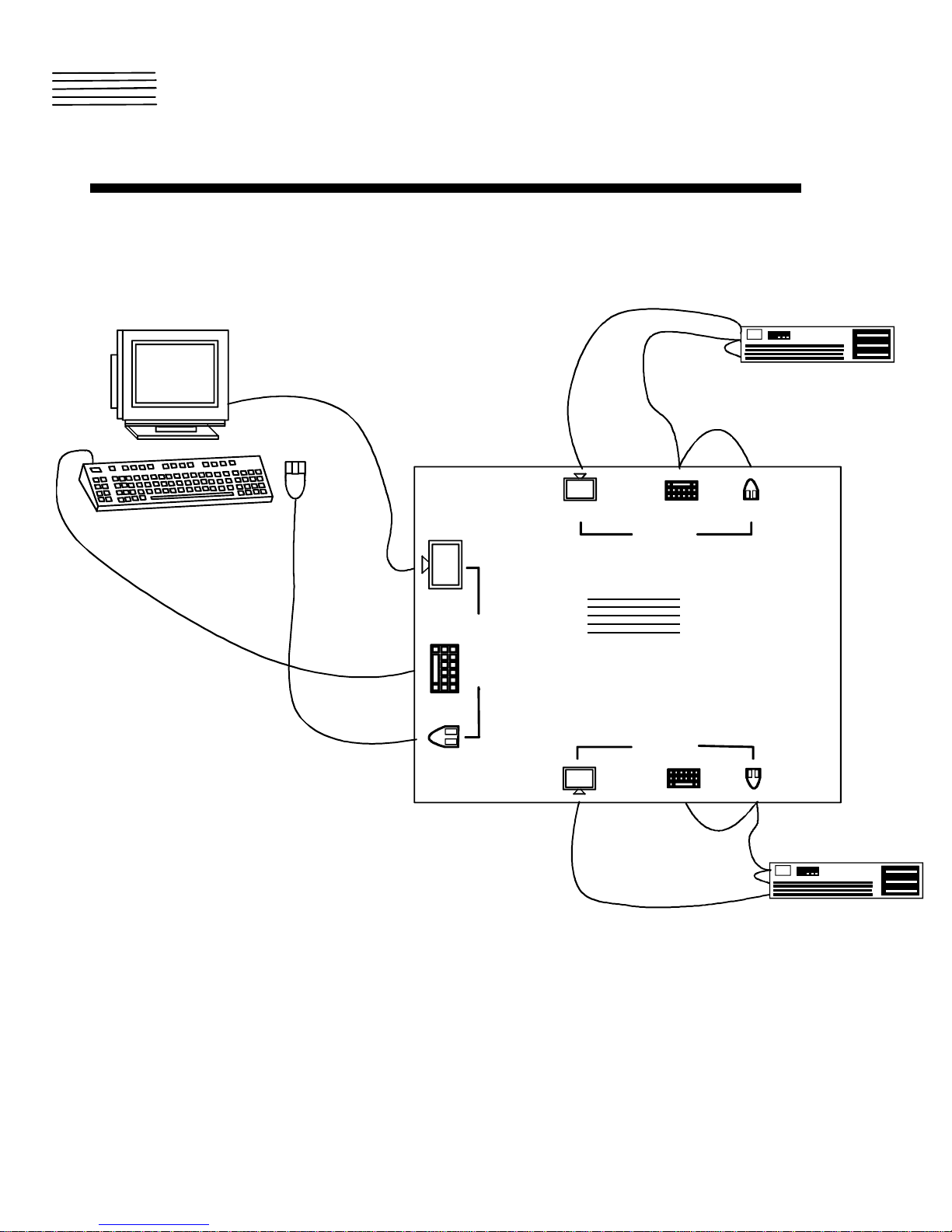
The KEEMUX-P2 LC KVM switch allows one user to access two PS/2 computers with only one keyboard, monitor, and mouse.
Internal microprocessor driven circuitry allows both computers to boot simultaneously and error-free.
MATERIALS
Materials Supplied with this kit:
NTI KEEMUX-P2-LC KVM Switch
Materials Not Supplied, BUT REQUIRED:
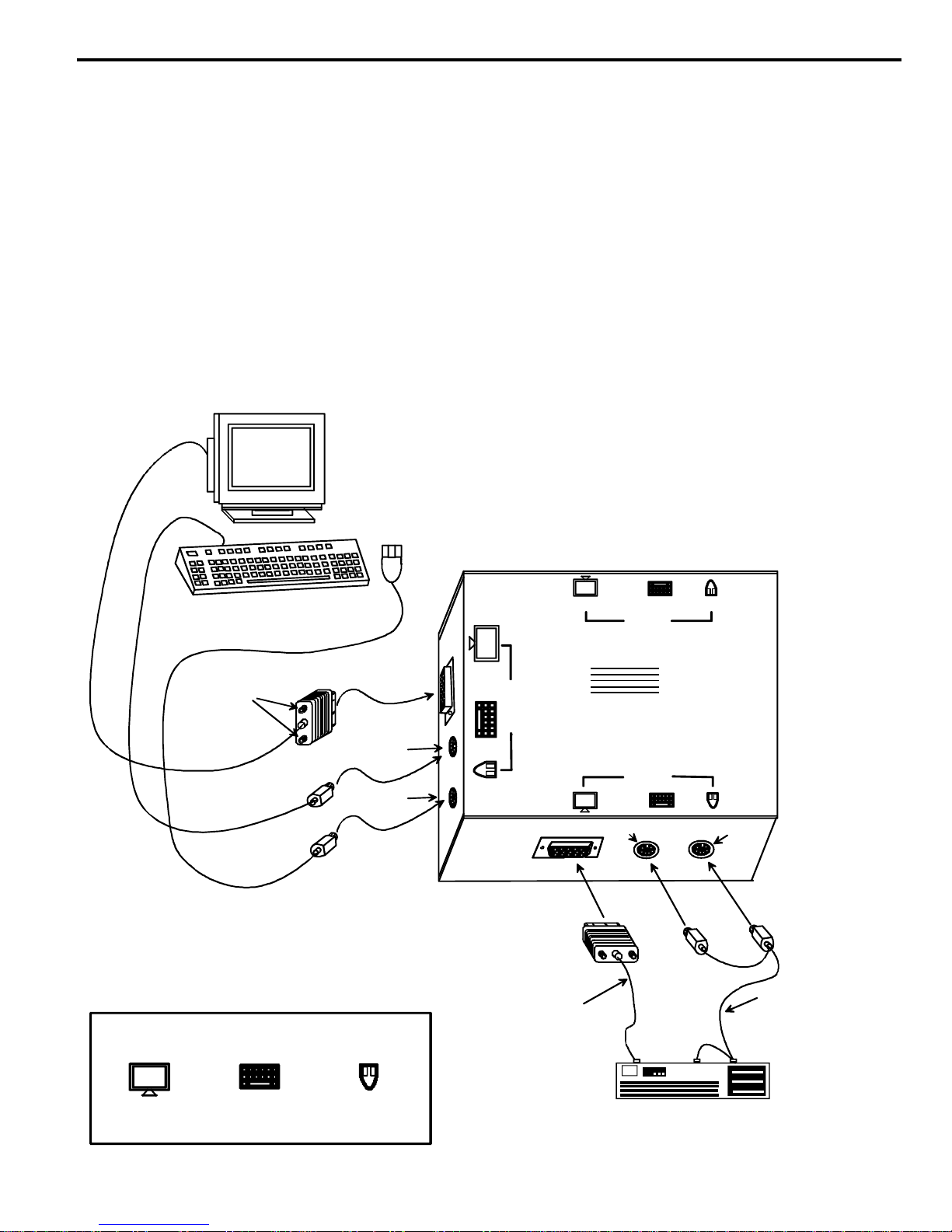
A set of 2 cables for each PS/2 computer being connected to the switch must be used:
1. VEXT-xx-MM for monitor interface
2. (1) VVKINT-xx-MM for keyboard and mouse interface.
OR
VKMEXT-xx-MM for keyboard, mouse, and monitor interface
Legend: xx is the length of the cable in feet.
MM indicates male-to-male connector.
Cables can be purchased from Network Technologies Inc.