4
Password................................................................................................................27
Add Device............................................................................................................27
Serial Port Configuration ......................................................................................27
Edit Title Page .......................................................................................................28
QUCM TCP/IP Configuration ..............................................................................28
Change Password ..................................................................................................28
Store Configuration to FLASH .............................................................................28
......................................................................................................................................29
Statistics Pages .............................................................................................................31
Help Pages ....................................................................................................................32
5 Examples...............................................................................................................................33
Example 1.....................................................................................................................33
......................................................................................................................................35
6 Troubleshooting ..............................................................................................................37
Module Lights ..............................................................................................................37
User Lights ...................................................................................................................37
Testing the RS-485 network on the MUCM ................................................................38
Figures
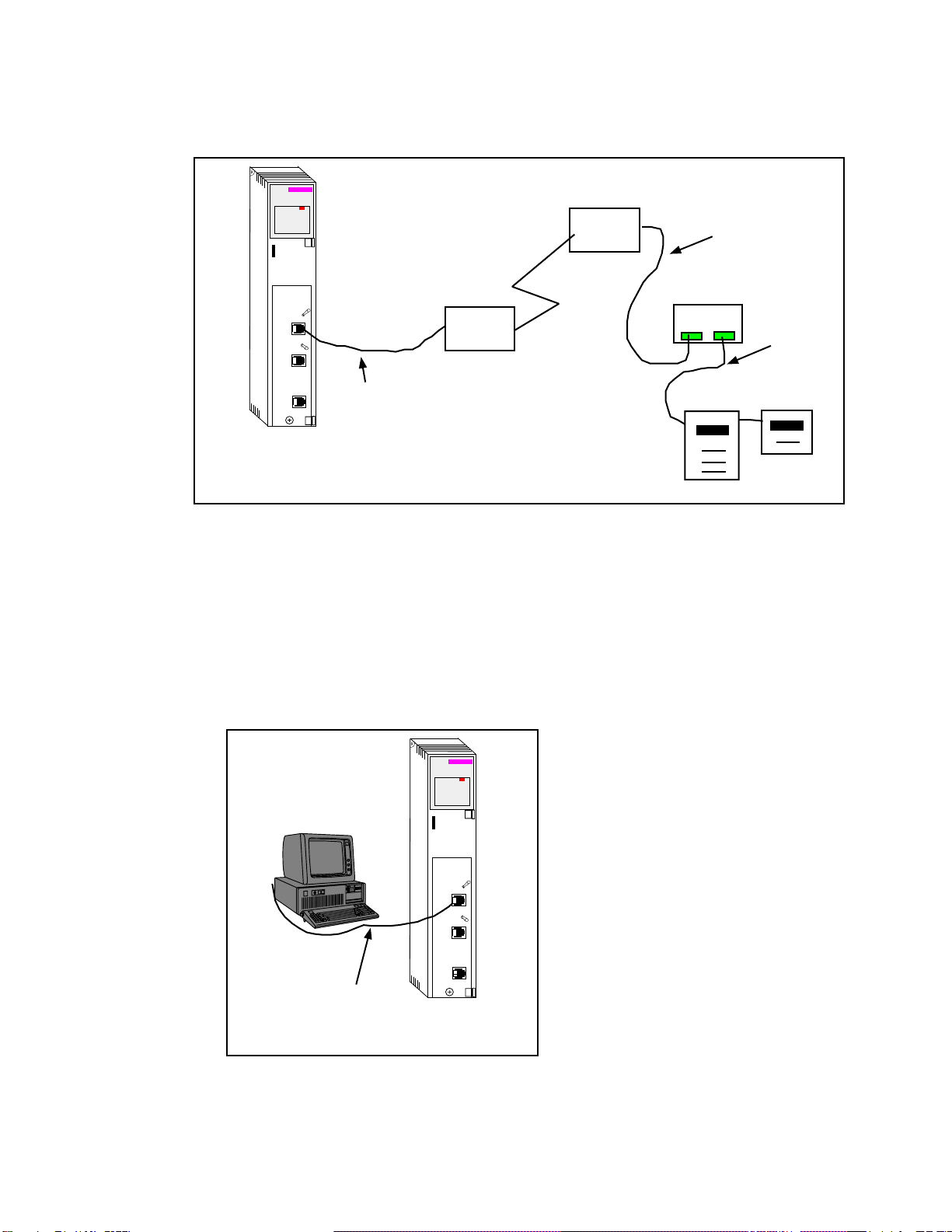
Figure 2-1 QUCM-LE to RS-232 Modem DCE Port (25-pin) (MM12 Cable) .........................10
Figure 2-2 Typical system setup...................................................................................................10
Figure 2-3 PC Connection to QUCM-LE serial port....................................................................10
Figure 2-4 QUCM-SE to RS-232 PC Port (9-pin) (MM1 Cable) ..............................................11
Figure 2-5 MUCM to RS-232 Modem DCE Port (25-pin) (MU12 Cable)................................11
Figure 2-6 MUCM to RS-232 PC Port (9-pin) (MU1 Cable) ....................................................12
Figure 2-7 MUCM to RS-232 PC Port (9-pin) (MU1 Cable) ....................................................12
Figure 2-8 ZAPREG32 COM1:9600,E,8,1 255 -B ......................................................................13
Figure 2-9 QLOAD of APP1........................................................................................................15
Figure 2-10 QLOAD of APP2......................................................................................................16
Figure 2-11 QLOAD of MUCMAPP1 .........................................................................................18
Figure 4-1 Main Page with three devices configured...................................................................24
Figure 4-2 Device Page ................................................................................................................25
Figure 4-3 Test Dial Page.............................................................................................................26
Figure 4-4 Configuration Page .....................................................................................................29
Figure 4-5 Serial Port Page...........................................................................................................30
Figure 4-6 Statistics Web Page.....................................................................................................31
Figure 4-7 MUCM Help Page ......................................................................................................32
Figure 5-1 Example system setup.................................................................................................34
Figure 5-2 Example Configuration Page ......................................................................................35
Tables
Table 6-1 Module Lights ..............................................................................................................37
Table 6-2 QUCM User Light Definitions ....................................................................................38
Table 6-3 MUCM User Light Definitions....................................................................................38