
Nextel iR1200 GPS Manuel de service
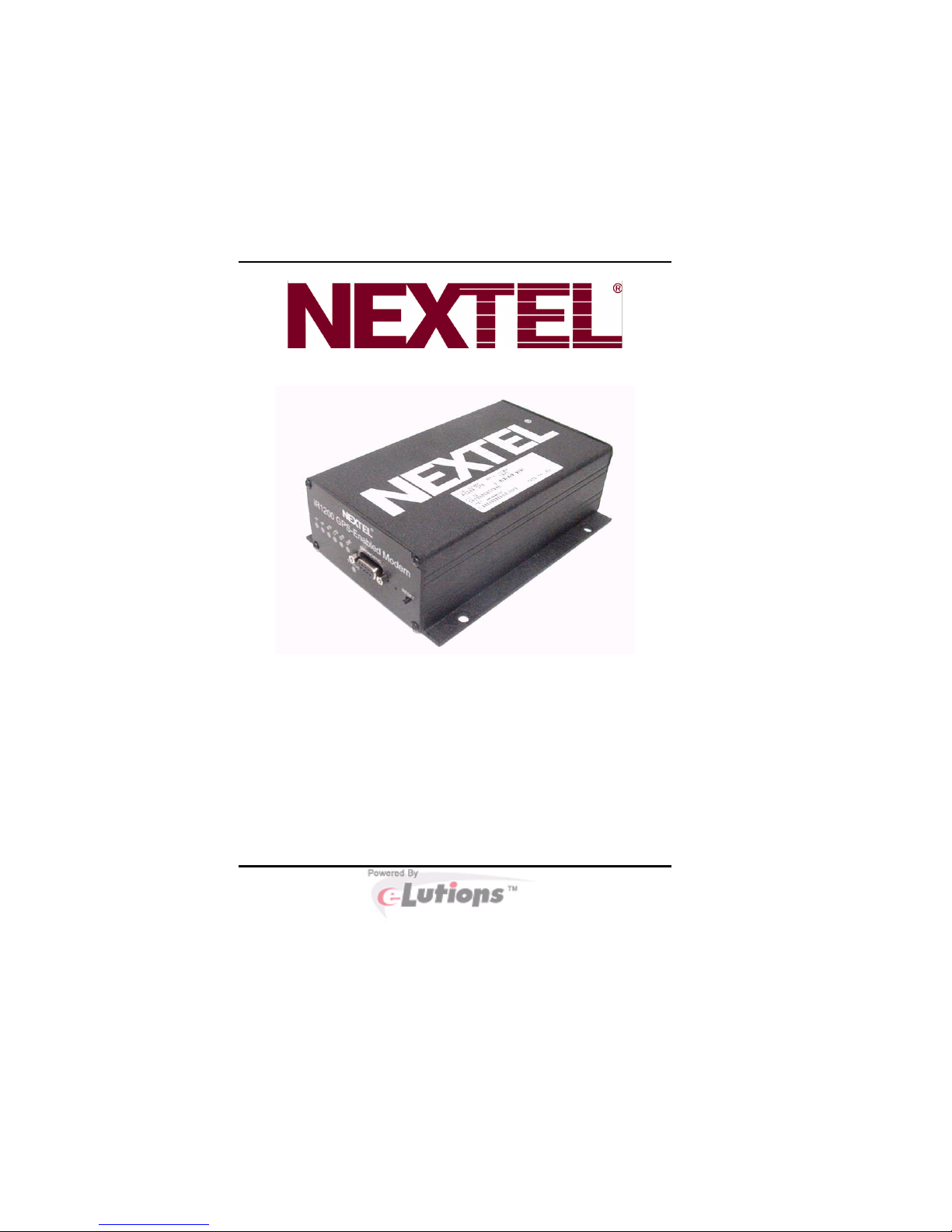
iR1200 Rugged Modem
iR1200 GPS-Enabled Modem
Administrator’s Guide
General


Table of Contents
Table of Contents
Table of Figures................................................................................................1
FCC Compliance ..............................................................................................3
Required Components .....................................................................................5
How to Order..................................................................................................5
Online Documentation ...................................................................................6
Introduction......................................................................................................7
Welcome to Nextel
......................................................................................7
Using This Guide........................................................................................7
Nextel
Coverage.......................................................................................7
Nextel
Customer Care..............................................................................8
Overview ...........................................................................................................9
General Overview ..........................................................................................9
Modem Operating Modes.............................................................................10
Modem Configurations.................................................................................10
iR1200 Rugged Modem ............................................................................10
iR1200 GPS-Enabled Modem...................................................................11
Modem Specifications..................................................................................12
Getting Started ...............................................................................................15
Connecting the Modem ................................................................................15
Communication Indicators ...........................................................................17
Packet Data ..............................................................................................19

iR1200 Modem
Circuit Switched Data ..............................................................................19
Installing iDEN
Packet Data Applet..........................................................21
Hardware and Installation Requirements......................................................21
Before You Begin.........................................................................................22
Download Software Instructions ..................................................................22
Windows 95/98/ME ..................................................................................23
Windows NT .............................................................................................26
Windows 2000 ..........................................................................................31
Setting Up Windows Components.................................................................35
Verify Dial-Up Networking .........................................................................35
Windows 95/98/ME ..................................................................................35
Windows NT .............................................................................................36
Windows 2000 ..........................................................................................36
Verify TCP/IP Protocol Installation .............................................................36
Windows 95/98/ME ..................................................................................37
Windows NT/2000 ....................................................................................38
Installing the Dial-Up Adapter .....................................................................39
Windows 95/98/ME ..................................................................................39
Windows NT/2000 ....................................................................................39
Manual Modem Configuration .....................................................................41
Modem Configuration – Windows 95/98/ME..............................................41
Install the Modem.....................................................................................41
Configure the Modem Driver ...................................................................42
Create a Dial-up Networking Connection ................................................43
25

Table of Contents
Modem Configuration – Windows NT.........................................................44
Install the Modem.....................................................................................44
Configure the Modem Driver ...................................................................46
Create a Dial-up Networking Connection ................................................47
Modem Configuration – Windows 2000 ......................................................48
Install the Modem.....................................................................................48
Create and Configure a Dial-up Networking Connection ........................49
Modify Dial-up Connection Parameters...................................................51
Modem Profiles and Settings.........................................................................53
HyperTerminal Setup ...................................................................................54
Opening a HyperTerminal Session...............................................................56
Configuring With AT Commands ................................................................57
Modem Initialization ................................................................................57
Restore Factory Defaults..........................................................................57
Activate DTR Monitoring .........................................................................58
Activate DCD Management......................................................................58
Set Computer’s IP Address.......................................................................58
Select iDEN
Packet Wireless Data.........................................................59
Select SLIP or PPP...................................................................................59
Mobile IP Activation ................................................................................60
Mobile IP Home Agent Address ...............................................................60
Mobile IP Authentication Key ..................................................................60
Mobile IP Security Parameter Index (SPI)...............................................61
Mobile Node IP Prefix Length..................................................................61
Header Compression................................................................................62

iR1200 Modem
Saving AT Settings....................................................................................62
GPS Default Parameters...............................................................................63
AT Commands................................................................................................65
General AT Commands................................................................................65
User Image Profile Commands.....................................................................66
Registration, Reset, and Authentication Commands ....................................66
Network Status Commands..........................................................................66
Other Useful AT Commands........................................................................67
Answer......................................................................................................67
Command Mode Echo ..............................................................................67
Dial...........................................................................................................68
Hang-up....................................................................................................69
Request Modem Information ....................................................................69
Go Online .................................................................................................69
Pulse Dialing............................................................................................70
Quiet Mode...............................................................................................70
Tone Dialing.............................................................................................70
Verbose Result Codes...............................................................................71
Extended Result Codes .............................................................................71
Restore User Defaults ..............................................................................72
DCD Behavior..........................................................................................72
DTR Behavior...........................................................................................73
Restore Factory Default ...........................................................................73
Local Flow Control (Traditional).............................................................74
Display Current Parameter Value............................................................74
Local Character Framing.........................................................................75

Table of Contents
Local Flow Control (PCCA).....................................................................75
Local Data Rate .......................................................................................76
Lock/Unlock the DCE...............................................................................77
Change the DCE’s PIN. ...........................................................................77
Packet Data Sleep Timer ..........................................................................78
SLIP MTU ................................................................................................78
Select Mobile IP Client.............................................................................79
Mobile IP Authentication Key ..................................................................79
Mobile IP Session Timer ..........................................................................80
DTE IP Address........................................................................................80
DTE IP Address Prefix Length .................................................................81
Data Encryption .......................................................................................81
DTE Stack.................................................................................................82
WDS Stack................................................................................................83
Service Class ............................................................................................83
Packet Data Registration Timeout............................................................83
Circuit Data Auto-Answer........................................................................84
Circuit Data Establishment Timeout ........................................................84
Comma Dial Modifier Timer ....................................................................85
Circuit Data Idle Timer ............................................................................85
S-Registers ......................................................................................................87
S-Registers ...................................................................................................87
Programming the S-Register ........................................................................87
Reading an S-Register Value........................................................................88
Supported S-Registers ..................................................................................88

iR1200 Modem
Troubleshooting..............................................................................................91
Common Problems.......................................................................................91
Error Messages.............................................................................................93
Diagnostic Commands .................................................................................94
Extended Error AT Command ..................................................................95
Extended Error Result Codes ...................................................................95
Safety Notice ...................................................................................................99
Safe and Efficient Operation Guidelines ......................................................99
Exposure to Radio Frequency Energy ..........................................................99
Medical and Personal Electronic Devices ....................................................99
Pacemakers ..............................................................................................99
Hearing Aids ..........................................................................................100
Other Medical Devices ...........................................................................100
Interference with Other Electronic Devices................................................100
Copyright and Trademark ..........................................................................101
Appendix A: Glossary..................................................................................103
Index..............................................................................................................111

Table of Contents
IMPORTANT!
Please Read Safety Notice on Page 99
before using the iR1200 Modem.
Last Updated
RFM-4002-5015 Rev 3
November 2003

Autres manuels pour iR1200 GPS
4
Table des matières
Autres manuels Nextel Modem



Manuels Modem populaires d'autres marques

Davicom
Davicom DM562AP Manuel utilisateur

EpiValley
EpiValley TATA indicom SXC-1080 Manuel utilisateur

Zte
Zte WiMAX Manuel utilisateur

Intelimax
Intelimax MA-2060 Manuel utilisateur

SMC Networks
SMC Networks D3CM1604V Manuel d'utilisation et d'entretien

Telstra
Telstra Wi-Fi 4G Advanced Pro X Manuel utilisateur


US Robotics
US Robotics 3453C Manuel utilisateur

MaxTech
MaxTech Plug & Play Internal Voice/FAX/Data/SVD... Manuel utilisateur

Zte
Zte MF823 Manuel utilisateur

Four-Faith
Four-Faith F1403 Manuel utilisateur

Sierra Wireless
Sierra Wireless AIRLINK MP595W Manuel utilisateur

Gemtek
Gemtek WiMAX WIXFBR-103 Manuel utilisateur