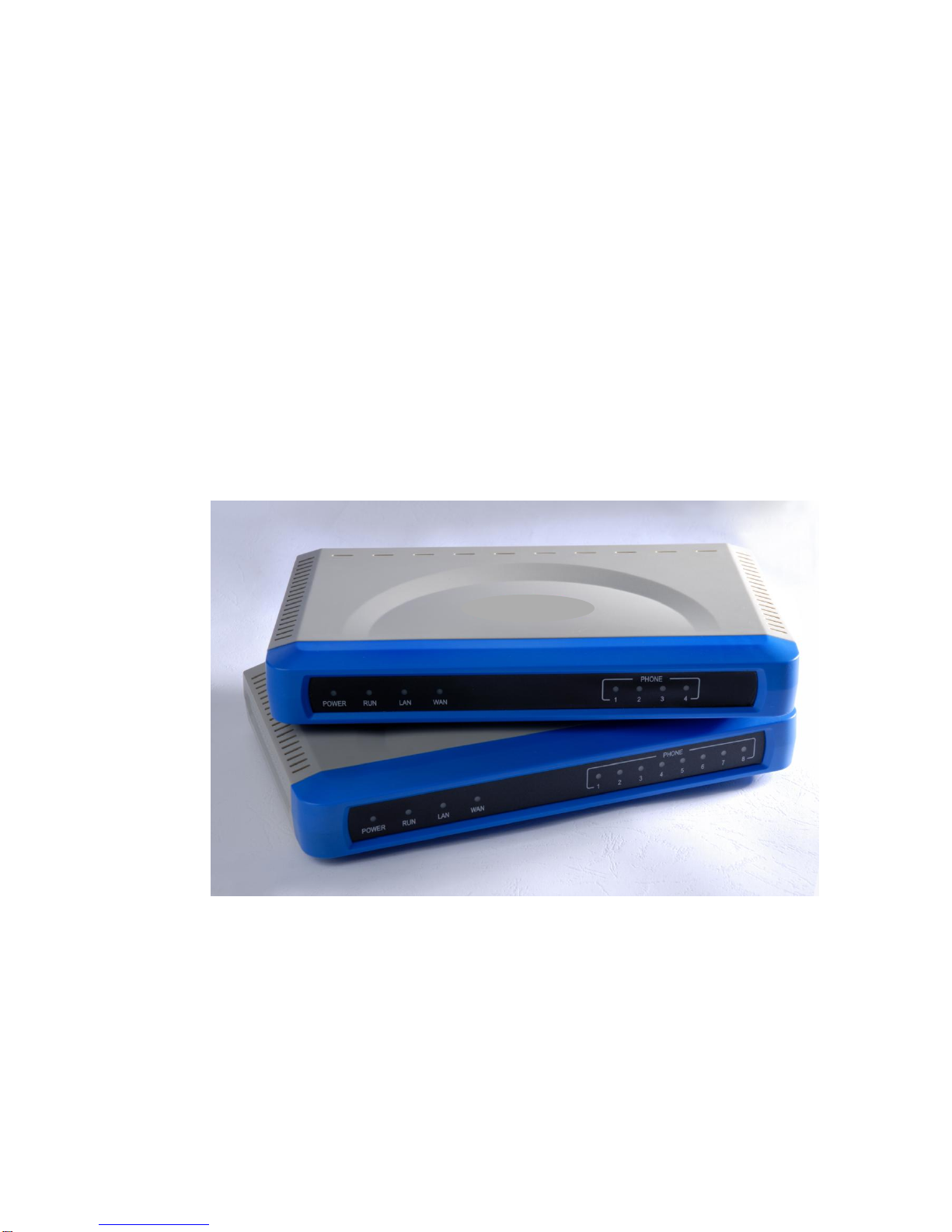
SIP 60X User Manual
Page 2 of 43
Table of Contents
1WELCOME...................................................................................................................4
1.1 Gateway SIP 60X Overview...........................................................................4
1.2 Safety Compliances.......................................................................................4
1.3 Warranty.........................................................................................................5
2CONFIGURE YOUR SIP 60X ......................................................................................5
2.1 Equipment Packaging....................................................................................5
2.2 Connect The SIP 60X ....................................................................................5
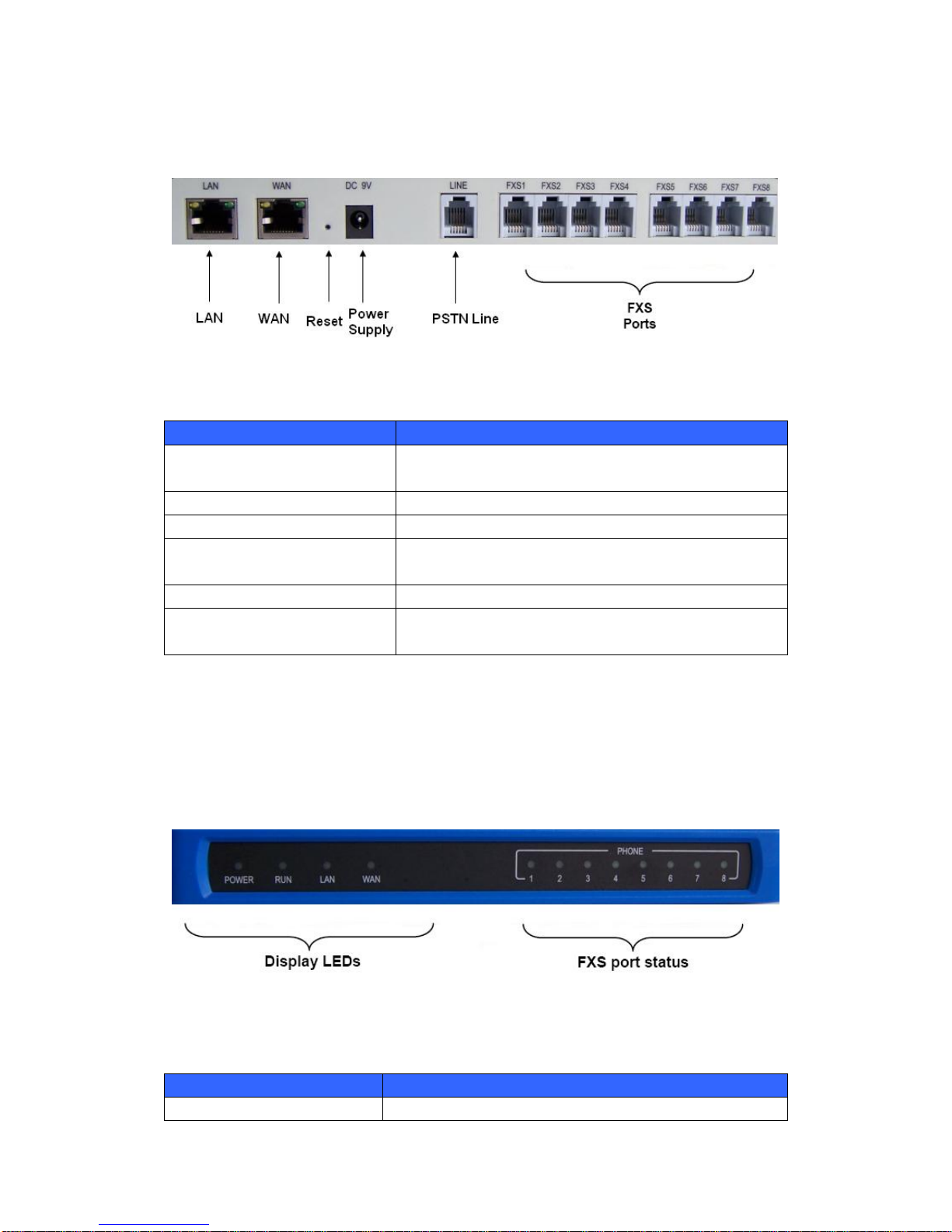
2.3 Figure 1: Diagram of SIP 60X Back Panel..................................................6
2.4 Figure 2: Diagram Of SIP 60X Display Panel.............................................6
3APPLICATION DESCRIPTION....................................................................................7
3.1 Examples Of SIP 60X Configurations............................................................7
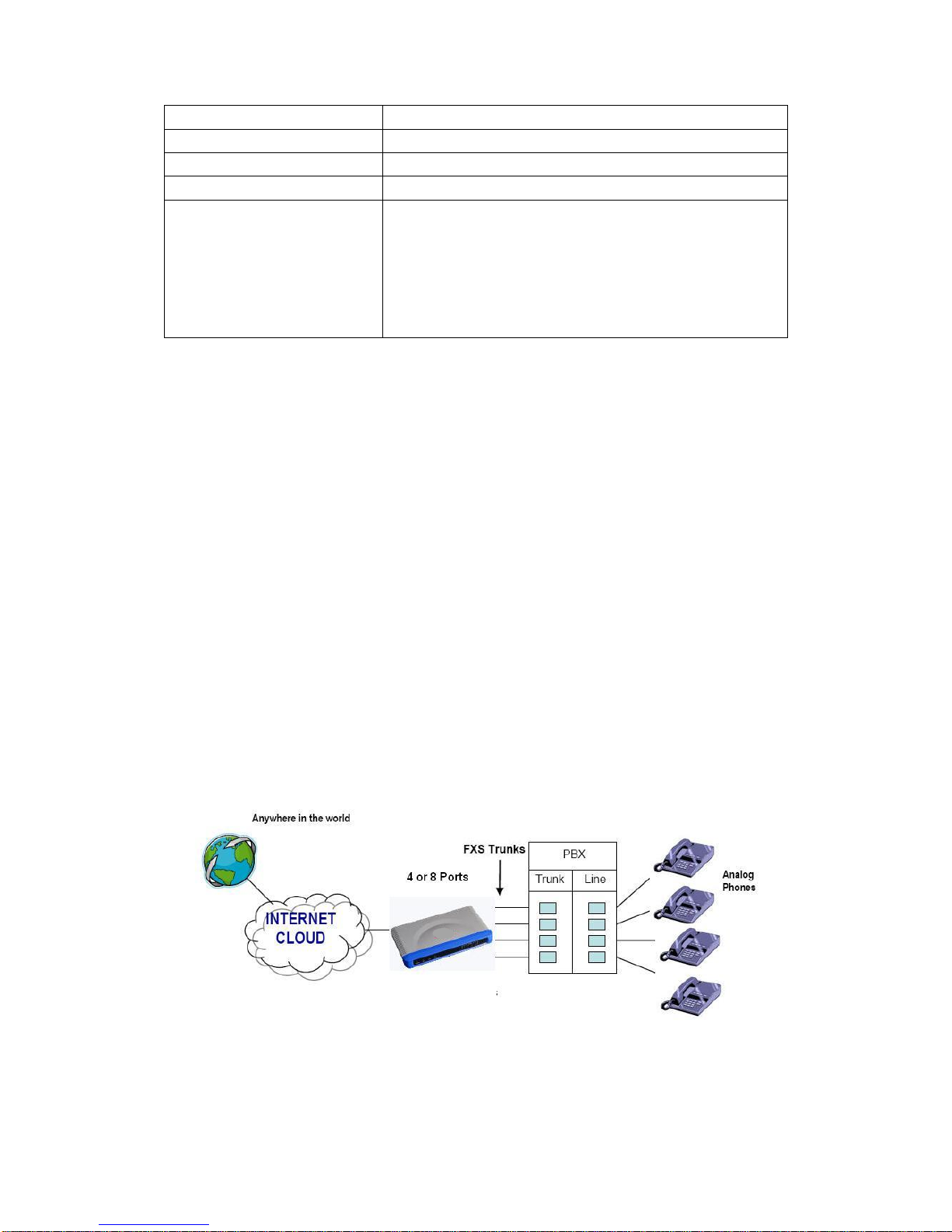
3.1.1 Application : SIP 60X FXS Gateway with PBX Scenario, VoIP..............7
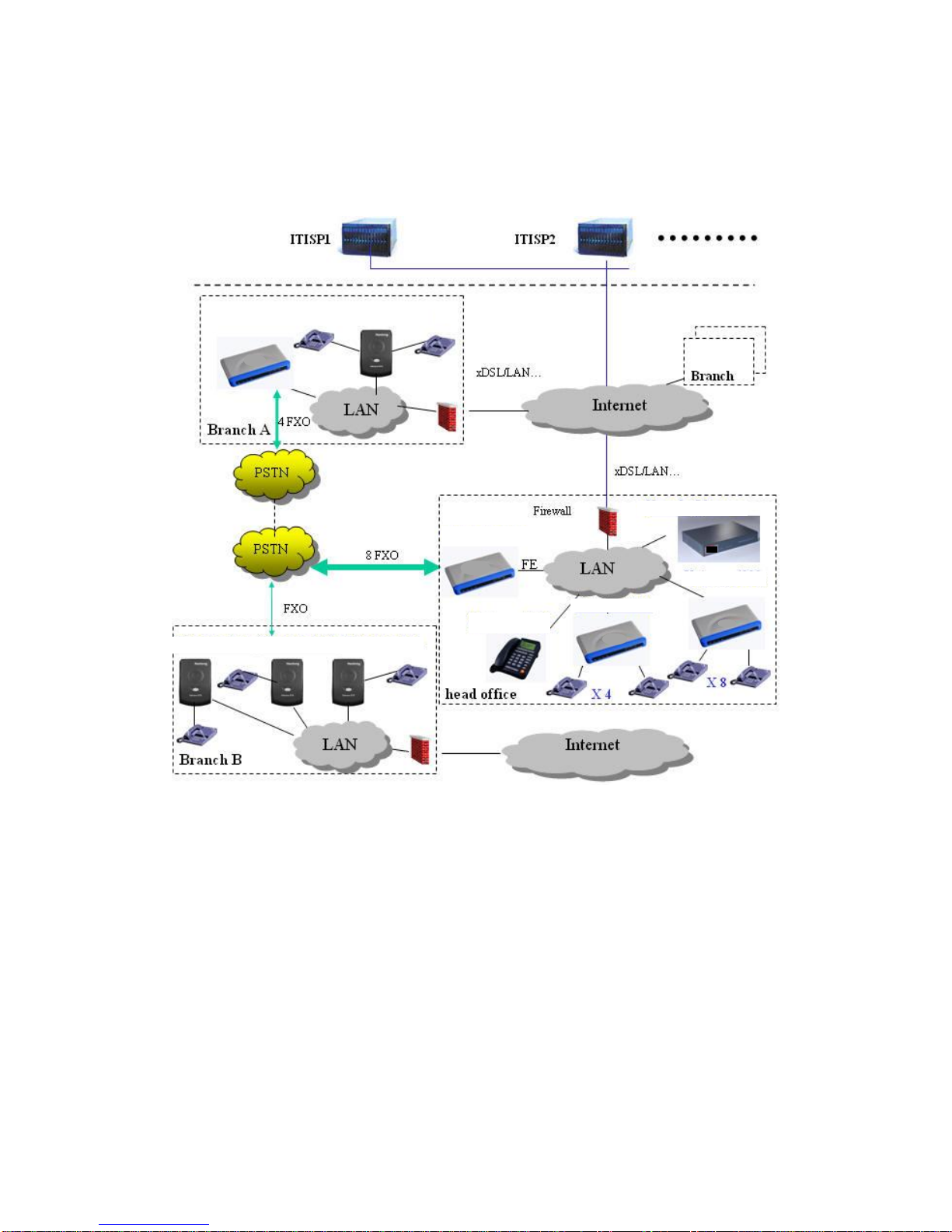
3.1.2 Application: SIP 60X & SIP 60X0 Toll- Free Calls Between Locations..8
4SIP 60X FEATURES ....................................................................................................8
4.1 Software Features Overview .........................................................................9
4.2 Hardware specification.................................................................................10
5BASIC OPERATIONS................................................................................................11
5.1 Understanding Voice Prompts.....................................................................11
5.2 Placing A Phone Call....................................................................................12
5.2.1 Phone or Extension Numbers...............................................................12
5.2.2 Direct IP Calls.......................................................................................13
5.3 Call Hold.......................................................................................................14
5.4 Call Waiting..................................................................................................14
5.5 Call Transfer.................................................................................................14
5.6 3-Way Conferencing ....................................................................................15
5.7 Hunting Group..............................................................................................15
5.8 Iter-port Calling.............................................................................................17
5.9 PSTN Pass Through/Life Line.....................................................................17
5.10 SendingAnd Receiving Fax.........................................................................17
6CALL FEATURES......................................................................................................17
7CONFIGURATION GUIDE.........................................................................................18
7.1 Configuring SIP 60X Via Voice Prompt........................................................18
7.2 Configuring SIP 60X With Web Browser .....................................................19
7.2.1 Access The Web Configuration Menu..................................................19
7.3 Important Settings........................................................................................21
7.3.1 NAT Settings.........................................................................................21
7.3.2 DTMF Methods.....................................................................................22
7.3.3 Preferred VOCODER (Codec)..............................................................22
7.4 End User Configuration................................................................................22
7.5 Super User Configuration............................................................................27
7.6 Figure 3: Screenshot Of Super User Configuration Login Screen ...........27
7.7 Saving The Configuration Changes.............................................................40