
HANTEL HTT-800A Manuel utilisateur
CDMA WLL User’s Guide HTT-800A
-1-
CDMA – 2000 1X
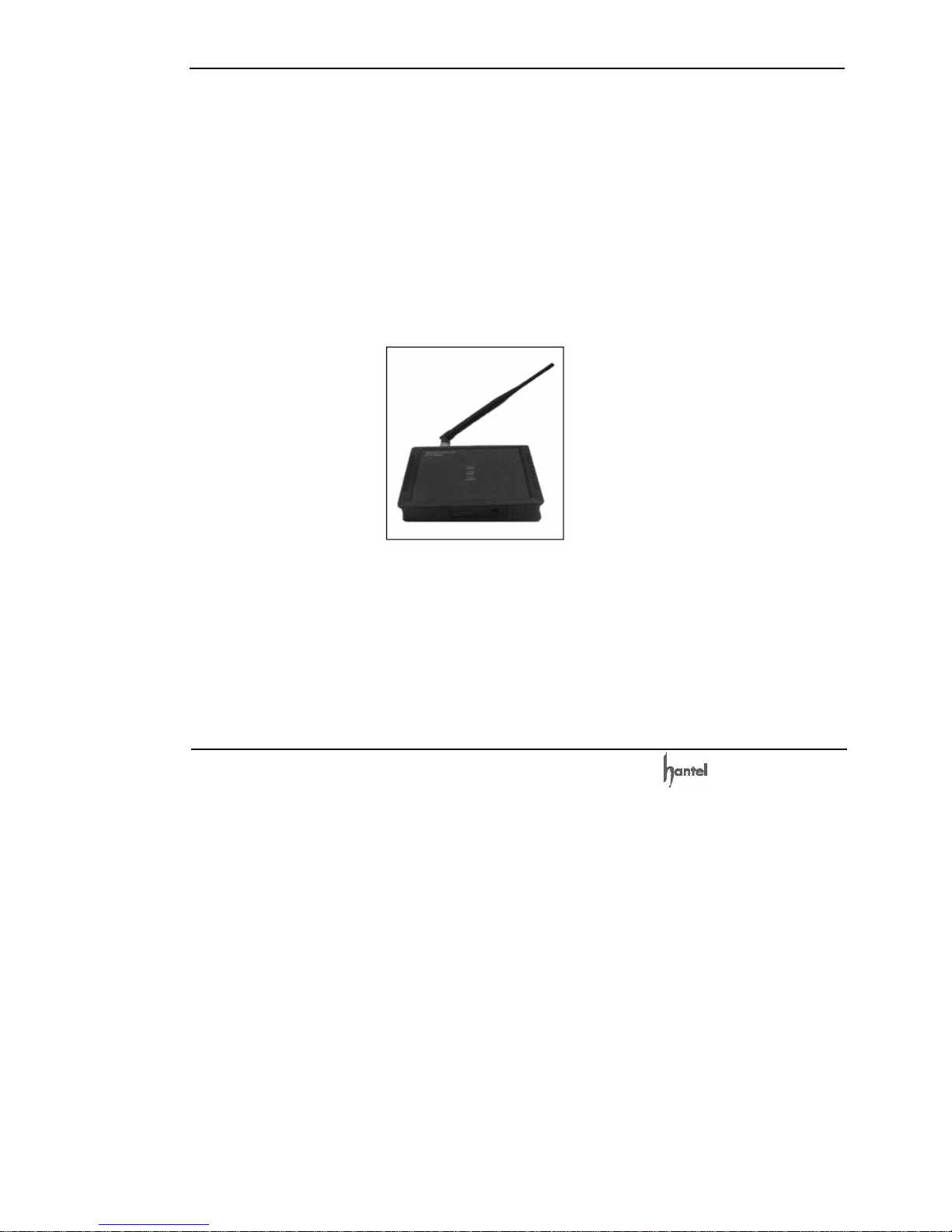
Fixed Wireless Terminal
User's Guide
Model No. HTT-800A
Supports Voice, PCO, G3 Fax, Data
Read this manual carefully before operating the instrument.
V1.0

CDMA WLL User’s Guide HTT-800A
-2-
FCC RF EXPOSURE INFORMATION
WARNING! Read this information before using your phone
In August 1996 the Federal Communications
Commission (FCC) of the United States with its
action in Report and Order FCC 96~326
adopted an updated safety standard for human
exposure to radio frequency electromagnetic
energy emitted by FCC regulated transmitters.
Those guidelines are consistent with the safety
standard previously set by both U.S. and
international standards bodies. The design of
this phone complies with the FCC guidelines
and these international standards.
To comply with FCC RF exposure requirements,
a minimum separation distance of 2.5cm (1
inch) must be maintained between the
user/bystander and the back of the unit,
including the antenna.
When using the Optional external antenna
please note the following precautions:
This system is designed to be operated as a
fixed system device and must be located either
on the roof top site, or up on or near the ceiling
away from the user. It must be mounted in a
manner to ensure that all user's and bystanders
are kept a minimum of 20cm away from the
antennas at all times.

CDMA WLL User’s Guide HTT-800A
-3-
Warning: Exposure to Radio Frequency
Radiation The radiated output power of this
device is far below the FCC radio frequency
exposure limits. Nevertheless, the device
should be used in such a manner that the
potential for human contact during normal
operation is minimized. In order to avoid the
possibility of exceeding the FCC radio
frequency exposure limits, human proximity
to the antenna should not be less than 20 cm
during normal operation. The gain of the
antenna for Cellular band must not exceed 2.0
dBi.
For more information about RF exposure, please visit
the FCC website at www.fcc.gov

CDMA WLL User’s Guide HTT-800A
-4-
CONTENTS
FCC RF EXPOSURE INFORMATION.....................................2
HIGHLIGHTS...........................................................................9
1. BEFORE YOU START ...................................................13
1.1 SAFETY PRECAUTIONS........................................ 13
1.1.1 Warning............................................................ 13
1.1.2 Important.......................................................... 13
1.2 Optimal Phone Performance .................................. 13
1.3 Care and Service .................................................... 16
2. GETTING STARTED AND INSTALLATION...................18
2.1 Checking the Parts ................................................. 18
2.2 Know your Terminal ..............................................19
2.3 Setting up your Terminal ....................................... 21
2.3.1 Adjust Your FWT ............................................. 22
2.3.2 Adding More Phones ....................................... 22
2.3.3 Additional Telephone Equipment .................. 232
2.4 Installation on Desktop........................................... 23
2.5 Installation on Wall................................................. 23
2.6 How to Install Battery ............................................ 24
2.7 Installation for the Data Service ............................ 25
2.8 Indications .............................................................. 25

CDMA WLL User’s Guide HTT-800A
-5-
2.9 Multi-extension Installations ................................. 26
3. BASIC FUNCTIONS..........................................................27
3.1 Power On/Off .......................................................... 27
3.2 Making a call........................................................... 28
3.3 Receiving a call....................................................... 28
3.4 Ending a call ........................................................... 29
4. ADVANCED FUNCTIONS & SETTING.............................30
4.1 One Minute Alert .................................................... 30
4.2 Alarm....................................................................... 30
4.2.1 12 Hour Mode .................................................. 30
4.2.2 24 Hour Mode .................................................. 31
4.2.3 Release Alarm Setting .....................................31
4.3 Connection tone...................................................... 31
4.4 Earpiece Volume .................................................... 32
4.5 CID / CLIP Mode..................................................... 32
4.6 Calls Restrict .......................................................... 33
4.6.1 Outgoing Call Restrict...................................... 33
4.6.2 Long Call Restrict .......................................... 33
4.6.3 International Call Restrict ..............................34
4.6.4 Incoming Call Restrict ..................................... 35
4.7 Lock Code............................................................... 36
4.8 Reset ....................................................................... 37
4.9 Auto Dial Time........................................................ 37
4.10 Data Service ......................................................... 38

CDMA WLL User’s Guide HTT-800A
-6-
4.11 R-UIM (Optional).................................................. 38
4.12 Authentication Function (Optional) ...................... 39
5. SUPPLEMENTARY FUNCTIONS.....................................40
5.1 Call Functions ......................................................... 40
5.1.1 Speed Dial ........................................................ 40
5.1.2 Redialing .......................................................... 41
5.1.3 Emergency call ................................................ 42
5.1.4 Hot Line ........................................................... 43
5.2 Pay Phone Interface ............................................... 45
5.3 Phone Book........................................................... 465
5.3.1 Storing Phone Numbers................................... 46
5.3.2 Deleting Phone Numbers................................. 46
5.4 Voice Privacy ......................................................... 46
5.5 Ringer Frequency & Cadence Control ................... 47
5.5.1 Ringer Frequency Setting................................ 47
5.5.2 Ringer Cadence Setting ................................... 47
5.6 Dial Tone Frequency Control.................................48
5.7 Hook Flash.............................................................. 48
5.8 ROH (Receiver off Hook) ....................................... 49
5.9 Restrict Call Mode Setting ..................................... 49
5.9.1 Set Restrict Call Level..................................... 50
5.9.2 Storing (Deleting) the Permit Dial Number..... 50
5.9.3 Storing (Deleting) the Deny Dial Number
(Restricted dial number) ........................................... 51

CDMA WLL User’s Guide HTT-800A
-7-
6. SYSTEM FUNCTIONS ......................................................52
6.1 Call Waiting............................................................. 52
6.2 Three-way calling.................................................. 52
6.3 Call Forwarding ...................................................... 52
7. FAX FUNCTIONS..............................................................53
7.1 FAX Set-up............................................................. 53
7.2 Sending FAX Message............................................ 53
7.3 Receiving G3 FAX Message ................................... 54
7.4 Receiving PC FAX Message ................................. 544
8. DATA SERVICE ................................................................56
8.1 For Windows 98, Windows 2000............................ 56
8.1.1 Setting the phone to DS (Data
Service)
.......... 56
8.1.2 Setting a USB driver in PC.............................. 57
8.1.3 Setting a Standard Modem in PC..................... 66
8.1.4 Browsing the Internet...................................... 68
8.2 For Windows XP ..................................................... 74
8.2.1 Setting the phone to DS (Data
Service)
.......... 74
8.2.2 Setting a USB driver in PC.............................. 74
8.2.3 Setting a Standard Modem in PC..................... 82
8.2.4. Browsing the Internet..................................... 83
8.3 Data Installation Trouble Shooting ........................ 89
8.3.1 Message Box ................................................... 89
9. SUMMARY TABLE........................................................9796

CDMA WLL User’s Guide HTT-800A
-8-
9.1 Advanced Functions ............................................... 96
9.2 Supplementary Functions ....................................... 98
10. TROUBLESHOOTING GUIDE ....................................1021
11. SPECIFICATIONS.......................................................1041

CDMA WLL User’s Guide HTT-800A
-9-
Highlights
Dear Customer,
Congratulations on your purchase of the Fixed Wireless
Terminal Model No. HTT-800A designed to operate on
the latest digital mobile communications technology,
Code Division Multiple Access (CDMA). This CDMA
digital technology has greatly enhanced voice clarity and
can provide various advanced features. The terminal
enables the normal operation and direct connection of
standard telephone equipment into the cellular network.
Note:
Supplied Product supports Voice, PCO, G3 Fax, 14.4 kbps
data in Circuit mode & 144 kbps data in Packet mode.
■ This Model looks perfect on your desk in the office.
It can also be installed on any wall in your office or
home. Thanks to the wall-mount kit that comes with
the unit.
■ These Model owners can easily adjust the volume
of the handset (earpiece) with the volume control,
and set the volume at an optimal level.
■ This Model has a practical and elegant design. It
can be used at office or home. This Model also
offers many useful features and technological
advantages.
■ This Model has Versatile Installation Options.

CDMA WLL User’s Guide HTT-800A
-10-
■ This Model offers its users superior voice quality
through its use of QCELP or EVRC Vocoder.
■ Various sounds and LED functions provide audio
and visual alerts for Low Battery, Air Link Cut-Off
and Function status.
■ The owner can use the terminal with the Outgoing
Call Lock function.
■ Connect this Model with your PC for data
transmission, PC Fax and SMS communication.
■ Simple and quick transmission of the stored
numbers in the phone book with One-Touch, Two-
Touch and Three-Touch Dial.
■ The Emergency Call Hold function enables a user to
contact emergency center personnel.
■ The Hotline Call function allows the most frequently
used numbers to be automatically connected when
a user picks up the handset.
■ The Voice Privacy function ensures against illegal
phone tapping and thus it can be prevented.
■ The Authentication Key function prevents the
owner’s phone numbers from being cloned by
others.
■ CID/CLIP function lets you know who is calling you.
■ G3 Fax service is supported for analog environment.
■ The Pay Phone Interface allows this Model to work
as a payphone.
■ This Model offers R-UIM Function (Optional).
Table des matières
Manuels Terminal tactile populaires d'autres marques

Wincor Nixdorf
Wincor Nixdorf iPOS plus Advanced Manuel utilisateur

Ingenico
Ingenico AXIUM EX4000 Manuel utilisateur

Heisei Electronics
Heisei Electronics Q-POS 815 Manuel utilisateur

Amano
Amano MTX-15 Manuel utilisateur

FLOWBIRD
FLOWBIRD CWT Compact Touch Manuel utilisateur

Demco
Demco SP7 Manuel utilisateur


