
Fortinet fortigate 90d Manuel utilisateur


July 05, 2013
01-500-199105-20130705
Copyright© 2013 Fortinet, Inc. All rights reserved. Fortinet®, FortiGate®, and FortiGuard®, are registered trademarks of Fortinet, Inc., and other Fortinet
names herein may also be trademarks of Fortinet. All other product or company names may be trademarks of their respective owners. Performance metrics
contained herein were attained in internal lab tests under ideal conditions, and performance may vary. Network variables, different network environments
and other conditions may affect performance results. Nothing herein represents any binding commitment by Fortinet, and Fortinet disclaims all warranties,
whether express or implied, except to the extent Fortinet enters a binding written contract, signed by Fortinet’s General Counsel, with a purchaser that
to performance in the same ideal conditions as in Fortinet’s internal lab tests. Fortinet disclaims in full any guarantees. Fortinet reserves the right to change,
modify, transfer, or otherwise revise this publication without notice, and the most current version of the publication shall be applicable.
FortiGate/FortiWiFi 90D
QuickStart Guide
Register your Fortinet product to receive:
• Technical Support
• New product features
• Protection from new threats
Vous devez enregistrer le produit pour
recevoir:
• Support technique
• Nouvelles fonctionnalitées du produit
• Protection contre de nouvelles menaces
La reistrazione ti permette di usufruire di:
• Supporto Tecnico
• Nuove funzionalita
• Proteezione dalle ultime minaccce
Register for Support
Debe registrar el producto para recibir:
• Apoyo técnico
• Nuevas funcionalidades del producto
• Protección contra ataques
登録のお願い
本日、フォーティネット製品の登録をしてください。
登録すると次のメリットがあります。
テクニカルサポート•新機能の追加•新しい脅威
への防御
请马上注册
您的飞塔产品
您在注册以后才能得到技术支持、新产品特
点信息、最新威胁防护
http://support.fortinet.com/
Toll free: 1 866 648 4638
Phone: 1 408 486 7899
Fax: 1 408 235 7737
Email: [email protected]
5
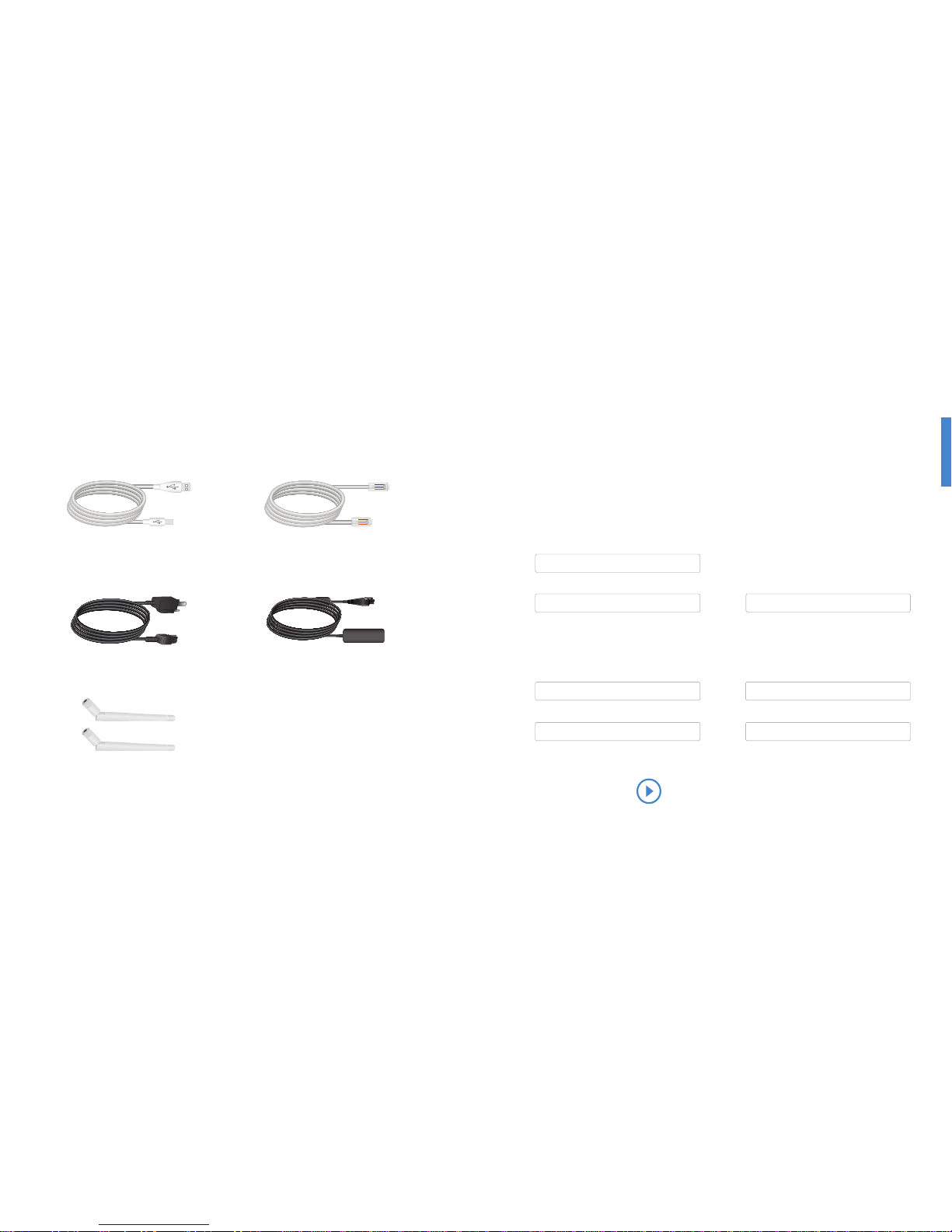
Box Includes
4
USB Cable Ethernet Cable
Power Cable
2 Wireless Antennae
(Wireless models only)
Power Adapter
Before You Begin
It is normal to not require a hostname
but your ISP may require it.
Hostname
Write down details that you may need from your network administrator or ISP.
T1/E1, Static broadband, Cable, or DSL with a static IP
IP Address Subnet Mask
Cable Modem DHCP
Default Gateway Primary/Secondary DNS
DSL PPPoE
Username
Password
QuickStart Guide Video
http://forti.net/vqsg

76
A
https://
Basic Connections
Connect your device to a power outlet and an Internet connection.
This is usually a modem, but could also be another device on your network.
1
Power Connection
WAN1
Internet
LAN port 14
Web-based Manager
1. Connect the Ethernet cable.
2. Visit 192.168.1.99 in your web browser.
3. Login using username “admin” and no password.
4. Click “Wizard” in the top right corner.
5. and save your settings.
6. Register your device from the dashboard page.
Web Browser with Ethernet cable
FortiGate Setup Options
2
Web Browser
Setup Wizard (p.7) With FortiExplorer (pp.8-9)
(pp.12-13)
OS X
AB
CTerminal Emulation
(p.10-11)
D

98
B
USB MGMT
FortiExplorer Setup Wizard
1. Follow prompts or click “Register” to register your device with FortiCare.
2. Click “Setup Wizard”.
3. Login using username “admin” and no password.
4. Follow Setup Wizard steps.
5. Click to complete the setup of your device.
Windows/OS X with USB
Microsoft Windows Install
2. Connect the USB cable and launch
FortiExplorer if it does not appear
automatically.
Mac OS X Install
2. Double-Click the and drag
the FortiExplorer icon to the Applications
folder.
3. Connect the USB cable.
4. Click the FortiExplorer icon to launch
the application.
1. Download FortiExplorer from http://forti.net/fexp.

10 11
CTerminal Emulation with Console Cable
To Connect to the CLI (Console Models Only)
1. Connect the FortiGate unit console port to the management computer using a standard
console cable (not provided).
2. Start a terminal emulation program on the management computer.
Use the following settings:
Baud Rate: 9600
Data bits: 8
Parity: None
Stop bits: 1
Flow Control: None
3. Press Enter on your keyboard to connect to the CLI.
4. Login using username “admin” and no password. You can now proceed with
A list of commands can be found at http://forti.net/cli.
Get started by typing “?” for a list of available commands.
Begin typing a command and type “?” for a list of available ways to complete.
For example
A comprehensive reference guide with all commands can be found at http://forti.net/cli.

1312
USB Port
http://forti.net/fexp-ios
http://forticlient.com
iPhone/iPad/iPod Touch with Apple USB cable
FortiExplorer App
1. Download the iOS FortiExplorer App to your device from http://forti.net/fexp-ios.
2. Use your Apple USB cable to connect to the USB port.
3. Launch the FortiExplorer App and select the device model.
4. Login using username “admin” and no password.
D

14 15
Status
Booting up
Operating normally
PWR
On
Off
WAN 1 & 2
Connected at 1Gbps
Transmitting & receiving data at 1Gbps
Connected at 10/100Mbps
Transmitting & receiving data at 10/100Mbps
No link established
LAN Ports 1 - 14
Connected at 1Gbps
Transmitting & receiving data at 1Gbps
Connected at 10/100Mbps
Transmitting & receiving data at 10/100Mbps
No link established
WiFi (Wireless models only)
Connected
No connection
Alarm
Major alarm
Minor alarm
No alarm
HA
Operating
HA disabled
USB
(USB A)
USB MGMT
(USB mini-B)
LAN Ports 1 - 14 (RJ-45)
Gigabit Ethernet 14-port switch
connection for the internal network
WAN 1 & 2 (RJ-45)Power Connection
12V DC, 2.5A
100-240V AC, 50-60Hz adapter
WAN1
WAN2
USB
DC+12V
5 1
2
3
4
USB
MG MT 681012
91113
14
7
Device Guide
FortiGate/FortiWiFi 90D
Internet
POWER STATUS ALARM HA WIFI
W AN 1
W AN 2
1
2
3
4
5
6
7
8
9
10
11
12
13
14
CONSOLE
Console (Console models only)
Optional connection to the
management computer.
Provides access to the CLI

16
More Information
16
FortiGate Cookbook
Advanced installing and setup, networking, security policies
Authentication, Logging and reporting.
http://forti.net/cookbook
Training Services
Course descriptions, availability, schedules, and locations of
training programs in your area.
http://forti.net/training
CLI Reference
http://forti.net/cli
FortiOS Handbook
http://forti.net/handbook
Table des matières
Autres manuels Fortinet Matériel informatique


Manuels Matériel informatique populaires d'autres marques

EMC2
EMC2 VNX Series Manuel du propriétaire

Panasonic
Panasonic DV0PM20105 Manuel utilisateur

Mitsubishi Electric
Mitsubishi Electric Q81BD-J61BT11 Manuel utilisateur

Gigabyte
Gigabyte B660M DS3H AX DDR4 Manuel utilisateur

Raidon
Raidon iT2300 Manuel utilisateur

National Instruments
National Instruments PXI-8186 Manuel utilisateur


