
Eyevision EV-V4L Manuel utilisateur
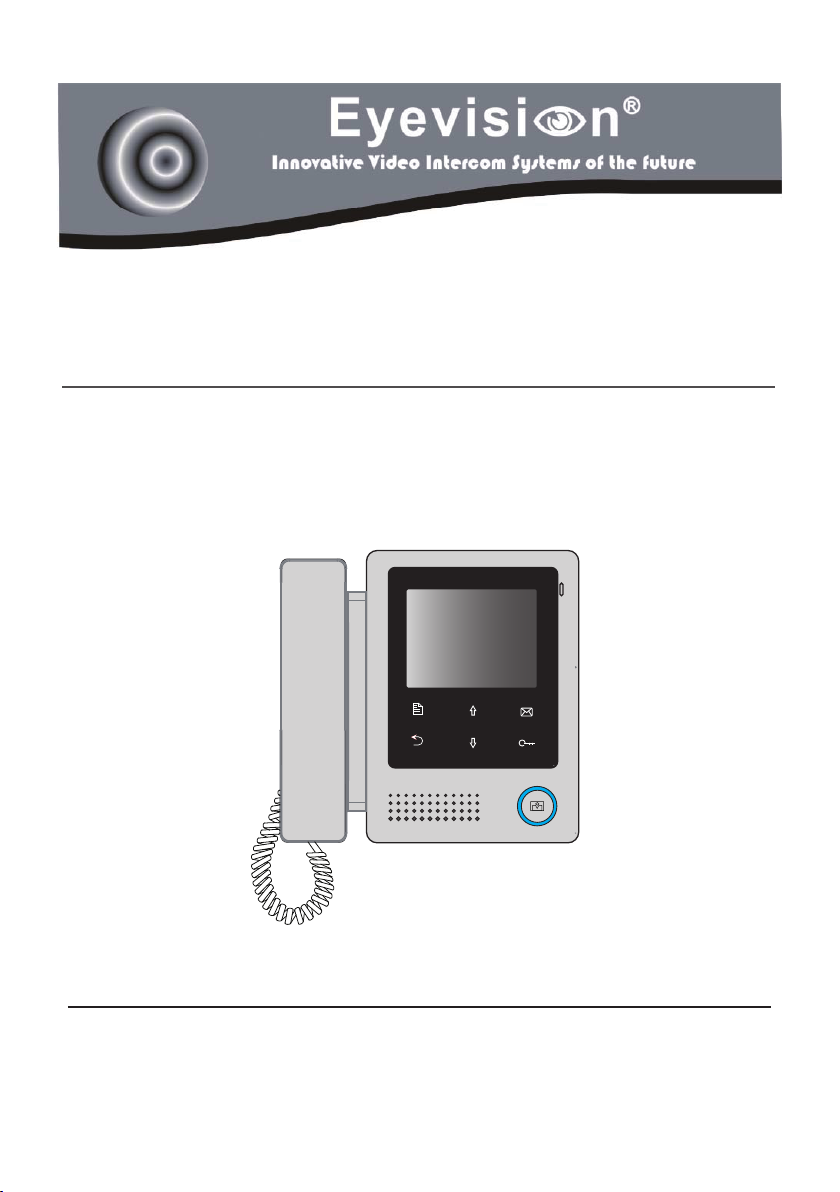
Model:EV-V4L
VIDEO DOOR PHONE SYSTEM
USER MANUAL

-2-
Introduction
The monitor is designed with 4 inch screen, it provides a resolution of 320x240
pixels with high quality image display, and it equipped with a handset to com-
municate. The touch sensitive button makes the operation more easily.
Parts and Function
L1,L2: Bus terminal
SW+,SW-: Door bell call button
connection port
DIP switches: Total 3 bits can be
congured.
Bit1: reserve
Bit2: reserve
Bit3: to set the video impendance
matching, when the video signal
is not so good, set bit3 to “on”.
Terminal Description
LCD Screen
UNLOCK Button
Monitor Button
Memo Button
Up Button
MENU Button
Close Button
Down Button
Microphone
Speaker
Connection Port
Mounting Hook
Handset
Mounting Hook
Handset
Handset Line
Back viewFront view
Handset Line
1 2 3
ON
1 2 3
ON
1 2 3
ON
L1
SW+
SW-
L2
DIP

-3-
About Main Menu
The main menu is your starting point
for using all the applications on your
monitor. You can customize your
main menu to display applications,
logos, and languages.
To open the main menu page, tap
Menu key one time on the monitor.
Basic Operation Instruction
Answering a Door Call
• Press CALL button on door station.The monitor rings,and the visitor’s image
will be seen on screen.If nobody answers the call,the screen will turn off in
30 seconds automatically.
Main Menu
Playback
Manual Monitor
Intercom
User Setup
About
Close OK Select Item
Unit Mounting
Accessory contents:
Accessories include a Bracket, two 4X25 screws (use to fasten the Mounting Bracket),
2 wire connectors (use to connect with Monitor).
Installation steps:
Installation height for indoor monitor usually is 145~160cm(refer to sketch map).
Wire the cable correctly(see the later connection chapter) then hang the Monitor on
the Mounting Bracket rmly.
145~160 cm

-4-
• Pick up handset to talk with the visitor, the talking duration time is 90s. To
end the conversation, please hand up the handset. If the system connects
two or more Monitors, pick up any Monitor, the others will be automatically
shut off.
Door Release
During talking state, Press UNLOCK button to open the door for the visitor.
Entrance Playback
When the monitor is in standby mode, press MEMO button(or select Play-
back... item on main menu page), the screen will display the playback page.
Entrance Monitoring
When the monitor is in standby mode, press MONITOR button, the screen
can display the view of outside. If multi door stations are installed, select
Manual Monitor item to enter camera switch mode. Select Camera 1 ... item,
thescreenwilldisplaytheimagefromtherstdoorcamera.Similarly.Select
Camera 2 ... item to choose the second one. Select Camera 3 ... item to
choose the third one. Select Camera 4 ... item to choose the fourth one.
To end the monitoring, please tap MONITOR button again.
When the monitor is in monitoring mode,
press MENU button, the screen will
display the select menu, Including the
three items: Light, Capture and Adjust.
DS-1 00:06
Light
Capture
Adjust...
Exit OK Select Item

-5-
Intercom Function
Intercom function can be initiated by any monitor when multi monitors are in-
stalled.
When the monitor is in standby mode, pick up handset, the Intercom item on
main menu page will be selected, press MENU button to enter.
Intercom Call: User in one apartment can call other apartments in the sys-
tem, the namelist will be created automatically by the system. Select a name
on the screen, use / button to move upward / downward to select, then
press MENU button to dial.
Note:
1. Press "MENU " button again to redial.
2.The user code of each monitor must set different
Inner Call: If multi Monitors are installed in the same apartment, select Inner
Call, all the other Monitors will ring at the same time, whichever Monitor an-
swers the call, conversation is started.and the other monitors will stop ringing
at the same time.
(Note:the user code of all monitors must be same.)
Direct Call Guard unit: A Monitor can be assigned as Guard Unit Monitor;
when the Guard Unit Monitor answers the call, conversation with the guard
person is started..
Intercom Call
[ 01 ] Jim. Zhang
[ 02 ] Calo. Liu
[ 03 ] Jacko. Zhang
[ 04 ] Philips. Chen
[ 05 ] Hebe. Zhang
[ 06 ] Tony. Li
Exit Calling Next Page
Intercom
Intercom Call ...
Inner Call ...
Direct Call Guard Unit ...
Exit OK Select Item

-6-
Monitor Time Setting
Select Manual Monitor item on main
menu page, then select Monitor
Time Set... item. Use / button to
increase / decrease the value, press
MENU button to confirm and return
last page.
Ring Volume Setting
Select User Setup on main menu
page, then select Ring Volume...
item, the setting range is 0~9. Use
/ button to increase / decrease the
value, press MENUbuttontoconrm
and return last page.
Monitor Time Select
Current : 01min
Cancel Save&Exit Last/Next
Ring Volume
Current : 1
Cancel Save&Exit Last/Next
Basic Setup Instruction
Ring Tone Setting
Select User Setup item on main menu
page to enter setup page. Select Door
Station Call Tone, Intercom Call
Tone or DoorBell Tone item, There
are 12 pieces ring tones can be select-
ed.use / button to select last/next
ring tone, press MENU button to save
and exit.
Door Station Call Tone: set the ring
tone calling from outdoor station.
Intercom Tone: set the ring tone call-
ing from other apartments.
DoorBell Tone: set the ring tone call-
ing from door bell.
Door Station Call Tone
Selected: 06
Cancel Save&Exit Last/Next
1 Carmen 5 Sonatine 9 Do Re Me
2 Ding Dong 6 Edelweiss 10 Happy Birthday
3 Rain 7 Going Home 11 Jingle Bells
4 For Alice 8 Congratulation 12 Telephone Ring
User Setup (1)
Door Station Call Tone ...
Intercom Call Tone ...
DoorBell Tone ...
Ring Volume ...
Next Page
Exit OK Select Item

-7-
Language
√ English
Cancel Save&Exit Select Item
Menu Language Setting
Maximum 4 languages can be sup-
ported by the monitor.
On main menu page, select User
Setup->Next Page->Language.The
languages that the monitor supported
will be displayed, and the current lan-
guagewillbeshown“√”.
• TherstitemisScene mode selection: Total 4 screen modes can be select-
ed in sequence: Normal, User, Soft and Bright. Please note whenever you
modify Brightness or Colour item, Scene item will be set to User mode
automatically.
• The Brightness and Colour item is for the image quality setting, adjust the
value to get the best image you like.
Note that all the modifications will be done immediately after the operation.
Press Close button to quit the adjust page.
Screen Setting
During monitoring or talking state,
press MENU button, and then select
Adjust item ,the ADJUST MENU will
be displayed.
Use / button to select the adjust-
ment item, use MENU button to
change the value.
Scene Brightly
Bright 6
Color 6
Exit Inc Select Item

-8-
How to set the monitor as a Guard Monitor
A Monitor can be assigned as Guard Unit Monitor; when the Guard Unit Moni-
tor answers the call, conversation with the guard person is started..
The code number of 8004 is used to set the monitor as a Guard Unit Monitor
and 8005 is used to cancel this function. (Not Guard Unit is default setting.)
The setting items are as followings:
[8000]:Master 0 [8001]~[8003]:Slaver 1~3
[8004]:Guard unit [8005]:Not guard unit
[8006]:Panel on as slaver called [8007]:Panel off
[8010]:Unlock mode 0 [8011]:Unlock mode 1
[8014]:Unlock menu on [8015]:Unlock menu off
[8016]:Bypass enable [8017]:Bypass disable
[8018]~[8020]:Video standard select AUTO/PAL/NTSC
[8021]~[8029]:Unlock time set 1~9s
[8200]~[8231]:Local address set as 0~31
Code Number:[0000]
[8000]:Master 0 [8001]~[8003]:Slaver 1~3
[8004]:Guard unit [8005]:Not guard unit
[8006]:Panel on as slaver called [8007]:Panel off
[8010]:Unlock mode 0 [8011]:Unlock mode 1
[8014]:Unlock menu on [8015]:Unlock menu off
[8016]:Bypass enable [8017]:Bypass disable
[8018]~[8020]:Video standard select AUTO/PAL/NTSC
[8021]~[8029]:Unlock time set 1~9s
[8200]~[8231]:Local address set as 0~31
Cancel OK Next
Step1 Step2
Installation Setting
Enter Installation Setup Page
Step1:
Press UNLOCK button and hold for 2s when the moinitor in standby.
Step2:
Input 4 digits number according to the information.

-9-
How to set the unlock parameter
Unlock mode:
There are two unlock modes:
1.power-on- to-unlock type:unlock mode=0(by default)
2.power-off-to-unlock:unlock mode=1.
The code number of 8010 is used to set the unlock mode to 0
The code number of 8011 is used to set the unlock mode to 1
Unlock time:
The unlock time can be changed by yourself at any time.it can be set from 1 to
9 seconds, 3 seconds is default setting.
The code number from 8021 to 8029 are used to set the unlock time to 1~ 9
seconds.
How to set the monitor panel on
In default mode,when receive a calling,the master and slave monitors will
ring at the same time,and just the master monitor can display the image while
the slave monitors can not.But the settings can be changed,you can set the
master monitor and all the slave monitors to panel on at the same time when
receiving a call, just input the code number of 8006 on each slave monitor.
Press call button
on door station
When reveiving calling,all monitors can display the image at the same time
Master monitor #1st slave monitor #2nd slave monitor #3rd slave monitor
2 locks control:
The monitor can be set to control 2 locks while you should set the unlock
menu item to “on “ state.
The code number of 8015 is used to set the unlock menu off (by default) that
it can only control one lock.
The code number of 8014 is used to set the unlock menu on that it can control
two locks.

-10-
The video standard setting
The monitor support to select the video standard directly.
The code of 8018 is used to select the video standard to AUTO(by default).
The code of 8019 is used to select the video standard to PAL.
The code of 8020 is used to select the video standard to NTSC.
How to set the monitor bypass
Normally, when the system is in busy, the monitor can not be operated. But if
the monitor is set to bypass disable, the monitor can be operated even if the
system is in busy.
The code of 8016 is used to set the monitor bypass enable(by default).
The code of 8017 is used to set the monitor bypass disable.
How to set the slave monitor address
Maximum 4 monitors can be connected in one apartment,one master moni-
tor together with 3 slave monitors, so you should set the address correctly.
(note:must have one monitor to be set as master monitor)
The code of 8000 is used to set the master monitor(by default).
Thecodeof8001isusedtosettherstslavemonitor.
The code of 8002 is used to set the second slave monitor .
The code of 8003 is used to set the third slave monitor .
1
2
Note:1. During talking or monitoring state,
press UNLOCK button,two unlock icons
will be shown. Use / button to select
the item you want, and press UNLOCK or
MENU button to release the correspond-
ing door,press Close button to exit this
page.
2. Note that the restore to default opera-
tion will not change the parameters set-
ting.
Table des matières
Autres manuels Eyevision Système d'interphone

Eyevision
Eyevision WF-D02S Manuel utilisateur

Eyevision
Eyevision EV-D298F Series Manuel utilisateur

Eyevision
Eyevision EV-TRUWL7-KP22 Manuel utilisateur

Eyevision
Eyevision EV-D301 Manuel utilisateur

Eyevision
Eyevision Intelli Series Manuel utilisateur

Eyevision
Eyevision EV-H298 Manuel utilisateur

Eyevision
Eyevision EV-DMR18S Manuel utilisateur

Eyevision
Eyevision EV-IP-KP22 Manuel utilisateur


