
ER ety8 Manuel utilisateur

FRANÇAISENGLISH
ety8™
Bluetooth®High-Fidelity Noise-Isolating Earphones
with 8•Mate™Adapter for iPod
User Guide
Compatible with phones and devices supporting
Bluetooth specification 1.1 and higher.
Supporting A2DP and AVRCP profiles for stereo listening.
Contents:
SAFE LISTENING . . . . . . . . . . . . . . . . . . . . . . . .2
IDENTIFICATION . . . . . . . . . . . . . . . . . . . . . . . .3
CHARGING / BATTERY LIFE . . . . . . . . . . . . . . .4
SELECTING AN EARTIP . . . . . . . . . . . . . . . . . . .5
PAIRING . . . . . . . . . . . . . . . . . . . . . . . . . . . . . . .6
POWER ON/OFF . . . . . . . . . . . . . . . . . . . . . . . .7
VOLUME ADJUSTMENTS . . . . . . . . . . . . . . . . .8
EARPHONE FILTERS . . . . . . . . . . . . . . . . . . . . .9
TROUBLESHOOTING . . . . . . . . . . . . . . . . .10-11
PROPER CARE . . . . . . . . . . . . . . . . . . . . . . . . .12
FCC AND OTHER INFORMATION . . . . . . . . . .13
SPECIFICATIONS . . . . . . . . . . . . . . . . . . . . . . .14
WARRANTY . . . . . . . . . . . . . . . . . . . . . . . . . . .15
E T Y M O T I C R E S E A R C H
91678 YDS ER088104 Proof 11/13/06 11:42 AM Page 1
2
ENGLISH
Ety8 Earphones sold in Europe comply with European law, which requires that the maximum
output of a portable player be limited to 100 dB (A scale). The maximum output of ety8
earphones sold outside Europe is 110 dB. Which is safer? Neither one. Research indicates that
nearly everyone chooses a safe listening level unless background noise forces them to turn up
the volume. The mission of Etymotic Research is to preserve hearing. Ety8 earphones block out
most background noise, allowing you to listen at lower, safer levels.
To increase output in European ety8 earphones:
1. Connect to iPod via the 8•Mate adapter.
2. Press/release PLAY/PAUSE on Rearphone.
3. Within 2 seconds: (1) Press/hold Volume UP (2) Press/release NEXT/Fast-Forward.
To decrease output:
1. Connect to iPod via the 8•Mate adapter.
2. Press/release the PLAY/PAUSE on the Rearphone.
3. Within 2 seconds: (1) Press/hold Volume DOWN (2) Press/release NEXT/Fast-Forward.
• Consult a medical professional if you have excessive earwax, or if you have
discomfort after prolonged use of the eartips.
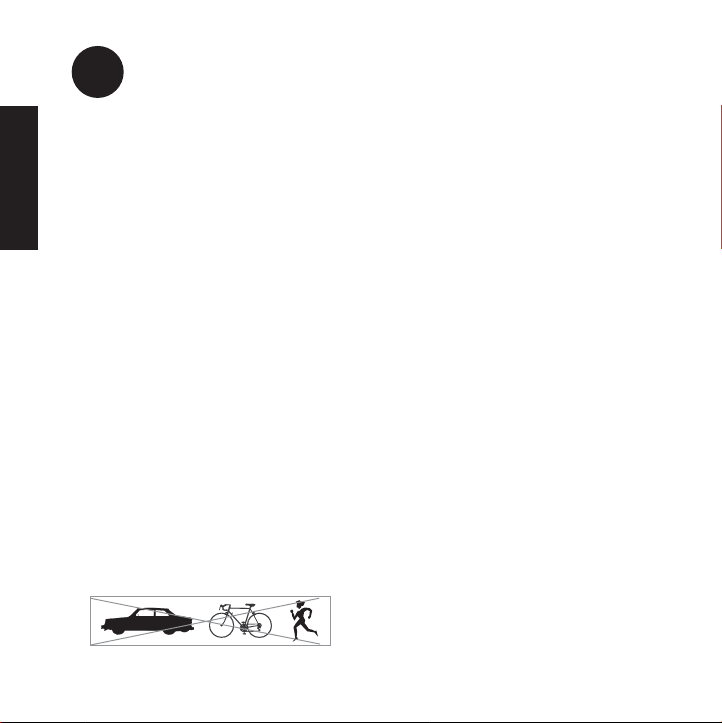
• Do not use noise-isolating insert earphones while driving, operating machinery,
bicycling or jogging, because you may not be alerted to potential danger.
SAFE LISTENING
Caution
91678 YDS ER088104 Proof 11/13/06 11:42 AM Page 2
3
ENGLISH
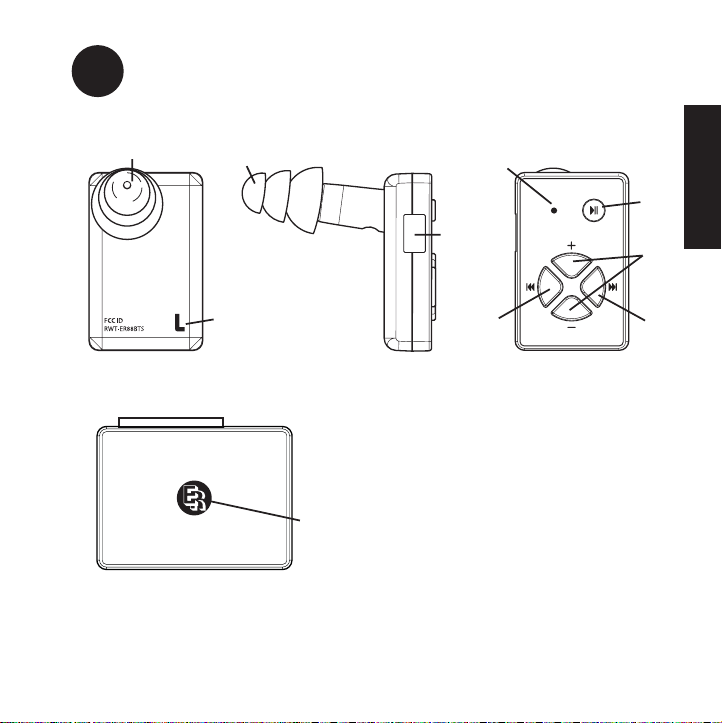
IDENTIFICATION
2
3
4
5
6
78
1
1
9
10
1. Eartip
2. Earphone Identifier
3. USB Port on REarphone
4. LED
5. Power, Play/Pause Button
6. Volume Control Button
7. Previous/Rewind Button
8. Next/Fast-forward Button
9. 8•Mate Adapter for iPod
10.8•Mate LED
91678 YDS ER088104 Proof 11/13/06 11:42 AM Page 3
4
ENGLISH
CHARGING / BATTERY LIFE
Note: Fully charge before first use (approximately 2-3 hours).
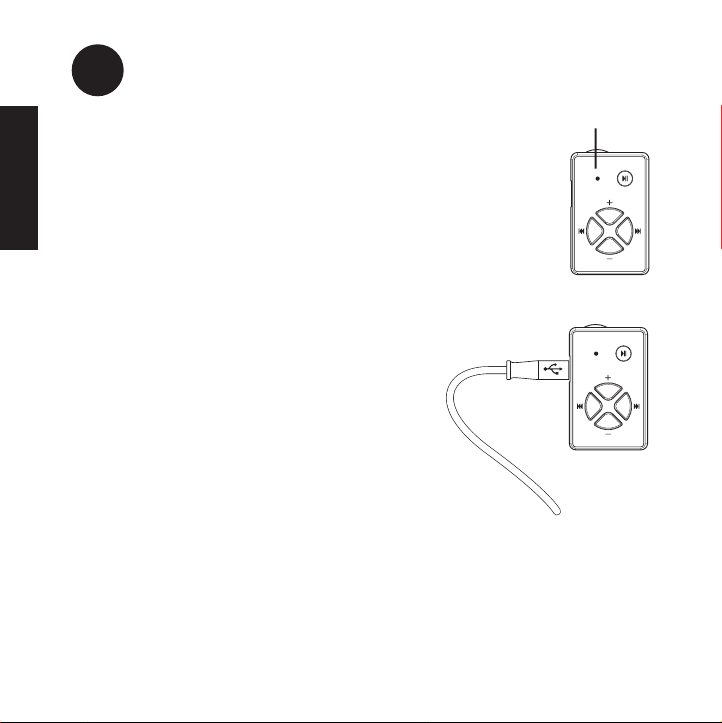
Charging: LED yellow
Charging complete: LED off
• 8•Mate™adapter does not require charging.
• Charge the earphones from a computer via the USB cable provided.
Charging
1. Plug USB cable into the USB port on the R
earphone.
2. Connect to a computer.
Battery life: Up to 10 hours
• Low battery warning: LED blinks green when there is
one hour left.
• To maximize battery life, remove adapter to
avoid iPod battery drain when iPod is not in use.
LED
91678 YDS ER088104 Proof 11/13/06 11:42 AM Page 4
5
ENGLISH
Select an eartip
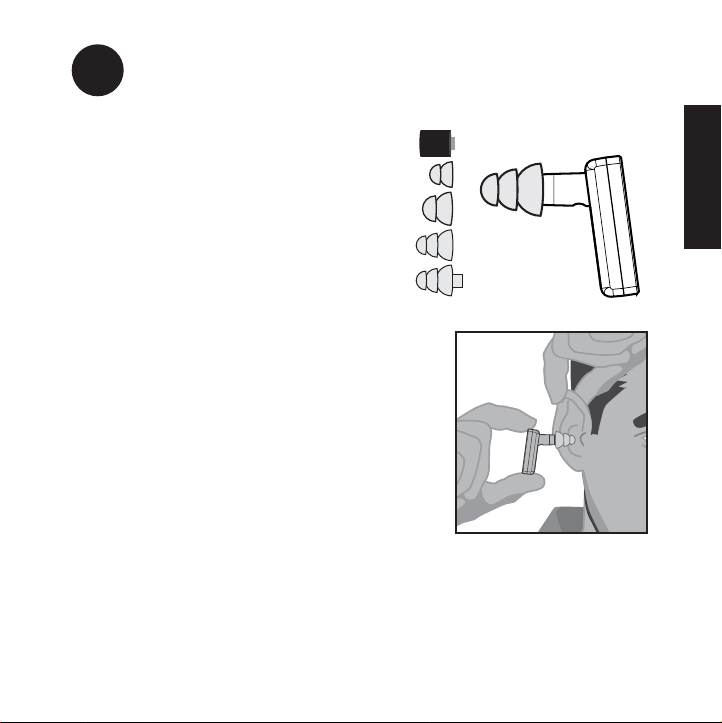
When properly sealed, the earphones are
self-supporting in the ear canal. Sound
quality and noise isolation depend on a
good eartip seal.
Insertion
• Pull ear up and back.
• Twist earphone while inserting until outside
noise is sealed off.
• Position (rotate) earphones in the ear for the
best fit.
• Foam eartips: Roll the foam down, then insert
and hold in the ear for 5 seconds.
Removal
• To avoid discomfort, use a slow twisting
motion to gradually break the seal.
• Open the jaw slightly to equalize pressure, because
suction can occur when the eartip is removed.
SELECTING AN EARTIP
Stem can be cut
to shorter length
91678 YDS ER088104 Proof 11/13/06 11:42 AM Page 5

6
ENGLISH
Pairing with an iPod is not necessary.
Earphones include an 8•Mate™ adapter for iPod, paired at the factory.
Pairing with another Bluetooth®device:
• Make sure the earphones are OFF.
• Press/hold the POWER button on the Rearphone for about 10 seconds.
• The LED on Rearphone will rapidly flash green when ready for pairing.
• The earphones will stay in a discoverable mode for five minutes or until pairing is
complete.
• If a passkey is requested, enter “0000”
Note: Bluetooth transmitter pairing varies. For best results, consult the user
instructions for the specific device being paired with these earphones.
PAIRING
91678 YDS ER088104 Proof 11/13/06 11:42 AM Page 6
7
ENGLISH
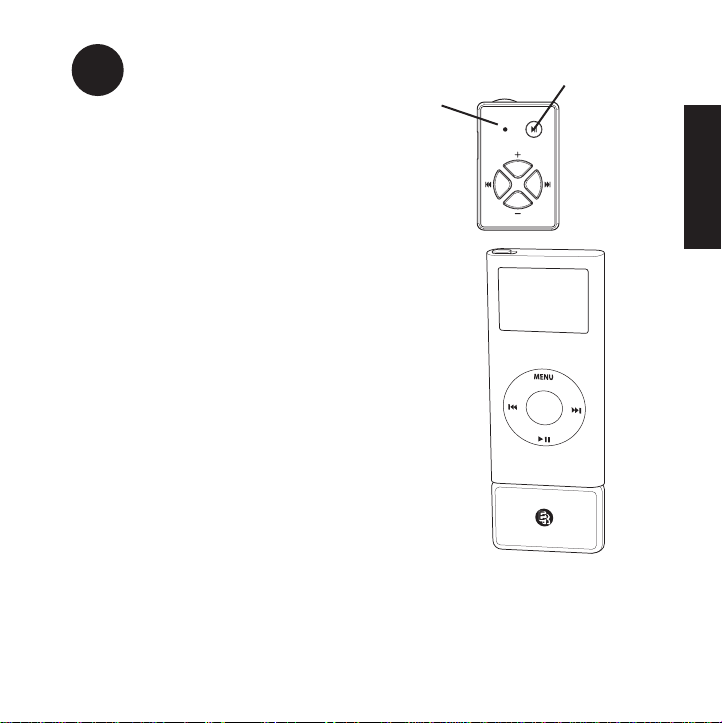
Power On
• Press/hold POWER button on the Rearphone
until LED is on (1-2 seconds).
Note: The POWER button also functions as a
PLAY/PAUSE control.
• Select music on the iPod, then press PAUSE.
• Plug in 8•Mate adapter. The LED will blink green.
• Press PLAY on the iPod.
The LED is solid green on both the earphone
and adapter when connected.
Power Off
Press the POWER button on Rearphone for 3 seconds
until the green LED goes off.
Auto Shut Off
If no music is playing, the earphones will turn off after
five minutes. To maximize battery life: Remove 8•Mate
adapter to avoid iPod battery drain when iPod is not in use.
POWER ON/OFF Power
Play/Pause
LED
8•Mate™ adapter
plugs into the
bottom of the iPod.
91678 YDS ER088104 Proof 11/13/06 11:42 AM Page 7

8
ENGLISH
1st & 2nd generation Nanos and 5th generation
iPods:
Volume adjustments can be made with:
• iPod controls
and
• R earphone controls
Note: The display on the iPod will show the adjustments
made from the earphone.
1st generation mini and 4th generation iPods:
Volume adjustments can only be made using the R
earphone controls.
VOLUME ADJUSTMENTS
Volume Up
Volume Down
LED
Previous/Rewind
Next/Fast-forward
91678 YDS ER088104 Proof 11/13/06 11:42 AM Page 8

9
ENGLISH
Ety8 Earphones have special filters to smooth the frequency response and to
prevent earwax from entering the earphones. Change filters if volume decreases or
the sound quality declines.
Removal
Replacement
EARPHONE FILTERS
1. Remove Eartip. 2. Insert tool into the
filter.
3. Remove filter.
1. Insert a new filter and
press gently against a
hard surface to secure
it in place.
2. Attach eartip.
91678 YDS ER088104 Proof 11/13/06 11:42 AM Page 9

10
ENGLISH
Problem: Music does not play through the earphones.
Solution: Check all connections.
• Make sure the green LED is solidly illuminated on both earphones and adapter.
• Make sure the iPod is powered.
• If the iPod is paused, press PLAY.
• If the iPod is playing, press PLAY/PAUSE on the iPod two (2) times.
Problem: The music breaks up.
Solution: Reduce distance between the earphone and music player
Problem: The earphones seem to lack bass.
Solution: Check eartip seal.
A good eartip seal is critical. For the fullest frequency response:
• try inserting the eartips slightly deeper to obtain a better seal; or
• try other flanged or foam eartips for a better seal.
Problem: One earphone sounds weak.
Solution: Weak sound is usually caused by a blocked filter.
• Locate the filter changing tool.
• Remove the filter. See section 8 “Earphone filters.”
• Listen to the sound output to determine if the problem is solved.
• Replace the old filter with a new one. See section 8 “Earphone filters.”
Problem: Earphones connect, then quickly shut off.
Solution: Charge the earphones.
TROUBLESHOOTING
91678 YDS ER088104 Proof 11/13/06 11:42 AM Page 10
Table des matières
Langues :


