
Enerwave ZWN-RSM1S Manuel utilisateur
INSTALLATION INSTRUCTIONS
-02- -03--01-
DESCRIPTION
FEATURES
ZWN-RSM1S
Voltage.........................................................................120-277VAC, 50/60Hz
Maximum Load requirement.....................................................................10A
Range.................................................................Up to 100 feet line of sight
SPECIFICATIONS
between the Wireless Controller and the closest Z-Wave receiver module.
INSTALLATION
device is designed to act as a wireless repeater. Once the ZWN-RSM1S module
switch. This ZWN-RSM1S module is a Z-Wave enabled device and is fully
compatible with any Z-Wave enabled network. In a Z-Wave network, each
intended device is reached. This ensures that the
signal is received by its intended destination by routing the signal around
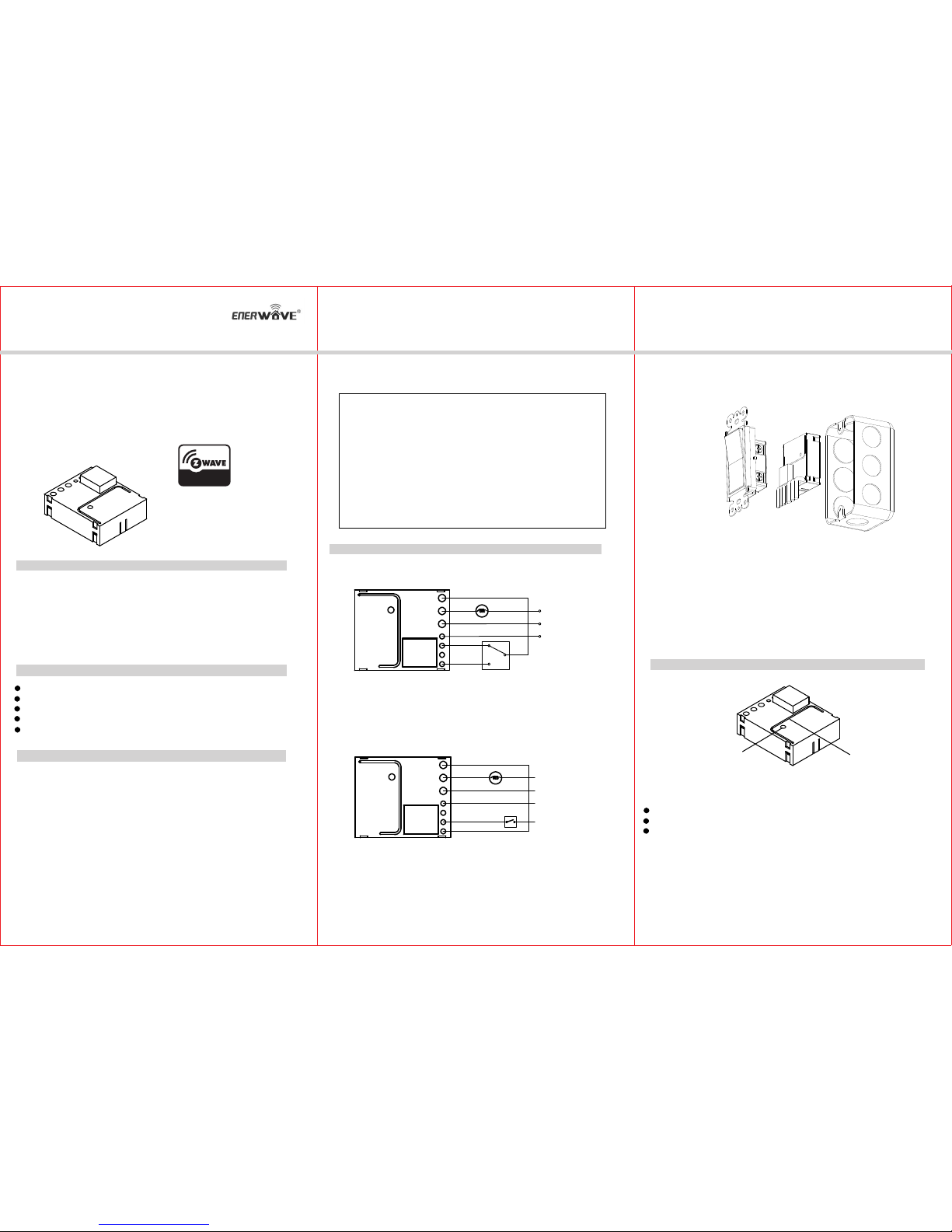
Wiring Diagram 1:
Please consult an electrician if you have trouble identifying the type of wiring
circuit you wish to convert or if you do not feel confident in your ability to
convert the circuit to Z-Wave control.
Z-Wave unifies all your home electronics into an integrated wireless network
and helps them talk to each other. Any Z-Wave enabled item can be added
to the network, and making your home electronics fully compatible.
WARNINGS AND CAUTIONS
To be installed and/or used in accordance with appropriate electrical codes
and regulations. Exercise extreme caution when using Z-Wave devices to
control appliances. Operation of the Z-Wave device may be in a different
please consult a qualified electrician.
room than the controlled appliance, also an unintentional activation may
occur if the wrong button on the remote is pressed. Z-Wave devices may
automatically be powered on due to timed event programming.Depending
upon the appliance, these unattended or unintentional operation could
If you are unsure or uncomfortable about performing the installation,
possibly result in a hazardous condition.
Z-Wave enabled devices should never be used to supply power to, or
control the On/Off status of medical and/or life support equipment.
The ZWN-RSM1S Switch Module is a component of lighting control system, it
can not be used separately but should turn an existing switch into a Z-Wave
device to another until the
obstacles and radio dead spots.
Z-Wave Frequency.............................................................. 908.42MHz(US)
Operating Temperature.............................................................32° F-104° F
Size................................................................................2.02'' ×1.71'' ×0.82''
Smart Single Relay Switch Module
Work with existing light switches, required neutral wire
Slim size module with build in Z-Wave technology
On/Off control via Z-Wave controller, manual wall switch, and/or built-in button.
Acts as a Z-Wave repeater to extend the range
is installed and setup with in your wall, it will retransmit the RF signal from one
Load
Hot
Neutral
Com
Aux
Neutral
Line
Switch 1
(Black)
(White)
Neutral
Please note that Switch 1 must be a 3-way switch.
Wiring Diagram 2:
Switch 1
Load
Hot
Neutral
NC
NO
Please note that Switch 1 is a regular switch.
Neutral
Line
(Black)
(White)
Neutral
Line
Connected switch still works even if the module is failed.
When the electrical part
of ZWN-RSM1S becomes invalid, the connected switch still works. Connected
When the electrical part of
ZWN-RSM1S becomes invalid, the connected switch does not work. With
switch can not activate learning mode to be included or excluded with the
Z-Wave network.
this wiring, flick connected switch can activate learning mode to be included
or excluded with the Z-Wave network.
1. WARNING: To avoid fire, shock, or death. Turn off power at circuit breaker
or fuse and test that power is off before wiring.
2. Remove wall plate and switch mounting screws.
3. Carefully remove the existing switch from the switch box.
4. Disconnect the wiring from the existing switch.
6. Check connections to be sure they are tight and no bare conductors are exposed.
8. Attach the wall plate.
9. Restore power at the circuit breaker and test the system.
, then wire the existing switch.
5. Connect the ZWN-RSM1S module as shown in the wiring diagram.
7. Insert the ZWN-RSM1S module into the box first
OPERATIONS
Basic Operation
The connected device can be turned ON in two ways:
1. Manual control with the button on the connected switch.
2. Z-Wave remote controller.
Program Button Antenna
TIPS FOR ARRANGING THE ANTENNA:
Locate the antenna as far from metal elements as possible to prevent interferences.
Metal surfaces in the direct vicinity of the antenna may impair signal reception.
Do not cut or shorten the antenna - its length is perfectly matched.
NO
Com
INSTALLATION INSTRUCTIONS
-05--04- -06-
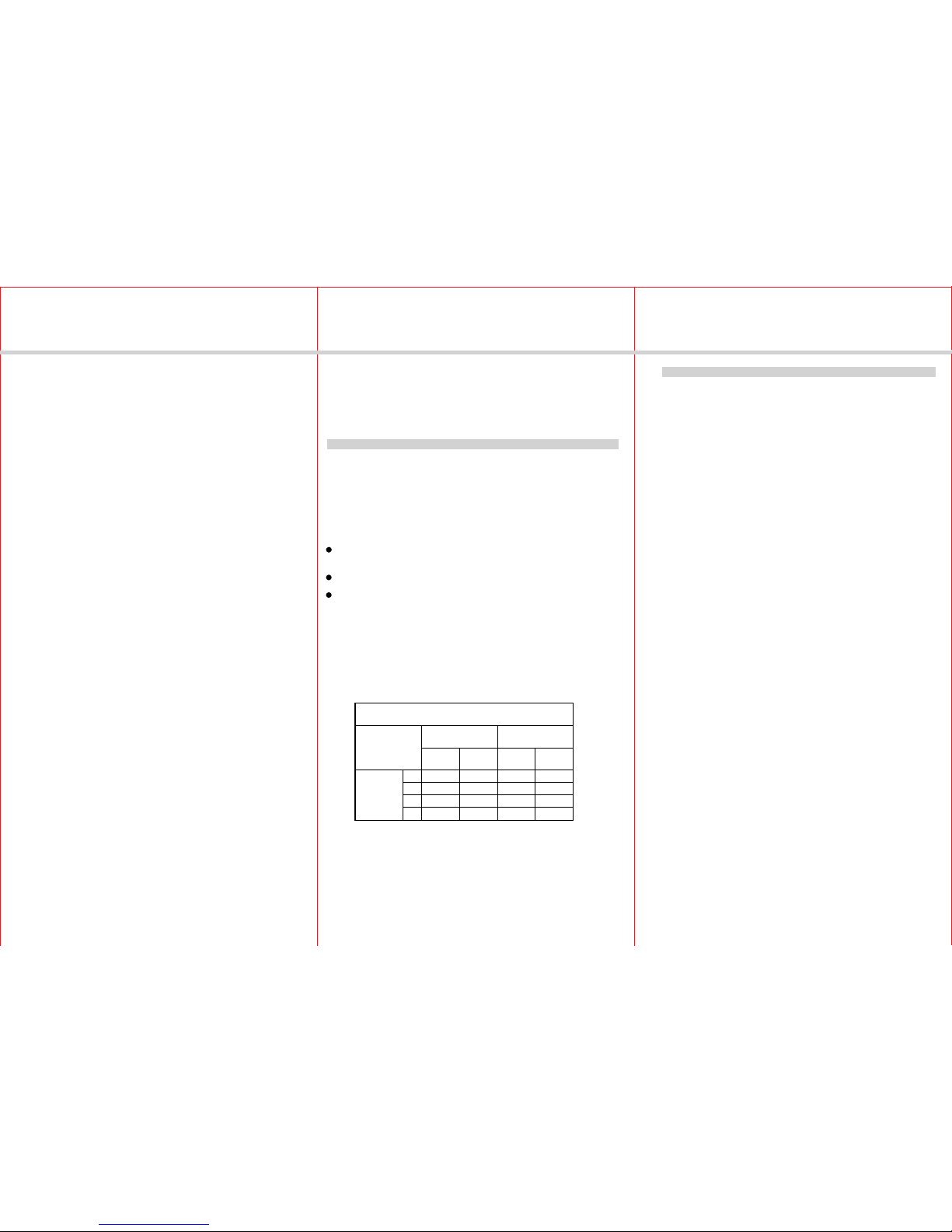
WARRANTY INFORMATION
Sep, 2014
Restoring Factory Defaults
All Configuration Parameters can all be restored to their factory default settings
by using your primary controller to delete/reset the device.
All-ON and All-OFF
Depending upon your primary controller, the ZWN-RSM1S module can be set to
respond to ALL-ON and ALL-OFF commands in up to four different ways. Some
controllers may not be able to change the response from its default setting. Please
refer to your controller’s instructions for information on whether or not it supports
the configuration function and if so, how to change this setting.
The four possible responses are:
- It will respond to ALL-ON and the ALL-OFF command (default).
- It will not respond to ALL-ON or ALL-OFF commands.
- It will respond to the ALL-OFF command but will not respond to the ALL-ON command.
- It will respond to the ALL-ON command but will not respond to the ALL-OFF command.
From the Remote (or repeating Z-Wave module) to
destination device:
Type of
Construction
Wood Frame with
Drywall
Brick, Tile or
Concrete
Plastic
J-Boxes*
Metal
J-Boxes
Plastic
J-Boxes*
Metal
J-Boxes
Number of
Walls or
Obstacles
0** 100’ 80’ 100’ 80’
1 70’ 56’ 60’ 48’
2 49’ 39’ 36’ 29’
3 34’ 27’ 21’ 17’
Z-Wave Enabled Devices.
WIRELESS RANGE
This device complies with the Z-Wave standard of open-air, line of sight transmission
distances of 100 feet. Actual performance in a home depends on the numbers of walls
between the remote controller and the destination device, the type of construction and
the number of Z-Wave enabled devices installed in the control network. Most Z-Wave
enabled devices act as signal repeater and multiple devices result in more possible
transmission routes which helps eliminate " RF dead-spots."
Z-WAVENETWORK
WAVENETWOR
Things to consider regarding RF range:
- Each wall or obstacle (i.e.:refrigerator, big screen TV, etc.)between the remote or
Z-Wave device and the destination device will reduce the maximum range of 100
feet by approximately 25-30%.
- Brick, tile or concrete walls block more of the RF signal than walls made of wooden
studs and plasterboard (drywall).
- Wall mounted Z-Wave devices installed in metal junction boxes may suffer a
significant loss of range (approximately 30%) since the metal box blocks a
large part of the RF signal.
Effects of Home Construction on Wireless Range Between
The distances shown in the table below are typical examples. Actual
performance in your home will vary.
Note:
Unsolicited Report Configuration
ZWN-RSM1S can send unsolicited status report to primary controller(Node ID 0x1)
when switch toggled due to some controllers designed as gateway. If your controller
is not a gateway or does not need the status or you think it could confuse your
Z-Wave network, you can use Command_Class_Configuration to disable this
function. By default setting, this function is disabled.
Configuration details
-Parameter number: 3
-Parameter size: 1
-Parameter value: 0.................................................... Disabled
1-232.......................Other controller nodeID
255......................................Send broadcast
11030A
Our company warranties its products to be free of defects in materials and
workmanship for a period of two (2) years. There are no obligations or
out of, or in connection with, the use or performance of this product or
other indirect damages with respect to loss of property, revenue, or profit,
or cost of removal, installation or reinstallation.
liabilities on the part of our company for consequential damages arising
Manual Control
as same as traditional switch.
Turn the household appliance on/off by pressing the button on the connected switch
to perform manual function, this function is
ADVANCED OPERATION
The following Advanced Operation parameters require that you have an advanced
controller. However, basic remotes do not have this capability.
Remote Control
Please Note: After a power failure, the ZWN-RSM1S switch module
returned to the OFF state.
Z-Wave network inclusion/exclusion
for one second. For controller inclusion/exclusion mode, please refer to the
the connected switch will also set the ZWN-RSM1S module into learning mode
manual of the controller.
Press and release the program button of ZWN-RSM1S module that setting it into
learning mode to include/exclude the module with Z-Wave network. Flick once of
When the ZWN-RSM1S switch module is included in a Z-Wave network, it can be
turned on/off remotely by a portable controller or a Z-Wave enabled gateway
controller.
if the Z-Wave network failed to add ZWN-RSM1S, please try exclusion first.
With wiring diagram 1 : Only program button can activate learning mode to
include or exclude the module with the Z-Wave network.
With wiring diagram 2 : Both program button and connected switch can activate
learning mode to include or exclude the module with the Z-Wave network.
Autres manuels Enerwave Autre


