To check the software version on the Desk/5000 and Move/5000 please follow the steps below:
Press the Menu button on the POI device
Use the touch screen to highlight ‘Tests’ and tap or press Enter
Select ‘Printer’ and tap or press Enter
Select ‘Receipts’ and tap or press Enter
Select ‘Short’ and tap or press Enter
This will print off a list of the software components, please check these against those listed in Section 2.2 of this
document.
To check the software version on the Lane/3000 as master connected to ECR/Smartlinkplease followthe steps below:
Press the Menu button on the POI device
Use the arrow keys to highlight ‘Tests’ and press Enter
Select ‘Printer’ and press Enter
Select ‘Receipts’ and press Enter
Select ‘Short’ and press Enter
This will print off a list of the software components, please check these against those listed in Section 2.2 of this
document.
Do not use any device until you have verifiedthe software version. If younotice any variances inthis software please
report this to Elavon immediately
IRL (including Northern Ireland) –1850202120 (option 1)
UK –0345 850 0195 (option 1)
POL - 22 306 03 16 (option 1)
Sample Inventory Table
We have provided you a Sample Inventory Table (Appendix A) which covers the minimumrequirement that you could
use for monitoring purposes, if you do not chose to create your own monitoring table. To help with completing the
table we have provided examples of what information is required:
Device Vendor –This will be Elavon, unless you have P2PE devices provided by another P2PE vendor
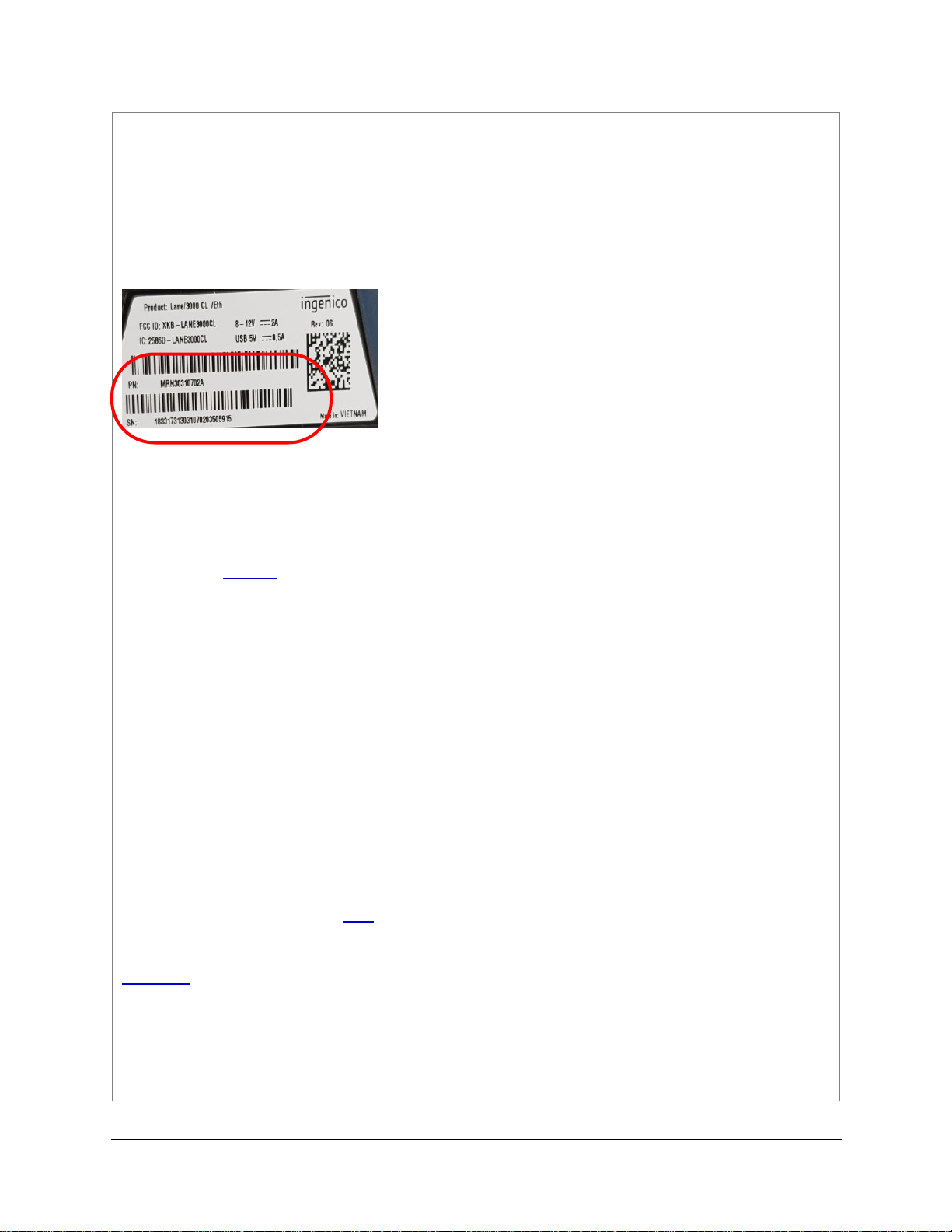
Device Model name and Number –you can find the details of the device via the following items
oOn the device itself, normally just above the screen on the device
oOn the email received from our Fulfilment house (see section 4.2)
oYou can also compare the devices against the POI device images in section 3.1 below
Device Location –this willbe where you have placedthe devices in your location. Ifthe devices have not yet
been deployed you should still include the location of where the device is stored
Device Status –this must be the current status of the device using the below headings
Awaiting deployment –device has not yet been installed
Live –device deployed in location and is in use
Returned to Elavon/Not In Use –device either has been sent back to Elavon (such as a
replacement) or is currently not in use
In transit (record location as planned destination)* - Device is being transported to a
different location
Decommissioned –device has been removed from service