
Dual XDMA7650 Mode d'emploi
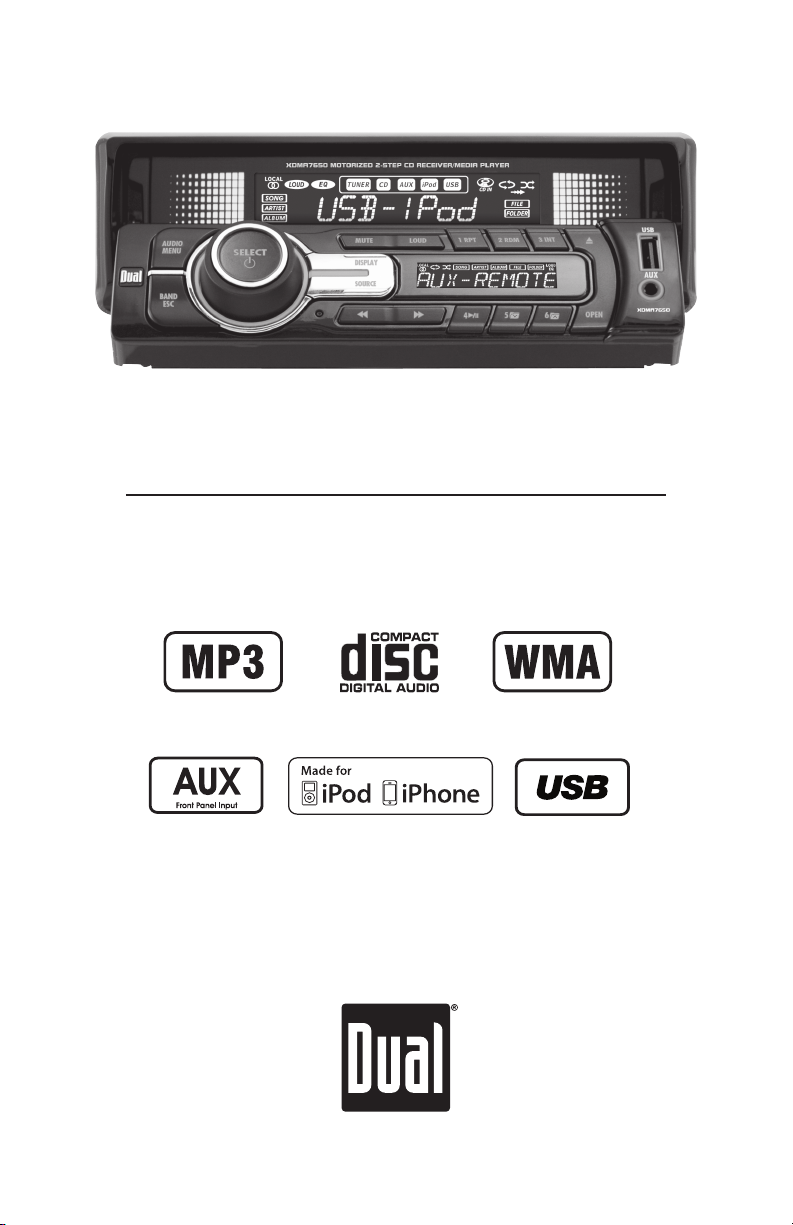
INSTALLATION/OWNER'S MANUAL
AM/FM/CD/MP3/WMA Receiver with USB,
Control for iPod® and 2-Step Motorized Face
XDMA7650

2
TYPICAL FRONT-LOAD DIN MOUNTING METHOD
REMOVAL KEYS
MOUNTING SLEEVE
XDMA7650 INSTALLATION
Preparation
Please read entire manual before installation.
Before You Start
•Disconnectnegativebatteryterminal.Consultaqualifiedtechnicianforinstructions.
•Avoidinstallingtheunitwhereitwouldbesubjecttohightemperatures,suchasfrom
directsunlight,orwhereitwouldbesubjecttodust,dirtorexcessivevibration.
Getting Started
•Removetrimringfromunit,
•Remove2transitscrewslocatedontopoftheunit.
•Insertthesuppliedkeysintotheslotsasshown,andslidetheunitoutofthemounting
sleeve.
•Installmountingsleeveintoopening,bendingtabstosecure.
•Connectwiringharnessandantenna.Consultaqualifiedtechnicianifyouareunsure.
•Certainvehiclesmayrequireaninstallationkitand/orwiring
harnessadapter(soldseparately).
•Testforcorrectoperationandslideinto
mountingsleevetosecure.
•Snaptrimringintoplace.

3
FUSE
Whenreplacingthefuse,
makesurenewfuseisthe
correcttypeandamperage.
Usinganincorrectfuse
coulddamagetheradio.
TheXDMA7650usesone
10ampATMfuselocated
besidethewiringconnector.
XDMA7650 INSTALLATION
Wiring Diagram
BLUE
Subwoofer Preamp Output
BLACK
Front Preamp Output
Steering Wheel Interface Input
PAC SWI-PS required
Antenna Connector

4
XDMA7650 OPERATION
Control Locations - Receiver
2 31 4
11
12
131415
20
Audio/Menu
Select/Power
Mute
Loud
Preset1/Repeat
Preset2/Random
Preset3/Intro
Eject
USBInput
AuxiliaryInput
1
2
3
4
5
6
7
8
9
Open
Preset6/FolderUp
Preset5/FolderDown
Preset4/Play/Pause
Tune/TrackUp
Tune/TrackDown
Source
Display
Reset
Band/Escape
13
14
15
16
17
18
11
12
10
75 6 8 9
16
10
19
17
19
20
18

5
XDMA7650 OPERATION
Control Locations - Remote
1 2
4
3
19
17
18
20
21
16
5
6
7
8
9
13
15 14
10
12
11
Loudness
Open
Mute
Display
EQ
Preset5/FolderDown
Preset4/Play/Pause
Preset1/Repeat
Band/Escape
Tune/TrackDown
1
2
3
4
5
6
7
8
9
10
11
12
13
14
15
16
17
18
19
Source
VolumeUp
Audio/Menu
Select/Power
Tune/TrackUp
VolumeDown
Scan/PS
Preset2/Random
Preset3/Intro
Preset6/FolderUp
Local
20
21

6
XDMA7650 OPERATION
Press oranyotherbutton(exceptEJECTorOPEN)toturn
theuniton.Pressandhold for3secondstoturntheunit
off.
Press SOURCEtoselectbetweenAM/FM,CDplayer,USB,
operationofiPodandauxiliaryinput.Modesofoperationare
showninthedisplay.
NOTE:CD,USBandoperationofiPodmodeswillnotappear
unlessaCDisinsertedorUSB/iPoddevicesareconnected.
Inserta3.5mmconnectorintothefrontpanelAUXport.
Connecttheotherendofthe3.5mmconnectortothe
headphoneoutputofanaudiodevice,MP3player,etc.Press
SOURCEtoselectAUXmode.
Thesteeringwheelinterfaceinputlocatedonthebackof
theheadunitallowsconnectiontothePacific Accessory
Corporation (PAC) SWI-PSinterfacemodule(sold
separately).Visitwww.pac-audio.comfordetails.
Toconfiguresteeringwheelcontrols,followtheinstructions
providedwiththePAC SWI-PSinterfacemodule.After
installingtheinterfacemodule,insertthemodule's3.5mm
jackintotheportonthebackoftheheadunit.
Adjustvolumeusingvolumeknob(00-46).
Press DISPLAYtoselectbetweenclockanddifferenttypesof
information,suchasradiofrequency,CDtrack/elapsedtime
orMP3/WMAsonginformation.
Press RESETuponinitialinstallationorifabnormal
operationoccurs.Resetbuttonislocatedonthefrontpanel.
Withtheuniton,pressandholdDISPLAYuntiltheclock
beginstoflash,thenrelease.PressTUNE
nn
toadjustthe
hoursandTUNE
ll
toadjusttheminutes.PressDISPLAY
momentarilytosavetheselectedtime.
Theclockwilldisplay12-hourAM/PMtimeinUSAfrequency
spacingmode(PM10:00).InEuropeanfrequencyspacing
mode,theclockwilldisplay24-hourtime(22:00).
Power On/Off
Source
Auxiliary Input
Steering Wheel Interface
Input
Volume
Display
Reset
Set the Clock
12/24-hour Clock
General Operation

7
XDMA7650 OPERATION
General Operation - Setup Menu
Setup Menu PressandholdAUDIO/MENUformorethan3secondsto
accessthesetupmenu.PressAUDIO/MENUmomentarily
toselectbetweenthemenufunctionsandrotatethevolume
knob left/righttoadjustoractivatethedesiredfunction.
Menu Function Options Action
Auto Station
Store AUTOSTORE Press SELECTtoseekandsave6strongstationsinthe
currentband.(Tuner mode only)
Local/Distance
Tuning
LOCALOFF Activatesdistancetuning(inTunermodeonly).
LOCALON Activateslocaltuningforstrongstationreceptiononly.
Tuner
Frequency
Spacing
FREQUSA ProgramstheunittoUSAtunerspacing.
(200kHzforFMand10kHzforAM).(Tuner mode only)
FREQEUR ProgramstheunittoEuropeantunerspacing.
(50kHzforFMand9kHzforAM).(Tuner mode only)
Clock
Display
CLOCKOFF Programsunittonotdisplaytheclockwhenthepoweris
off.
CLOCKON Programsunittodisplaytheclockwhenthepowerisoff.
Auxiliary
Input
AUX-INON Enablesthefrontpanel3.5mmauxiliaryinput.
AUX-INOFF Disablestheauxiliaryinput.
Subwoofer
RCA output
SUBWFRON ActivatesthesubwooferRCAoutput.Subwoofercontrol
willbeavailableintheaudiomenu.
SUBWFROFF DisablesthesubwooferRCAoutput.
Beep
Confirmation
BEEPOFF Disablestheconfirmationbeep.
BEEPON Enablestheconfirmationbeep.
Programmable
Turn On Volume PRO-VOL# Programsunittoalwaysturnonataspecificvolume
(defaultisOFF).Anyvolumelevel1-46canbeselected.
Power on
Message
MESSAGEOFF Disablespoweronmessage.(example:GOODMORNING)
MESSAGEON Enablespoweronmessagetobedisplayed.
Scrolling
Option
SCROLL15
SEC
Programsunittoscrollinformationonceevery15
seconds(default).
SCROLLONCE Programsunittoscrollonce,thenshowfirst10
charactersondisplay.
SCROLLON Programsunittoscrollcontinuously.
SCROLLOFF Programsunittoshowthefirst10charactersonthe
display.
Illumination
Dimmer
DIMMERHIGH Programsunittothebrightestilluminationlevel.
DIMMERMED Programsunittothemiddleilluminationlevel.
DIMMERLOW Programsunittothedimmestilluminationlevel.
Demonstration
Mode
DEMOOFF Disablesthedemonstrationmode.
DEMOON Enablesthedemonstrationmessage.

8
XDMA7650 OPERATION
Press AUDIOmomentarilytoselectbetweenBass,Treble,
Balance,Fader,EQ,SubwooferandSourceVolumeLevel.
Press AUDIO until BASSappearsthenrotatevolumeknob
left/righttoadjust(-6minimum/+6maximum).
Press AUDIO until TREBLEappearsthenrotatevolumeknob
left/righttoadjust(-6minimum/+6maximum).
Press AUDIO until BALappearsthenrotatevolumeknob
left/righttoadjust(BALLEFT12-BALRIGHT12).
BALEVENrepresentsequalbalance
Press AUDIO until FADERappearsthenrotatevolumeknob
left/righttoadjust(FADERFRONT12-FADERREAR12).
FADEVENrepresentsequalfader
Press AUDIOuntilEQappears.Rotatethevolumeknobleft/
righttoselectbetweenFLAT(default),POP,JAZZ,CLASSIC,
BEAT,ROCKandUSERequalizationcurves.PressSELECT
toconfirm.AnymanualadjustmenttotheBassorTreble
settingsareautomaticallysavedasUSER.
Press AUDIO until SUBappearsthenrotatevolumeknob
left/righttoadjust(0minimum/+12maximum).
* Note: Subwooferoptionwillnotappearifdisabledinthe
setupmenu.Refertopage7fordetails.
Thesourcevolumelevelcontrolallowsagainadjustment
foreachaudiosource:AM,FM,CD,AUX,USBandoperation
ofiPod.Setthesourcevolumelevelforeachmode,
dependingontherelativevolumeofeachaudiosource.
Tosetthesourcevolumelevel,pressAUDIOuntilSRC
LEVELappears.Afteronesecond,thecurrentmodewill
appearonthedisplay.Turnthevolumeknobtoadjust
theaudiolevelofthecurrentsource(-6minimum/+6
maximum).
Note: Onlythecurrentmodewillbeavailablefor
adjustment.Toadjustanothermodeofoperation,press
SOURCEuntilthedesiredmodeisselected,thensetthe
sourcevolumelevelforthatmode.
Audio
Bass
Treble
Balance
Fader
EQ
Subwoofer
Source Volume Level
General Operation
BASS TREBLE BALANCE FADER EQ SUBWOOFER* SOURCE LEVEL

9
XDMA7650 OPERATION
Seek Tuning
Manual Tuning
Band
Storing and Recalling
Station Presets
Press TUNE
nn
or TUNE
ll
formorethanonesecond
toseektothenextstrongstation.
Press TUNE
nn
or TUNE
ll
momentarilytochange
radiofrequencyupordownonestepatatime.Pressand
holdtoadvancequickly.
Press BANDtoselectbetweenFM1,FM2,FM3,AM1and
AM2bands.
Upto18FMstationsand12AMstationscanbestored.To
storeastation,selectthedesiredbandandstation.Press
andholdthedesiredpresetbutton(1-6)formorethan
2seconds.Whenstored,thepresetnumberwillappearin
thedisplay.Thestationcanberecalledanytimebypressing
thecorrespondingpresetbutton.
AM/FM Tuner Operation

10
XDMA7650 OPERATION
Insert CD
Eject CD
Track Select
Fast Forward and Reverse
Pause
Intro
Repeat
Random
CD-R/CD-RW Compatibility
Press EJECTtoaccesstheCDslot.Withthelabelfacing
up,insertastandardsizeCDintotheCDslot.TheCDwill
automaticallybeginplayback.
Press EJECTtoejecttheCD.Theunitwillchangeto
previousmodeofoperation.Ifthediscisnotremoved
within10seconds,theunitwillreloadthedisc.Theunit
doesnothavetobeturnedontoejectCD.
Press TRACK
ll
toskiptothebeginningofthenext
track.PressTRACK
nn
toreturntothebeginningofthe
currenttrack.PressingTRACK
nn
againskipstothe
beginningoftheprevioustrack.
PressandholdTRACK
ll
or TRACK
nn
tofastforward
orreverseatrack.
Press
l
/
II
totemporarilystopCDplayback.
Press
l
/
II
againtoresumeplayback.
Press INT toentertheIntromenu,thenturnthevolume
knobtoselectoneofthefollowingoptions:
•OFF-CancelstheINT function.
•ALL-Playsthefirst10secondsofeachtrack.
Press RPT toentertheRepeatmenu,thenturnthevolume
knobtoselectoneofthefollowingoptions:
•OFF-PlaysalltracksonCD.
•TRACK-Continuouslyrepeatsselectedtrack.
Press RDM toentertheRandommenu,thenturnthe
volumeknobtoselectoneofthefollowingoptions:
•OFF-CancelstheRDM function.
•ALL-Playsalltracksinrandomorder.
SomeCD-RsandCD-RWsmaybeincompatiblewiththis
unit,dependingonmediatypeandrecordingmethod.In
addition,thefollowingCDsmaybeincompatiblewiththis
unit:
CDsexposedtoextremetemperaturesordirectsunlight
forextendedperiodsoftime,CDsrecordedinwhicha
recordingsessionfailedorare-recordingwasattempted
and,orencryptedorcopy-protectedCDswhichdonot
conformtotheaudioCD-DAredbookrecordingstandard.
CD Player Operation
Table des matières
Autres manuels Dual Système stéréo de voiture

Dual
Dual XDMA6855 Mode d'emploi

Dual
Dual XHD6420 Manuel utilisateur

Dual
Dual XDM6351 Mode d'emploi

Dual
Dual XHDR6435 Mode d'emploi

Dual
Dual XDM6825 Mode d'emploi

Dual
Dual XDMA6700 Mode d'emploi

Dual
Dual XML8150 Mode d'emploi

Dual
Dual Sirus XM 2013 Manuel utilisateur

Dual
Dual IPLUG XDMP680 Mode d'emploi

Dual
Dual XDM6350 Mode d'emploi

Dual
Dual XDM6810 Mode d'emploi

Dual
Dual XC4100 Mode d'emploi

Dual
Dual XD622W Mode d'emploi

Dual
Dual DC208BT Instructions d'installation

Dual
Dual XDM7610 Mode d'emploi

Dual
Dual XDM7510 Mode d'emploi

Dual
Dual XR4110 Mode d'emploi

Dual
Dual IPLUG XD642W Mode d'emploi

Dual
Dual XHD6430 Mode d'emploi

Dual
Dual XDMA6630 Mode d'emploi


