Contents
Introduction........................................................................................................................................ 6
Typographic conventions .................................................................................................................. 7
General Information.......................................................................................................................... 8
Product Features ................................................................................................................................ 9
Technical Specications ................................................................................................................ 10
Block Diagram .............................................................................................................................. 12
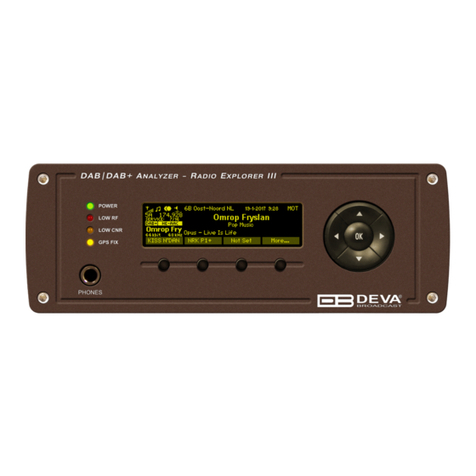
Front Panel.................................................................................................................................... 13
Rear Panel..................................................................................................................................... 14
Rear Panel GPO Terminal ............................................................................................................ 15
Before you start ................................................................................................................................ 16
Unpacking and Inspection............................................................................................................. 16
Radio Frequency Interference (RFI) ............................................................................................. 16
Safety Precautions......................................................................................................................... 17
Device connection ......................................................................................................................... 17
Operating Modes ............................................................................................................................. 18
Logger Mode ................................................................................................................................. 18
PI/CALL Campaign Mode............................................................................................................. 18
Interactive Mode ........................................................................................................................... 18
Navigation through OLED Menu................................................................................................... 19
Navigational Buttons..................................................................................................................... 19
Soft Buttons ................................................................................................................................... 19
OLED Display............................................................................................................................... 20
Header area.............................................................................................................................. 21
Main Screen working area........................................................................................................ 21
Operating Modes and Pages ........................................................................................................... 22
Home Page .................................................................................................................................... 22
Bandscan Page.............................................................................................................................. 23
Span control state ..................................................................................................................... 25
Marker control state ................................................................................................................. 27
Parameter control state ............................................................................................................ 28
Bandscan page parameters ..................................................................................................... 28
FFT Page....................................................................................................................................... 29
Parameter Control States:........................................................................................................ 30
Scope Page .................................................................................................................................... 31
Parameters available: .............................................................................................................. 31
Stereo Page.................................................................................................................................... 32
Graphs Page.................................................................................................................................. 33
Levels Page ................................................................................................................................... 35
Status Page.................................................................................................................................... 39
Status > Device ........................................................................................................................ 39
Status > IP Address .................................................................................................................. 39
Status > GPS ............................................................................................................................ 40
Settings Page................................................................................................................................. 40
Settings Menu screen structure ................................................................................................ 41
How to start a PI or Logger campaign using the front panel menu? ........................................... 45