
Cystereo FUSION Manuel utilisateur
USER
MANUAL
Wireless Earbuds
V1.02
www.cystereo.com @cystereo @cystereo
Support
North America: support@cystereo.com
United Kingdom: support.uk@cystereo.com
Deutschland: support.de@cystereo.com
France: support.fr@cystereo.com
España: support.es@cystereo.com
Italia: support.it@cystereo.com
日本: support.jp@cystereo.com

ENGLISH
DEUTSCH
FRANÇAIS
ESPAÑOL
ITALIANO
日本語
01
14
26
38
50
62
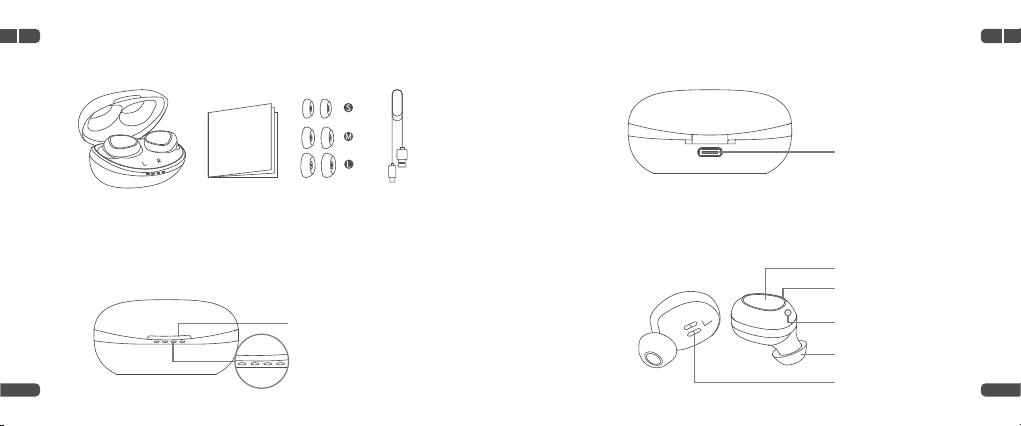
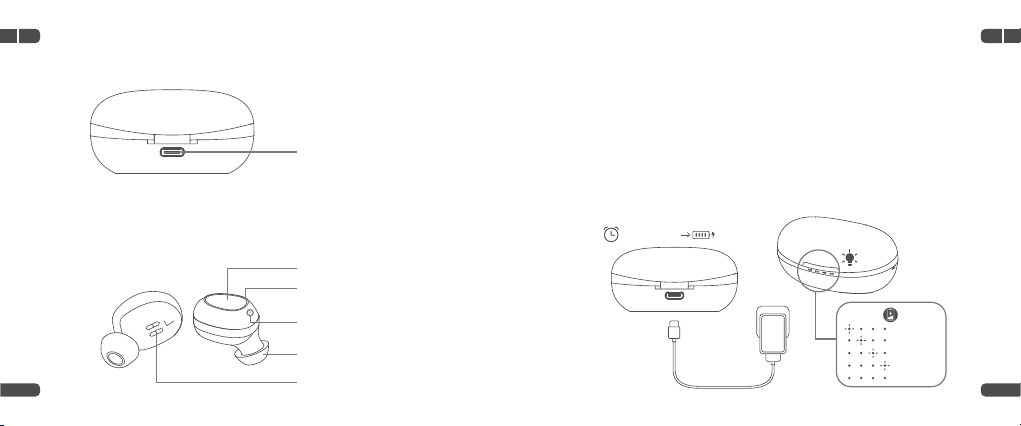
Earbuds
Type-C Charging Port
LED Indicator
Touchpad
Charging Pins
Microphone
Ear Tip
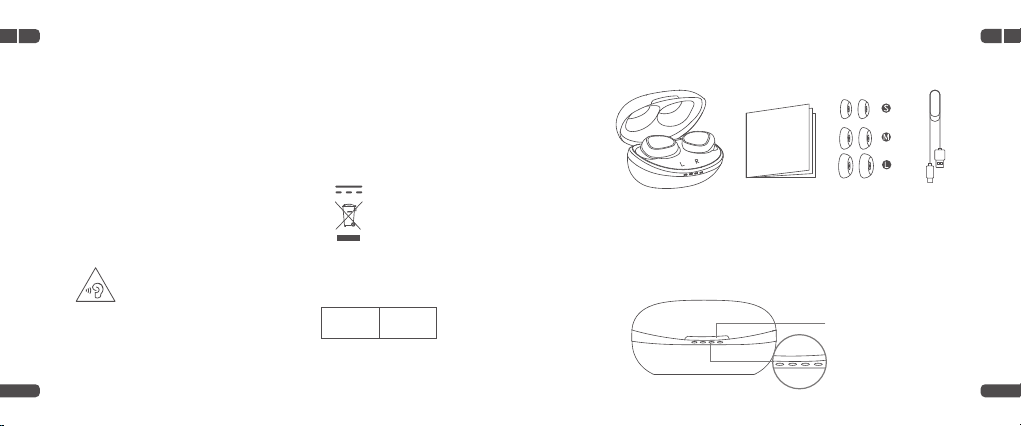
Packing List
Product Overview
Charging Case
Opening Slot
LED Indicators
x1 x1x1
x2
x2
x2
EN EN
01 02
Charge
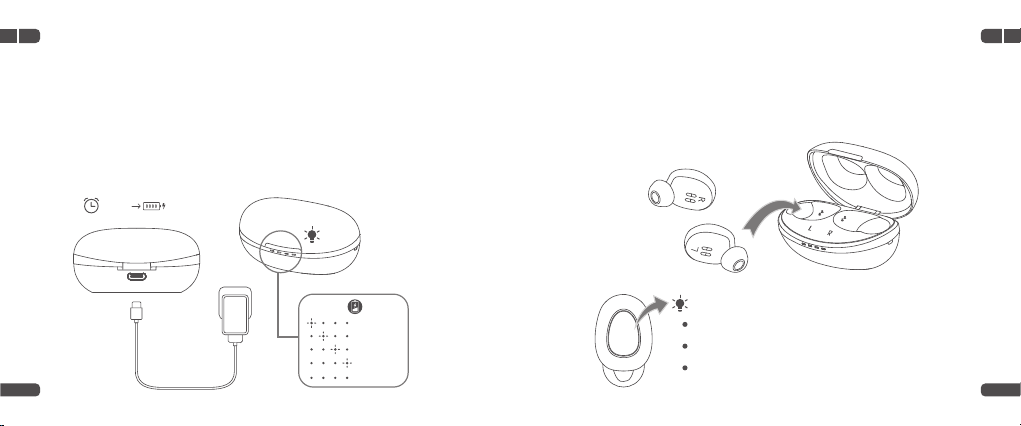
Fully charge the Charging Case and earbuds before your first use.
Charging Case
Connect the Charging Case to a compatible adapter (not included) with
the Type-C Cable, then plug the adapter into a socket.
Earbuds
Align the Charging Pins on the earbuds with those in the case, then place
the earbuds into the case until it magnetically snaps into the Charging
Slot.
34
0%-25%
26%-50%
51%-75%
76%-99%
100%
1-1.5H 100%
Charging: pulse red
Fully Charged: solid blue for 5 seconds, then be off
Low Battery: flash red twice for every 5 seconds
5V/1A
EN EN
03 04
Power On
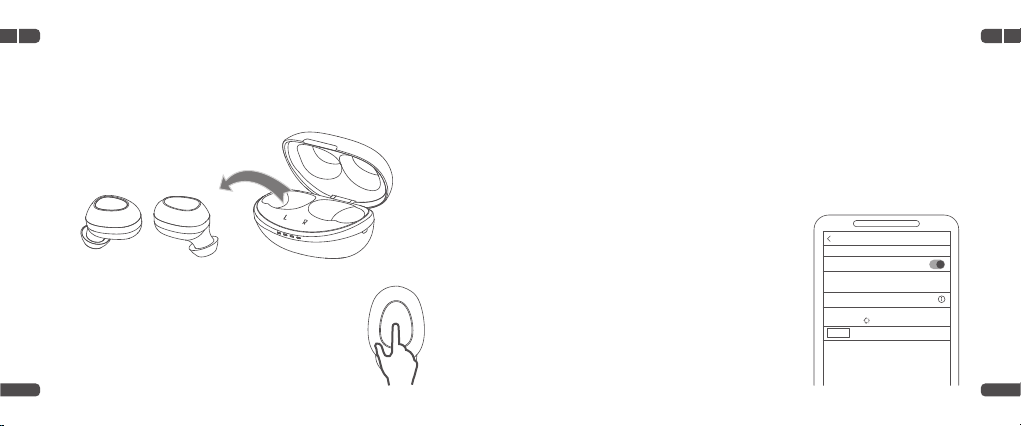
Option 1
Open the Charging Case and take the earbuds out to power on.
Option 2
When the earbuds are not in the case and in power-off
status, touch and hold the Touchpad for 1 second to
power on.
Pair
Step 1
When the LED Indicators on the earbuds flash red and blue alternately,
pair the earbuds with your mobile device within 60 seconds.
Step 2
Enable Bluetooth on your device,
then search and connect to
Fusion
.
Tip:
If the indicators are not flashing alternately, place the earbuds back into the
case and take them out again.
Settings Bluetooth
Bluetooth
Printer
Now discoverable as "iPhone(4)".
MY DEVICES
Not Connected
OTHER DEVICES
Fusion
To pair an Apple Watch with your iPhone, go to Watch app.
56
The LED Indicators on the earbuds
pulse blue once for every 3 seconds
and you will hear "Pairing successful,
connected" from the earbuds if the
connection is successful.
EN EN
05 06
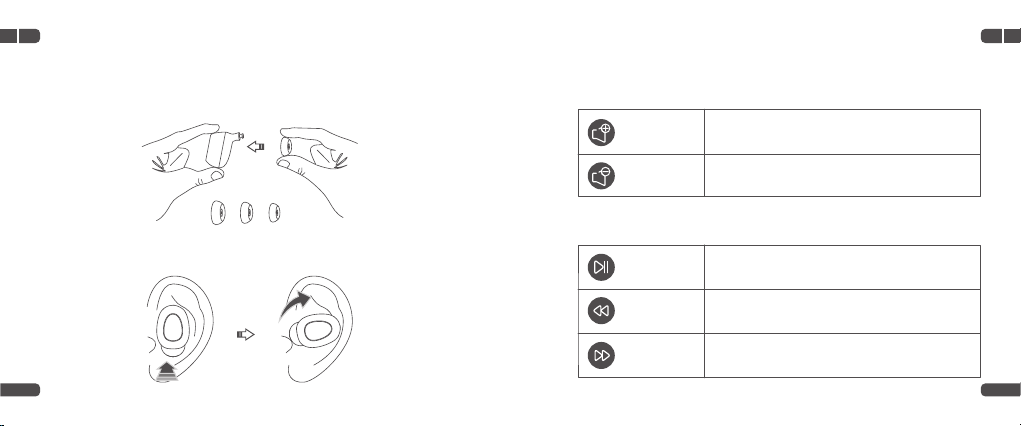
Wear the Earbuds
If the ear tips don't fit your ears, you can replace them with the new ones we
provided.
Volume
Fit the earbuds into your ears.
Functions
Volume Up
Music
Tap the Touchpad of either earbud once
Volume Down
Play/Pause
Previous
Tap the Touchpad of the Right(R) Earbud twice
Tap the Touchpad of the Left(L) Earbud twice
Touch and hold the Touchpad of the Left(L)
Earbud for 2 seconds
Touch and hold the Touchpad of the Right(R)
Earbud for 2 seconds
Next
78
EN EN
07 08
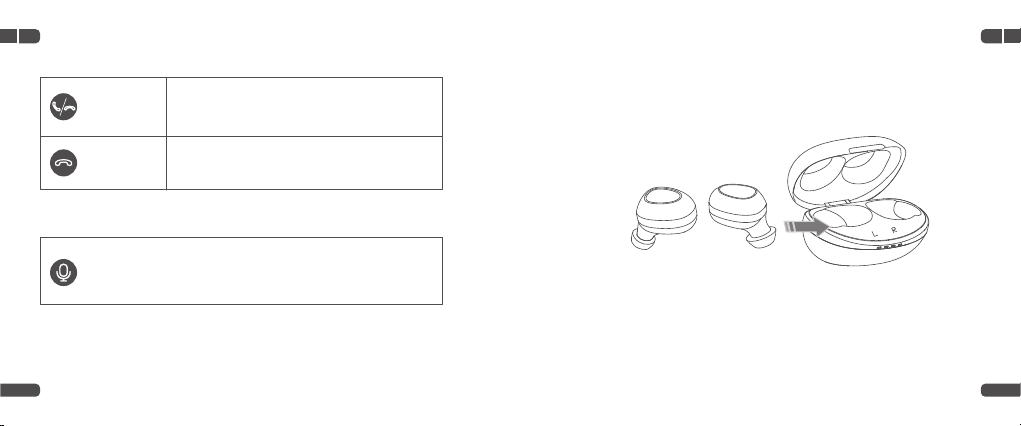
Call Power Off
Option 1
Place the earbuds back into the case to automatically power off.
Option 2
Touch and hold the Touchpad for 5 seconds to power off the earbuds.
Option 3
If there is no connection with a Bluetooth device within 3 minutes after
powering on, the earbuds will automatically power off.
Accept/End
Decline
Tap the Touchpad of either earbud once
Touch and hold the Touchpad of either earbud
for 2 seconds
Activate Voice Assistant
Tap the Touchpad of either earbud for 3 times to wake up
voice assistant.
EN EN
09 10
11 12
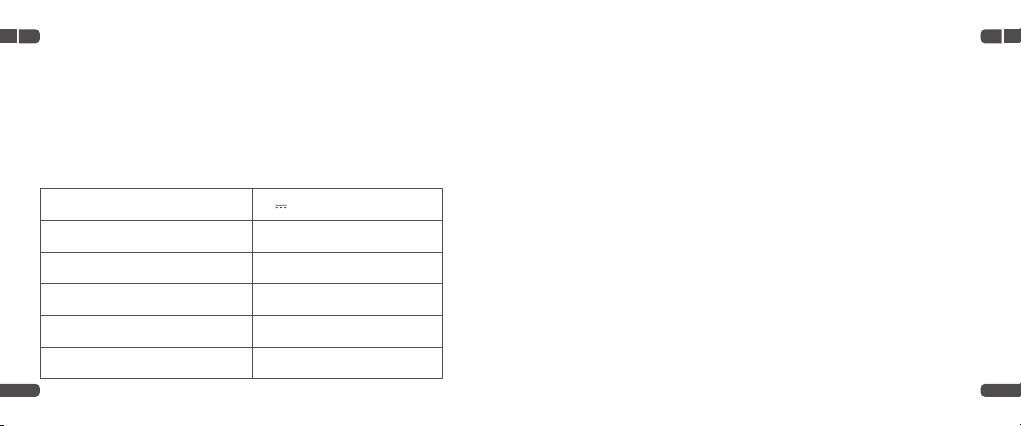
Specification
Reset
Power Supply
BT Version
Battery Capacity of the Charging Case
Charging Time for the Earbud
Charging Time for the Charging Case
Playtime
5V 1A
V5.0
350mAh
30 Minutes
1-1.5 Hour(s)
Up to 6 Hours (with 50% volume)
When your mobile phone can't be paired with the earbuds, place two
earbuds into the Charging Case, then simultaneously touch and hold the
Touchpad of two earbuds for 5 seconds to reset them.
EN EN
11 12
FCC Caution
Any Changes or modifications not expressly approved by the party responsible for compliance could void the
user's authority to operate the equipment.
This device complies with part 15 of the FCC Rules. Operation is subject to the following two conditions:
(1) This device may not cause harmful interference, and
(2) this device must accept any interference received, including interference that may cause undesired
operation.
NOTE:
This equipment has been tested and found to comply with the limits for a Class B digital device, pursuant to
part 15 of the FCC Rules.
These limits are designed to provide reasonable protection against harmful interference in a residential
installation.
This equipment generates, uses and can radiate radio frequency energy and, if not installed and used in
accordance with the instructions, may cause harmful interference to radio communications.However, there is
no guarantee that interference will not occur in a particular installation.
—Reorient or relocate the receiving antenna.
—Increase the separation between the equipment and receiver.
—Connect the equipment into an outlet on a circuit different from that to which the receiver is connected.
—Connect the equipment into an outlet on a circuit different from that to which the receiver is connected.
This equipment complies with FCC radiation exposure limits set forth for an uncontrolled environment. This
transmitter must not be co-located or operating in conjunction with any other antenna or transmitter.
FCC ID:2AQ3A-FUSION
ISEDC Warning
This device complies with Industry Canada licence-exempt RSS standard(s). Operation is subject to the following
two
conditions:
(1) this device may not cause interference, and
(2) this device must accept any interference, including interference that may cause undesired operation of the
device.
Le présent appareil est conforme aux CNR d'Industrie Canada applicables aux appareils radio exempts de
EN
13 14
NOTES:
1. High Sound Pressure
2. Hearing Damage Risk
3. Do not listen at high volume levels for long periods.
Manufacturer:
Shenzhen VanTop Technology & Innovation Co., Ltd.
Manufacturer address:
502, 5th Flr. BLDG 4, MinQi Technology Park, No. 65 Lishan Road,
Taoyuan Street, Nanshan District, Shenzhen, China
EC REP
BellaCocool GmbH
Pettenkoferstraße 18,10247,
Berlin, Germany
info@bellacocool.de
The symbol
indicates DC voltage
RECYCLING
This product bears the selective sorting symbol for Waste electrical
and electronic equipment (WEEE).
This means that this product must be handled pursuant to European directive
2012/19/EU in order to be recycled or dismantled to minimize its impact on the environment.
CAUTION
RISK OF EXPLOSION IF BATTERY IS REPLACED BY AN INCORRECT TYPE.
DISPOSE OF USED BATTERIES ACCORDING TO THE INSTRUCTIONS
IC ID:24268-FUSION
The device is compliance with RF exposure guidelines, users can obtain Canadian information on RF exposure and
compliance.
Le présent appareil est conforme Après examen de ce matériel aux conformité ou aux limites d'intensité de champ
RF, les utilisateurs peuvent sur l'exposition aux radiofréquences et la conformité and compliance d'acquérir les
informations correspondantes.
licence. L'exploitation est autorisée aux deux conditions suivantes:
(1) l'appareil ne doit pas produire de brouillage, et
(2) l'utilisateur de l'appareil doit accepter tout brouillage radioélectrique subi, même si le brouillage est
susceptible d'en compromettre le fonctionnement.
x1 x1x1
x2
x2
x2
Packliste
Produktübersicht
Ladebox
Öffnungsschlitz
LED-Anzeige
DE
DE
16
Ohrhörer
Typ-C Ladeanschluss
LED-Anzeige
Touchpad
Aufladestifte
Mikrofon
Ohrstöpsel
DE
3
15
0%-25%
26%-50%
51%-75%
76%-99%
100%
1-1,5 Stunden 100%
Laden Sie die Ladebox und die Ohrhörer vor dem ersten Gebrauch
vollständig auf.
Aufladen
Aufladen der Ladebox
Schließen Sie die Ladebox mit dem Typ-C-Kabel an einen kompatiblen
Adapter (nicht im Lieferumfang enthalten) an und stecken Sie den Adapter
dann in eine Steckdose.
5V/1A
Autres manuels pour FUSION
1
Table des matières
Langues :
Autres manuels Cystereo Casque audio


