
CITELlink SIP Handset Gateway Manuel utilisateur

©CITEL Technologies Ltd 2004
SIP Handset Gateway
Installation& Configuration
Guide
IP Centrex/Softswitch Compatibility Asterisk, Broadsoft, Sylantro
Telephone Compatibility Nortel–Meridian 1, Norstar
Document Number 1764
Version 1.00
2
1764 Version1.00 ©CITEL Technologies Ltd 2004
!
Copyright information
CITEL and CITELlink are trademarks of CITEL Technologies Ltd.
Broadsoft and Sylantroare registered trademarks of Broadsoft Inc. andSylantro Systems Corporation
respectively.Asterisk is The Open Source PBX, details available fromwww.asterisk.org. Other names
may be trademarks owned by third parties.
© 2004 CITEL Technologies Ltd. Proprietary. No part of these materials may be disseminated, copied
or reproduced without prior written consent of CITEL Technologies Ltd. All rights reserved.
The contents of these materials are for information purposes only. CITEL Technologies Ltd makes no
representations or warranties whether express or implied as to the accuracy or completeness of these
materials and shall not be liable for any loss or damage suffered or incurred as a result of reliance upon
or use of them.
CITEL Technologies Ltd reserves the right, without prior notice, to change the equipment, designs or
documentation referred to herein as it considers necessary.
Conventions
Table 1lists conventions used throughout this guide.
Table 1–Notice Icons
Icon Notice Description
Warning
Information that alerts the reader to a potential
danger of physical harm to personnel.
Caution
Information that alerts the reader to potential loss of
data or damage to an application, system, or device.
Information
note
Information that describes important features or
instructions.
Electrostatic
Sensitive
Device
Information to alert the reader to the presence of
devices sensitive to electrostatic discharges.

3
1764 Version1.00 ©CITEL Technologies Ltd 2004
CONTENTS
Conventions .................................................................................................... 2
1ABOUTTHISGUIDE 6
Important ........................................................................................................ 6
2ABOUT THE PRODUCT 7
Product description.......................................................................................... 7
3BOX CONTENTS 9
In-box items .................................................................................................... 9
4PLANNING AND PRE-REQUISITES 11
Installer..........................................................................................................11
Phone Users ..................................................................................................11
Hardware.......................................................................................................11
Software........................................................................................................12
Limitations .....................................................................................................12
5INSTALLATION AND CONFIGURATION 13
Gateway Installation .......................................................................................14
Gateway Removal ..........................................................................................14
Gateway Configuration...................................................................................14
6SOFTWARE UPGRADES 26
Overview .......................................................................................................26
7USER INFORMATION 27
Telephone Functionality..................................................................................27
Country-Specific Safety and Operating Information ...........................................27
8TROUBLESHOOTING 28
Checklist........................................................................................................28
Dealing with damaged or faulty items...............................................................28
APPENDIX A –TECHNICAL SPECIFICATION 29
Front panel.....................................................................................................30
RJ21x Wiring..................................................................................................33
SIP Gateway wiring chart for legacy Telephones ..............................................34

4
1764 Version1.00 ©CITEL Technologies Ltd 2004
APPENDIX B –SAFETY INFORMATION 36
Important Safety Instructions ...........................................................................36
Scope............................................................................................................36
General..........................................................................................................36
Installation of Telecommunications Wiring........................................................37
Symbols.........................................................................................................37
Installation Summary ......................................................................................38
Fuse and Component Replacement.................................................................38
System Grounding (Earthing) ..........................................................................39
General Grounding .........................................................................................39
Grounding Conductor.....................................................................................39
Protective Grounding Conductor......................................................................39
Regulatory Notices .........................................................................................40
Notice to US Customers..................................................................................40
Notice to Canadian Customers ........................................................................41
Notice to European Customers........................................................................42
APPENDIX C –SERIAL CONNECTION TOTHE GATEWAY 44
Serial Connection...........................................................................................44
APPENDIX D –EXAMPLE CONFIGURATION SESSION USING
HYPERTERMINAL 45
HyperTerminal Session Output........................................................................45
APPENDIX E –GLOSSARY 47
Terms and Acronyms......................................................................................47
APPENDIX F –CONTACTING ABP TECHNOLOGY49

5
1764 Version1.00 ©CITEL Technologies Ltd 2004

6
1764 Version1.00 ©CITEL Technologies Ltd 2004
!
1ABOUT THIS GUIDE
This guide provides instructions on how to set up the CITELlink SIP Handset Gateway, and is
intended for CITEL Authorized Partners only.
These instructions provide basic installation information, necessary for the proper and safe
functioning of this equipment. Persons installing or maintaining this product must read all of
the safety instructions and the parts of system grounding which are applicable to the system
being maintained. Only trained, qualified service personnel shall install or maintain this
product.
Important
This guide and warranty and liability details are published in the downloads area at
www.citel.com -note you need the CITEL Choice Partner password to access the
information. Any questions regarding the use of this guide may be directed to
If release notes are provided for the product and the information therein differs from the
information in this guide, the release notes override this guide.
Before attempting installation, ensure you have read and comply withall instructions
including the Safety Information in this guide. Also ensure you communicate the
same information to the users and administrators of the telephone system in which a
CITELlink SIP Handset Gateway is operating.
Failure to follow all instructions may result in improper equipment operation and/or
risk of electrical shock.
Changes or modifications not expressly approved by CITEL could void the user's authority to
operate the equipment

7
1764 Version1.00 ©CITEL Technologies Ltd 2004
2ABOUT THE PRODUCT
Product description
The CITELlink SIP Handset Gateway (the Gateway) enables users of legacy Northern
Telecom (Nortel) digital telephones to access an IP Centrex telephone system.The Gateway
acts as an interface between the legacy Nortel telephones and the SIP proxy servers. When
supported telephones are configured on the Gateway, phone features—including the
displays, softkeys, and supported hardkeys—function like they do on SIP telephones.
Legacy telephone models supported are listed below. Refer to Telephone Button Mapping
guides at www.citel.com for details of specific telephone model functionality.
Supported Telephones
Table 2 –Supported Telephones
Nortel Norstar
M7100 T7100
M7208 and M7208N T7208
M7310 and M7310N T7316
M7324 and M7324N T7406 (digital cordless)
Nortel Meridian 1
M2006 M3901
M2008 M3902
M2616 M3903
M3110 M3904
M3310
M3820
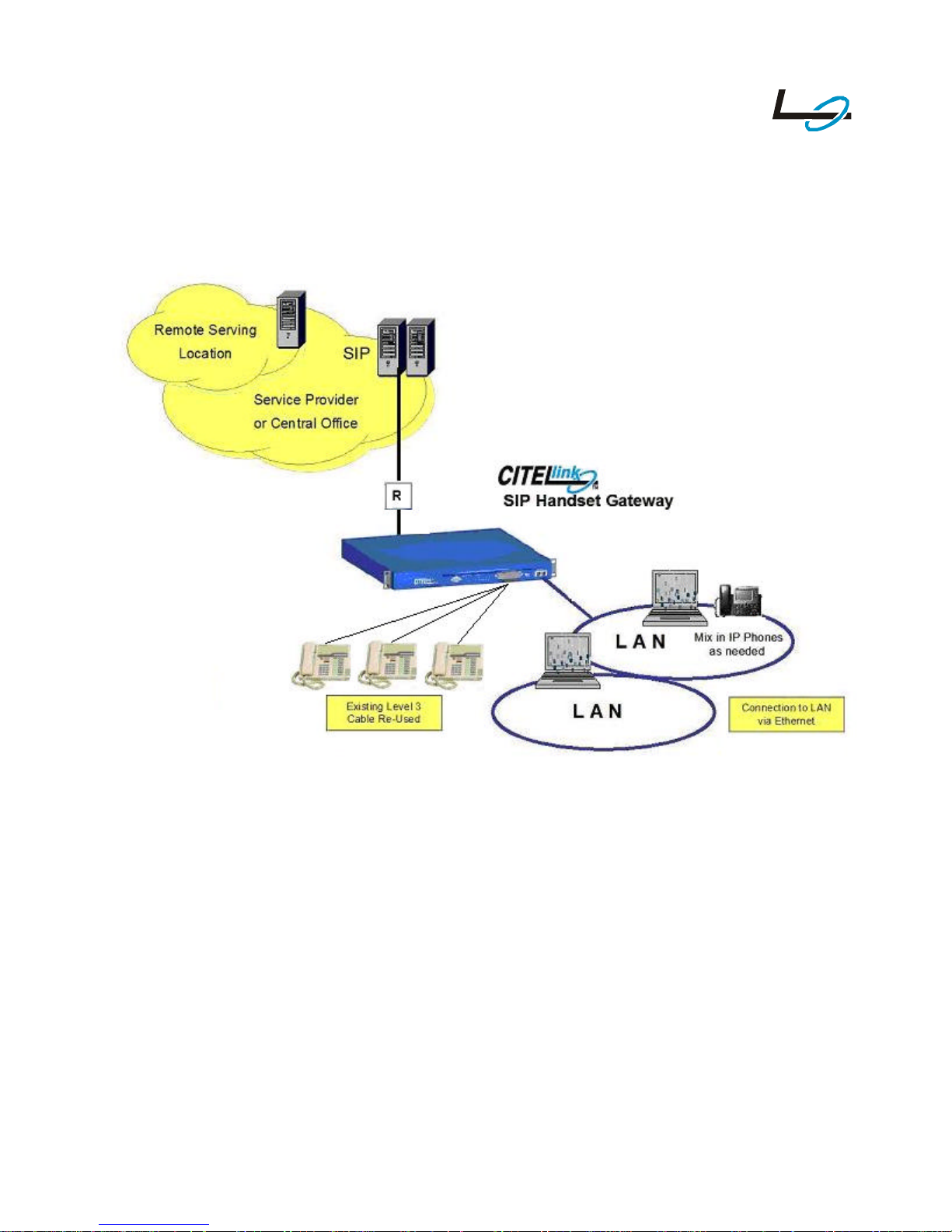
The Gateway is a rack-mountable unit. Each Gateway supports up to 24 legacy telephones
and is connected to the legacy telephones using the existing telephone wiring, punchdown
blocks and connectors. No additional telephone power is required. The legacy telephones are
line powered from the SIP Gateway through an integral power source.
The maximum loop length is 1600ft/500m. THIS MUST NOT BE EXCEEDED.
8
1764 Version1.00 ©CITEL Technologies Ltd 2004
Figure 1–Example installation of the CITELlink SIP Gateway
9
1764 Version1.00 ©CITEL Technologies Ltd 2004
3BOX CONTENTS
In-box items
The Gateway is supplied in one box containing four items:
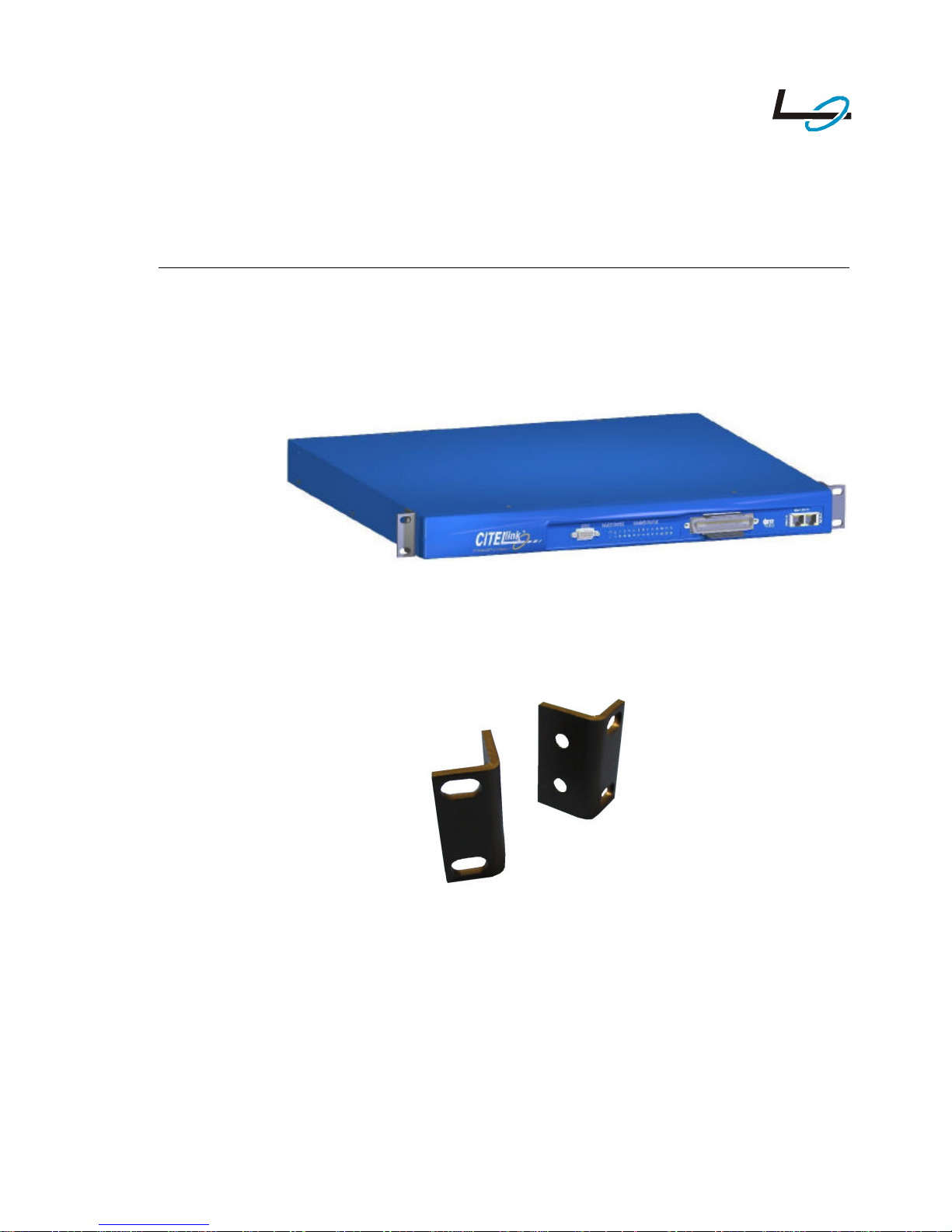
1CITELlink SIP Gateway unit (with warranty information).
Figure 2 –CITELlink SIP Gateway unit
2Rack mounting Brackets and fasteners.
Figure 3 –Rack Mounting Brackets and Fasteners
10
1764 Version1.00 ©CITEL Technologies Ltd 2004
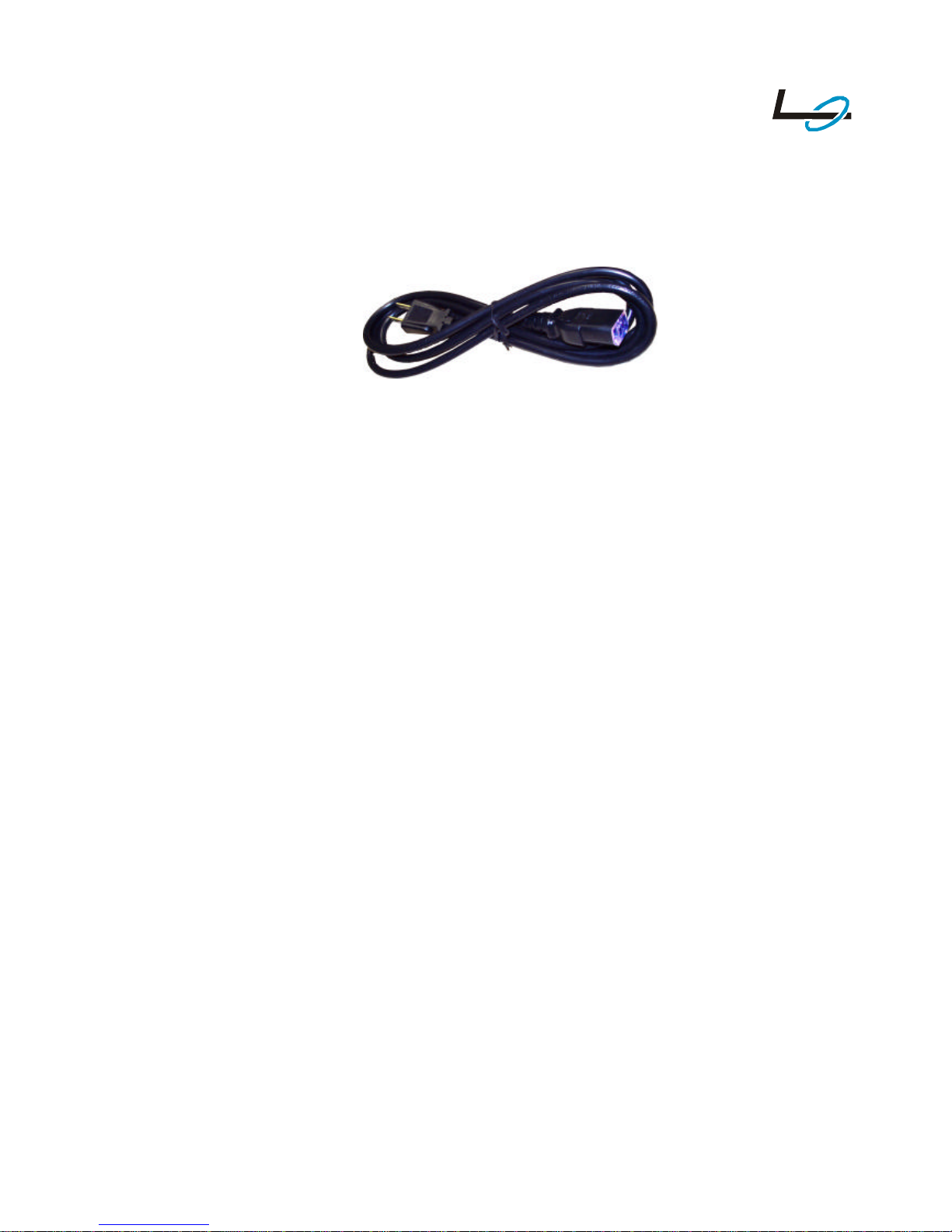
3Power supply lead: All boxes contain a US power supply lead as standard. For
other countries an alternative country-specific power supply lead is also provided
as a separate item (without charge). Refer to Appendix A for specification.
Figure 4 –Power Supply Lead
4Overview document for the product.
Table des matières
Manuels Porte populaires d'autres marques

LST
LST M500RFE-AS Manuel utilisateur

Kinnex
Kinnex Media Gateway Manuel utilisateur

2N Telekomunikace
2N Telekomunikace 2N StarGate Manuel utilisateur

Mitsubishi Heavy Industries
Mitsubishi Heavy Industries Superlink SC-WBGW256 Manuel utilisateur

ZyXEL Communications
ZyXEL Communications ZYWALL2 ET 2WE Manuel utilisateur

Telsey
Telsey CPVA 500 - SIP Manuel utilisateur


