
Broadcast Pix Slate 100 Manuel utilisateur
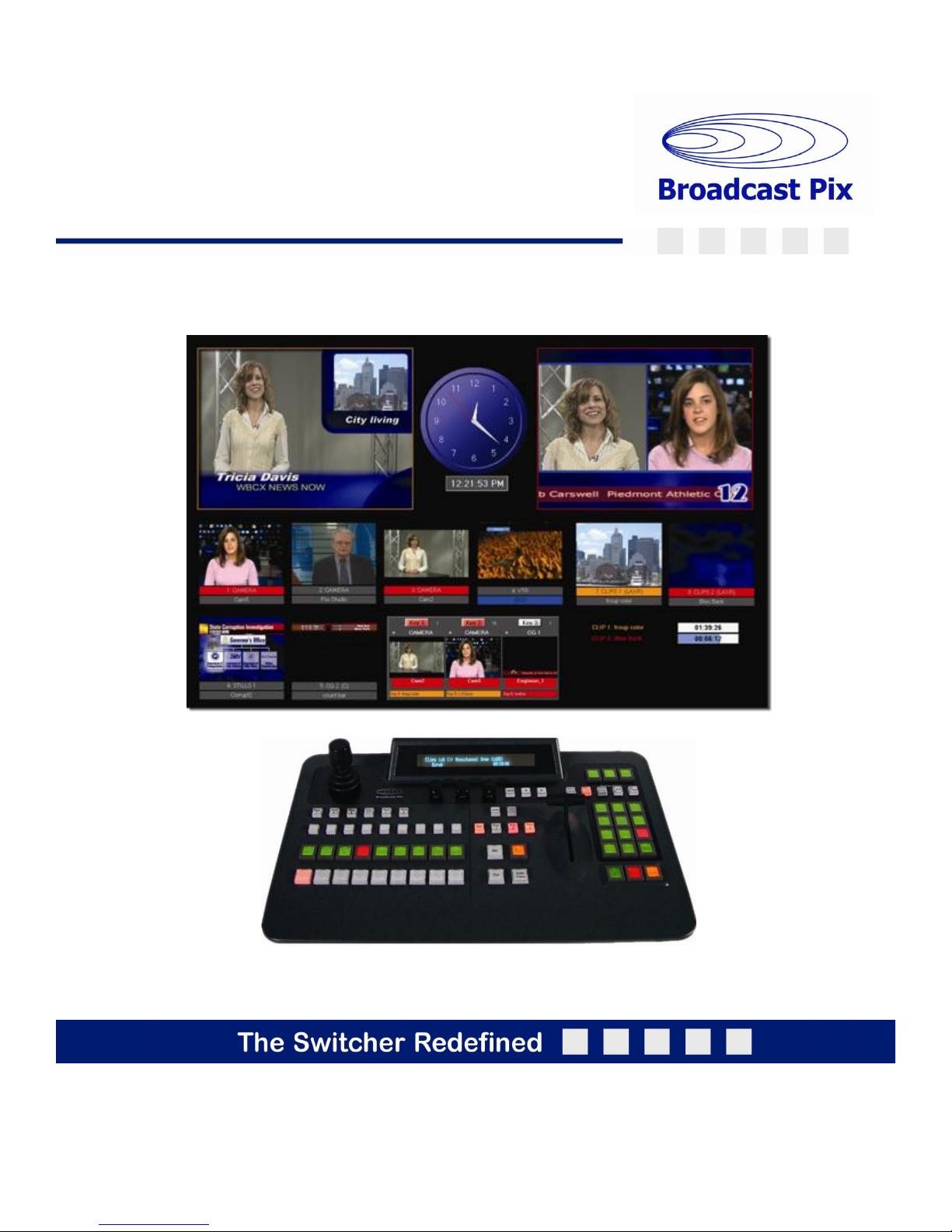
install - concepts - PixMaster - switcher - CG - clips - controls - team - appendix
Broadcast Pix V6.2
© Copyright Broadcast Pix, Inc. December, 2007
Broadcast Pix, Slate, iBoB, PixButtons, PixMaster, PixPad, AutoAspect and SoftPanel are trademarks of Broadcast Pix Inc.
Slate 100 / 1000 / 2100 Switchers
Operators Manual
Software Version 6.2

install - concepts - PixMaster - switcher - CG - clips - controls - team - appendix
Broadcast Pix V6.2
Section 1 Installation and Getting Started
1.1 Broadcast Pix Slate 100
1.1.1 System Contents
1.1.2 Wiring and Setting Up a Slate 100 (see Section 1.2.2)
1.2 Broadcast Pix Slate 1000
1.2.1 System Contents
1.2.2 Wiring Diagram
1.2.3 I/O Configurations
1.2.4 Analog I/O
1.2.5 Optional HD I/O
1.2.6 Optional DVI-I I/O
1.2.7 Audio I/O
1.2.8 Slate I/O Assignments
1.2.9 AutoAspect for Inputs
1.2.10 Optional Tally Box Wiring
1.3 Broadcast Pix Slate 2100
1.3.1 System Contents
1.3.2 Wiring Diagram
1.3.3 iBoB Audio I/O Wiring
1.3.4 iBoB Tally Wiring
1.3.5 iBoB Assignments
1.3.6 Setting up the iBoB from the Control Panel
1.4 Run a Show
1.5 The Sample Show
1.5.1 Testing the System
1.5.2 The Sample Show Memories
1.6 Troubleshooting
1.7 Input Timing & Asynchronous Sources
1.8 Changing what show is running
1.9 Settings
1.9.1 Changing the Startup Show
1.9.2 Selecting between NTSC/525 and PAL/625
1.9.3 Selecting between Aspect Ratio 16:9 and 4:3
1.9.4 Selecting between Monitor Size 1280x1024 or 1680x1050
1.9.5 Enabling DualAspect
1.10 Control Panel Sleep Mode
1.11 Control Panel Console Installation
0.1
Operators Manual Table of Contents

install - concepts - PixMaster - switcher - CG - clips - controls - team - appendix
Broadcast Pix V6.2
Section 2 Broadcast Pix Concepts
2.1 Broadcast Pix Switcher Features
2.1.1 Video Flow Diagram
2.2 PixButtons for Executing with Confidence
2.3 Devices
2.4 Device Controls
2.4.1 Assigning the Device Controls
2.4.2 PixPad Navigation
2.4.3 Multi-View PixPad
2.4.4 PixPad Order Controls
2.4.5 Floating PixPads
2.5 Multi-View
2.5.1 Monitor Sizes
2.5.2 Overview of the Multi-View
2.5.3 Sources on Multi-View
2.5.4 Keyer on the Multi-View
2.5.5 Clip Store Counters
2.5.6 Basic Switching on the Multi-View
2.5.7 Advanced Switching on the Multi-View
2.5.8 About Tab
2.5.9 Floating Monitors
2.6 List of Screen Resolutions
2.6.1 Adjusting the Windows Desktop Screen Resolution
Section 3 PixMaster Show Editor
3.0 PixMaster Storage System
3.1 Creating a New Show
3.2 Selecting an Existing show to Edit
3.3 Editing a Show
3.4 Editing a Show’s Content
3.5 Reorder, Add or Remove Content
3.5.1 To Reorder Content
3.5.2 To Reorder a Group of Content
3.5.3 To Preview Content
3.5.4 To Remove Content from a Show
3.5.5 To Add content from the central Library
3.5.6 To Add a group of content from the central library
0.2
Operators Manual Table of Contents

install - concepts - PixMaster - switcher - CG - clips - controls - team - appendix
Broadcast Pix V6.2 0.3
Operators Manual Table of Contents
Section 3 PixMaster Show Editor
3.6 To Import Content
3.6.1 Importing a Subfolder
3.6.2 Resize and soften images
3.6.3 Importing PowerPoint Slides into a Still Store
3.7 To Delete Content from the Library (permanently)
3.8 Show Content Summary
3.9 Editing Show Settings
3.9.1 Switcher Source Assignments
3.9.2 Auto Fail-Safe Setting
3.9.3 Adding Wildcard Devices
3.9.4 Show Memories
3.9.5 Global Naming of Memories
3.9.6 Custom Images on Memory PixButtons
Section 4 Production Switcher
4.0 Switcher Controls
4.0.1 Tally
4.1 Video Sources
4.1.1 Program Row Source Selection.
4.1.2 Accessing Inputs 9-18 with Shift
4.2 Transitions
4.2.1 Transition Preview
4.2.2 Background Cut Transition
4.2.3 Background Mix Transition
4.2.4 Background Effects Transition
4.3 Transition Effects
4.3.1 Effects Styles and PixButtons
4.3.2 Selecting a New Effect by Number
4.3.3 Viewing More Effects in the Library
4.3.4 Changing Effect Transition Rates
4.3.5 Modifying an Effect
4.4 Keys
4.4.1 Key Controls
4.4.2 Assigning a Source to Keys 1-3
4.4.3 Direct Keys Control
4.4.4 Transitioning Keys individually with PixButtons
4.4.5 Transitioning Keys with other keys or with the Background
4.4.6 Modifiers for Keyers

install - concepts - PixMaster - switcher - CG - clips - controls - team - appendix
Broadcast Pix V6.2
Section 4 Production Switcher
4.4.7 To Change the Key Fade Rate
4.5 DVE Boxes (Picture in Picture)
4.5.1 To Create a DVE Box:
4.5.2 Modifying a DVE Box
4.5.3 Dual and Triple DVE Boxes
4.5.4 Accessing Keys 4-6
4.6 Source Controls
4.7 Chromakey
4.7.1 Activating the Chromakey
4.7.2 Settings for the Chromakey
4.7.3 Adjusting the Chromakey
4.8 iBoB DSK Downstream on Slate 2100
4.8.1 To Enable/Disable iBoB DSK
4.8.2 To Turn on and Set Up iBoB DSK
4.8.3 To Operate iBoB DSK
4.9 Auxiliary Output Control
4.9.1 Aux Out on Slate 100 or 1000
4.9.2 Aux Out on Slate 2100
4.9.3 PowerAux Control
4.10 StudioMemory
4.10.1 Saving a Mem
4.10.2 Recalling a Mem
4.11 Scripts
4.11.1 To Record a Script
4.11.2 Playing a Script
4.11.3 ScriptsManager Setup
4.12 Fail-Safe On-Air Production
4.12.1 Fail-Safe on Slate 100 and Slate 1000
4.12.2 Fail-Safe on Slate 2100
4.12.3 Fail-Safe Operation on Slate 2100
4.13 Capture of Stills
4.13.1 Capturing an Image
4.13.2 Capture Folder Destination
0.4
Operators Manual Table of Contents

install - concepts - PixMaster - switcher - CG - clips - controls - team - appendix
Broadcast Pix V6.2 0.4
Section 5 CG and Graphics
5.1 CG Installation
5.1.1 TitleMotion Pro Canvas
5.2 Creating Still CG Graphics
5.2.1 Exporting a Still Graphic from Inscriber to Broadcast Pix
5.2.2 Exporting Graphics from Photoshop to Broadcast Pix
5.3 CG Rolls and Crawls
5.3.1 To Create CG Graphics that Roll or Crawl
5.3.2 To Play a Roll or Crawl
5.3.3 Motion Controls for Rolls and Crawls
5.3.4 Modifiers for Rolls and Crawls
5.4 Creating an Animated CG Graphic
5.4.1 To Create an Animated Graphic
5.4.2 Importing an Animated CG Graphic into Broadcast Pix
5.4.3 On-Air Operations for CG Animations
5.4.4 Creating Animations in 3rd Party Applications
5.5 Basic CG On-Air Operation
5.6 Updating CG Graphics On-the-Fly
5.6.1 .ICG Editing
5.6.2 Overwriting a File
5.7 Dual CG
5.8 Still Store and Logo Operation
5.8.1 Preparing Still Content
5.9 Optional CG Connect Software
5.9.1 Adding the RTX Tags
5.9.2 Loading CG Connect with a Layout
5.9.3 Updating the CG Layout
5.9.4 Adding a Data Source with XML Files
5.9.5 Creating your Own XML File
5.9.6 Using Images with CG Connect
5.9.7 Using Clocks with CG Connect
5.9.8 Displaying the CG Layout
5.10 Using International Characters with Inscriber
Operators Manual Table of Contents

install - concepts - PixMaster - switcher - CG - clips - controls - team - appendix
Broadcast Pix V6.2
Section 6 Clip Store
6.0.1 Audio Flow with Embedded Audio
6.0.2 Audio Flow with Digital AES/EBU Audio
6.0.3 Audio Flow with Analog Stereo Audio
6.1 Recording a Clip
6.1.1 Creating Clip Thumbnails
6.2 Clip Store Playout
6.3 To Select a Clip by Name
6.3.1 To Select a Clip by Number
6.3.2 Selecting a Clip with the Multi-View
6.3.3 Viewing More Clips in the Library
6.3.4 Playback of Compressed Clips
6.4 Clip Motion Controls
6.4.1 Clip Counter
6.5 Clip Modifiers
6.5.1 Mark In and Out Points
6.5.2 Auto Start Clips
6.5.3 Auto Stop Clips
6.5.4 Auto Rewind Clips
6.5.5 Loop Clips
6.5.6 AutoAspect Controls
6.5.7 Scrubbing a Clip
6.6 Setting the Clip Audio Advance
6.7 Optional Dual Clip Store (Dual DDR)
6.8 Optional External DDR Control
6.8.1 Installing External DDR Control
6.8.2 Verifying Installation of External DDR Control
6.8.3 Selecting Clips to Access
6.8.4 Adding DDR Control to a Show
6.8.5 Controlling External DDR
6.8.6 Looping
6.8.7 Accessing More Channels
0.5
Operators Manual Table of Contents

install - concepts - PixMaster - switcher - CG - clips - controls - team - appendix
Broadcast Pix V6.2
Section 7 Device Control Options
7.1 Camera Control Option
7.1.1 Camera Control Option Licensing
7.2 Installation of Sony Cameras
7.2.1 Wiring Configurations
7.3 Installation of Hitachi Cameras
7.3.1 One Camera Installation
7.3.2 Multi-Camera Installation
7.4 Adding Camera Control to an Existing System
7.4.1 Setting the COM Port
7.5 Camera Control Settings
7.5.1 Sony Camera Control Settings
7.5.2 Hitachi Camera Control Settings
7.5.3 Assigning the Camera Number
7.6 Adding Camera Control to a Show
7.7 Selecting Camera Control in a Production
7.8 Controlling a Camera Manually
7.9 Setting Camera Preset Positions
7.9.1 Recalling Preset Camera Positions
7.9.2 Recall Speed for Preset Positions
7.10 Camera Control Settings
7.10.1 To Set Travel Limits of Tilt and Pan
7.10.2 To Adjust Camera Functions
7.11 Optional Audio-Follow-Video Control
7.11.1 Enabling Audio Follow
7.11.2 Activating Audio Follow
7.11.3 Audio Follow Setup
7.11.4 Audio Follow Operation
0.5
Operators Manual Table of Contents

install - concepts - PixMaster - switcher - CG - clips - controls - team - appendix
Broadcast Pix V6.2
Section 8 Team Operation
8.1 Types of Multi-User Operation
8.2 Optional Multi-Panel Support
8.3 Adding a Separate Graphics Operator
8.3.1 Two Operators with Separate Graphics Operator and 1 Panel
8.3.2 Two Operators with Separate Graphics Operator and 2 Panels
8.4 Locking Panels Together
8.5 Viewing just a portion of the SoftPanel
8.6 Two Operators with Two Computers
8.7 Remote Operator in the Back Room
8.8 Dual Panels for Back-Up Redundancy
8.9 Remote Control
Appendix
A.1 Updating the Software to Future Versions
A.2 Updating the Control Panel or iBoB Firmware
A.3 Installing System Options
A.4 Classic Show Editor
A.5 Control Panel Operation, Technical Appendix
A.6 Broadcast Pix Slate Analog Video Connector Pin-Outs
A.7 Broadcast Pix Slate Analog Audio Breakout Cable
A.8 Broadcast Pix Slate Technical Specifications
A.9 Glossary
A.10 Broadcast Pix Contact Information
0.6
Operators Manual Table of Contents
install - concepts - PixMaster - switcher - CG - clips - controls - team - appendix
Broadcast Pix V6.2
This section covers the typical installation of a Broadcast Pix Slate system and some
options. Other options that require installation are covered in their sections.
1.1 Broadcast Pix Slate 100
1.1.1 Slate 100 System Contents
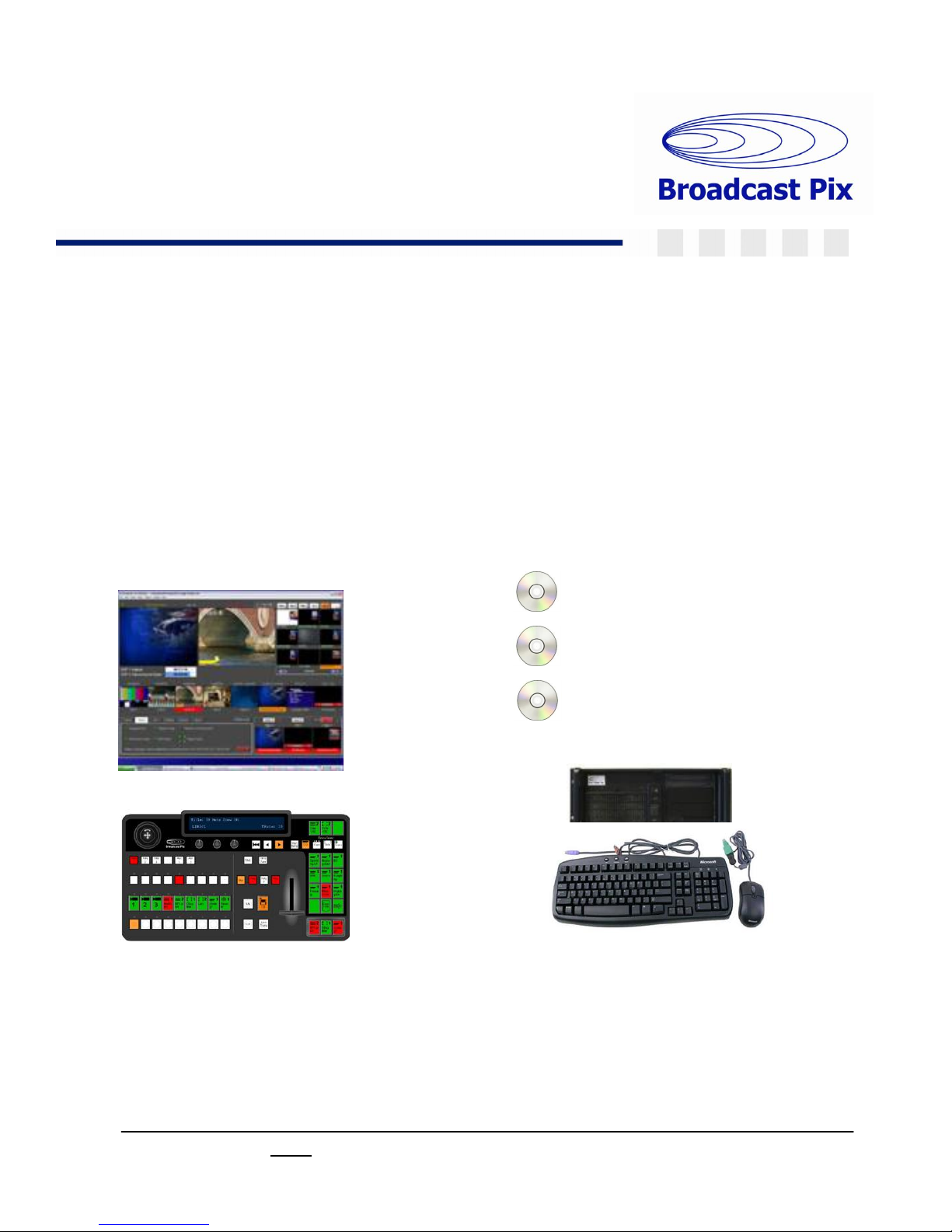
The Broadcast Pix Slate 100 is comprised of the following components.
Software:
BPSwitcher V6
Inscriber TitleMotion Pro
Character Generator
Microsoft Windows XP
Broadcast Pix Software,
Showing the Multi-View
Workstation with Slate boards
installed, Keyboard, Mouse
(VGA monitor
not included )
Broadcast Pix
SoftPanel
1.1
Section 1:
Installation and Getting Started
Autres manuels pour Slate 100
1
Ce manuel convient aux modèles suivants
2
Table des matières
Autres manuels Broadcast Pix Changer
Broadcast Pix
Broadcast Pix Flint LS 1000 Manuel utilisateur

Broadcast Pix
Broadcast Pix Slate 3000 Series Manuel technique

Broadcast Pix
Broadcast Pix Granite 2000 Manuel utilisateur
Broadcast Pix
Broadcast Pix BPswitch Manuel utilisateur

Broadcast Pix
Broadcast Pix Flint LS 1000 Manuel utilisateur

Broadcast Pix
Broadcast Pix Slate 100G Manuel utilisateur

Broadcast Pix
Broadcast Pix Slate 5008G Manuel utilisateur

Broadcast Pix
Broadcast Pix Slate 100 Manuel utilisateur

Broadcast Pix
Broadcast Pix Slate 5000 Series Manuel technique


